Ok Folks… I finally figured out what the current Intersect Arc and Line tool is doing… and I was able to fix the point switching while moving the base point for the most part.
There’s 3 possible intersections
- No intersection
- 1 Intersection point which is a tangent
- 2 Intersection points
In the case of the 2 intesection points there are 3 possible senarios:
- Both segment points lie within the circle
- Both segment points lie outside the cricle
- One point lies within the circle the other lies outside the circle.
What the tool does in case 1 & 2 is determines if the intersection points lie ON the line segment (as defined by 1st line seg A4 and 2nd seg point A1). IF both points line on the segment OR both points do not lie on the segment, then the tool will pick the instersect point closest to the segment point. For ex: If intersect point 1 is closer to point A4 than intersect point 2 is to point A1… then the tool uses the 1st intersect point. As illustrated below:
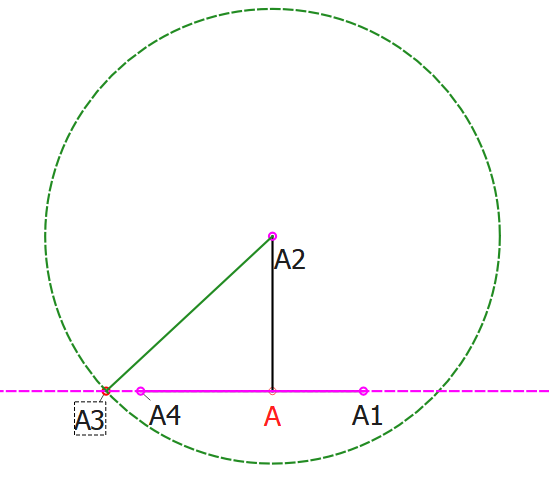
If A1 is closer to the 2nd intersect point… then the second intersect point is used.
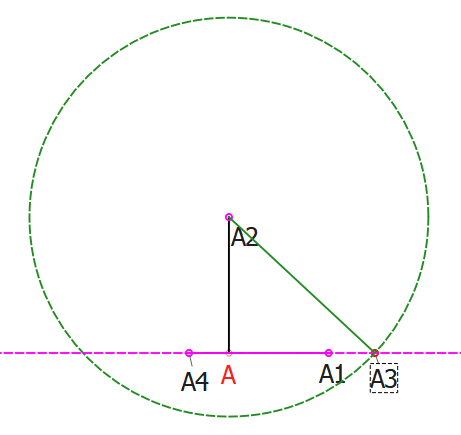
In the 3rd case the tool selects which ever point is on the segment:
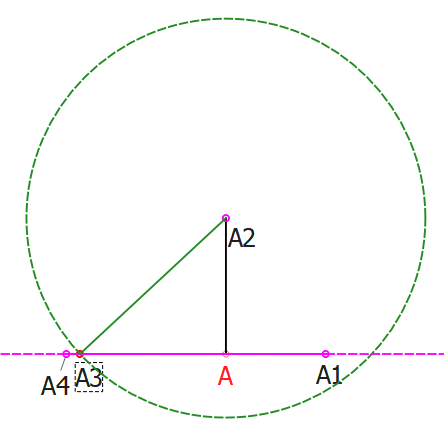
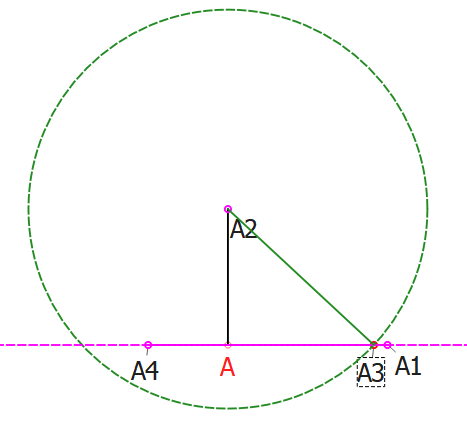
Now… the code was trying to always check how close the intersect point was to the 1st seg point A4, and not pt 1 to A4 AND pt 2 to A1. I fixed that… which seems to solve most of the point switching glitch. I suspect it has to do with the fuzzy math in the IsPointOnLineSegment routine. It can still happen if the 2 distances are exactly equal (in which case the tool is supposed to pick pt 1), and only if you can catch it at just the right time moving REAL slow like a pixel at a time. In the example with A4 being 2.0 from A and A1 being 2.00001 from A, I could not get it to glitch.
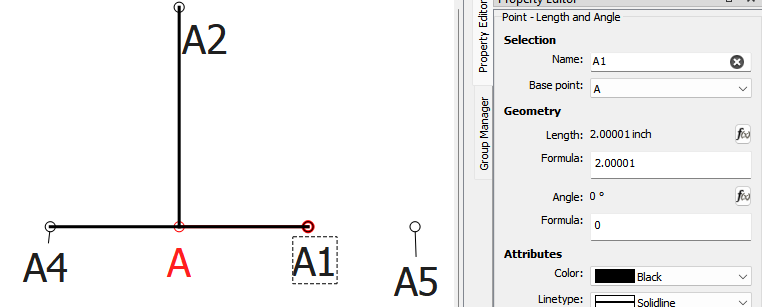
BTW… I also added the radius line to the visual.


