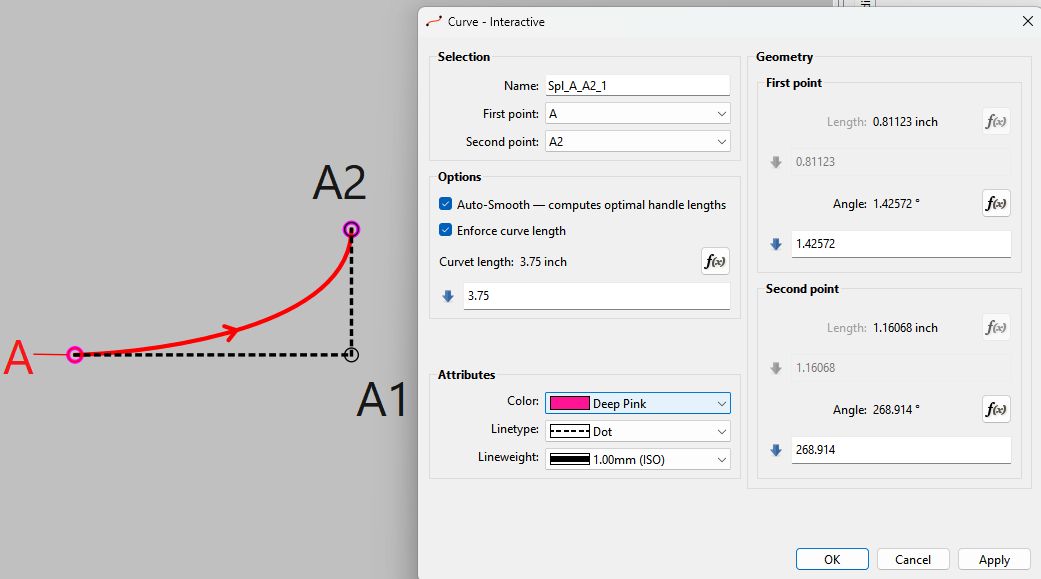
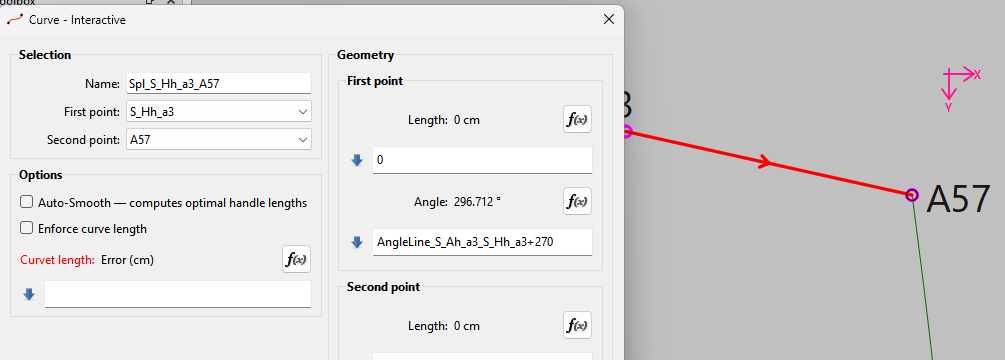
Interactive OK… once I moved the Options groupbox. Also “(Hobby)” was just noise… nobody is going to know what it is or means. It’s also going to create issues with ambiguity in translations… is it a person named Hobby… or is it a hobby. Less is More.
Again Claude doesn’t seem to have a clue what to do with the UI forms.
Also we can’t have Claude changing code… for ex: we need to follow Allman style for braces with no single line blocks. All code blocks must be in braces.
No: It’s not the 70’s… we don’t need to save paper… thank you very much K&R
int index = ui->lineType_ComboBox->findData(LineTypeNone);
if (index != -1) ui->lineType_ComboBox->removeItem(index);
Yes:
int index = ui->lineType_ComboBox->findData(LineTypeNone);
if (index != -1)
{
    ui->lineType_ComboBox->removeItem(index);
}
This No: It’s mess to read. And again we’re not stuck in the 80’s and 80 char screens
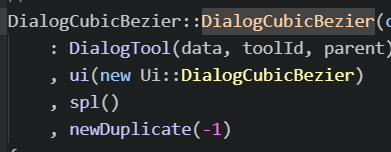
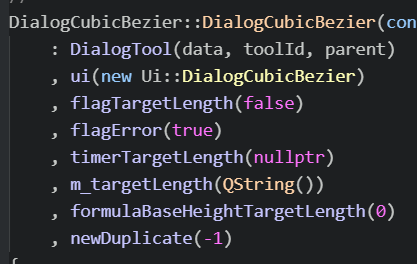
OMG… Claude mangled the hell out of the DialogCubicBezier file… besides what I posted above, it deleted whole sections and members - specifically sp1()… that’s why the name isn’t being created.
From my point of view it’s difficult to see what changes have been added, because the whole file has changed… most of which have nothing to do with adding the feature. By chance did this dialog get mixed up with the Interactive dialog?
I got the update with the new schema. I haven’t built with it yet, but it look to all be correct.
Just a few notes.
This 0.7.4 schema bump was easy… it’s just setting the new version number. On the other hand the feature I’m currently working on for the multisize feature changes the xml schema a lot… removing some elements, moving some to a different element, and adding new ones. A real fun one is renaming attributes as unlike elements there is no method to rename them. You have to loop and find them, save a copy of the value, delete the attribute, then add it back in with a new name with the value from the saved copy. A good case in study for conversions is the passmark → notches.
Something else to keep in mind… whenever new features are added (or removed) that chnage the schema there’s always the chance that another dev may also working on a new schema with the same version number, and it will certainly cause conflcts where one dev will have to change their schema - so be aware of that.
Hi everyone, and especially @Douglas — thank you for the thorough review and honest feedback on the first attempt. You were right on pretty much every point.
Rather than patching the original branch, I started over from scratch on a clean develop base (Qt 6.5.3, matching upstream CI). Every issue Douglas identified has been addressed:
What changed since the first version:
Schema versioning done properly — new v0.7.4 schema with converter chain from v0.7.3, not patching the existing schema
No more mangled dialogs — the .ui forms are cleanly extended with a new Options GroupBox, nothing moved or deleted. Curve name, sp1(), all original members untouched
No unnecessary getter rewrites — GetSpline() still returns the whole spline as before. Only the new attributes (autoSmooth, lengthMode, targetLength) got accessors
Allman braces throughout, no single-line blocks, no K&R-style wrapping
Copyright headers preserved — no files were mangled
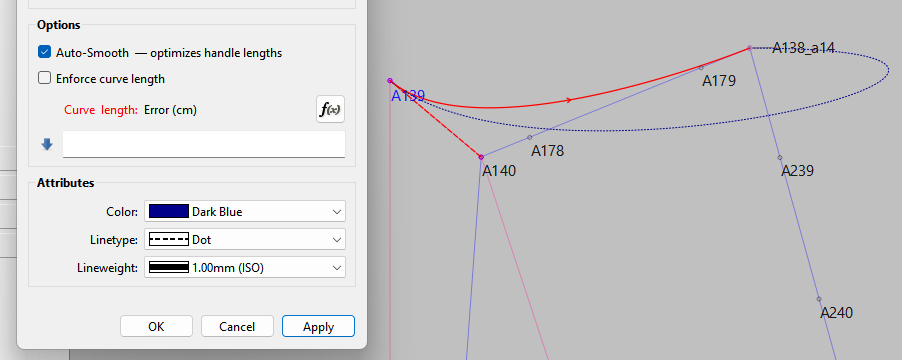
Checkboxes → Dropdowns — as Douglas suggested, since the Property Editor has no checkbox plugin. Auto-Smooth (No/Yes) and Adjust Length (Off/Start/End/Both)
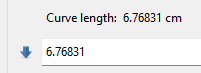
No more “Error” on empty formula — the curve length field defaults to the current arc length when no target is set
Visualization fixed — both the selection highlight and the dialog preview now show the computed curve, not the original. This was a deeper architectural fix (new setShowPoints() pattern that survives mouseMove refresh cycles)
Toggle preservation — switching Adjust Length to Off no longer destroys your value. Switch back and it’s still there
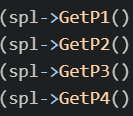
Reference counting bug fixed — pre-existing bug where Create() incremented P1 three times instead of P1/P2/P3/P4
What’s new compared to the first version:
Adjust Length has per-handle control — Start / End / Both, instead of just on/off. This lets you constrain only one handle while the other stays free
Combined mode uses tension, not linear scaling — when both Auto-Smooth and Curve Length are active, the solver varies the Hobby tension parameter τ instead of stretching the finished handles. This keeps the natural curve shape at any target length
Both solvers use secant method — consistent, fast convergence
12 commits, 25 files, +2700/−33 lines. The diff is almost entirely additive — the only structural change to existing code is the Create() dispatch, which is documented in-code with a comment explaining why sequential application doesn’t work.
@Douglas — I’d appreciate your review when you have time. Happy to adjust anything that doesn’t fit.
Feature looks and work much better I like the additions and the use of the drop downs for the length mode. In an odd sort of way it makes the dialogs and Properties Editor more cohesive rather than one using checkboxes and the other dropdowns.
Anyhow I had a look and requested a few changes:
Several requests as per my comment on Github…
Hyphented text should be avoided… it can cause issues when translating. Also the labels do not match between the Dialogs and Properties editor. The dialogs use “Auto-Smooth” while the Editor uses “Smooth curve”. I suggest using "Smooth curve in both. “Auto” can be ambiguous when translating as it’s an abbreviation for “automatic” and can be confused an "automobile.
The fx buttons do not work in either of the dialogs.
While a curve length formula can be entered in the Propeties Editor, it does not show in the dialog.
And the length value in the dialog does not match.
If the curve length formula is edited in the Properties Editor, and pattern immediately saved the formula is saved. If the curve dialog is then opened and Ok pressed the formula is replaced by the length value and the formulas will not be saved.
Other than that everything else seems to work ok.
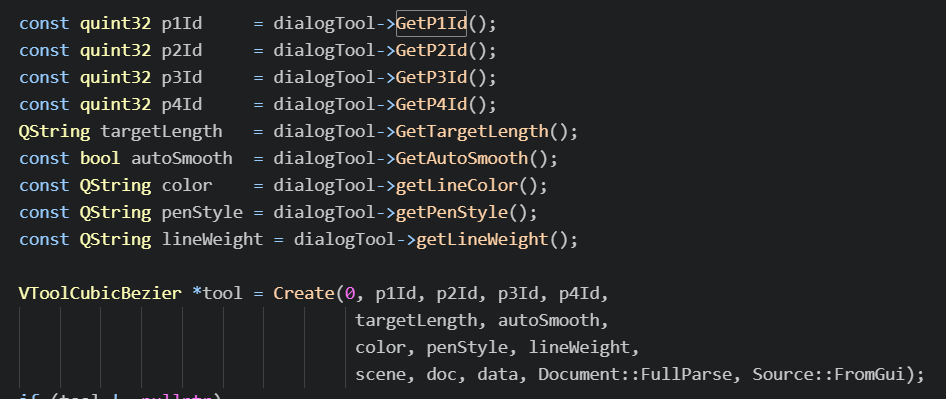
Not going to worry with this PR, but in the future as far as naming conventions for any new code - All classes shoud be UpperCamelCase, while functions, methods and variables should be lowerCamelCase. Basically following Qt’s conventions here. Also avoid using single char variable names other than iterators like i, j, k.
For ex: “s” here says nothing about what the QPair is, and searching for “s” would be futile.
A better name would be something like handle with handle.first and handle.second. That tells me that the lengths are handle lengths without having to read the comment. In other words code should be self documenting with minimal comments.
Thanks for the thorough review and the quick feedback really appreciate you taking the time to test everything hands-on.
I’ve addressed all three points and pushed the fixes:
Labels: Renamed “Auto-Smooth” to “Smooth curve” in both curve dialogs to match the Properties Editor. No more hyphenated text for the translators.
fx buttons: Wired up the curve length formula button in both Curve Fixed and Curve Interactive dialogs — they now open the formula editor as expected.
Formula sync: The dialog now properly loads the stored formula from the Properties Editor instead of replacing it with a numeric value. Opening the dialog and pressing OK no longer destroys the formula.
Also noted your naming convention guidance (lowerCamelCase, self-documenting variable names) — will keep that in mind going forward. I can also offer to go over my code and try to get it au pair.
Let me know if there’s anything else that needs adjusting!
Finally got around to playing with this feature. Is there a way to use the smooth-adjusted length in a formula? Because when I’m wanting another measurement to match my curve, I want it to match my curve, & it doesn’t seem to when I use “Smooth curve”.
I’ve also been playing with them. You can use a formula to the length of the previous curve. Both of those features only work on the length of the curve handles, so make sure that the angles are formulated.
Something that I’ve learnt, that may help… Always create the shorter curve 1st so that you can adjust the length of the longer curve’s curve handles to match the shorter curve, otherwise you just get a straight line.
I only played with the curves enough to test, but yes a length formula of anything less than the distance between the 2 points will just create a line. I also suspect that trying to match / adjust a curve length beyond a certain point is going to produce a curve that is not right… which is going to depend on the length you are trying to match. Trying to adjust a front neck line 3/4" to match a collar is not goinjg to produce a proper curve… where as maybe you could get away with 3/4" on the side seam of pants.