I came up with a fix to sanitize any pattern file with a lineWeight=“1.00” attribute. And I did it without the tedius parsing down through the DomDocument to do so.
Since the file is read into a string before it’s validated, I simply replace any occurance of lineWeight=“1.00” with lineWeight=“1”, save the string back to the file and continue on validating the file. Would have been even easier if the Xerces xml library was written in Qt intead of standard c++ without using std::string.
BTW… in case anyone is wondering why this is an issue… when you write decimal numeric attibutes in an xml, the trailing zeros are stripped off. And somewhere a string value (probably a default setting value) is being written as “1.00”. That’s then where the validator throws an error. This way the app can fix the file instead of one of us or a user.
Hello everyone! Yesterday i had to download the new version of seamly (because my computer got upgraded to Windows 11). First i could work normally with my files from the older version ( i could even save a dress pattern in different individual sizes, but today i can´t open any of them.
Since you last downloaded a Seamly update, we have upgraded to QT6. I think that these errors are caused by this upgrade.
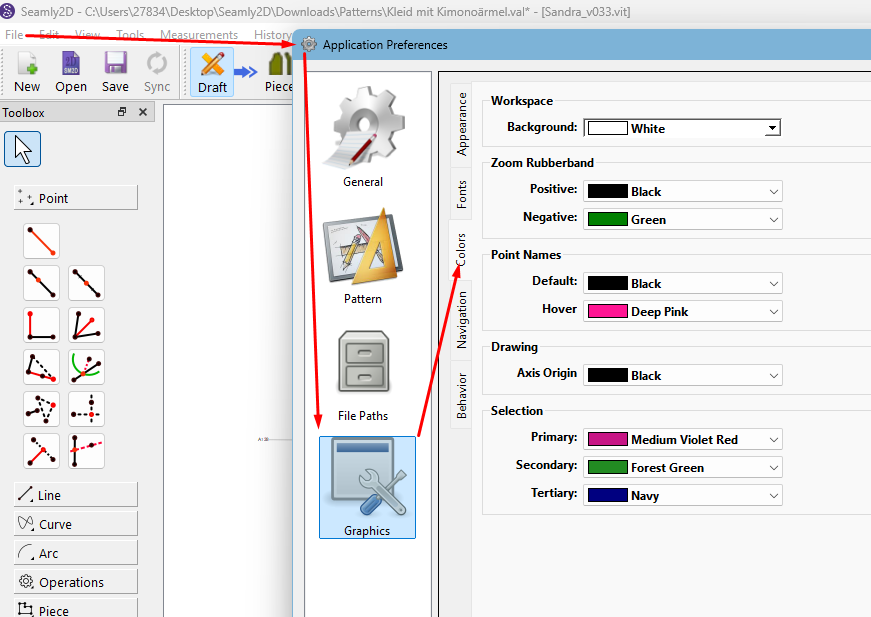
I suggest that you open Seamly and, before you load any patterns, go to File > Application Preferences > Graphics > Color and select the default colors that you would like to use. Here is a screenshot of the colors that I have set:
Thank you very very much! After i applied that all my pattern files worked again!
(But only shortly because Kaspersky decided to go crazy and delete Seamly2d again. But that is a problem i have to ask my IT-Guy about).
But now i know what to do once it works with Kaspersky. Thank you!
Yeah… Kaspersky! The anti-virus programs are picking up a file in Seamly that they think is a Bearfoos virus and putting Seamly into quarantine. It isn’t a virus. What you can do is to go & look for Seamly in the quarantine folder and restore it from there - I don’t know if Kaspersky has such a thing.
I think someone else had the same issue. I tried to change lineWeight from 1.00 to 1 ( i hope i changed every one). But it still doesn´t work.
How can i avoid that this error happens again? Once i changed the measurments (from size 8 to size 6) and saved that file, the error popped up in both files. Am i doing something wrong?
@Grace I tried everything i could think of with Kaspersky, but it deletes Seamly without even asking. Which is very strange because before the upgrade to windows 11 i never had a problem with that.
I found the 1.00 on line 446 or something, it was only the one and now it opens for me with no problems.
You’ll need to contact Kaspersky to untarget the program.
Yes, we had it a while back and it seems that either the QT6 upgrade or the Windows 11 upgrade has brought it back. I had the same thing on mine, but I use Windows Defender, so I added Seamly to my Firewall.
What you can try it to pause Kaspersky, install Seamly, add Seamly to your Firewall and then unpause Kaspersky.
I have a fix for the lineweight issue… one that even fixes the file itself. It might end up in this weekends release - if not a pre-release during the week.
It’s kinda of out of our control. MS Defender randomly does the same thing. It’s a “machine leaning” issue.
Oh, i missed one . Thank you!
But i did some more work on the pattern, saved it and the error popped up again. But well, at least i know how to fix that one now.
@Douglas Thank you! That would be amazing. Although it is an easy fix, it is kinda time consuming (and weirdly for my eyes quite overwhelming to look at xml code)
What irks me most it that Kaspersky does it without asking me before, it used to always do that…but well, i tried the advice from Grace, so maybe if i´m lucky it will work.
Between looking at pattern / measuerement files, the xsd schema, and ts translation files almost everyday I’m used to xml.
The easiest thing is to just search for lineWeight=“1.00” and replace with lineWeight=“1”. In fact that’s what I did in the fix. I figured out how to make the replacement in a bad file before it’s validated… as well as not writing “1.00” in the first place.
Defender does the same thing. Which BTW… if you’re on Windows 11 are you sure it’s not Defender quarantining the file?
Ok… the initinal issuue was easy to resolve. There is a an internal path that has a color of “Black” when it should be lower case “black”.
It seems that this pattern was created with an old version of Seamly that was writing the ipath with an incorrect color.
<!--Pattern created with Seamly2D v2025.5.19.215
If you haven’t already, I suggest to update Seamly. The file still needs to be hand fixed to edit “Black” to “black”.
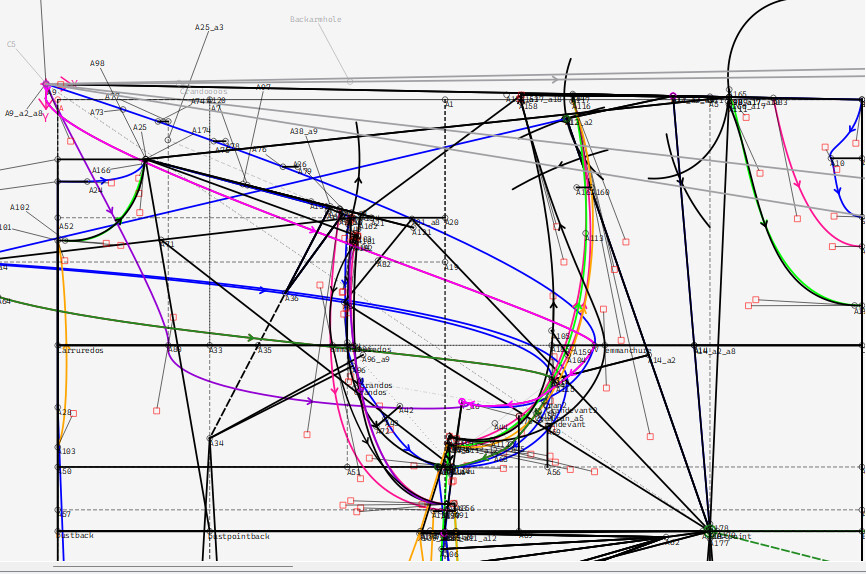
That said there is still a major issue with not finding an interrsection point A9 and it causes all kinds of other errors due to the fact the origin point is then used and the whole pattern is then off. I hadf to edit the file to turn off extending internal paths as they then could not find an intersection.
I got the pattern to open, but it will take me some time to figure out why the offending tool is not finding the intersection .
Making them intersect still does not fix the pattern.
I get the feeling this pattern was originally drafted with a smaller size? Also I’ve notciced none of the spline control handles are formulized… which means they won’t scale properly to different sizes. Which is why the curves get all wonky.
Yes, the pattern was originally created for a smaller size, so when I scale it up, the arcs become distorted. Thank you for suggesting that I create a full circle instead; that will save me a lot of trouble!
Could I also ask what you mean by “spline control handles are not formalised”? Is there a wiki or any documentation about it? It would be really helpful when scaling the other sizes.
Unfortunately, I still can’t open the pattern, and since I can’t change the internal path from “Black” to “black,” I’m unable to make that adjustment either.
Thank you again so much for all the time and effort you’ve spent helping me. I really appreciate it!
It’s an easy fix in any plain text editor, such as Notepad on Windows, or TextEdit on Mac. Here’s the file with that problem fixed:
RobeMadrid44.sm2d (208.4 KB)
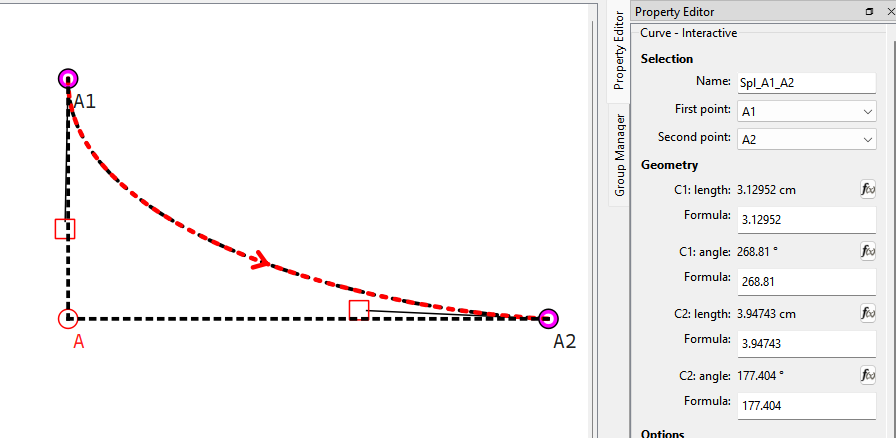
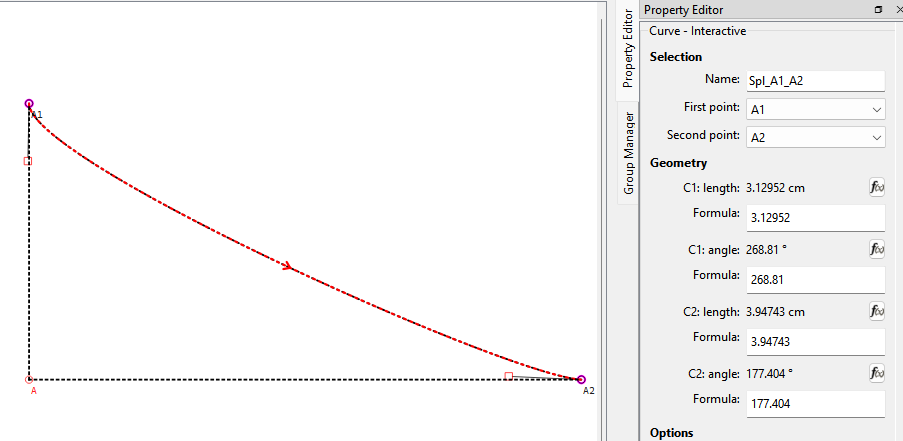
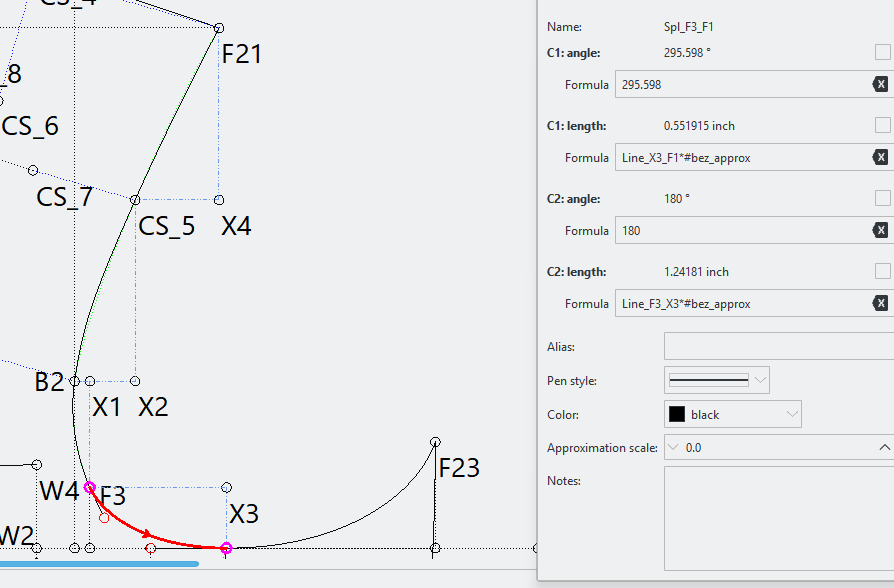
Sure. If you want a curve to rwsize in proportion to a change in measurements you need to add fomulas to the control handles lengths. Here’s a basic example.
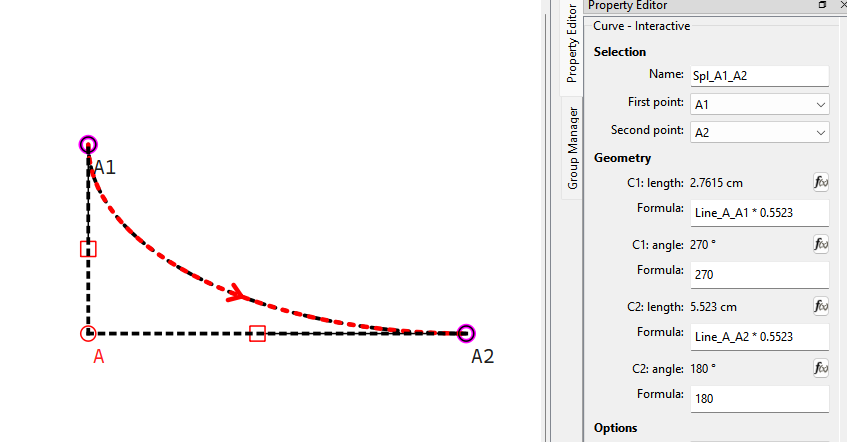
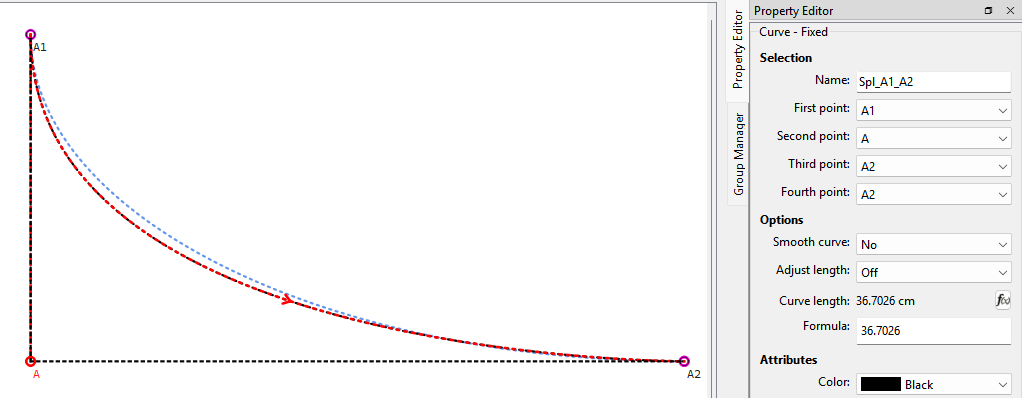
No formulas for the control handle lengths… I just dragged the handles to produce a curve that looks OK. The length of A to A1 is 5cm. The length of A to A2 is 10cm.
By formulizing the curve to lock the angles to 270 and 180 deg, and using the bezier “magic number” of 0.5523… the formula for the 1st handle length is Line_A_A1 * 0.5523 and the 1st handle length is Line_A_A2 * 0.5523.
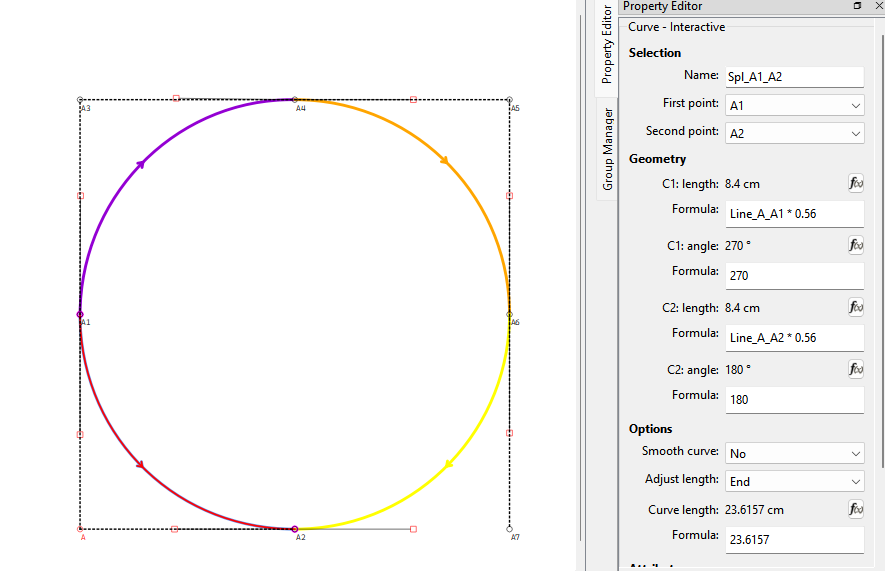
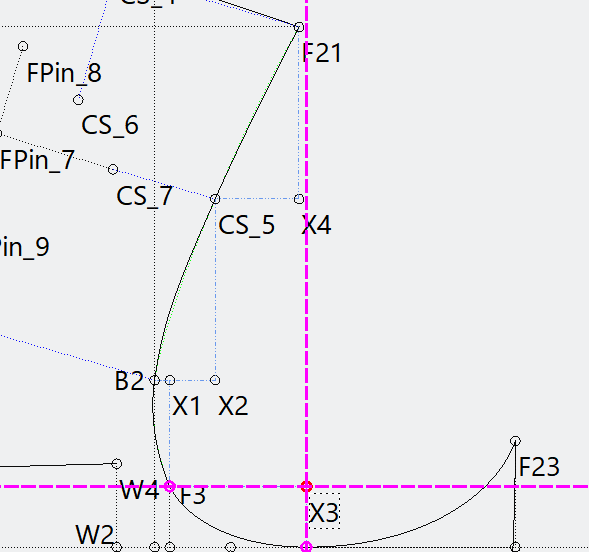
In practice what I do is create a lattice of vertical and horizontal sides of a rectangle that defines the endpoints of a curve… and formulize the handle lengths by the rectangle width or height * the bez_approx (0.5523)



 . Thank you!
But i did some more work on the pattern, saved it and the error popped up again. But well, at least i know how to fix that one now.