Hi again, @freelancer
@Sue is the best person to help you with this that I know of. Unfortunately, she’s really busy at this time with the program, so I’m going to try and head you in the right direction with the way that I would do it.
The secret of getting the curves to resize is with using formulas that reference the angle and length of lines in the pattern. These lines should preferably reference a measurement in the .vit file.
Once you have the reference line or angle in then you can start playing with percentages as I have done here:
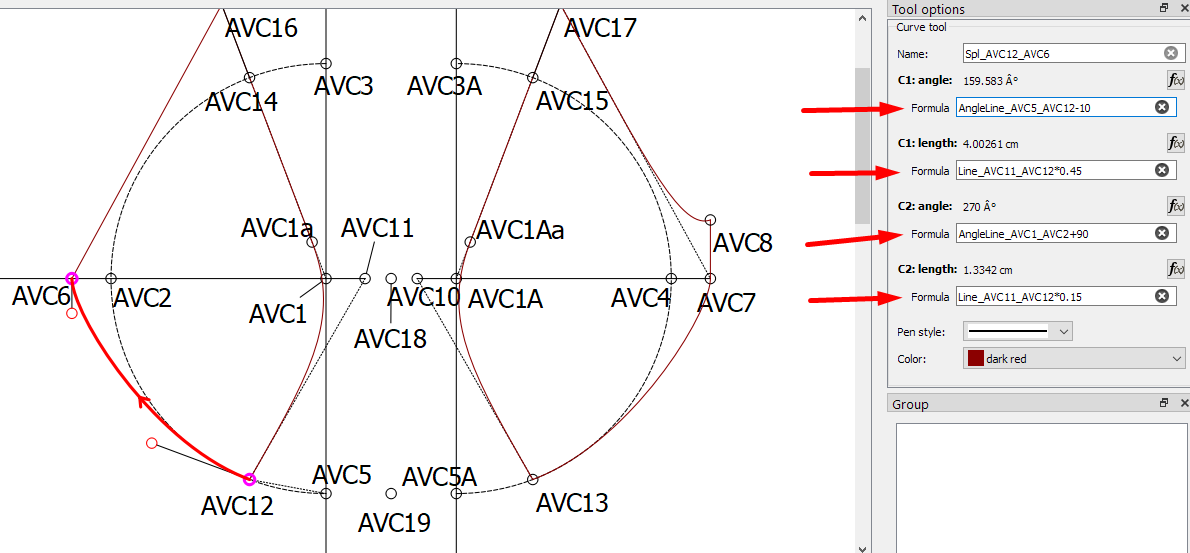
To create a perfect curve would be to make the handle 55% long, so I start with adding * 0.55 to the end of my formula and then increase this or decrease it until it looks right.
As for the angle, you will see that I added a line from AVC5 to AVC12 (I had to do this back in the History since you’d already duplicated the left side on the right side, but this is a whole new topic that you can read up on). I used this as the angle of the handle in the curve at node AVC12 and then subtracted 10 degrees off it to get the curve to follow the curve of the arc.
The handle at AVC6, I referenced a line that goes at 270 degrees to have the curve going smoothly into the line AVC7 to AVC8 on the right side, and then I made the handle quite short so that it starts curving quite soon to keep a nice shape.
I did the same with the other curve:
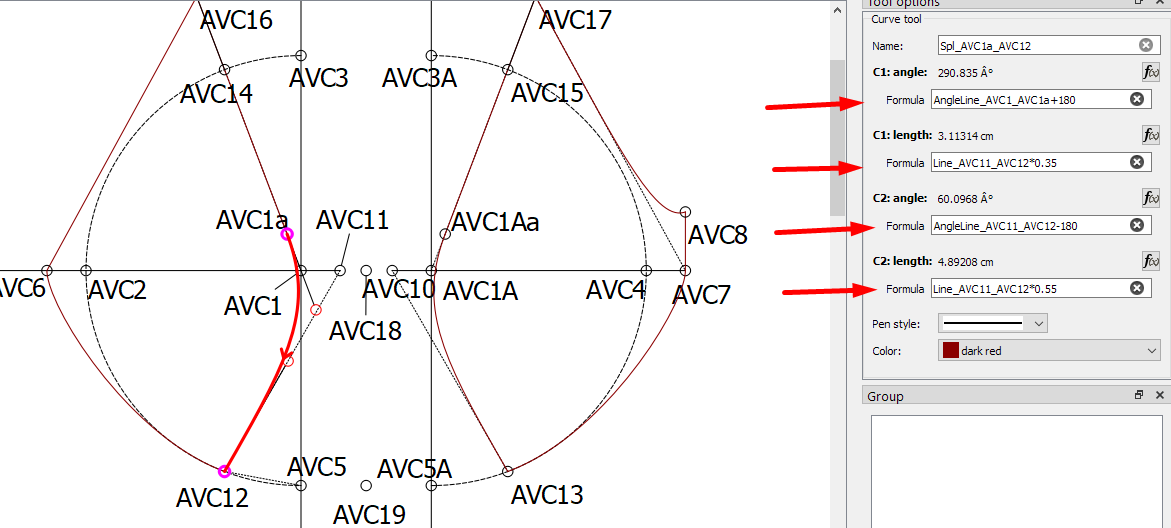
I can’t test the resizing but this should resize very nicely when you change the measurements file. Please let me know how it resizes 
Here is your pattern file back, that I have made the changes on, so that you can see what I’ve done: Basic pattern bra size 80B (dutch)_a.val (10.5 KB) - You may have to point the pattern back to your measurements file when you open it the 1st time.