I am not quite sure what you want to do; but it is possible to insert a point into a curve and then move or flip that curve including that point; later on you can just take a part of the curve in your detail:
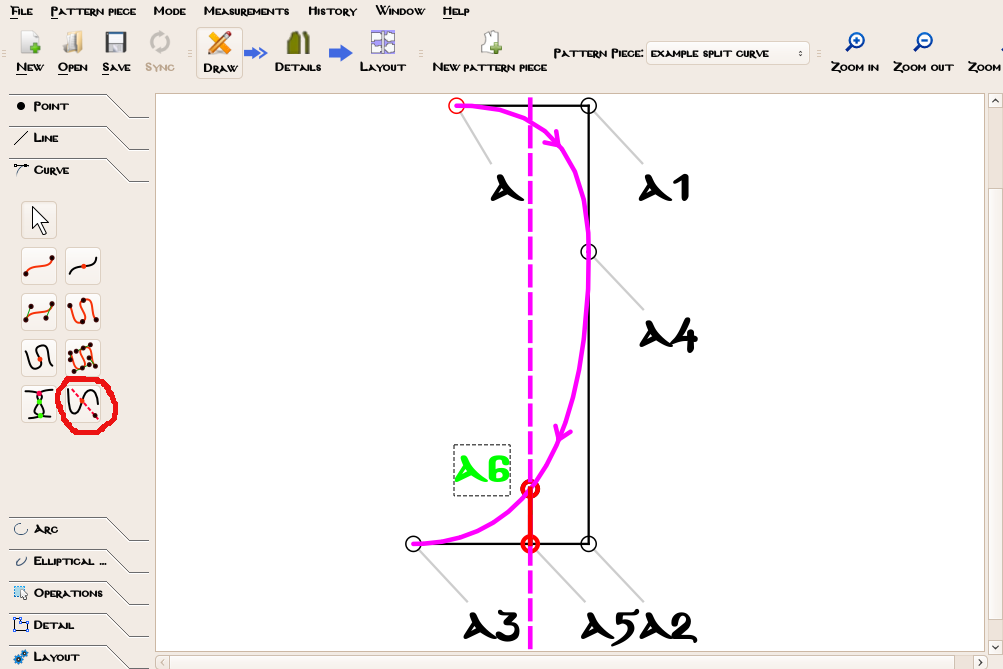
You have a frame with the curve and the point where you want to split the curve (here A5)
-
click point intersect axis tool
-
click on the curve, then on your point (here A5)
-
select the angle the axis should have
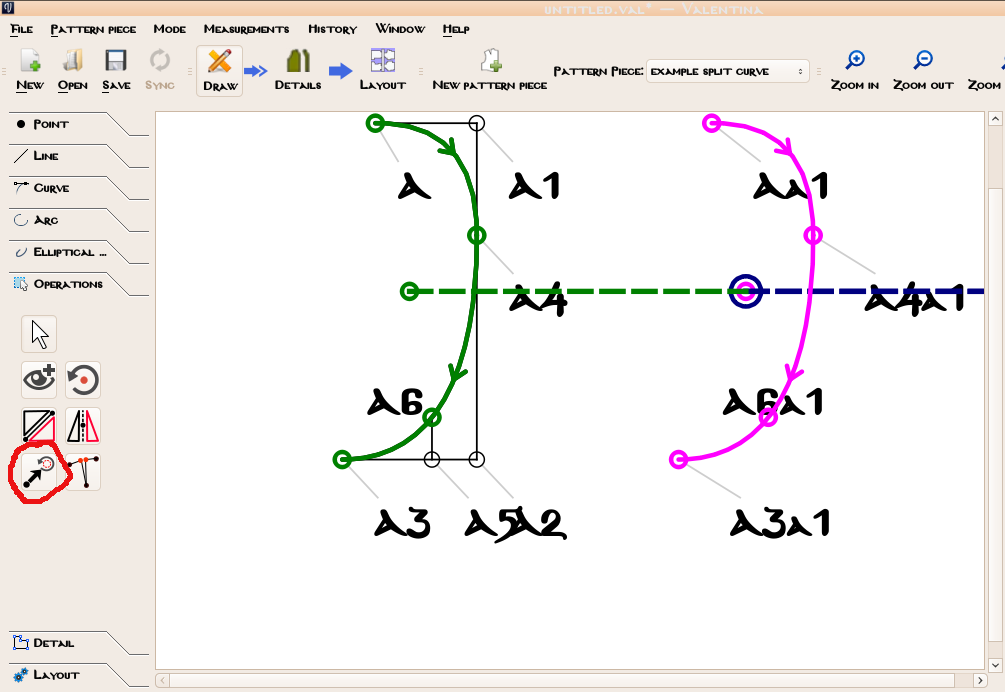
Then you can move or flip or rotate the curve including the new point on the axis; here I took the move-tool:
-
click move-tool
-
select every point you want to include (here A, A4, A6 and A3) and the curve, press ctrl while selecting
-
confirm with enter
-
move for desired length and angle
The features change frequently; I think I have the build of 17. Nov of Version 0.6, I had shortly opened the repository after the encounter with the lengths again, unfortunately. There might be a new build out with different features as new versions come about every week - if you have the newest build you’d need to look and try if there is a differenc, sorry I can’t help you in that case.
You can also flip curves and points and rotate them, just play around with the tools  (maybe you do that in an extra file, not in your serious pattern).
edit slspencer was faster and gave you probably what you needed