What I’ more concerned about in the regards to this issue is a tool color, or lack there of. For the most part only those tools that have a line using the attribute “lineColor” or a curve (spline) using the attribute “color” set a color from the tool dialog and save it in the val file. For ex:… if it’s just a point only tool - like the Point from XY tool- there is no linecolor / color, so I have no tool color to pass onto to the point name graphic items.
That being said - yes… I agree on your point. In fact I picked the Point from XY as an example because that’s one of those tools where I do exactly like you said… I draw in lines between the points - mainly as a visual context of what a XY point is. I use the Point from XY to establish reference points for sizable control points of curves. Like the points X1, X2, and X3 in the armhole below. Certainly doable to add to the geometry of this tool to draw those lines. This tool is a prefect example of what I was referring to, where by adding to the XML schema & dialog now, it will make it easier to add additional geometry later.
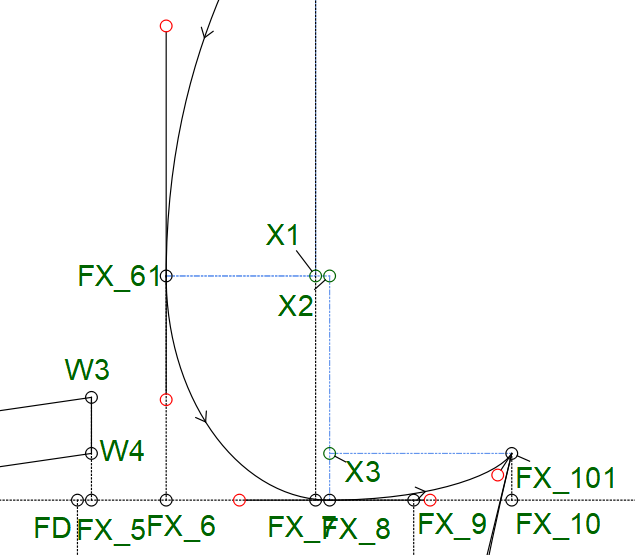
Then there’s the operation type tools. like move, rotate & mirror, where the tool makes a copy of the selected objects, again having no color of their own. I haven’t quite got there yet, but there’s another issue here to consider. You could be selecting a group of objects all with their own tool color… which color to use in the copy? Another reason to be able to set these tools with their own color… which would make it easier to distinguish between it and the parent object(s).