Hi everyone,
I’ve built a search bar prototype for Seamly2D in my own build, and before I open an issue or a PR I’d like to hear what you think and what you’d want it to do.
What it is
Most modern desktop apps have one of these by now: the command palette in VS Code, Discover search in Photoshop and Illustrator, F3 search in Blender, quick actions in Figma etc. People like me already expect to type what they want instead of hunting through menus, and Seamly doesn’t have that yet.
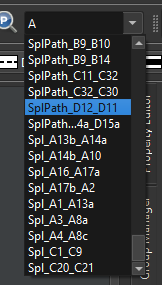
It’s a search field at the top of the window. You click it or press Cmd+F / Ctrl+F, start typing, and it lists matching:
- Tools and commands from the menus, toolbars and panels. Each result shows what it is (“Point tool”, “Curve tool”, “File”, “Toolbar”…) and its keyboard shortcut.
- Points and curves in your pattern. Picking one zooms to it.
- Variables (line lengths, angles, curve lengths…), with their current value shown right in the list.
- The Seamly wiki. The last entry searches the help for whatever you typed.
Matching is forgiving: you don’t need the exact name, so “bis” finds On Bisector and “pt len” finds Length and Angle. If you click the field without typing, you get your recently used items plus a few common starters (New, Open, Line, Point at length and angle…).
Why I think it helps
- No more menu hunting. You find a tool by what it does, without remembering which menu or toolbar it’s in. That helps newcomers most, but also anyone who uses a tool once a month.
- You learn shortcuts as you go. Every result shows its shortcut, so the search slowly teaches you the faster way.
- Big patterns are easier to move around. Type a point name like A27 and jump straight to it, without scanning the drawing.
- Values at a glance. You can check a length or angle without opening the variables table.
- Help is one step away. You can search the wiki from the same place.
Where it stands
It’s a prototype that I’ve only used on macOS so far, where it sits in the title bar. On Windows and Linux it would go in the menu bar area, but I haven’t tested that yet. Nothing is submitted. Following the contributing process, I want to discuss it here first and open an issue.
What I’d love your input on
- What else should it find? Measurements, pattern pieces, draft blocks, groups, preference settings, layout pieces?
- What should happen when you pick a result? For example, should picking a point select it, or start a tool from it, instead of only zooming?
- What should it show before you type? Recent items, your most used tools, recent files?
- Shortcut: is Cmd+F / Ctrl+F right, or does it clash with how you work?
- Placement on Windows and Linux: where would you expect the field?
- Anything that would make it annoying, or that you’d want to be able to turn off.
Demo below. All feedback is welcome, including “I’d never use this”