I guess I should have been more specific when I said “Try changing the decimal seperator settiing.”…
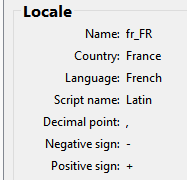
Glad you figured it out. I’m a bit baffled though why it makes a difference for you as your locale decimal point is the “period” .
so it shouldn’t matter if the setting is checked or unchecked… as “unchecked” means use a period, where “checked” means use a period. I’m wondering if I should change the pref UI to just use a radio button with the choices Period and Comma. Hmmmm.
HeyTheo… just figured I’d give you an update. I’ve been working on migrating Seamly to Qt6, and one of the things I’ve had to fix is the way the app deals with the locale separators - which has been a source of the QTextCursor errors.
The one thing I learned is that some locales use UTF-16 rather than UTF-8, which explains why the app can’t use certain locales as the encoding for the decimal & group separtors is different leading to the cursor errors. It would explain why the en_GB locale - which I believe would be your user locale - doesn’t work, while my en_US does. When the Decimal separatior pref is unchecked, the app uses the standard C locale… which in my case is the same for the User locale, but not for you.
In QT6 they changed the return type for the locale decimal & group separators, as well as the plus and minus signs from a QChar to a QString - except the math parser expects a char. So… in a nutshell in fixing the math parser to use the QString separators, I believe it also fixed the QTextCursor issue. I have been able to run a Windows QT6 build with the locale set to en_GB with no QTextCursor errors. Once I get a QT6 branch to build maybe you could install a MacOs artifact build and see if indeed the QTextCursor will no longer be an issue.
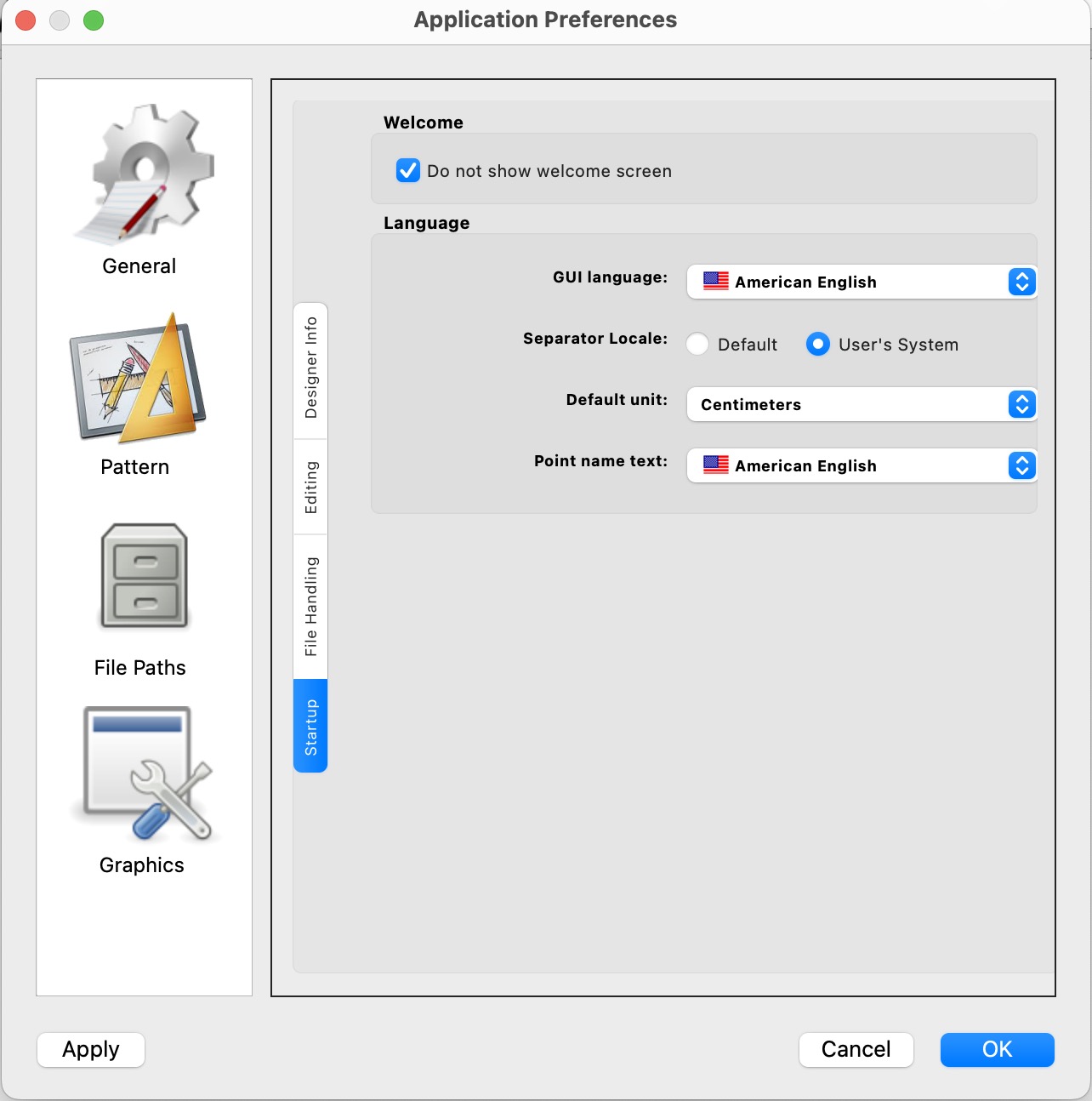
After fixing the locale issue for Qt6 I realize the text for the pref “Decimal separator: < User locale >” is a bit of a misnomer. This does not direcrly set the decimal separator, rather it determines what locale is used by the GUI for the input / ouput of numbers. The locale determines what decimal & group separators, positiveSign, negativeSign, exponent, 0-9 digits chars are used. And while the decimal separator is usually a period or comma, the group (thousands) separator can vary between the comma, space, non breaking space, and narrow non brealing space.
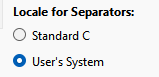
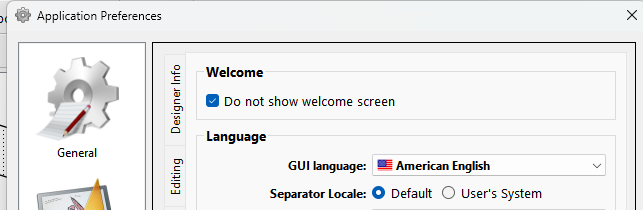
So currently the prefs are:
Unchecked the C Locale is used, Checked the user’s system locale is used.
IMO it should be:
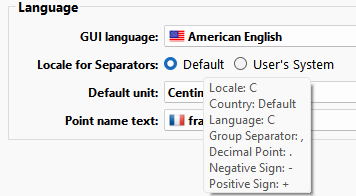
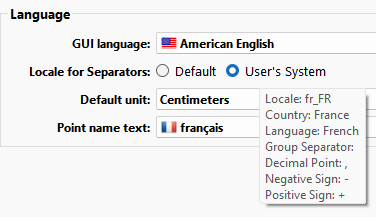
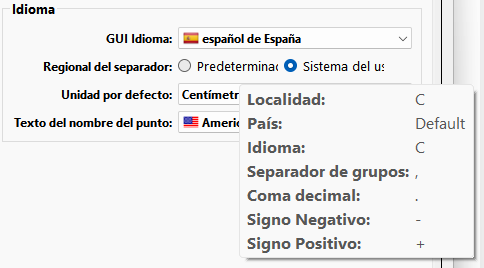
And the rollover tooltip for each radio button could then display the locale options like it does in the About dialog:
And yes… to the observant: For testing purposes I figured out how to fake the app into thinking the user locale is somewhere else without actually changing my laptop’s system locale setting.
And since there are only 2 radio buttons I can treat it like a checkbox and not have to change all the settings code - which would be another PITA. I’ll also format the tooltips better, and display a name for a space, non-breaking space, or a narrow non-brealing space which otherwise does not show anything visible.
Hey Theo… Here’s a pre-release link to the QT 6 build we’re now on… or you can wait for Mondy’s release - not that anything is likely to change by then:
Besides testing the Mac build - if you could check the setting for the Locale separators that would be great. For you there should be no difference between Default or User’s System setting… other than we hope the QTextCursor error is fixed if you use the User’s System setting. In which case we can close the QTextCursor issue on Github.
Just wanted to say that this issue is happening here, as well. Linux Mint Cinammon 22.2 Both flatpak and AppImage.
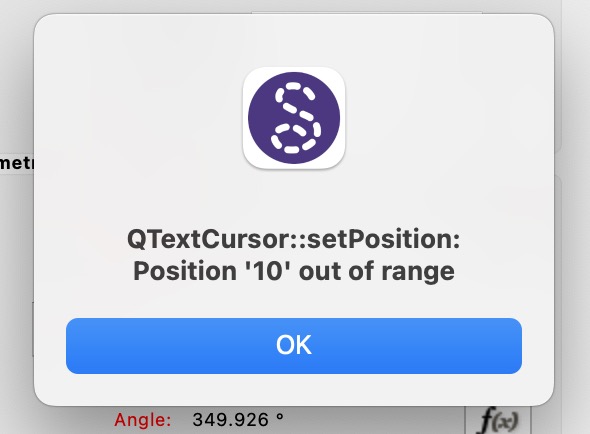
QTextCursor::setPosition: Position ‘#‘ out of range
It appears to happen whenever clicking outside of an input value in a textbox – or in the case of the ‘Notes‘ textbox in SeamlyMe, clicking on it at all, since it is empty. In that case, the Position out of range is ‘2.‘ Not really sure what is in the string by default, but i assume it’s length 1, despite appearing blank?
Happens on quite a few textboxes, it seems. I don’t think I could provide an exhaustive list – though they all look like the same type, and it’s always 1 visible length of the string + 1.
I’m not sure it has to do with decimal points. Not much of a programmer, but perhaps it has to do with how Qt converts a mouse click to a text position?
I think it’s reasonable to assume this is a different bug from the decimal point one, but I wasn’t using Seamly2D back when that was a problem.
Sorry for my presumptuousness! Hopefully it helps, or at least it doesn’t offend too much.
System info copied from the About dialog button:
Seamly2D version: Seamly2D 2025.12.15.213Build revision: Git:6f0642f16d28Build date: Built on Mon Dec 15 2025 at 02:18:44Qt Version: 6.5.3CPU: x86_64Compiler: GCC 11.4.0 64 bitCPU: x86_64OS: LinuxOS Version: 22.2Locale: en_ZACountry: South AfricaLanguage: EnglishScript Name: LatinDecimal Point: ,Negative Sign: -Positive Sign: +Direction: AutomaticSystem Codec: UTF-8Arguments: /home/lucy/Downloads/Seamly2D-x86_64.AppImage
I have also tested this on the flatpak version available to me, which would be
2025.10.20.210
Behaviour appears identical.
Issue does not go away when Seperator Locale is set to Default, language set to American English, on either version.
However, disabling the on-screen keyboard does resolve the issue. It resolves the issue regardless of Seamly2D’s settings, seemingly. Re-enabling the on-screen keyboard causes the issue to return occassionally, but not always.