I was wondering this morning, (while ogling a multisize chart in Inches,) if the new setup allowed formulae (eg. 14*2.54), which would now be a very niche help with Inches activated 

I was wondering this morning, (while ogling a multisize chart in Inches,) if the new setup allowed formulae (eg. 14*2.54), which would now be a very niche help with Inches activated
Not sure what you mean? Where would the formulas be and why would we need them in the multisize?
Granted it might be useful to be able to switch & save a measurement file from one to another.
In the base measurements input box.
Without Inches available, it would have been helpful to be able to input inch measurement times multiplier in box rather than working out their CM identity elsewhere. With inches available as well, someone might prefer to use a virtually unknown measurement, but it’s unlikely, so the helpfulness of an ability to re-factor in-box is practically non-existent.
Aaaa. Would of needed to be able to have the increments as formulas too or it wouldn’t make sense.
Anyhow, it will be a moot point as you will be able to work in inches or cm… as for ex: a size “22” could represent a Euro size 22 in cm, or a US size 22 in inches. For that matter it could be a size 22 in cubits. The size or height chosen in the drop downs is just a placeholder, and have no “dimension”. That is determined by the base value and increments i.e. grade rules. Always has been and wil still be. I think RT assumed that the size has to equal the cm value from the GOST table. The really odd part is he tried to convert the sizes to inches and it all breaks as when routines are called looking for a size 8.66142 instead of 22. There is no size 8.66142 in the list.  I think that’s where he just made it cm only as the code currenly is simply converting cm to cm all over the place. That is, neither a pattern nor measurements can be inches if the measurement type is multisize so converting is just a waste.
Here’s an example of what I"m talking about:
if (m_measurements->Type() == MeasurementsType::Multisize)
{
    VContainer::setSize(UnitConvertor(m_measurements->getBaseSize(), m_measurements->measurementUnits(),
                                      *m_measurements->GetData()->GetPatternUnit()));
If you convert the base size “label” based on as if it’s cm to inchs… say 22 to 8.66142 … and then try to look up in the size drop down item list.. there is no size 8.66142. Don’t convert… and the base size remains 22, and when you need it, (base) size 22’s “value” is either going to be 22 or 8.66142 as defined in the grade rules. I should note that currently smms files have 1 grade “rule” so adding inches is a seperate issue from adding the size ranges & grade “rules”… I’m just fixing it now because I’m already neck deep in the ME codebase so why not? 
I’ve had to strip all those conversions out, and remove the checks for type == multisize. The only time 2D needs to convert is when loading a measurement file with different units from the pattern… then you convert the “resulting” measurements, and ONLY if the units differ
Actually, it would be nice to have the option of using formulas in the multisize table. I’ve often wished for it.
Among other things, it will help to put in formulas for the front and back halves of a circ measurement and one will be able to put in a formula for calculating a cup size, etc.
Actually the “formula” column is already in the multisize… it’s just filled with empty strings and hidden.
I assume what we would want is that the calculated “formula” IS the baseValue? I don’t think I want to add that to the initial update, but what would make sense is to make the main table editable and the formula column visible as a future update.
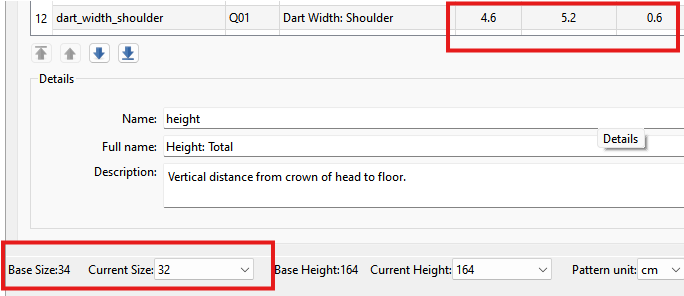
That said I"m still working out a kink with using inches… the calculated value is not showing the correct values now when the Current Size is changed.
This Value:

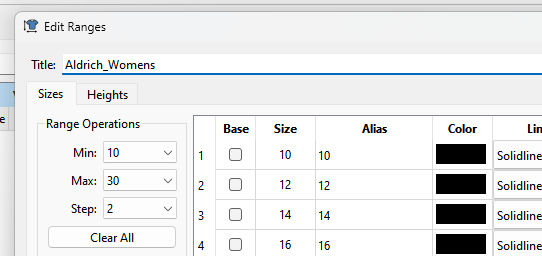
I also added a Title field to the schema… set in the Range dialog:
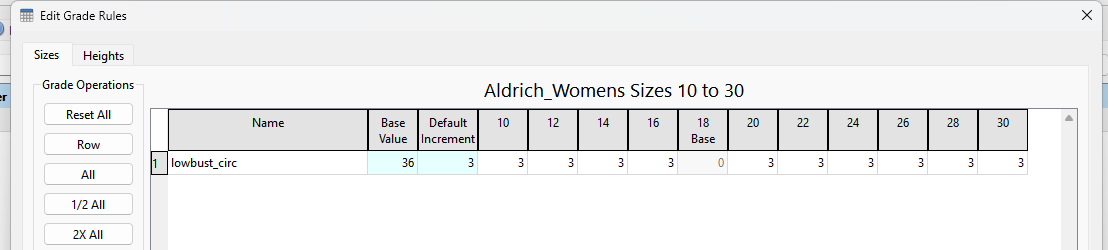
Displayed in the Grade Rules dialog:
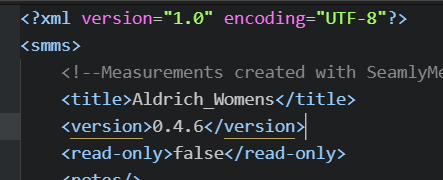
And saved in the xml:
with the intent to also provide a default file name… such as “aldrich_womens_10_30.smms”
Which is easily accomplished with:
QString filename= QString("%1_%2_%3.smms")
                  .arg(measurements->title())      //1
                  .arg(measurements->minSize())    //2
                  .arg(measurements->maxSize());   //3
That’s great. We haven’t had it for so long, we can wait a bit more… 
Oh, wow! Brilliant. Thank you
Thank you very much for all your hard work, @Douglas
Almost at the end… I can see the light…
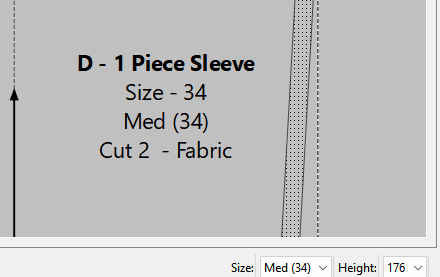
Seamly ME is now calculating the proper value when the size is changed:
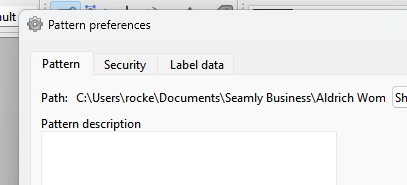
The Tab for the clunky gradation checkboxes has been removed from Seamly 2D pattern properties as the ranges will now be determined by the loaded smms file., and not the pattern file.
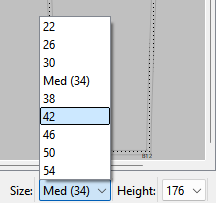
Dropdowns in the status bar now updating the size & height ranges of loaded measurements, and to be consistent Size is 1st on the left
If the loaded ME file is an existing older ver ME smms file the drop downs will display the full range of sizes 0-72 and heights 50-200.
I will probably implement some sort of popup message notifying users they should update the smms file by setting the size and height range.
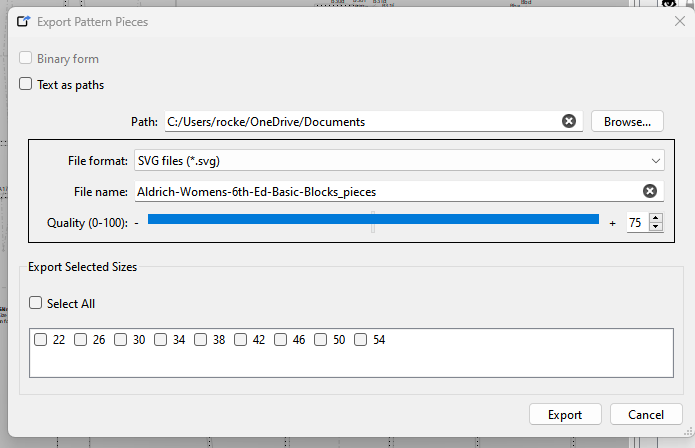
Export for multisize will now limit the availble size checkboxes to the range. I will probably switch the checkbox texts to use the aliases so it matches everything else.
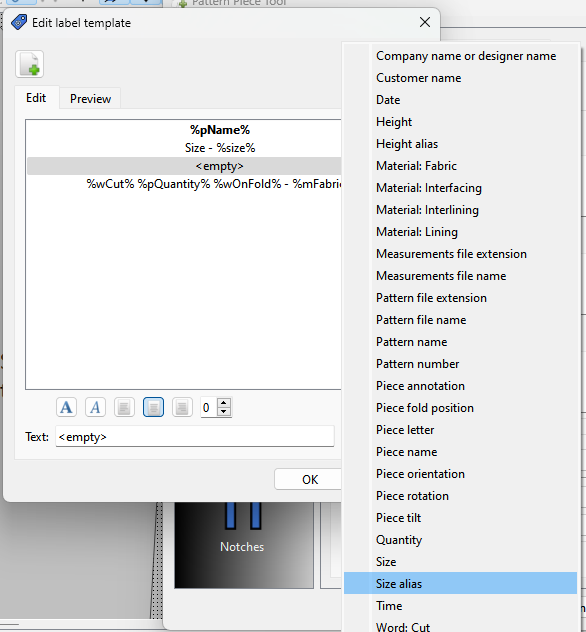
Moving over to piece mode… the label templates will have “size alias” and “height alias” placeholders.
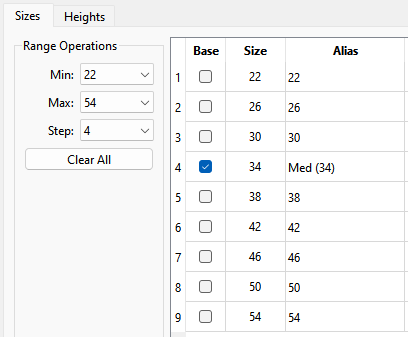
So just to recap… the size range for an smms file is set up in the Edit Size Range dialog, where you set the minimum size, the maximum size and the step between sizes. You also will now set the “base” size (or height) by checking the size (or height) in the base column. The alias will default to the size (or height) and can be any text you want (within reason… remember the text is used in the dropdown.
A note on selecting the min and max. You have to think in terms of the base being the center and the range can step up or down from the base size (or height). This comes into play when selecting a step of 4. For a given a base size of 34, and a step of 4… if we try to select a size 52… the dropdown will bump to the next higher multiple of 4 - i.e. 54. Likewise if you try to select a size 0, it will bump to 2 as 0 is not a multiple of 4, and -2 is outside of the 0-72 range. If you try to select 72 it will bump down to 70… because again you can’t go outside the 0-72 range. Of course if the base size = 32 or 36, then 0 and 72 fall on a multiple of 4.