While creating the fake Master Block I learned for a point to be in multiple groups the and groups must belong to a common draft block.
2 „Gefällt mir“
The groups don’t have anything to do with pattern pieces. It has to do with keeping the workspace uncluttered when you have a lot of points and curves.
For ex: here’s a trousers pattern that has 3 different styles, where you can show or hide parts of the styles you want:


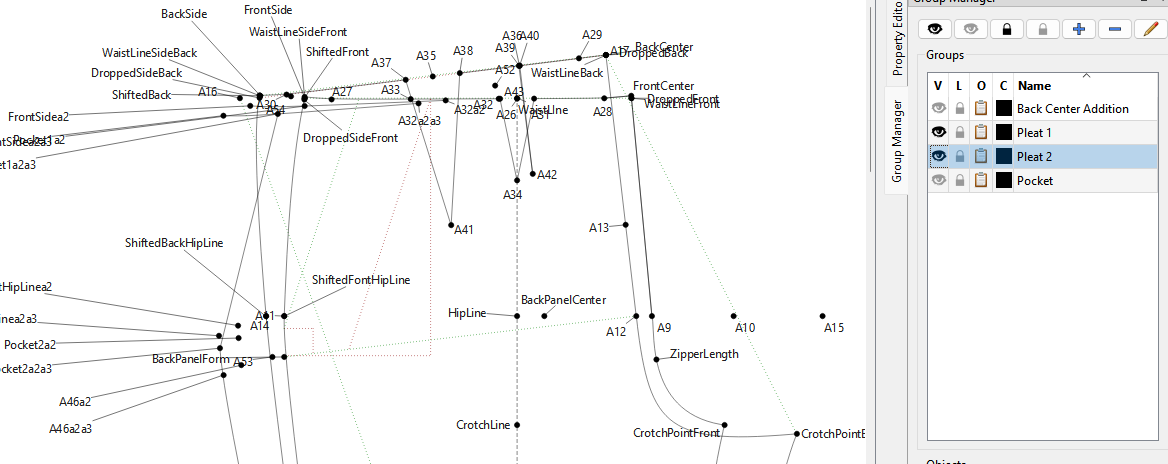
As you can see it can get quite clutterred with all 3 visible with the pocket:

Personnally I would have grouped the front and back as well.
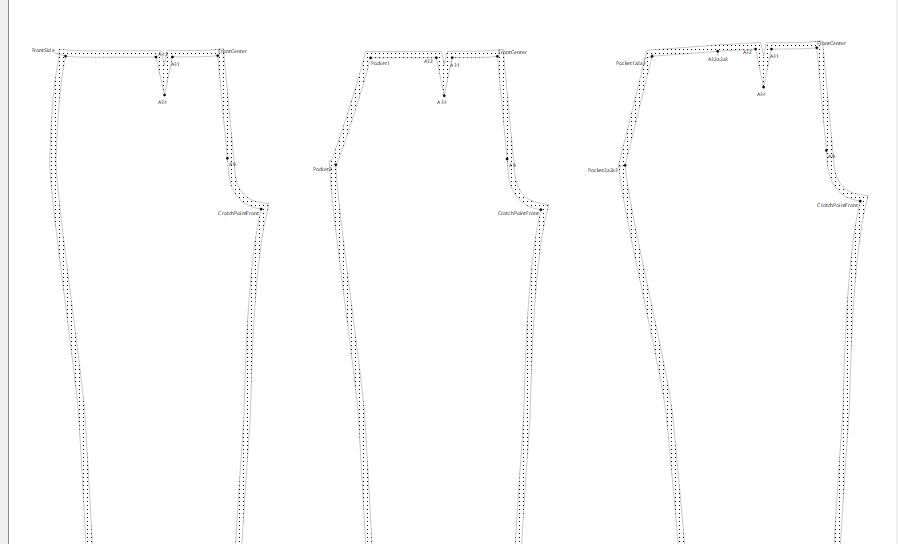
Here’s the patterm pieces for each style’s front:
I think you misunderstand the creation of pattern pieces. You can create any number of pattern pieces from a single block. For example:
Given this Draft block:
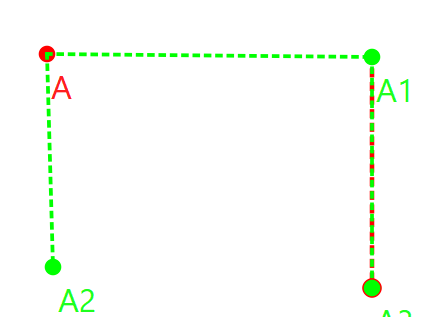
I created all these pattern pieces:

2 „Gefällt mir“
Yes, with ladies garments and to an extent with mens garments, I find that it’s better to use 1 draft block for my patterns because if you want to draft a dress, you will join the skirt to the bodice by shortening the gap that I create between the 2, so that I have the outlines for my dress. Likewise, if you want to create a boiler suit or a 1-piece overall, you will need to join the trouser to the bodice for the basic outlines which you can then add your changes according to the design.
Since a lot of the sleeve dimentions rely on the armhole shape on the bodice, it just makes sense to me to put this on the same draft block, as well.
These just make sense to me, but they also have their drawbacks. If each is on a separate draft block, the objects on draft block 1 will all be available (regardless of the order in which they were created) for draft block 2, 3, 4, 5, etc. while changes made to draft block 2 will never be available for draft block 1, only for draft block 3, 4, 5, etc., and so forth.
While if everything is created in draftblock 1, then the order of creation must always be maintained, since objects created later will not be available to use in a formula for an object that was created before.
Either way, the measurements file and the variables will always be available for all draft blocks.
In your case, I don’t think it matters much whether each part is on a separate draft block or not, unless you find that you would like to join 2 pieces together and change them into something else.
Yes, I would also use existing markings like for the pocket and the curve from F8 to F9 in the draft so that they correspond exactly in the pattern pieces. I’d also do that for the bands, where possible. It just keeps the draft true and doesn’t make too much of a mess of points and lines all over the show, since you can create different pattern pieces from the same objects. This is where I put objects into groups so that I know exactly which objects need to be selected for which pattern piece and I can hide the groups that I’m not working on.
Yes, you can place it inside a larger pattern piece and you can either add it as an internal path (you won’t be able to give it a label) or you can create a separate pattern piece for it (you will be able to give it a label), either way is good. It’s just a matter of personal choice.
 Only you will know
Yes, the groups belong to the draft block. They aren’t universal throughout the draft mode.
2 „Gefällt mir“
Here’s an example of a little backpack that I drafted a number of years ago. It’s all drafted on one square. It has a front pocket to place a mobile phone into and the strap attaches with valcro closing the bag and also covers the pocket with the mobile phone:

It gets a drawstring between the outer fabric & the lining with button holes for the drawstring.
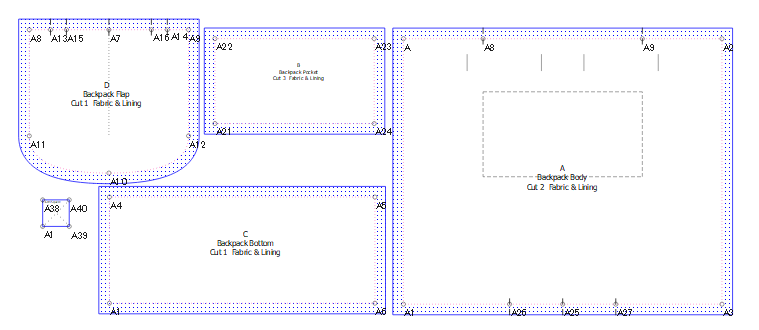
Mini Backpack.sm2d (25.2 KB)
The measurements are hard-coded into the formulas.
Basically, this is showing how you can draft a number of things onto one pattern draft and create a number of pattern pieces.
2 „Gefällt mir“
Very nice example to illustrate of how you can create many pattern pieces from one draft block… better (and more useful) than my simplistic example. 
2 „Gefällt mir“
I will continue working on this pattern. I have tweaked the .vit to be the same as my original paper pattern I created. I will continue using it as is for the present. Since I have yet to decide on the proportions of other sizes to be made I will postpone creating a .vst of this bag.
I will undertake learning the intricacies of multisize patterning using a simpler design.
Thank you for your assistance. @Grace @Douglas @Pneumarian
2 „Gefällt mir“