Symbols , Text, and Buttonholes

Like I said on Tues… given the fact that I didn’t already implement this It’s given me time to understand Qt and the codebase better, so it will be a better tool in the long run. :slight_smile:

Once the symbol tool is working, then we can base a Text tool on it giving us the ability to place text other than the 2 labels on pattern pieces.

6 Likes

Oh, WOW! That will be wonderful.

2 Likes

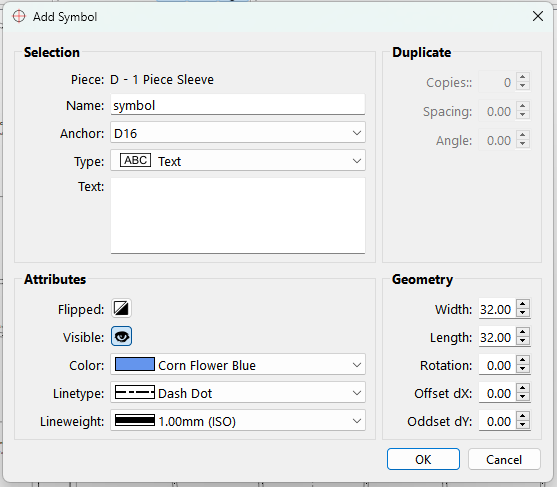
Well… I was always going to have a some of the symbols have a line of text attached… so I thought - Why not just make a “text only symbol”? So I did. :slight_smile:

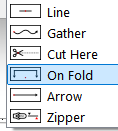
Also added the Button Hole symbol:

image

Added a “Flipped” toolbutton icon:

image

Added the Piece name as a label for reference:

image

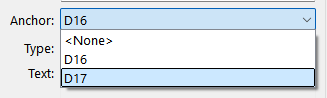
Anchor points are now filled with the selected piece anchors"

image

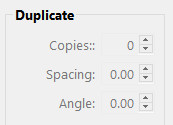
Added a set of bit flags for each symbol Type so it’s real easy to adjust what’s editable in the dialog. For example these symbols are not duplicable,so the Duplictae bpx is disable when one of these is selected:

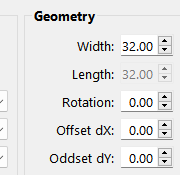
Others like the circle don’t need a width and length the so length is disabled:

Next up… updating the schema and writing the modeling nodes. :

8 Likes

OMG that’s AMAZING :partying_face:

Thank you very much @Douglas !

1 Like

And before @Pneumarian catches it… I fixed the spelling of “Oddset dY”. :smiley:

5 Likes

Hi! @Douglas This all looks wonderful and exactly what I have been looking for. But I see that chat is from 2021… Is this going to be implemented at some point or is there something I have to do to get this to be available on my softwear?

2 Likes

Hi @samitapani

@Douglas is busy with this upgrade. It’s had to take the backseat a few times while we switched to QT6, but I believe he’s really busy with it now.

3 Likes

Oh, that is wonderful news! Can’t wait for it to be ready! Thank you for the update, Grace!

4 Likes

Just a post so this thread doesn’t close before the PR is ready. :smiley:

5 Likes