I think that the best way to learn about curves and the handles is to check out some tutorials on Bezier Curves. Here’s one that I found for you that explains a bit and has an interactive curve that you can play a little with: bezier curves tutorial
And then here, @Douglas explains them in Seamly.
But to briefly explain how the length of the handle will affect the curve…
If you draw a perfect square - each side 10cm - and you would like to draw a perfect circle inside the box, then, using the curve (spline) tool, you would create the curve to touch on all 4 side at the halfway mark. Your handle will go at the angle of the lines that you selected the nodes. The length of the handle will be roughly 55% of the line between the selected node and the corner of the square to create the perfect circle. Anything more or less than the 55% will result in a more square type of circle or some other odd shape.
So, the closer to the 55% handle length, the more perfect your circle will be.
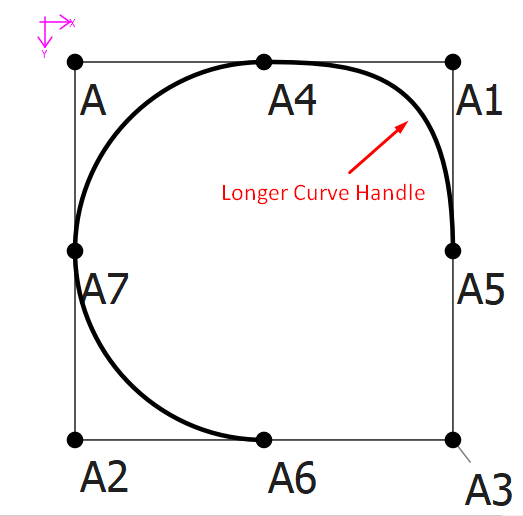
Here’s the file that you can play with:
Curve Handles.val (2.5 KB)
