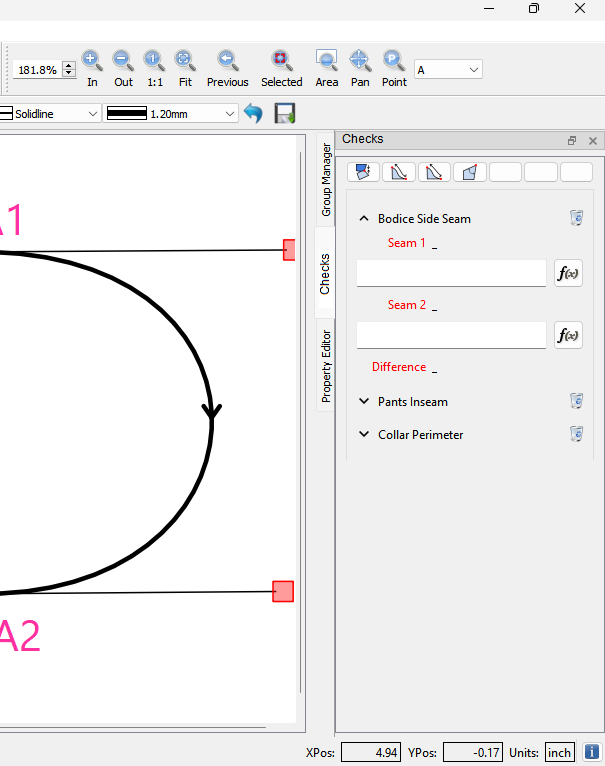
I just threw this together as a general thought on a Check’s dock window.
Top of the dock would be a set of toolbuttons… here I quickly made icons for Match a Seam, Check perimeter, Check Length, and Check Angle.
My idea would be to create a widget that displays and handles each particular type check. For ex: I did one for the seam check… which would have formulas for the 2 seams, would display the calculated length of each, and also display the difference. Each type of widget woud display an expand / collapse button, the name of Check, and a delete button. I didn’t show it here, but the dock just like the others would contain the layout withing a scroll area, so if the number of Checks is greater than the current dock height the scroll bars appear. Again, since it’s just another dock window, when it’s docked the tab appears so you can switch between docks. This allows the full height of the dock area… I probably would add the type of check icon in front of the Check name just to identify what type of check it is. The trashcan button may be superflous, as delete could probably be in a context menu.