I’ve added a new feature to the True Dart tool to create line variables connecting the baseline points to the new points, and the dart point to the new points - as shown in the red boxes for the Line Lengths.
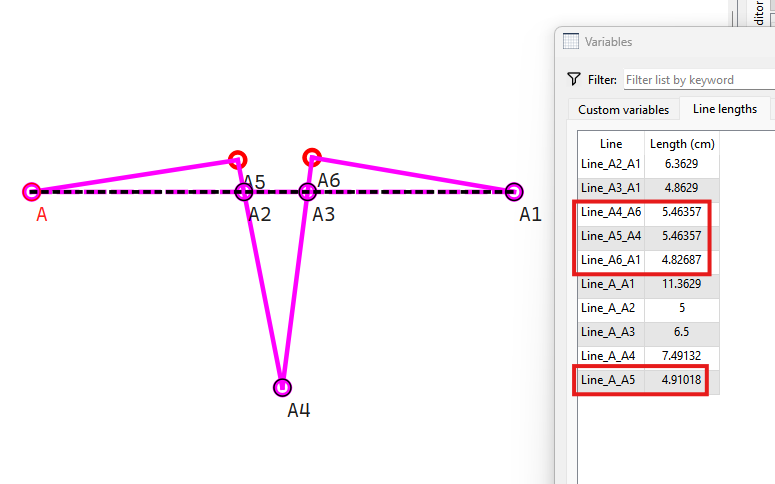
Speaking of adding line variables… Is anyone aware of any other tools that create lines, arcs, radiuses in the visual but not as a variable?
You mean like Point - Intersect Circles?

Ich denke “Punkt schneidet Linie” auch.
Well that raises a few interetsting questions.. The Point - Intersect Circles is basicaly the same as Point - Insersect Arcs… where it’s producing the intersect point, but in 1 tool rather than 3 . It only creates the point GObject.

Question 1: Is there any useful reason to have The Point - Intersect Circles create the radiuses variables… which may actually have to be represernted as Line_'s as the arcs only exist internally - there is no “id” to add them as a GObject - unless we implement question #2?
Qustion 2: Is there a useful reason to expand the The Point - Intersect Circles to create both Arcs - which is a bit more than just adding the GObjects to the variables - but doable? This would combine 3 tools into one.
Question 3… Extra credit: Should we add a “Both” option as to which point to use in either The Point - Intersect Circles or The Point - Intersect Arcs, and in the case of using ‘Both’ it creates the length and angle variables between the 2 points?
I think I was picturing calling the length & angle. I can’t see where I thought I’d had to make a line recently to find that, just an instance of two different tools, which is well outside the parameters of the question.
I’m not sure which tool you mean. The one that I’m coming up with is the one in the bottom right of the point toolbox, which already has those variables available.
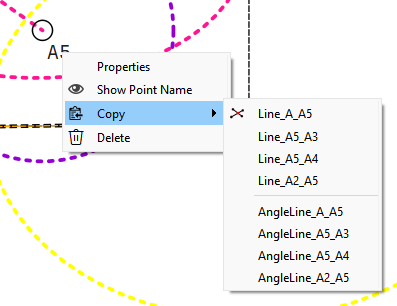
Here’s another tool to consider: The Point - Length to Line (formerly the "shoulder too).
What it does create:
When the fx Length excedes the length from A2 to A1:
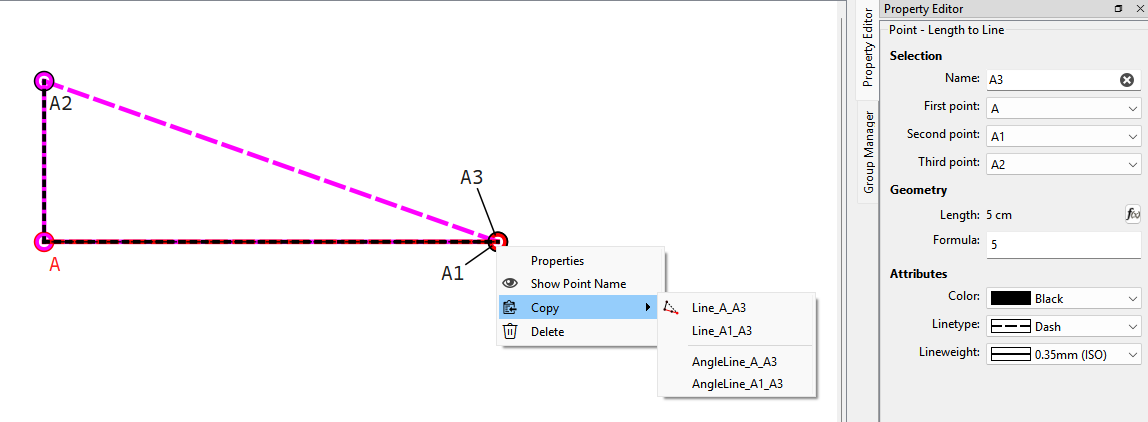
We get the lines A_A3 and A3_A1… there is no A_A1. Also there is no A2_A3.
When the fx length is less than A2 to A1… A3 is constrained to A1. And thus the length of A2 to A3 now changes from the given fx length.
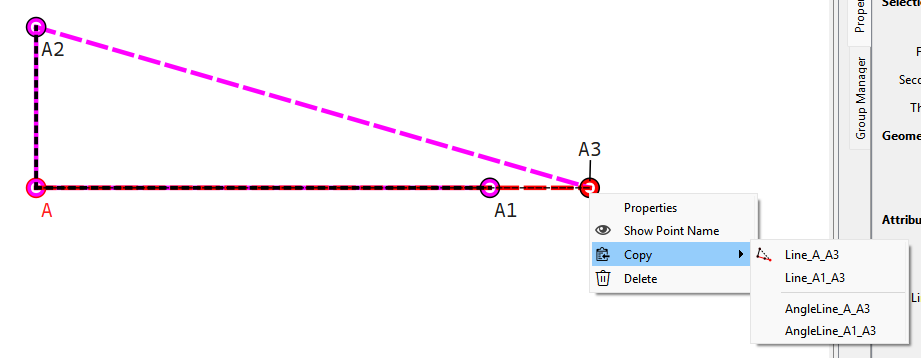
Besides the fact IMO this tool has an odd behavior in that you can’t get a Point - Length to Line “Segment”- that is an fx length shorter than A2 to A1, but greater than A to A2…which is a topic for another discussion (or actually one that we have had and I’ve played with in a branch feature)…
Question 1: Do we want to create a Line_A2_A3 ?
Question 2: Do we want to create a Line_A_A1 ?
Question 3: Do we want to creat8e a Line_A_A2 ?
This is the only line that this tool is creating.
And… The reason that this tool allows the point to go past point A1 is because it’s mean to place a point at the level of the shoulder tip, which is often only a short line (sometimes, only 5cm long) to indicate the shoulder tip level on the centre line.
However, it’s also a very handy tool to use in other places where one would need to create 1 or 2 arcs, find the intersection, draw the line and then find that they don’t match up when you change the size.
True… In this case. This is the only additonal line as the other 2 aleady exist as Point - Length and Angle. But that doesn’t mean A1 and A2 were created by other tools that don’t create Line_A_A1 and Line_A_A2.

Only need 1 Point - Intersec Arc:
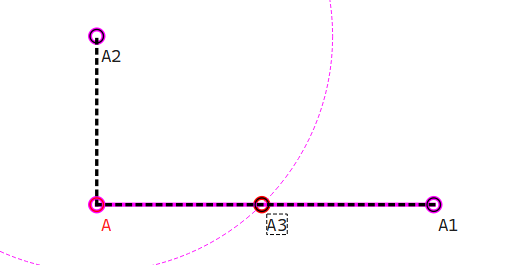
But then that tool also has issues… as we discussed during a meeting quite awhile ago.
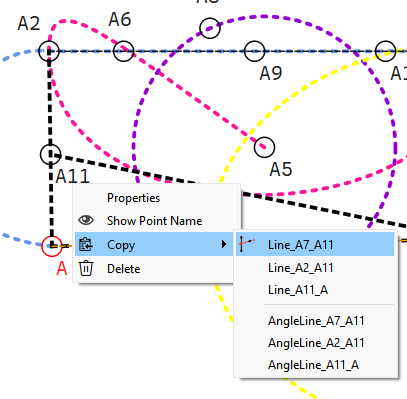
Where point A5 can flip sides eratically and currently only has the one intersect option… where adding the second point as an option creates the issue when converting the schema - which point does an existing pattern use? Not to mention the tool should really be called Point - Intersect Circle and Line. A Point - Instersect Arc and Line should allow this:
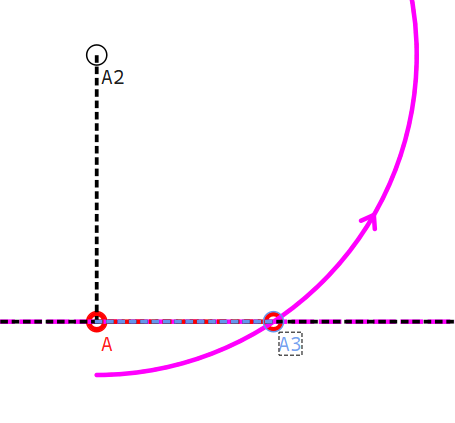
Which I had to so with creating an Arc and a Point - Intersect Arc and Axis
 I think the problem in the A2_r1 - A1_r1 is more a rotation problem than the tool problem. The other 2 lines should’ve been created with the rotation, but that will need a complete overhaul of script to bring that about.
Yes, that is why I keep saying that the direction of the arc should be determined by the order that the points of the line are selected in. But it seems that this is impossible.
I use both tools, the Shoulder line & the one that you created, depending on what will get the job done and if neither work, then I use the manual method. 
Not neccessarily I only used the rotation as an example. There are many other ways to create A1 and A2.
True. But again that’s a fundamental issue with the op’s tools. 