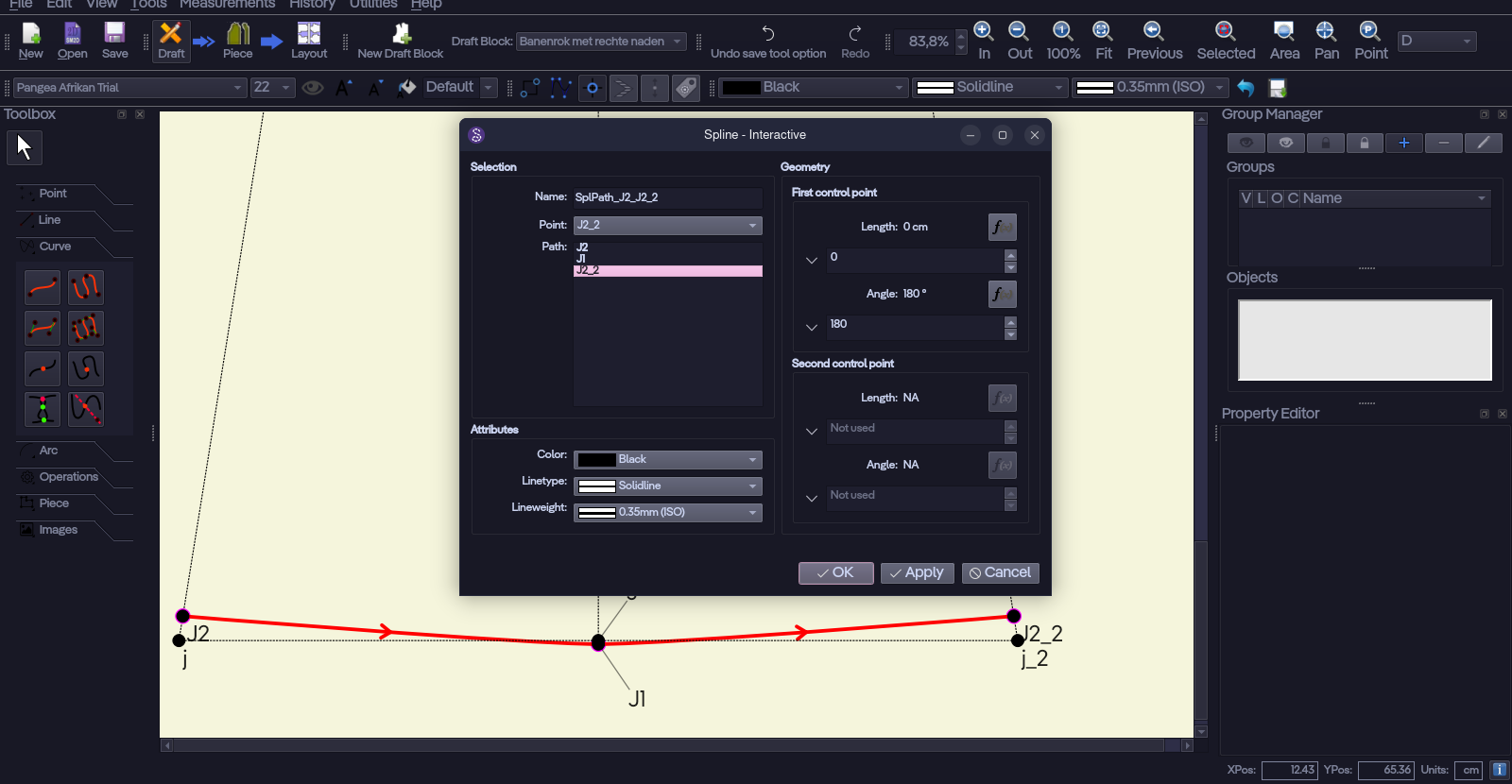
I just created a spline. I wanted to adjust the control points.
When I click Apply to see the effect of the new values on the spline, though, the button behaves as if I pressed OK, and closes the dialog. I then have to right-click the spline again to open the Properties window.
Yeah, it’s odd, but the version number hasn’t been advanced for I think several years now. Do you build it yourself? The AppImage has the build date as the version. I don’t know about flatpak.
That said - I updated the Interactive Spline dialog… as well as all the dialogs that have formulas. I got rid of all the stupid expand / collapse buttons and replaced them with auto focus when clicking in the text box. .. or as the case is Tab’ing to.
If you care I could explain the whole “version” thing… but suffice to say we basically go by the Githbub release version… which is Year.Month.Day.Mins/Secs. There is a script that gets run on Github that overrides the built in 0.6.0.1'. If you build locally the versiom will be 0.6.0.1’ because it’s not running the script that literally rewrites that section of code with the current date in the Github format.
If you look in the Seamly2D/scripts… there is a script called version.sh. In the CI this gets runs first, updates the code, then builds.
I have identified WHEN the bug was introduced and will address it as a seperate issue from my current updating of the tool dialogs. I have to better understand how a recent change is only affecting the Interactive - Spline tool, but it’s most likely related to fact the Spline tool has multiple CP’s as compared to the Curve tool that the change did not account for.
I have disccovered that the issue with the apply button… pardon the pun… applies to moe than just the Interactive - Spline tool dialog. It applies to any tool where you change a point that has dependents… such as the basepoint in the Point - length & Angle tool:
If I change the basepoint to A, and click Apply, the dialog Saves and closes. It has to do with a recent fix to the dependencies so you could delete points that no longer have dependents. For some reason fixing that issue is causing the Apply button to now close the dialog.
Just an update on the “Apply” button issue. I had to revert the recent change that was made to fix a dependency issue, but caused issues with the Apply button / application crashes.
The dependency issue is going to take a completely different fix, but here’s the fix that restores the Apply button function if you can’t wait till this weekend’s release.
Very nice! Well, turns out for our exams we need to draw everything by hand, so I haven’t really used Seamly much lately… But I’m definitely getting back in the saddle whenever an opportunity for digital designing presents itself

 I wish someone would add it to a custom user repo for Arch, but oh well.
 I suspect a typo?
