Approximation algorythythm realistic?

Hello everyone,

learning from last time; lets state my issue first before I dive into a (maybe way to over-engeneered/ambitioned) solution way to early.

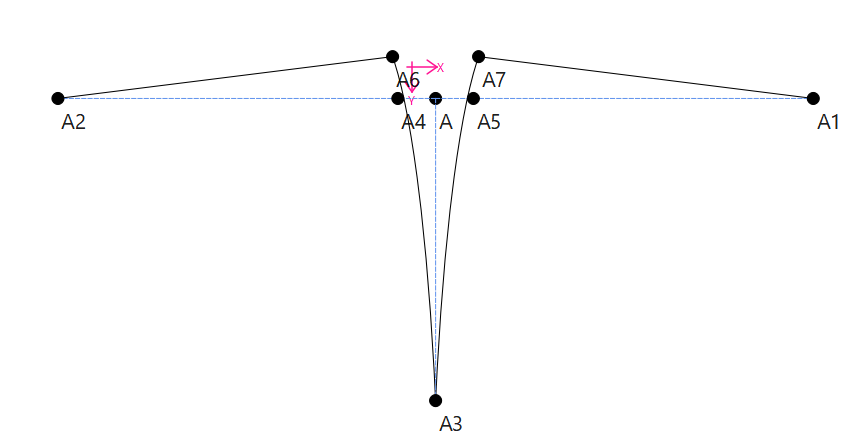
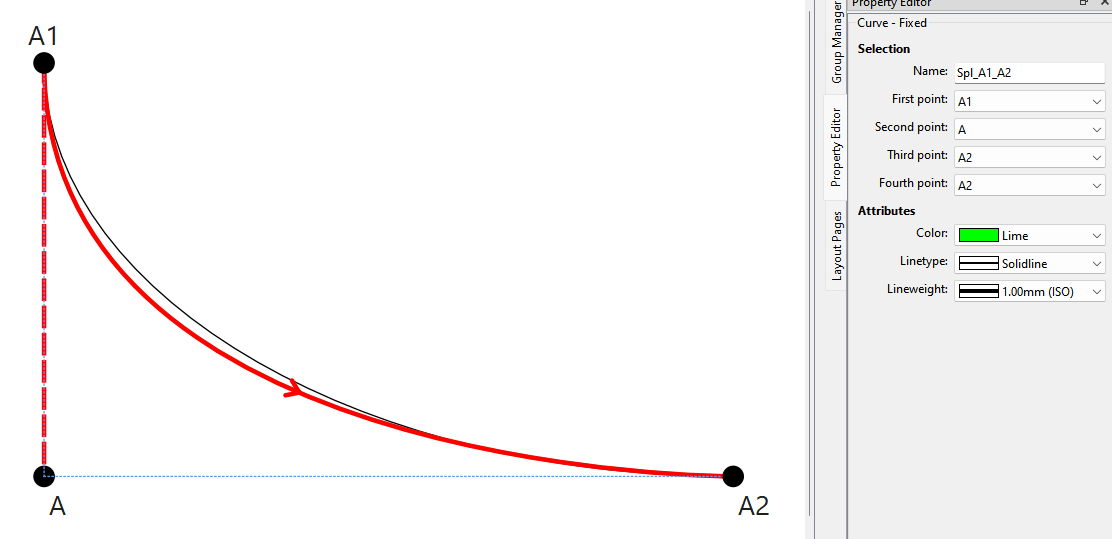
The problem: I often times need to match the lenght of two existing curves. (f.e. sleeves to its hole or curved darts.) Important for me are:

1. that the lenghts is the same as the curve I compare it to (duh)

2. the angel at the end stays the same.

3. the start-and end point stay the same

Every solution I found was some sort of compromise that ignored one of those three points. The only solution would be, to manually alter the lenghts of the control-points, until the lenghts match.

And this is where I had the idea wether or not this could be automated. The issue: as long as both control points are free to alter, there is an infinite number of curves that match the lenght of the one you compare it to.

BUT that also means, that when you 1. define start and finish, 2. the angle of both control points and 3. ONLY ONE control lenght, you can narrow it down to only one solution.

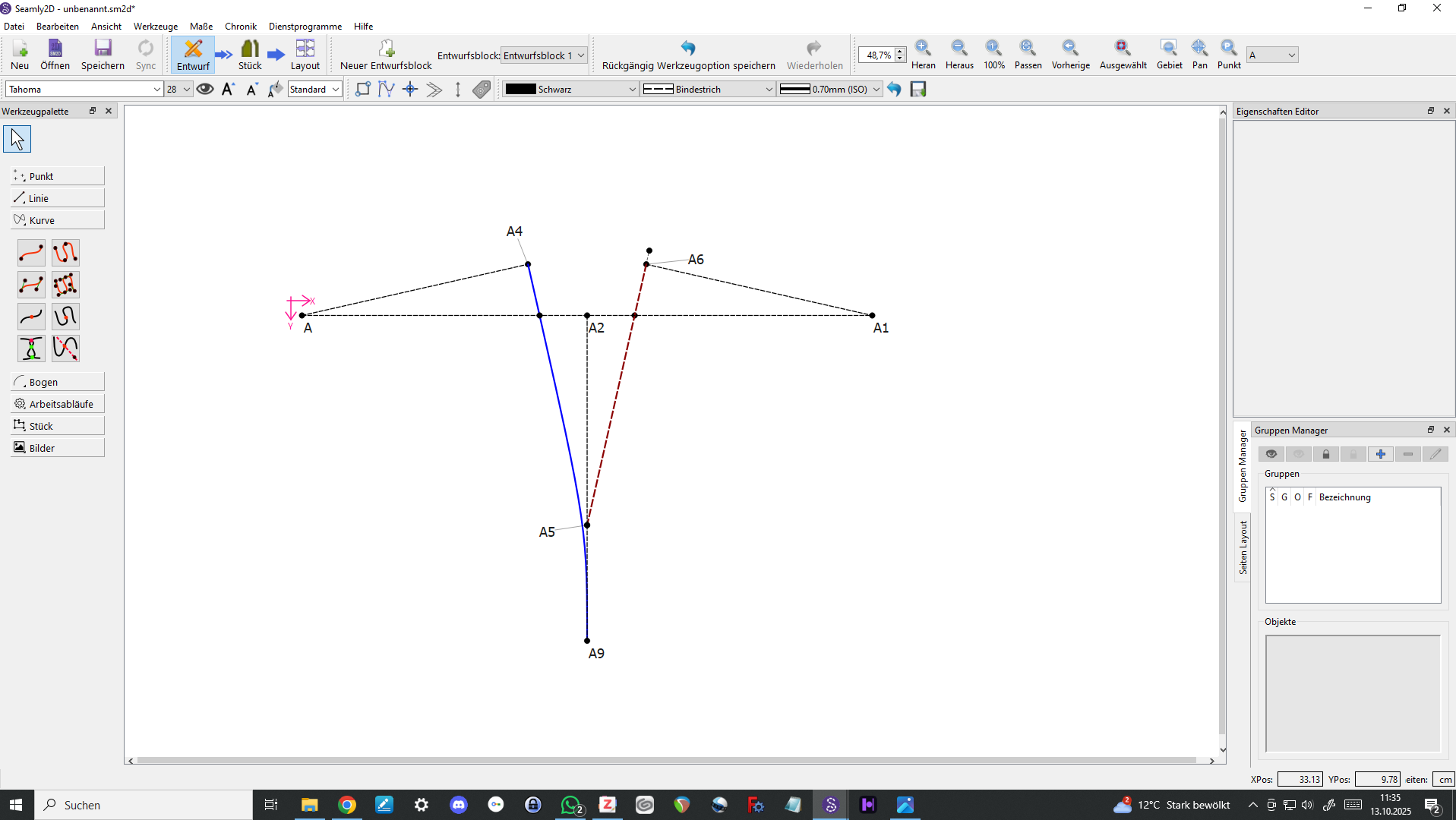
I imagine a new tool that finds that last missing information (i.e. the second control lenght) and draws a new curve , after selecting 1. the curve you compare it to 2. selecting the points as you would for a fixed curve and 3. choosing witch control lenght is the lenght that gets altered (or just default to the first that got selected)

It would be an approximation algorythm. I threw together a generic idea of how this could look, without knowing the details and challenges of this program. (I think I swapped curve and spline but you get the idea)

spl_lenght_algorythm.txt (1,1 KB)

I hope this is a good idea and I do not aim with a canon at pigdeons again (thats a saying I think). If there is an easier solution you guys already figured out, please let me know!

1 Like

Or to think even further: the desired lenght could be altered too. Sometimes you want it to be longer than the existing curve, but instead of guessing how much, you would be able to just say “desired_lenght=spl_A1_A2+1”.

2 Likes

The start and end points of a sleeve are not the same as the start and endpoint on the body… so there is still an infinite number of possibiltes. Not to mention that in many cases the armhole and sleeve cap can be made up of a spline that will have multiple node points with their own control points that factor into the length of the spline.

I’ll take a look.

In regards to a curved dart in the middle of a garment… jcould ust mirror the curve.

3 Likes

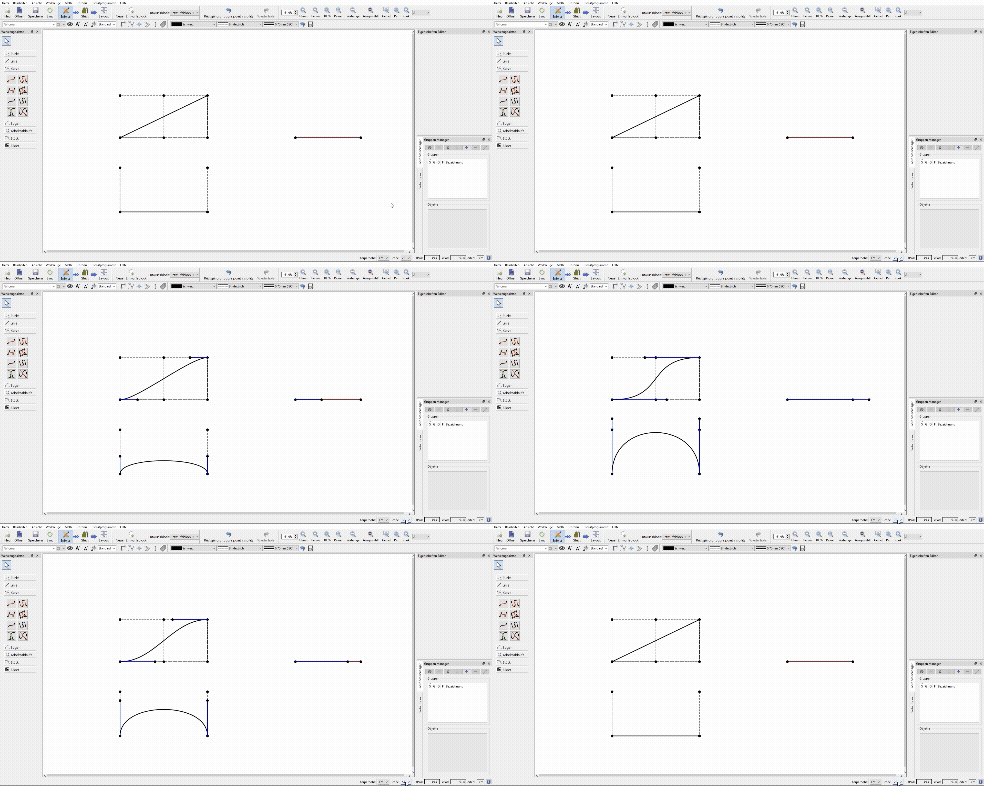
Ok I tried to make a small video of what I had in mind the tool does.

2 Likes

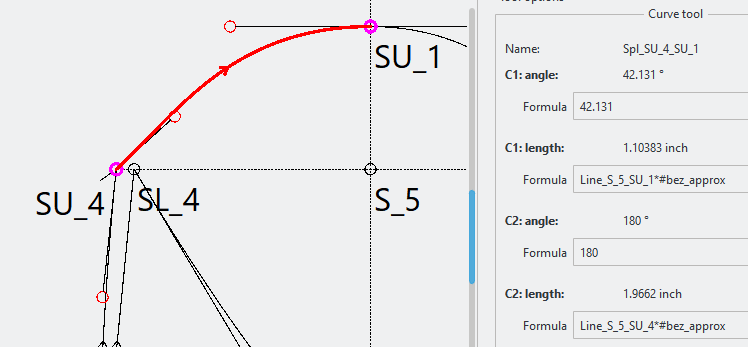
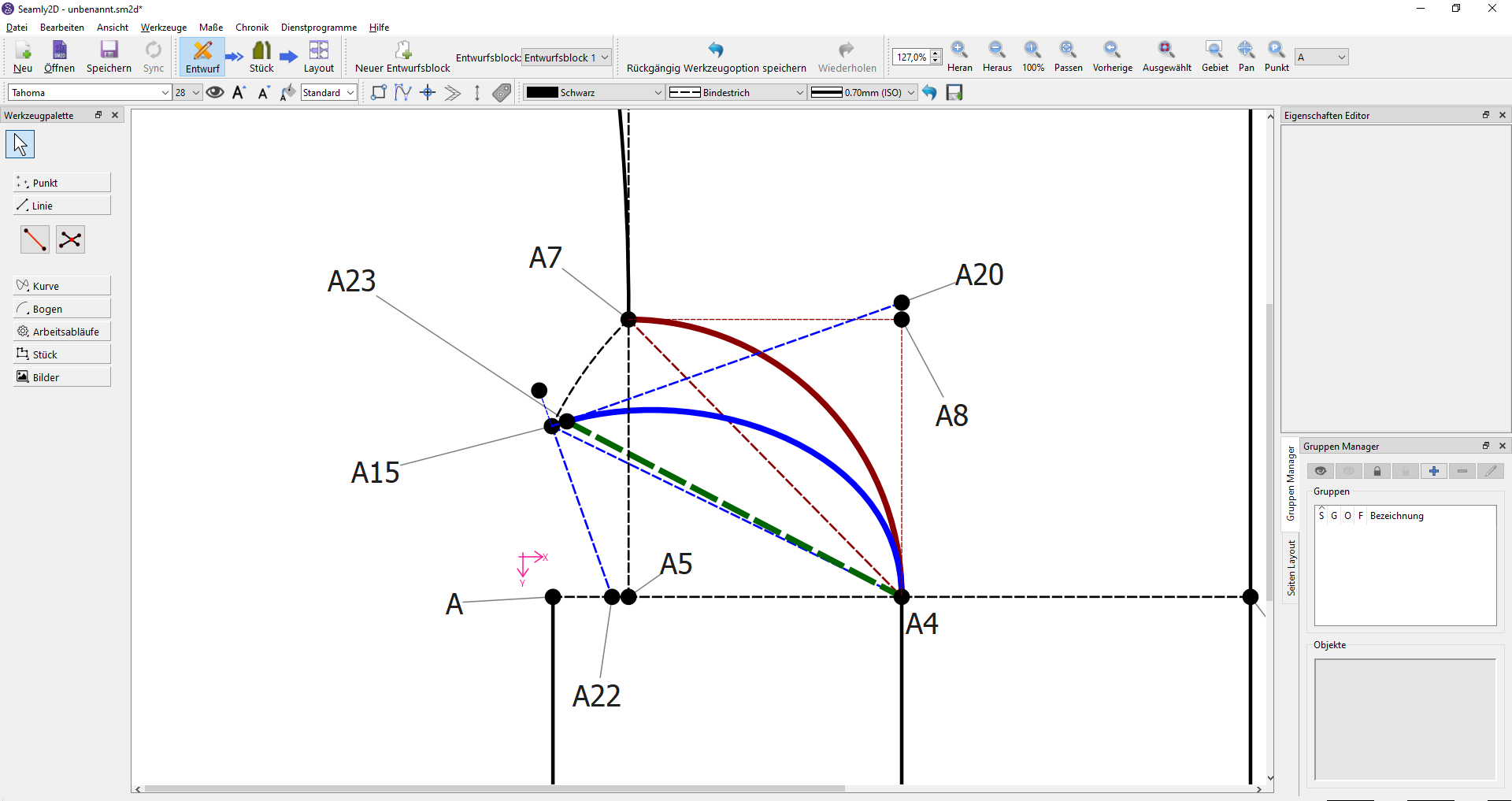
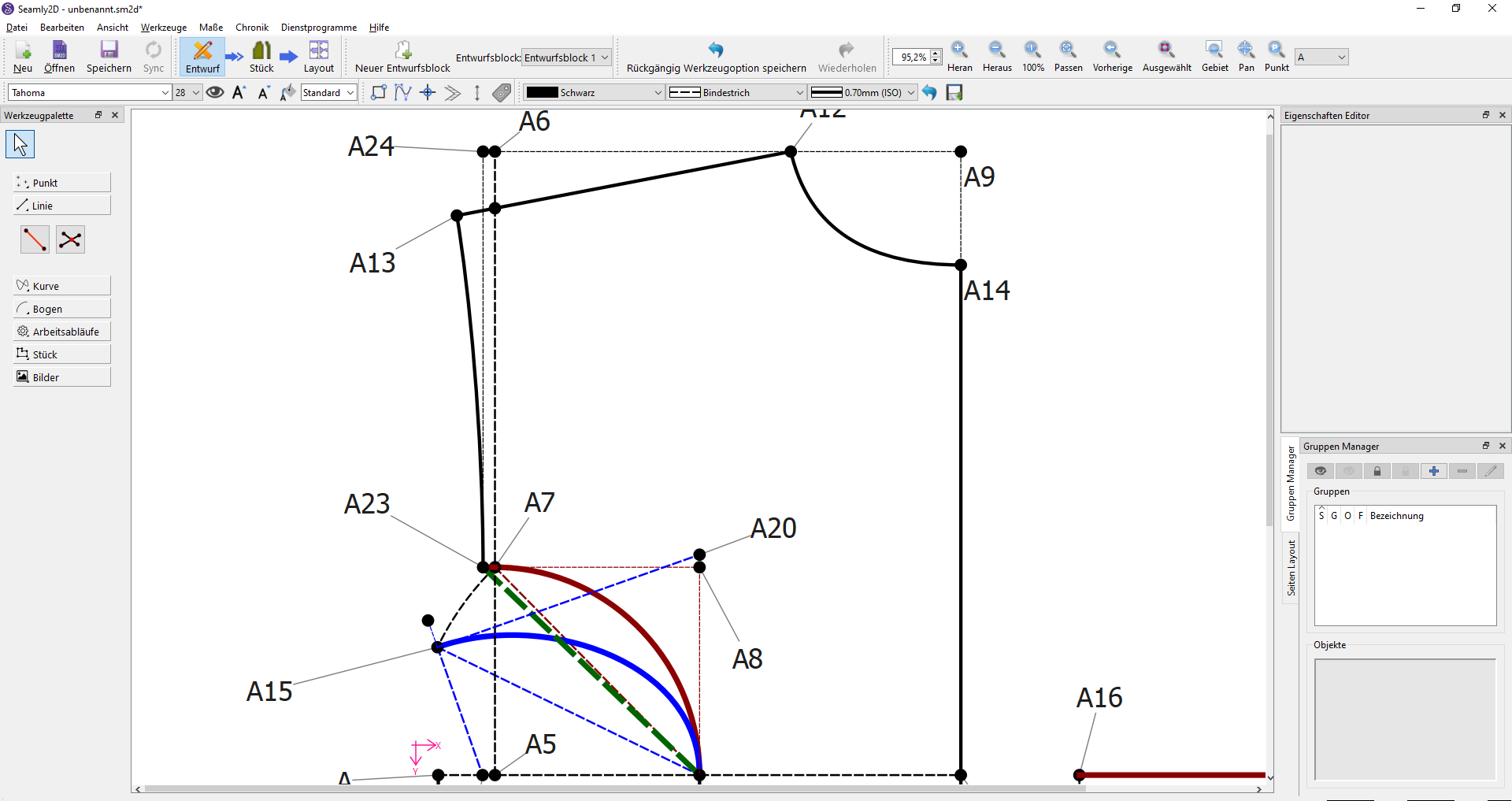
I don’t see it as a real application. How for ex. does that make this:

Fit this:

All those X points are the scaffolding to control the length of the CP’s. None of the lengths are fixed… or rather the CP formulas are all fixed to the measurements loaded.

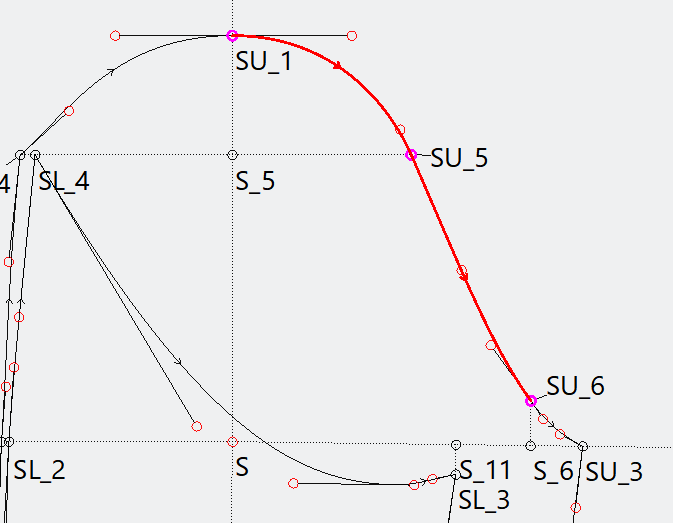
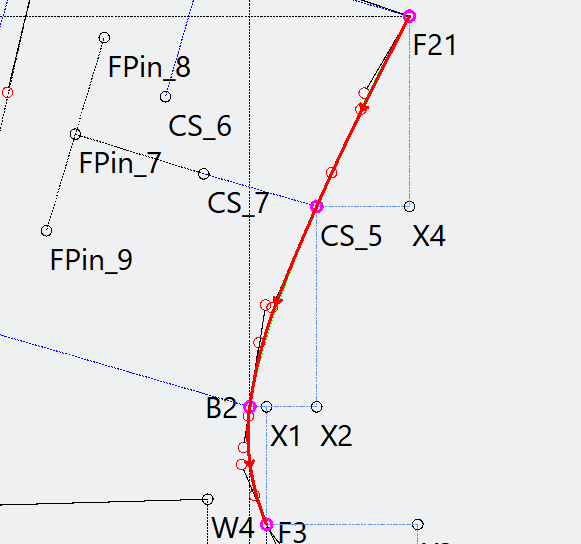
It’s the grade points that matter… such as SU_4, SU_1, SU_5,SU_6, and SU_3 that make up the upper sleeve cap. The curves just fill in contour in between them. It’s more about the shape of the (sleeve) curve not the length. On paper we would use French curves AKA “parrots” as the French call them. If the armscye length of the sleeve above does match the armscye length of the body, the grade points need to be fixed, not the curves. Just like we don’t cut up a French curve to make the curve length change. Using the bez_approx (0.551915) it makes for a smooth transition from a curve to a straight section or to another curve. In the (model) train world we call that “easement” where the track curves need to transition smoothly. Bet no one saw a connection between train tracks and garment patterns. :slight_smile: So changing one CP length to make the curve length fit some given length is generally not a solution.

That all being said… I think what you have illustated in the video and in the sample code is really a Seam Walking tool… not a tool to create a curve to a fixed length? Basically a tool comparing one formula to another.

3 Likes

Yes I see your point and Im excited to see, that there is way more to learn for me!

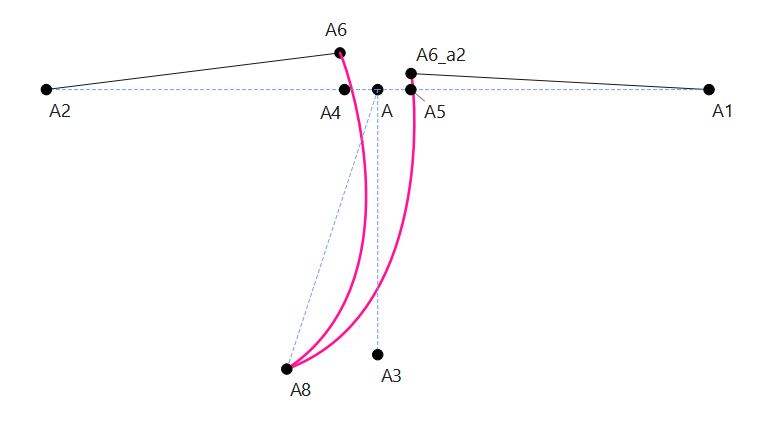
But there are some cases, that I still dont see a solution. For example this particular shape:

It works perfectly when the line is in a 90 degree angle. But on things like “princess seams“ the curves dont match anymore:

so what I often end up with is this :frowning:

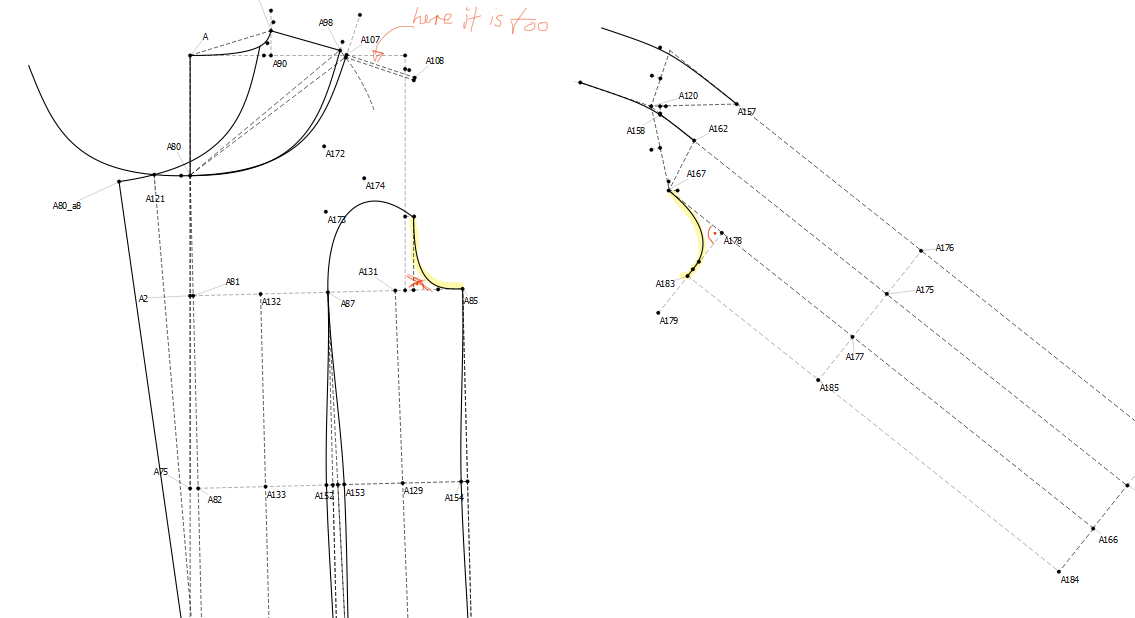
And you defintely figured the other example. Yes, I would use it for things like Raglan sleeves, or even normal sleeves. (In this example I need to match up the lower sleeve, but the angles are slightly different and so I have to to this clunky and bricky workaround where I deliberately bring the endpoint more near to leave room for a tiny bit straight line)

2 Likes

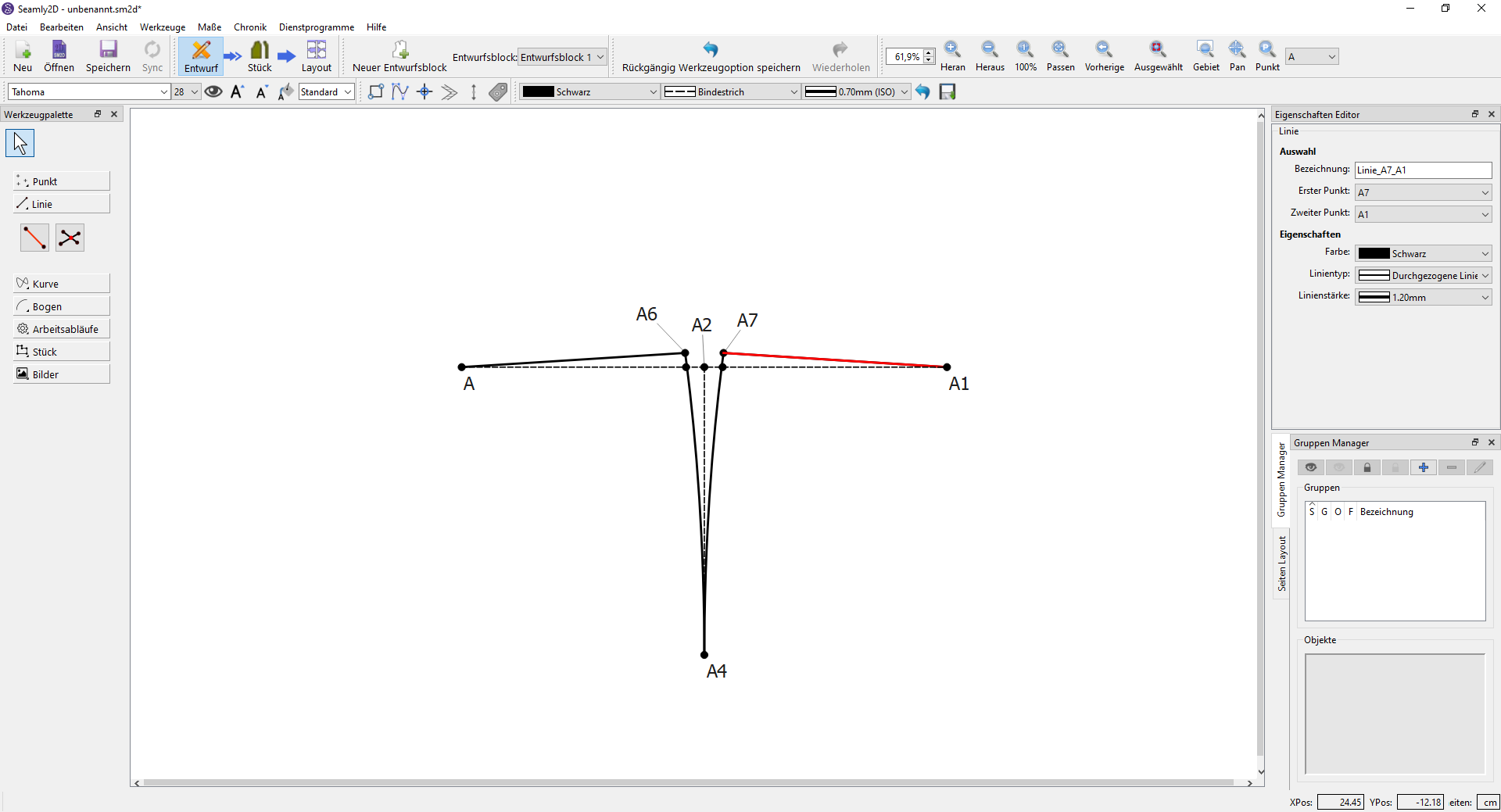
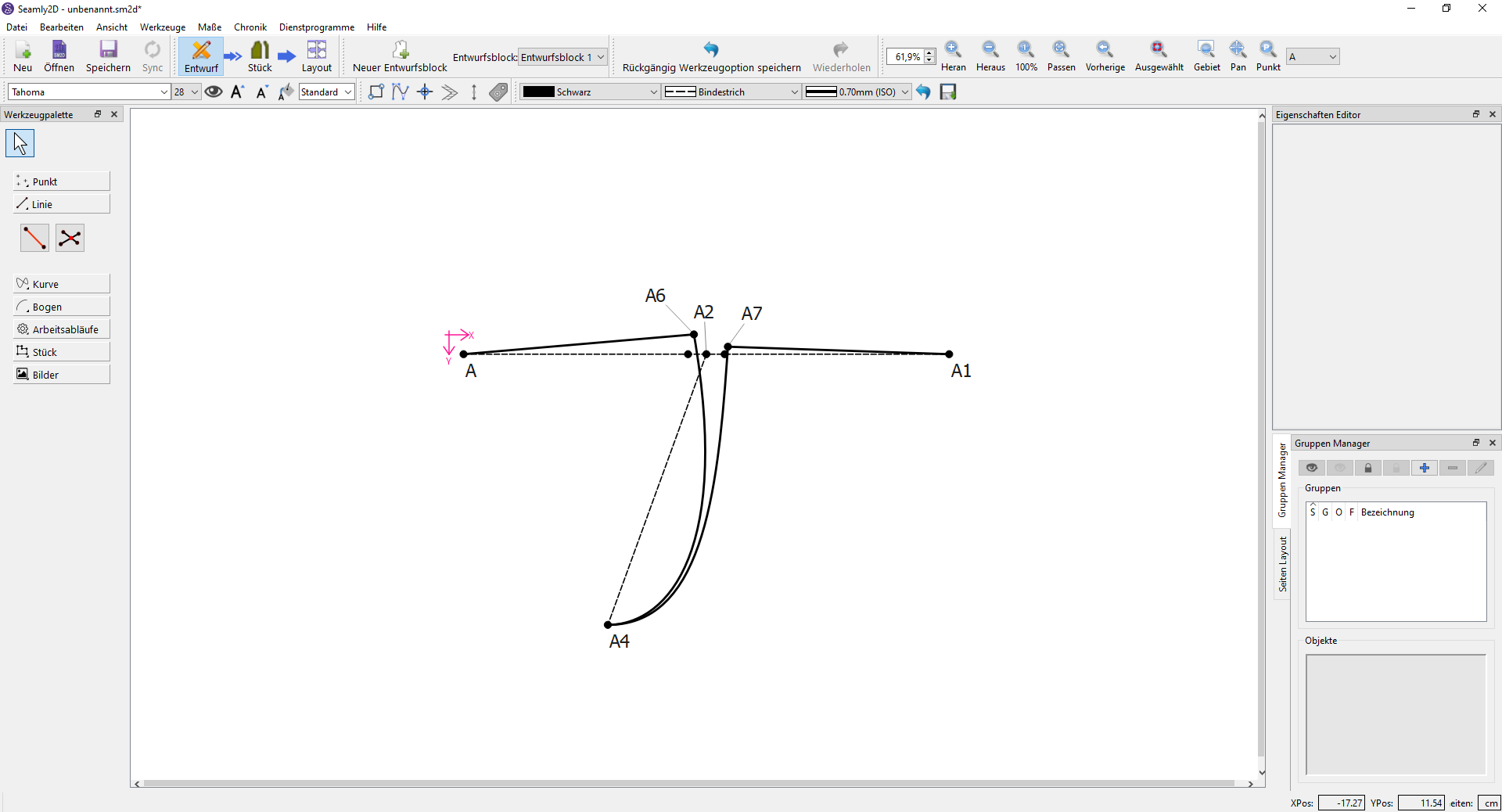
You could use use the dart & mirror tool.

I used the dart tool to true up to get A6 & A7. Drew the curve from A7 to A, then mirrored it.

Rotate tool… I just eyeballed it, but one could probably use the trig functions to get an accurate rotation angle.

I would need more info to know what is going where to comment.

2 Likes

That is exactly what I do not want. 1. The endpoint now is somewhere random. (But this is not that bad since you can rotate it exactly as needed, but) 2. The Angles are completely random. They should match up at the bottom and add up to 180 at the top as in my video (or like in the first picture. That was there to clarify the second shape). For me this is not a viable solution.

The other example has yellow markings to highlight wich seams should be matched. Since it is only the lower sleeve, the lenght is not allowed to be different, because the upper parts of the sleeve are raglan-style and additional lenght coulnd be worked into the sleevecap. But I also cant just mirror it, because of the angle and the resulting lenght for the sleeve. So I do a workaround where I ensure the new curve is ever so slightly smaller and then add a small straight line to make it exact. This is suboptimal because it eventually breaks. And everything else has not been exact enough.

2 Likes

I can’t remember, were you the one who uses Seamly to draft clothes for avatars, not for fabric sewing? Because your wavelength seems to match mine when I’m thinking digitally, not textily.

:unicorn:

2 Likes

I take that as a compliment :wink: but no,

I am still in the progress of learning pattern drafting, but as a self-taught (and someone who loves to discover new ways) I cant deny being “inspired“ by digital sewing. And not only do I try to understand the traditional way of tailoring, but possible new and easier ways, that come with digitalization. (I think this is where the connecten is)

Thus, I see this program not as a substitution for analog drafting, but as an evolution. I want to draft patterns, that are as simpel and as effective as possible, that are scalable and fit everybody/every body. Every other program falls short, since their drafting and scaling is inherently vague, but I think this is the core competence of Seamly2D: to be 100% precise. And not just one time, but for every measurement. It could easily shorten traditional and unprecise ways. (Such as the imo way to vague (or with overly complecated workaround) workflow with curves.)

And further, I want to be free in what I do. I want to be provided a complete toolbox and be left to dicover new and innovative ways. And I think in this context this toolbox is incomplete.

I can only offer to do a more in dephts description on why this tool/extension is important for my work, if wanted.

2 Likes

Hello everyone! As announced in my last post, I will go into more detail about why it is important that such a tool is supplemented.

And not only that, I believe I have found a potential misunderstanding in dealing with bezier curves.

The Problem

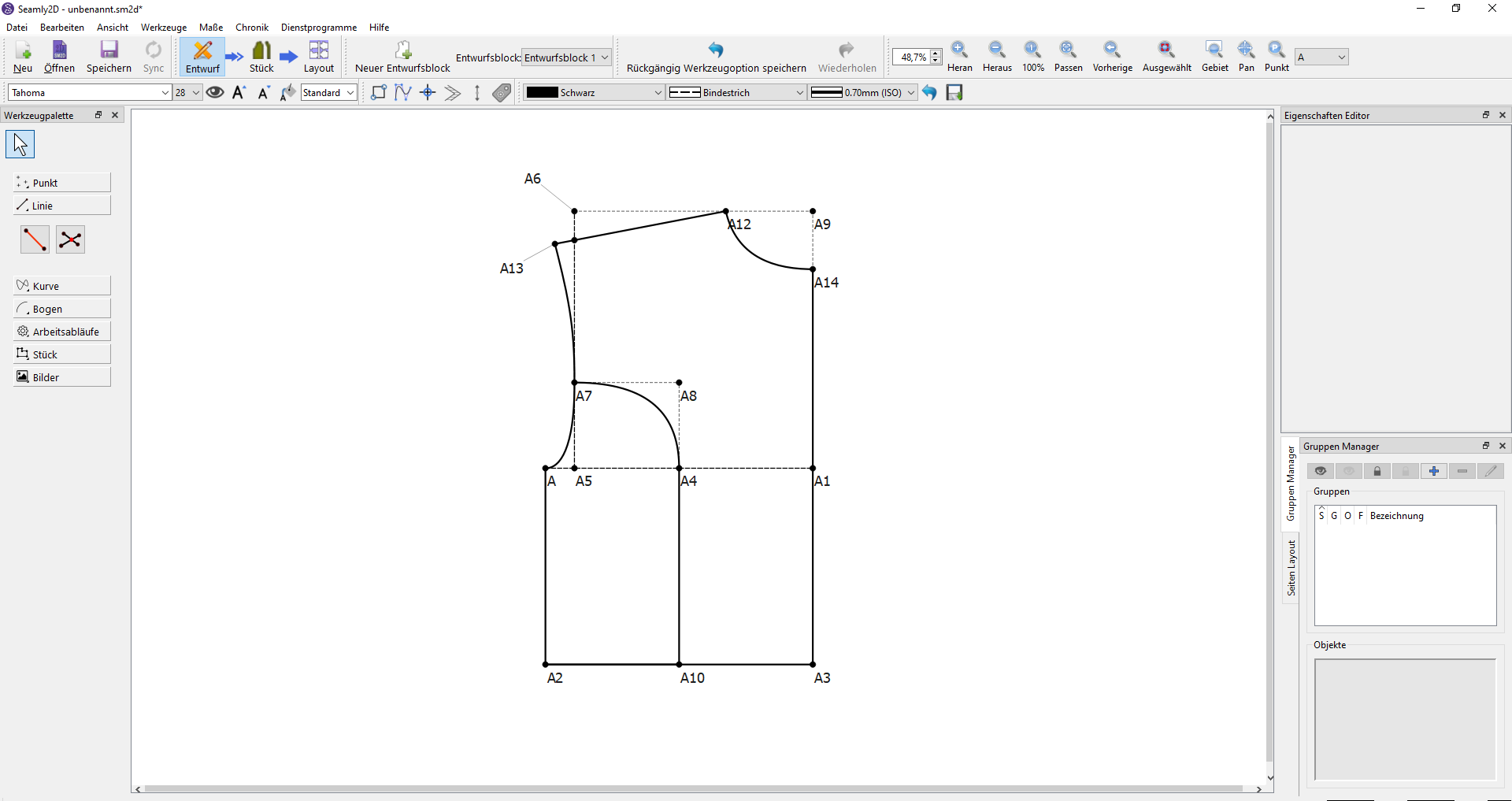
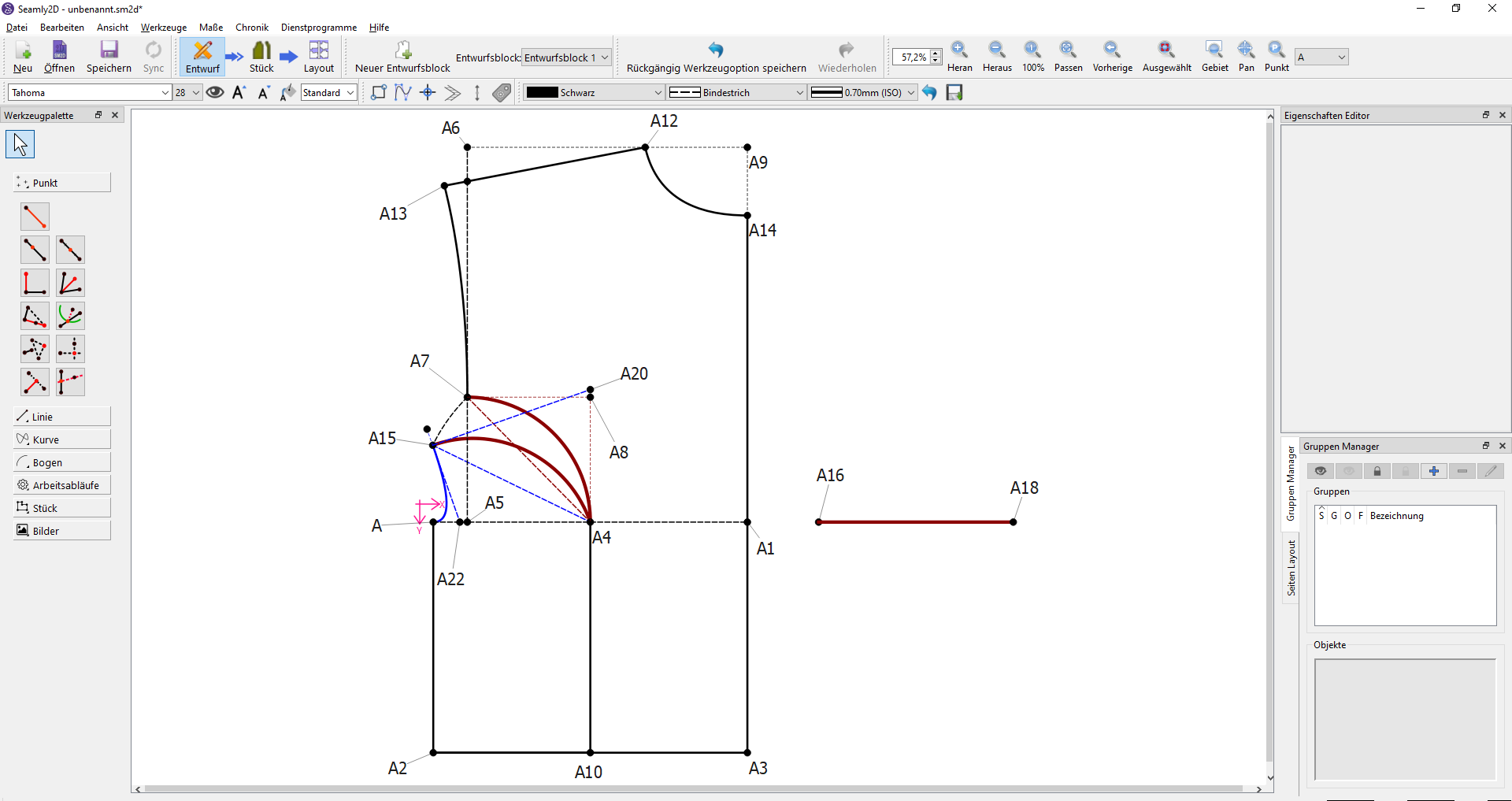
This is a simple front part that should have a dart inserted at the side.

Its two curves should meet four requirements:

  1. Be equally long

  2. Have the same angle at the bust

  3. The angles at the armhole seam combined are 180 degrees and follow the dart rotation unilaterally.

  4. Do not shift the start and end point.

______________________________________________________________________

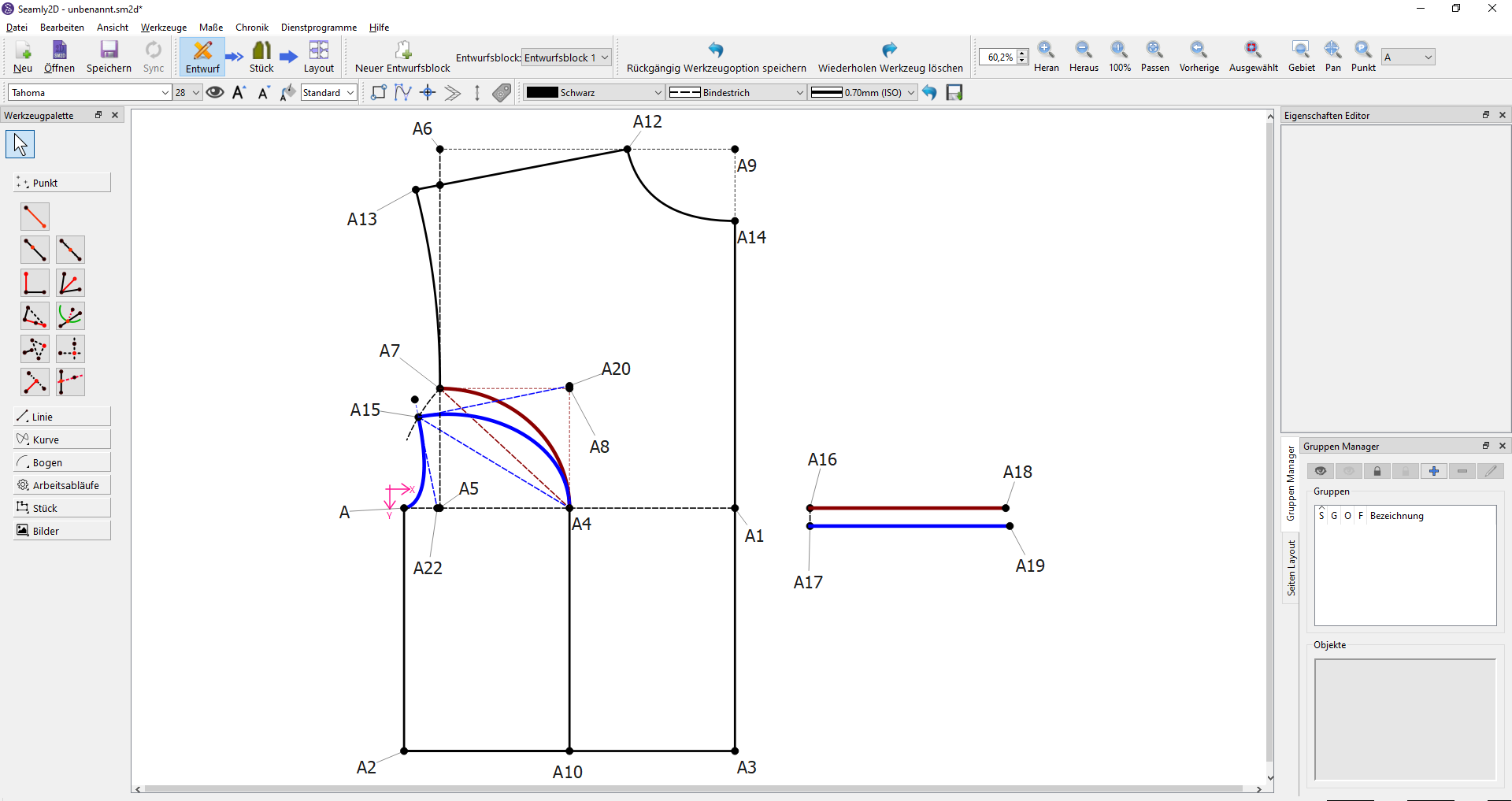
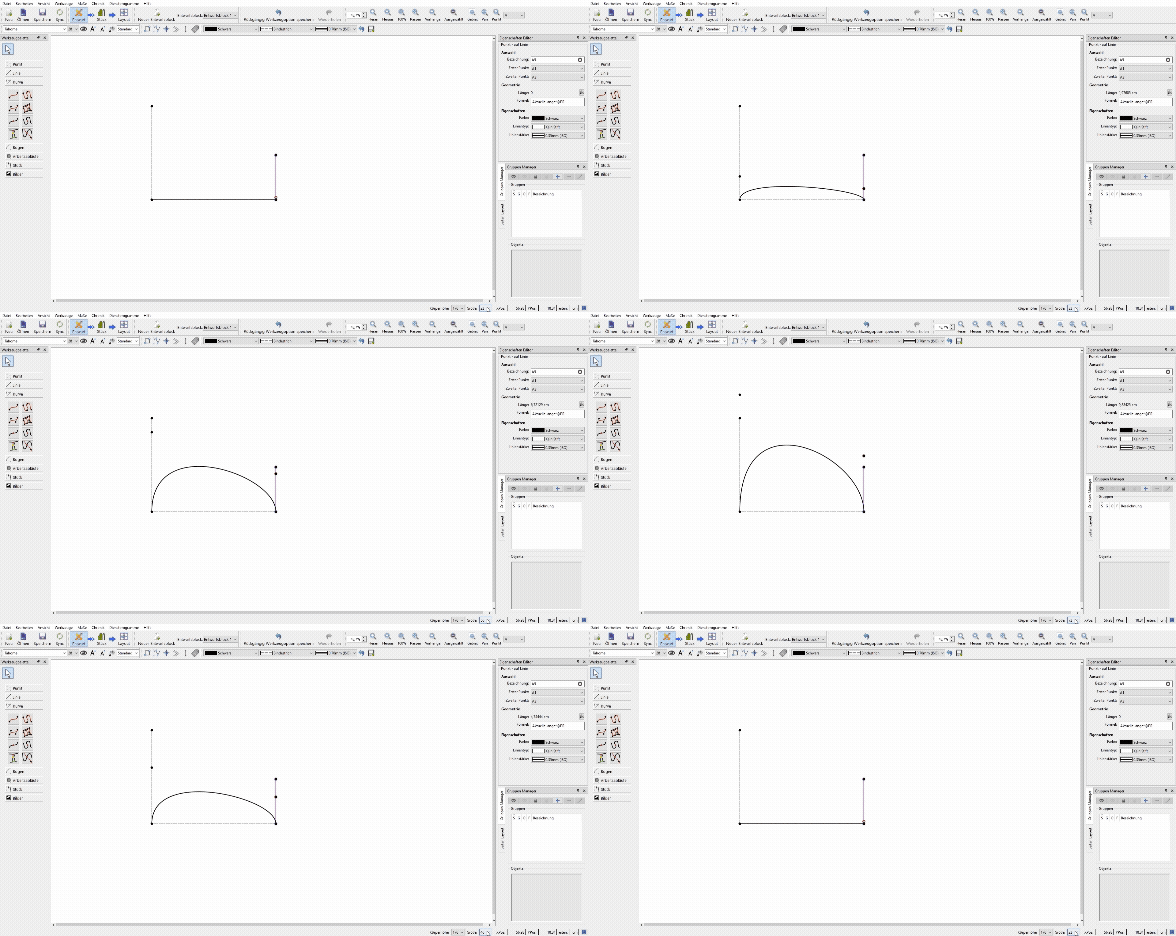
If we simply draw this, the following happens:

This violates the first rule (the curves are not equally long)

______________________________________________________________________

The second attempt rotates the curve around the dart rotation.

Now the sides are the same length, but two new problems arise:

  1. The angle does not transition cleanly into the line

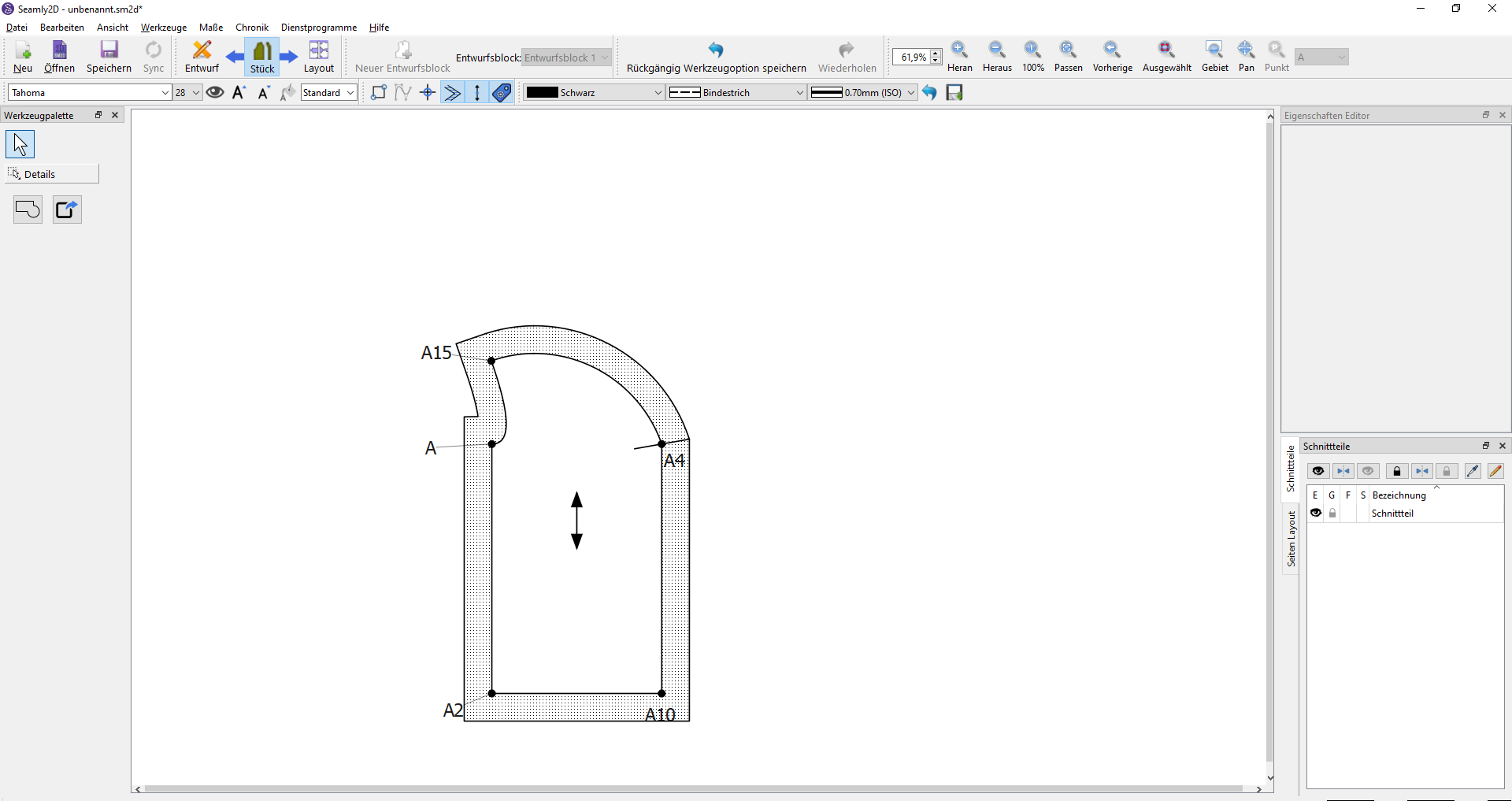
This becomes particularly clear in the pattern piece:

2. here no real 3D-rounding is created, but a simple plane due to the shape. It is the difference between the dart shape on the left and right:

In the end, this solution looks like this:

______________________________________________________________________

The third attempt is a bit more elegant:

You can either shorten the curve that is too long

or extend the curve that is too short.

Here, too, problems arise:

  1. It changes the position. In this case, the bust width changes and thus the fit.

  2. depending on the measurement, sometimes the lower, but sometimes the upper is too short or too long; in short - it swappes. The construction cannot compensate for this and begins to break.

  3. For the curve that is shortened, the angle of the normal changes and thus the curve, tempering with the the fit.

______________________________________________________________________

The Solution

The core problem is that due to the infinite number of curves, it could be quite difficult to find a suitable one. But that is only true as long as you have only undefined variables. And with limitations you can find it by brute-force, which is why I present two solutions!

Solution 1:

Define everything except one vector lenght:
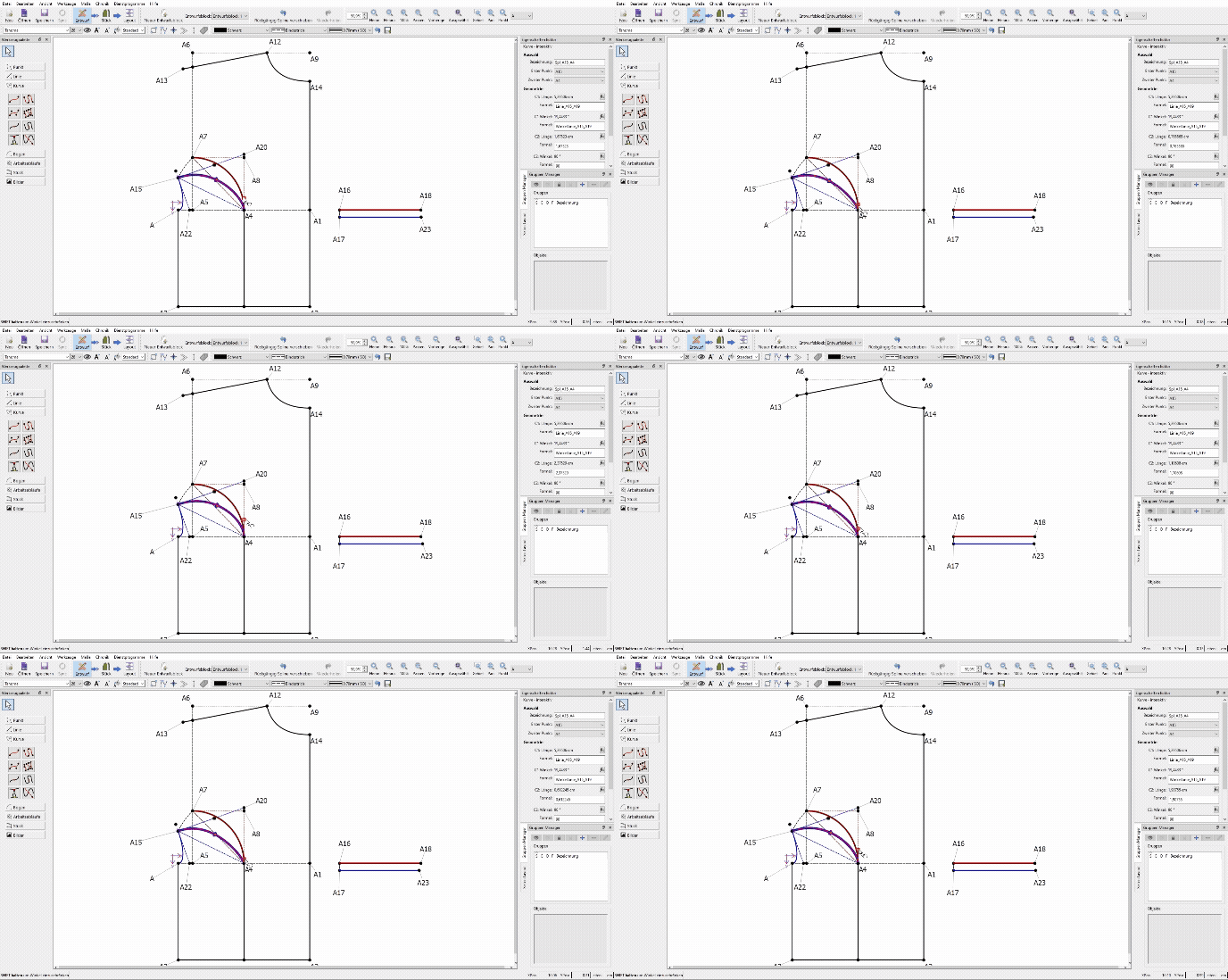
Adobe Express - Seamly2D - unbenannt.sm2d_ 2025-10-12 18-44-32

This was my initial solution. As with a regular curve, you define where the curve begins and ends, the angle of the two vectors and the length of only one. Now you just have to find out what length the second one needs. This solution offers a lot of freedom and is more versatile than the second one. It is also suitable for use on sleeves or even combine it into splines. The main difference in appearance will occur, when the vektors change their role.

Thus I like the second suggestion even more:
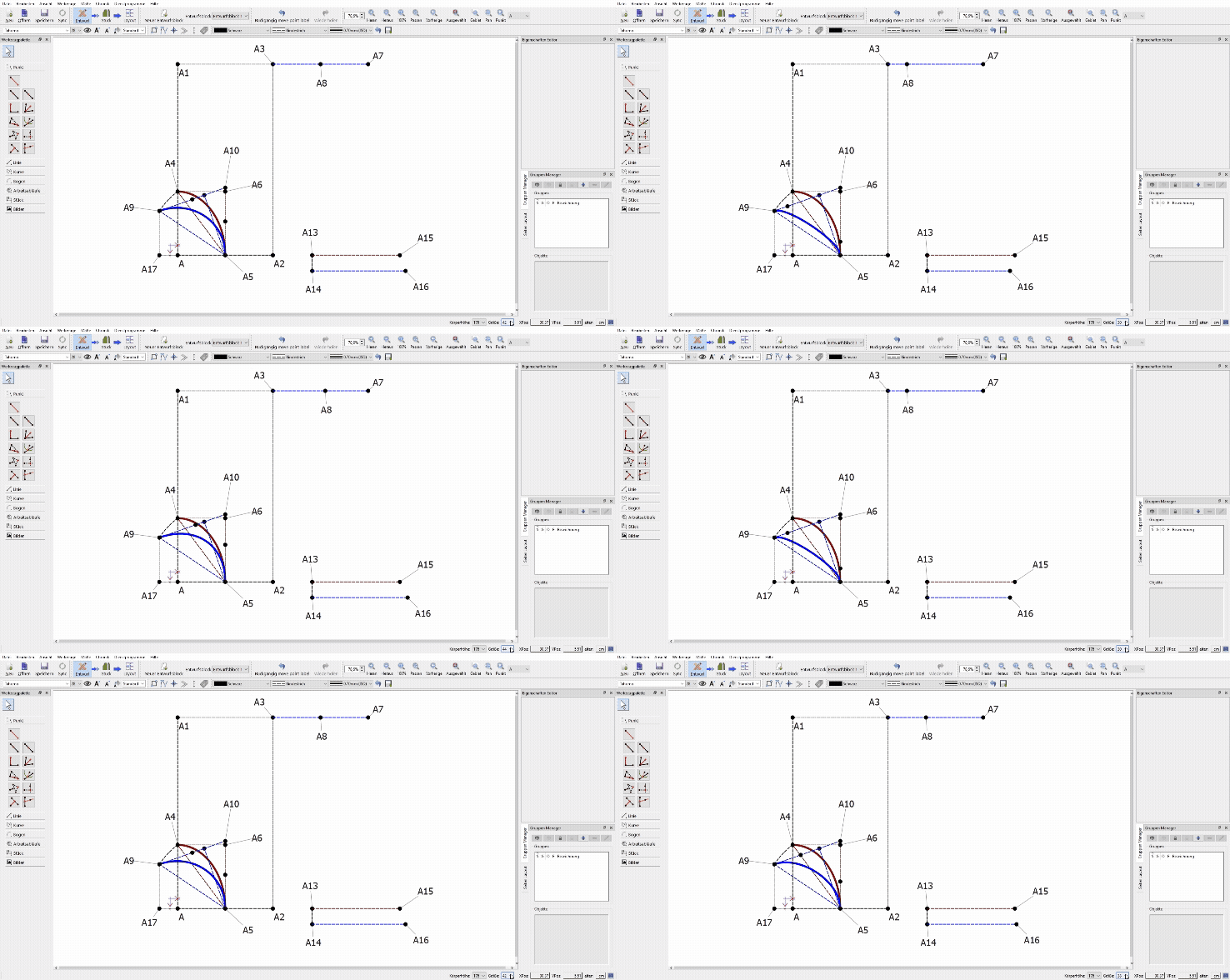
Adobe Express - Seamly2D - unbenannt.sm2d_ - PROZENT.smms_ 2025-10-13 11-11-41

here the lengths of both vectors are connected to a third variable (0-100%). It pushes them on the straight lines to the common intersection point proportionate to their maximum lenght. This assumes that there is an intersection. However, the result is significantly more elegant and the finished curve is quite similar to the original, if the original was also defined with a shared ratio. The application area is smaller than the first solution, but in this case, prettier in my opinion.

______________________________________________________________________

The Math?

And now to the math problem that I believe I have found.

@Douglas recommended to me and others to use an approximation constant (approx. 0.55….) for the best possible transition, which, if I understood correctly, when multiplied by the straight line to the intersection point, forms the best possible curve. After long research, I could not validate this information.

The only source in which this number appears is a monography, in which it has the function of changing a curve with vectors that are 1. right-angled and 2. of equal length so that it resembles a quarter circle.

https://atps.tucn.ro/pdf/full_papers/2019-ATPS-NEAGOS.pdf

In every other context, I could neither find nor sustain this statement.

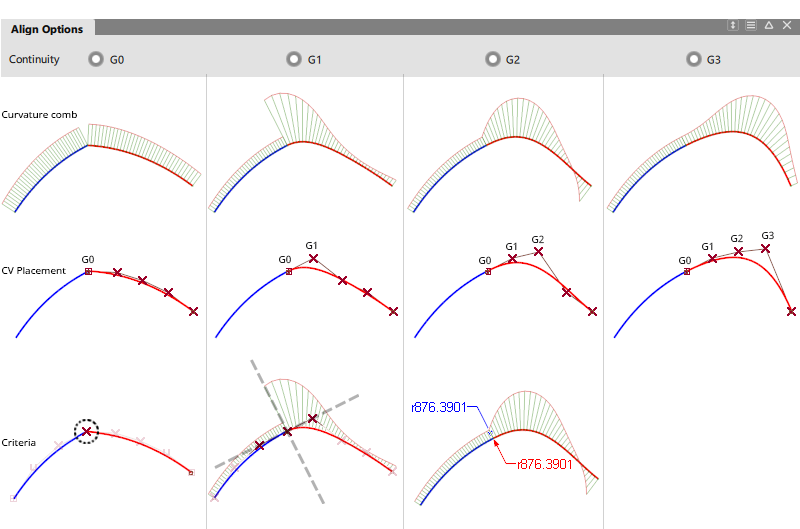
What does exist, however, are mathematical classifications of how well a curve is connected to another curve or a straight line. The categories of interpolation degrees are C0-Cn, or G0-Gn. In my opinion, only G1 and G2 are useful in the context of pattern construction. The C categories and everything from G3 onward either offer no advantage, or too many degrees of freedom are lost, since with increasing interpolation degree, the degrees of freedom decrease significantly. And even in this context, I could not find @Douglas ´s approximation constant, since the vector lengths necessary for their interpolation degree are calculated by deriving from the Bezier´s matrix and thus are individual to each curve/spline.

More precise details can be found in this wonderful video:

https://www.youtube.com/watch?v=jvPPXbo87ds&t=577s

(I can also recommend this one, in which Bezier curves are generally explained: https://www.youtube.com/watch?v=aVwxzDHniEw&t=1197s)

Im not sure what to do with this information. If looked into, it could potentially be a great abbreviation for curve/spline interpolation. (maybe the function to switch between G0, G1 and G3 curves)
3 Likes

Edit: Last statement: …to switch between G0-G2 Curves. As stated erlier G3 curves are not practical in this context.

Edit two: for the second suggestion is a solution, even if there is no intersection. I will provide that tomorrow. This makes it my favourite thus far.

1 Like

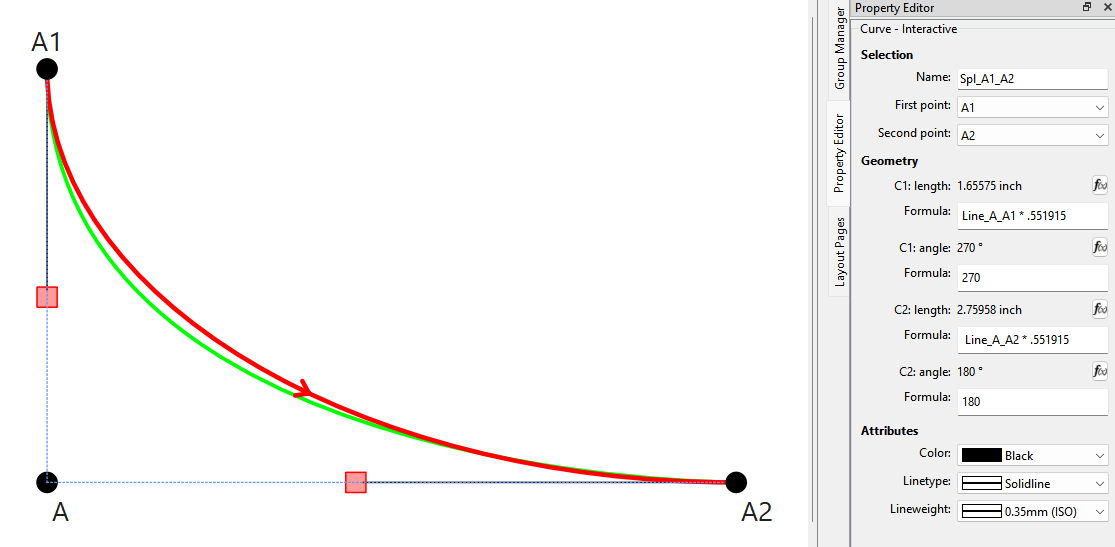
Quick Google search of bezier .551915

" The value 0.551915 is a specific numerical component used to generate a cubic Bezier curve for web and user interface animations. A cubic Bezier curve defines an animation’s acceleration over time, and the number 0.551915 is typically part of a set of four numbers that define the two control points for that curve."

The use of the .551915 constant in the CP lengths yields approximately the same as a fixed bezier curve.

The important thing is by using .551915 in the CP lengths is that it produces curves that can resize to changes in measurements, and prodvides easement into following curves or straight sections.

BTW… I looked at spl_lenght_algorythm.txt and the logic fails for several reasons:

spl_length = the length of the spline you want to match
comp_spl_length = the length of the spline you compare it to

new_handle_length = comp_handle_length
approx_var = comp_handle_length / 2        
switch_var = 1                             # useless flag

while new_spl_length = spl_length:         # endless loop for 2 reasons:
                                           # 1) can't compare qreal (double) values - they will never be equal.
                                           #    Need to fuzzy compare in Python use math.isClose(new_spl_length, spl_length)
                                           # 2) new_spl_length never changes.

	if new_spl_length > comp_spl_length:   # possible endless loop as new_spl_length never changes.
  	if switch_var = True:                  # possible endless loop if new_spl_length were still > 2nd time around
  		approx_var = approx_var / 2
  		switch_var = False                 # useless - setting will guarantee if statement will fail
                                           # if new_spl_length is still > comp_spl_length
   	    new_handle_length = new_handle_length - approx_var


	elif new_spl_length < comp_spl_length: # possible endless loop as new_spl_length never changes.
  	if switch_var = False:                 # possible endless loop if new_spl_length were still < 2nd time around
			approx_var = approx_var / 2
  		switch_var = True                  # useless - setting will guarantee if statement will fail
                                           # if new_spl_length is still < comp_spl_length 
		    new_handle_length = new_handle_length + approx_var

    # need to insert within while loop some method to recalculate new_spl_length
    # new_spl_length = splineLength(startPoint, endPoint, cp1.length(), new_handle_length) ?
3 Likes

Ok now got it! :slight_smile: I wondered why the program gives out the value 0 when I just did this exact thing; trying to draw a quadratic Bezier with the cubic handels. Still my google search does not recongnise any of this. I wonder if my browser doesnt like me or something… :woozy_face:

And yes, this algorythm was more of a sketch so you would get the idea. I was sure you would understand where I was heading to and write something way beyond my skills.

But the other question is: was this bigger explanation helpfull? Did you get where I am heading or do you still think this would have no usage? Should I stop here or is there a point of continuing?

I still have no better solution than to suggest an algorythm that brute-forces the missing value, may that algorythm look however. Everything else I found didnt come close to being sufficient.

1 Like

I’m still reading through… got side tracked with something else. :roll_eyes:

2 Likes

Ok so as it turns out I didnt initially see, that the second suggestion also is able to produce curves, even if the vektor angles are parallel.

Adobe Express - Seamly2D - unbenannt.sm2d_ - PROZENT.smms_ 2025-10-14 11-42-42

And it made me realise, that this approach could look different alltogether. Instead of the third variable running from 0-1, it could run from zero to infinity (well lets hope not actually). The only important thing is, that it checks, wether the flat line in the beginning already is longer than the desired length, everything beyond is achievable. That could prevent potential breacking, if an actual error somewhere else occurs. and the desired lenght is shorter or equal to the lenght of the line, it just throws a warning and stays a line to prevent further breaking.

1 Like

Adobe Express - Seamly2D - unbenannt.sm2d_ - PROZENT.smms_ 2025-10-14 12-24-17

and to add on, by making the speed dependent on the handel lenght (lenght*the_third_variable) you can still give the curve a distinged shape.

1 Like

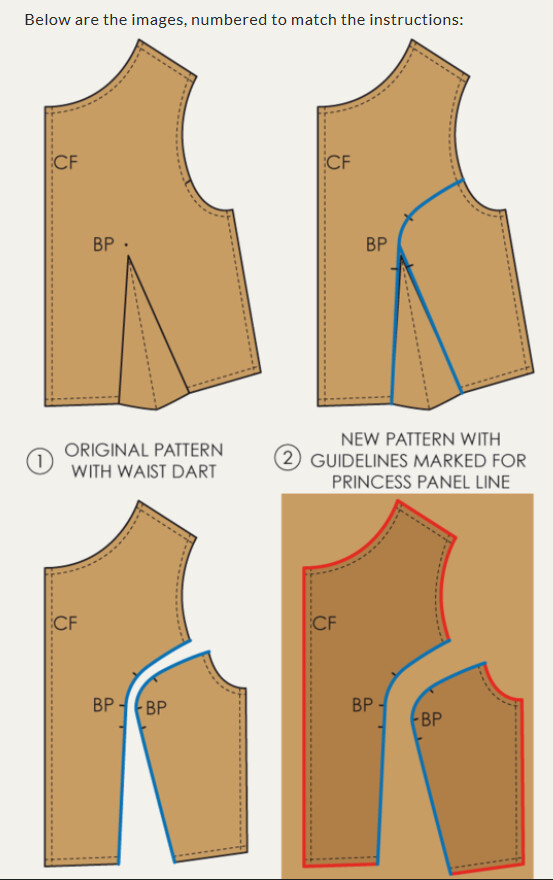
I suggest you look at how basic blocks (AKA sloper) are drafted and darts manipulated. Seems like you’re trying to find a problem for a solution? A basic block normally has a waist dart… I think you’re trying to make the curved part of the princess line a dart and that’s why you’re having issues with the lengths. Here’s an example of how you would normally add a princecess line to a bodice sloper:

Don’t know if you’re aware, but Seamly can also be run from the command line - as a front end - so warnings can only be displayed when run in GUI mode. Patterns either have to work or not when run from the command line.

2 Likes

Thank you, but I do in fact know. The same issues arise when the dart is constructed downwards, instead of to the side. It is the same construction but rotated and is not in any way different from what I described.

On the other hand it is not the same construction, since I deliberatly altered the curve-shape. Im not sure if that came through clearly, but as I said, what you suggest only creates planes and I want it to be a 3D-rounding. You only achive this with the 4 requirements I put down in my bigger post.

And with the “just throw a warning”. I thought of something like the pop up that appears when f.e. a point on a curve couldnt be constructed. But that is way ahead and doesnt seem to be relevant on this step.

The main issue stands. Or would it help if I do the same big post again but with the dart pointing downwards?

1 Like

It is basicly this over again

2 Likes