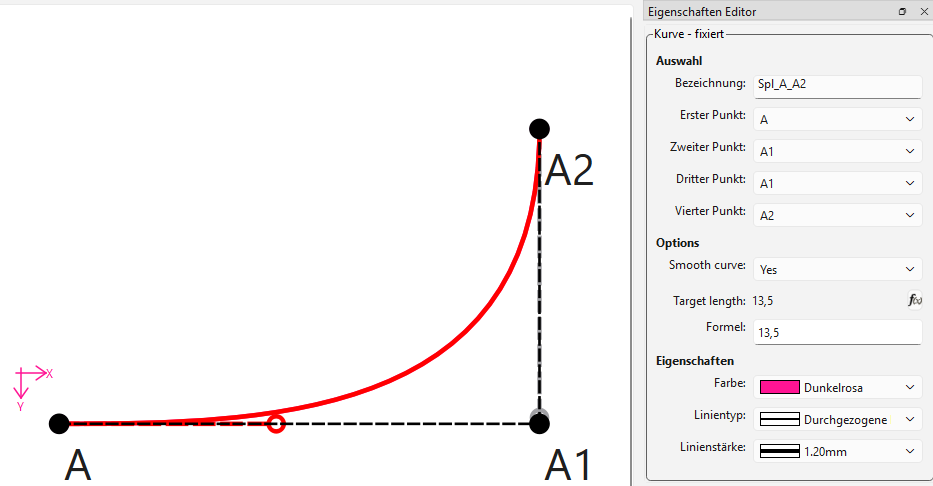
Auto-Smooth & Force Length (Code available, looking for dev help)

Hi everyone!

I’m a hobbyist pattern maker with some programming background, but definitely not a professional developer. Over the past few weeks I’ve been exploring Seamly2D’s codebase and ended up implementing two new features for the cubic Bézier curve tool that I think could be genuinely useful for everyday pattern work. I wanted to share them with the community — and hopefully connect with a developer who might help get them into the main program.

I’ll be honest upfront: I built this with help from Claude Code (an AI coding assistant). I wouldn’t have been able to do it alone. The math works, the features behave correctly in my testing builds, but I’m not confident enough to navigate a GitHub Pull Request on my own.


What’s new?

Both features appear in the existing curve dialog. nothing moves, no new tool to learn.


Checkbox 1: Auto-Smooth

Normally, drawing a smooth, natural-looking curve takes a lot of manual handle-tugging. With Auto-Smooth enabled, the program calculates the handles automatically using the Hobby algorithm — a mathematical method that produces curves with natural-looking tension, similar to what a skilled drafter would draw by hand.

What this means in practice: Place your points and the handle-angles, check the box — the program fairs the curve for you.
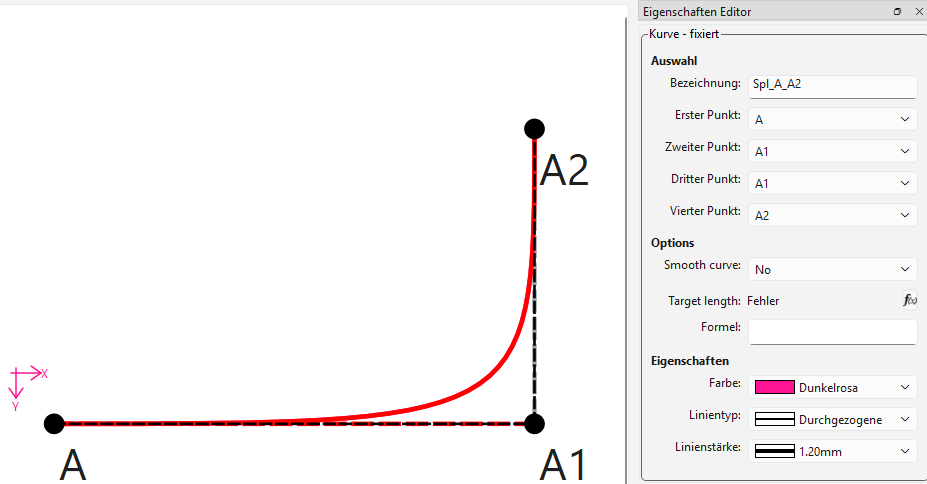
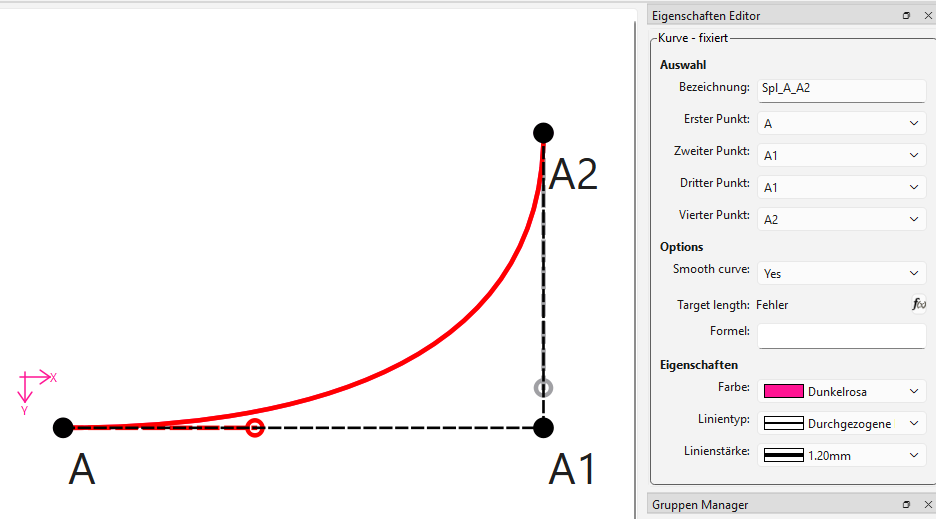
(before/after comparison — manual handles vs. auto-smooth)


Checkbox 2: Force Length

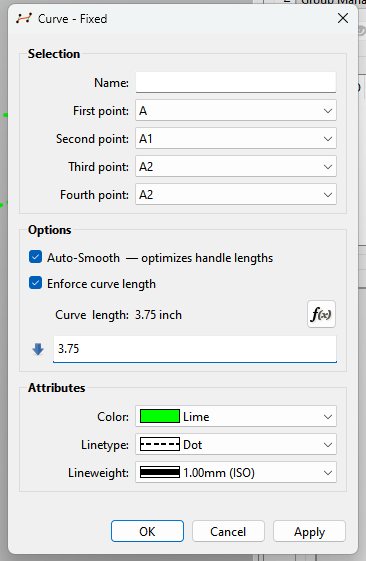
This lets you enter a target arc length for the curve. The program then automatically adjusts the control handles so the curve’s actual measured length matches what you typed.

What this means in practice: Useful when you need a seam to be a specific length — for example, to match a bodice side seam to a sleeve seam of a known measurement. Draw the curve between your two points, type in the length it needs to be, done.
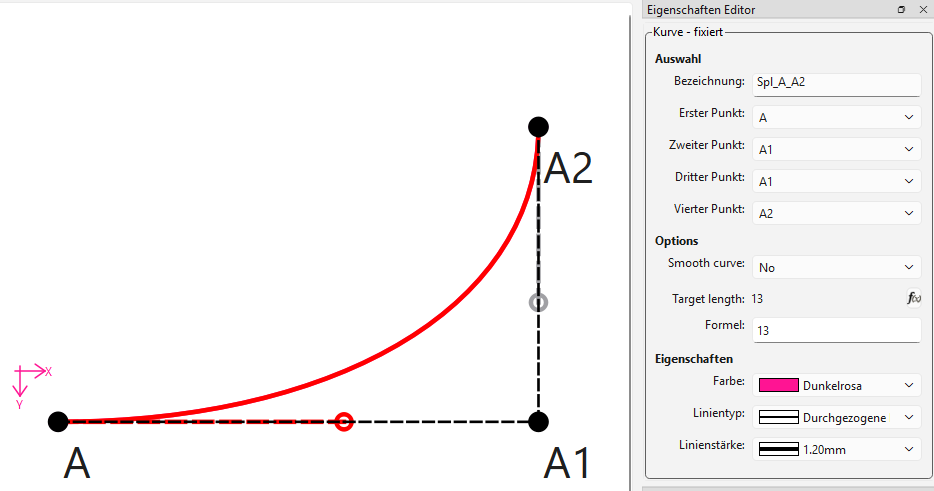
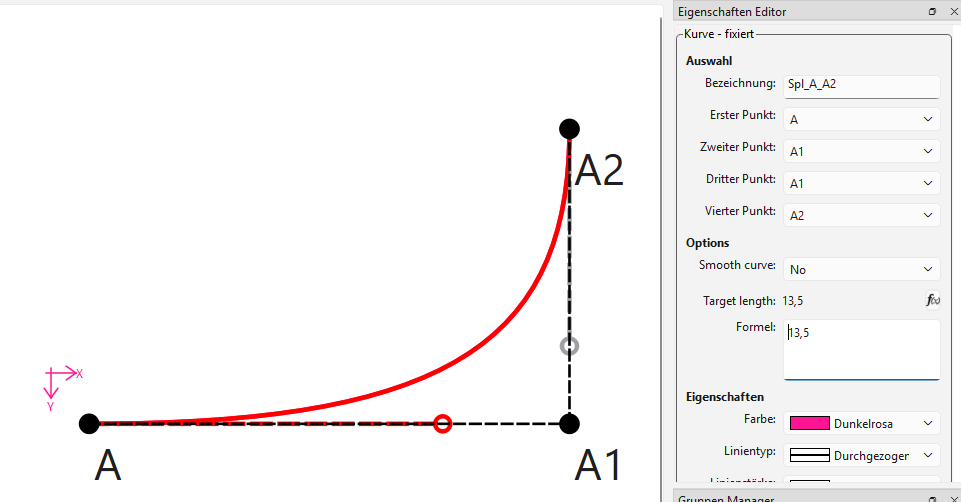
(Curve with target length field filled in)
(Fallback)


Combining both

The two checkboxes work independently or together — giving four modes:

Auto-Smooth Force Length Result
Standard Bézier (unchanged behavior)
:check_box_with_check: Automatically faired curve
:check_box_with_check: Your shape, exact length
:check_box_with_check: :check_box_with_check: Auto-faired curve with exact length

(combined features)


For developers: the code

The implementation lives entirely inside the existing VToolCubicBezier — no new tool was added, just two optional modes. (And yes, I learn the hard way: messing with the enums is a literall nightmare). The arc-length solver uses a secant method (fast convergence), the Hobby algorithm follows the standard velocity formula.

The feature branch is available here:

https://github.com/Odrnorn/Mirror-Seamly-2D/tree/feat-enhanced-cubic-bezier

It’s based on Seamly2D’s develop branch and contains 16 commits touching 27 files.

Note: My original development was done on Qt 6.11.1 (a newer version than Seamly2D currently uses). The feature branch was prepared by cherry-picking only the feature-relevant commits onto your develop branch, excluding my personal Qt upgrade and a Windows deploy script. A few merge conflicts came up during that process and were resolved manually (mainly a vabstractapplication.cpp translation-loader conflict, kept your version; and xerces-c library headers that got dragged in and were cleaned out). I haven’t been able to build-test the result against the current Qt Version — so a developer review for any compatibility issues would be very welcome.


I’d love to hear whether these features are useful to others — and if any developer would be willing to review the code and either submit a PR or guide me through doing it myself. I’m happy to answer questions, record more demo videos, or adjust anything that doesn’t fit the project’s standards.

Thanks for reading!

3 likes

PS: yes, this works with both - fixed and interactive curves:

2 likes

And the deploy-exe:

hope you enjoy playing with it :slight_smile:

2 likes

Hello and WOW! @odrnorn

This is wonderful!!! And very sorely needed. Thank you very much for your time and hard research into this. I’m sure @Douglas will be by in a while.

2 likes

Broken link… and there is no repo on github that I can find.

2 likes

To be honest I’ve had issues with other code done by claude. I would certainly haveto see the code - which I can’t - to make a truly informed decision.

Can’t live just in the class… there has to be a updated schema.

3 likes

please retry. It was on private :frowning:

2 likes

You’re absolutely right, Douglas. Sorry for the misleading wording! The schema was updated too.

v0.7.3.xsd has two new optional attributes on the spline element:

<xs:attribute name="length" type="xs:string"/>

<xs:attribute name="autoSmooth" type="xs:boolean"/>

Existing files load without changes since both attributes are optional. :slight_smile:

2 likes

That is incorrect in usage. You have to create a new schema and update the pattern converter to convert the current 0.7.3 schema to a new 0.7.4 schema. You can’t just add new elements to an existing schema. Thats why I don’t trust Claude.

Old patterns can break because they may not match the new schema. The way Seamly works is looks at the version in xml file.. valudates it for that schema.. is it the current schema? No convert to the next version, validate, check if current… until it gets to the current - then loads the file in the app. Seamly will still load a ver 0.1.0 pattern. May take some time, but it will load.

3 likes

Oh, got it! Yes, I - and thus Claude too- didnt know the versioning chain. Does this need to be fixed on my part?

Im not quite sure how to continue the workflow from here. The basic idea and implementation should be working. Do you want to continue looking and give feedback and I try to fix it, should I try to debug on my own (which im not confident enough for *_*), or do you want to take over?

2 likes

Yes.

BTW…

There is likely going to be issues building with 6.11.1 at the momment. Specifically in regards to the paint engine which was changed between 6..5.0 and 6.8.0. I’ve already had to fix a bunch of issues to bump to 6.8.3… which is still on hold while I test it on the mac and linux.

3 likes

done.

I didnt confirm. I can try to compile under 6.5, but we could also hold back until the bump to 6.8 is complete.

2 likes

Actually, I think the compatibility risk for these specific features is pretty low:

Both algorithms (Hobby and the secant-method arc-length solver) are pure C++ arithmetic. They compute (x, y) coordinates for the Bézier control points and write them into the existing VSpline/VCubicBezier structures. Everything downstream - rendering, saving, loading - is unchanged code that Qt handles the same way regardless of version.

The paint engine changes between 6.5 and 6.8 matter when new rendering APIs or path operations are involved. Here, the curve pipeline is identical to a manually-placed handle; we just computed where that handle goes mathematically.

The only new UI elements are two standard widgets in an existing dialog.

2 likes

I got the featute to build but there’s a bunch of issues Ican see right off the top:

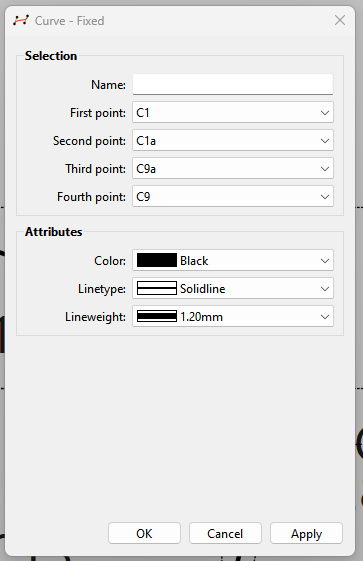
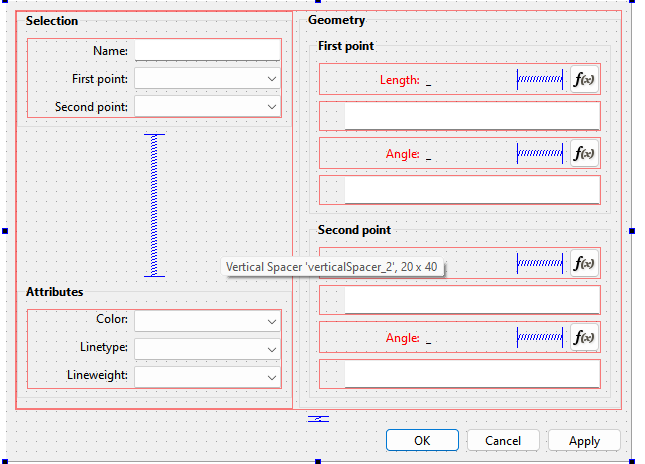
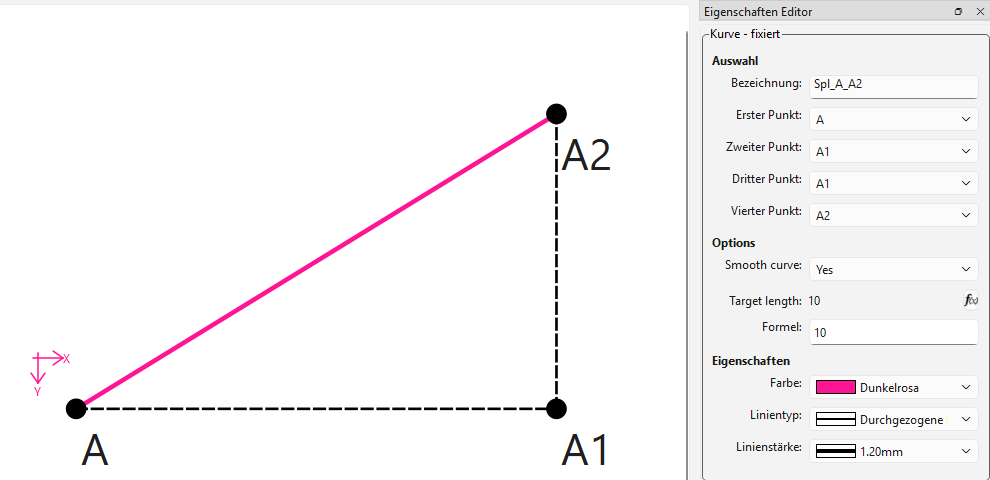
The addtipns do not show in the tool dialog:

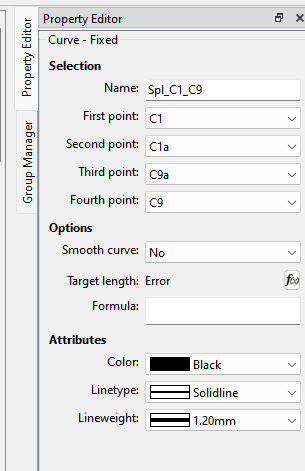
But do in th eProperty Editor…which is surprisong as the Editor is normally a PITA to deal with.

The copyright notice on the dialogcubicbezier file has completly disappeared… and I can only assume other filres as well.

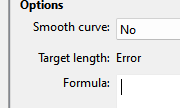
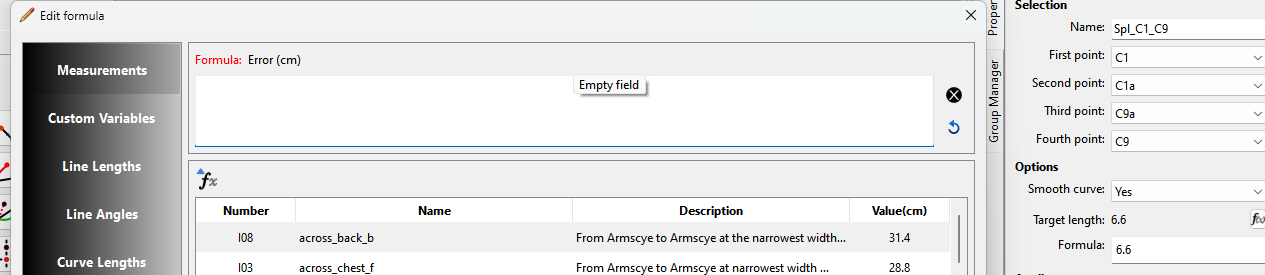
The target length formua is showing an error.

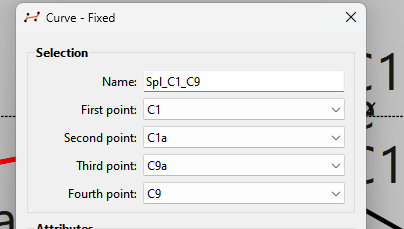
Theh curve name has disappered from the Tool Dialog:

Should be:

Even though there is a value in the Property Editor.. the fx Editr is emptyand displays error:

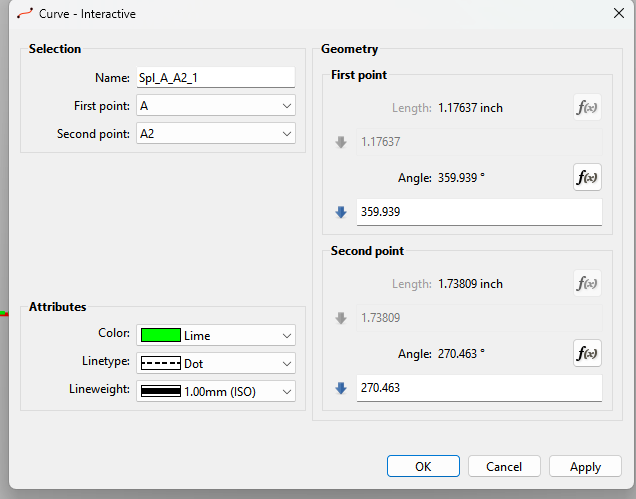
Ditto on the Curve Interactive… no options.

There is no “checkbox” plugin for the Property Editor, so the tools are usless without the checkbox option.

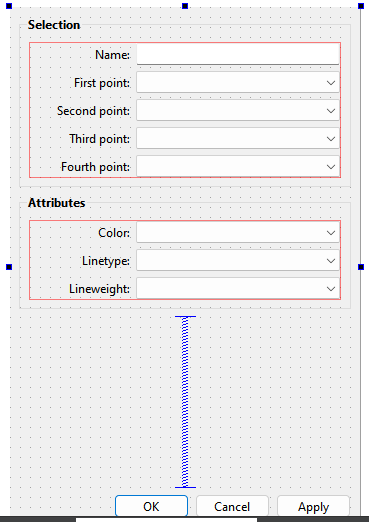
And as I thoufght, Claude has no clue how to edit the ui forms… that’s why there is no options in the dialogs:

3 likes

yes that is correct. I fokused on getting it to work in the Property-Editor. -The “Target lenght“ only activates, if the Formula is filled, but empty it shows “Error“. -The checkboxes never showed up, so I switches to a yes/no drop-down. Im not sure wether or not I did that for the dialog. -For the Issue with the name- i have no Idea how that could have happened. Same for the Edit-Formula-dialog :face_with_raised_eyebrow:

Other than that, does it work?

2 likes

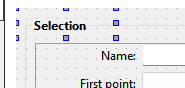
Man are the UI forms wacked out. The checkboxes here are up and off the upper corner:

image

1 like

Right… the Property Editor does not have a Checkbox property plugin that I’m aware of. On the other hand the ui dialogs are all messed up and I can’t figure out why. They are in the ui form, but something aint right as they don’t show, and can’t be edited.

But then there should be 2 drop downs to correspond to the 2 checkboxes.. yes?

image

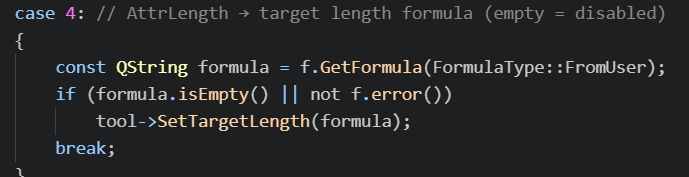
Yes and no. Ok.. I figured out why there is no target dropdown… but it’s kinda of an odd behavior to have an empty field disable an option. And the app should not show “error” if there is no error. If I was confused… average users will be really confused. I only figured it out when I read the code: Not sure what I’d do… I’d have to think about it.

2 likes
  • I’d add a dropdown “Use Length”… Yes / No
  • Change “Target length” to “Curve Length:”
  • Check dropdown state instead of fx being empty.
  • Preset Length Formula to zero to avoid “error” status.

Unforunately there is no way to connect a dropdown to the length formula to disable it if “No” is selected. That’s another reason why the Property Editor SUCKS.

3 likes

Hey @odrnorn

Once we work out some of the bugs I’m more than happy to either copy the branch and make PR or guide you through the PR procress. Whatever you want to do.

3 likes

I found the issue in the dialogs… they’re not visible… because they are visible = false.

Name is still missing though… :thinking:

3 likes