It would be nice if the formula fields had an autocomplete feature for when writing the different symbols. So if I want to write a formula in the dialog box then I could write “@” and I could then have a dropdown showing me the measurements I have defined in the template for the pattern.
This becomes imediately helpful when I want to use a line object for a formula. As far as I see at the moment, line objects can not be given a title because the line objects are actually defined by their name which makes it difficult having to go back and forth to read the line names and reference them in the formula.
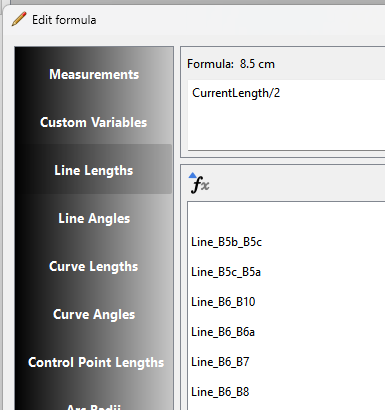
I know that if I click on the “fx” button I get the formula builder dialgoue which would do the same thing so the functionality already exists. My suggestion is intended for making the application workflow streamlined even more.
How is adding more duplicate code making it more streamlined?
BTW… you can use the context menu of an object to copy the length or angle variable, but you have it use with care as what you copy may not be valid for the the formula you paste it into.
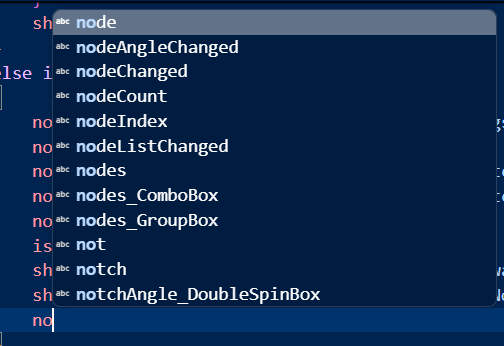
I don’t know about duplicate code, that’s up to implementation choices I’m suggesting from my perspective as a user that there would be an auto completion possibility when imputing variable names, similar to how an IDE suggests variable names when imputing keywords.
Whether or not that results in duplicated code is an implementation decision as far as I see.
I’d like to chime in on this, with that it would simply allow users to not have to move away from their keyboard and save quite some clicks.
Right now, unless I’m missing something, I have to click the “fx” button, click on the filter field, type the first letters of my desired variable, double-click my desired variable and click OK. Having some kind of autocomplete in the basic property editor for a newly added point would save me a lot of those steps.
In the following how do you propose we auto complete Line_B6_B8… ? By the time you type in 'Line_B6_B… you probably could have scrolled down the list and clicked the variable.
I like the idea of a solution that would stop me having to click through windows and tabs. I find typing or using shortcuts faster than clicking. There might be no difference in milliseconds, but it’s certainly easier on my brain. I will always miss Autocad’s command line!
I also understand that you are thinking about how to implement the possible changes, while we are just coming up with concepts of ideas that have probably been discussed many times.
As per my above example you’re going to have the same issue scrolling a list of a 100+ 'line_" items. By the time you type in ‘Line_B6_B’ you might as well type the last ‘8’ and skip the autocomplete.
That said the fx editor:
Eliminates having to remember what could be 100’s of variables & measurements.
Prevents users from typing in invalid variables or measurements for a given tool.
BTW… to auto complete you will have to reference the custom variables, the tool variables, AND the measurements.
IMO this is a solution looking for a problem , but feel free to have a look. My one suggestion would be to make it an option in the General prefs->editing.
Hmm… Well, yes, for lines it perhaps wouldn’t be as useful. But for measurements, custom variables, and complex line formulas, it would definitely speed up the workflow for keyboard-centric users.
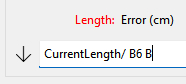
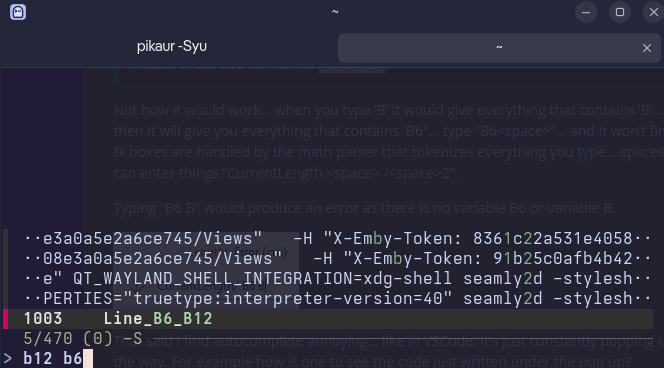
And, actually, for lines—if it implements a fuzzy search (sub-string matching), I could see it being quite useful after all. Like, you could type “B6 B” or something, and it could show you all things that include those two terms, like Line_B6_B.
Fuzzy search also helps with not having to remember hundreds of things, and it saves you time scrolling and searching if you really have hundreds of things in there. And if a user does type in something invalid, for the tool used, they can always open up the fx editor after all.
This all being said—I’m really brand new to Seamly2d and, really, creating patterns in the first place. So I don’t know much about this yet.
Not how it would work… when you type ‘B’ it would give everything that contains ‘B’… you type ‘B6’ and then it will give you everything that contains 'B6"… type “B6<space>”… and it won’t find anything. All the fx boxes are handled by the math parser that tokenizes everything you type… spaces are allowed so you can enter things “CurrentLength <space> /<space>2” .
Typing “B6 B" would produce an error as there is no variable B6 or variable B.
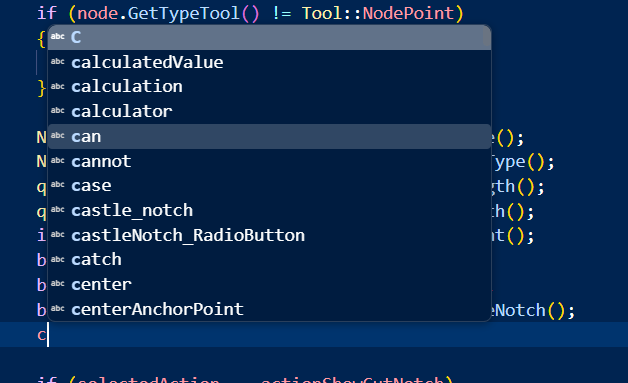
That said I find autocomplete annoying… like in VSCode. It’s just constantly popping up crap that gets in the way. For example how is one to see the code just written under the pop up?
I admit I’m not a programmer, but the type of search where you type in separate terms and a space acts as an AND operator does exist. I’m pretty sure, at least…
I typed in Line_B6-B12 just to add it to my command history, then searched for “b12 b6” and the desired thing popped up straight away.
And perhaps an annoying unwanted pop-up be solved by only having it pop up when a user precedes their text with a trigger character like # or @? Or even a certain keyboard shortcut?
Oh, but I just realized—maybe you meant that with the current implementation of searching within Seamly2d this type of search isn’t possible. I can certainly understand that overhauling that entire system would be a big ask!
 I’m suggesting from my perspective as a user that there would be an auto completion possibility when imputing variable names, similar to how an IDE suggests variable names when imputing keywords.