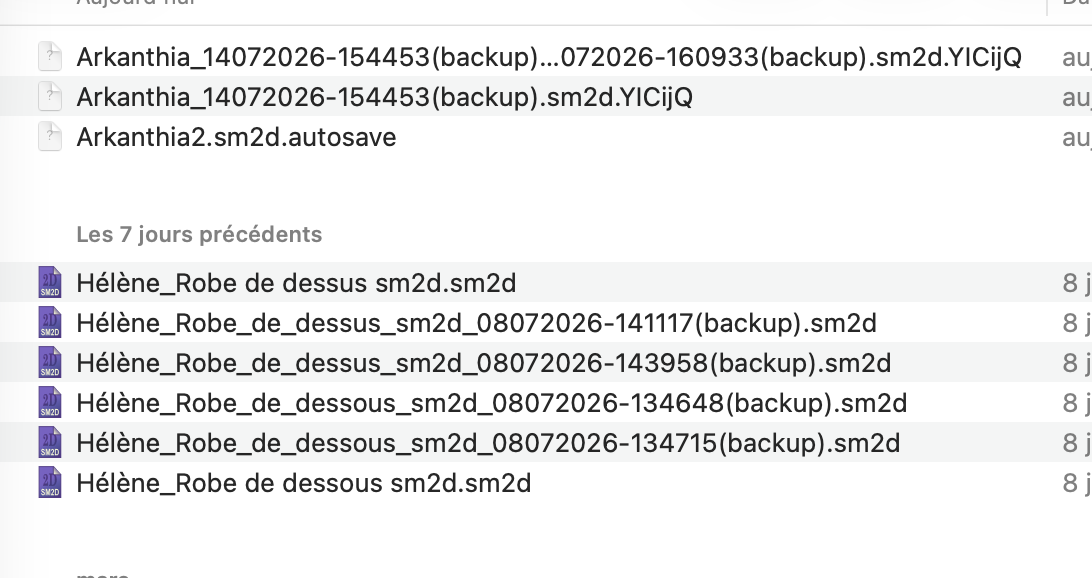
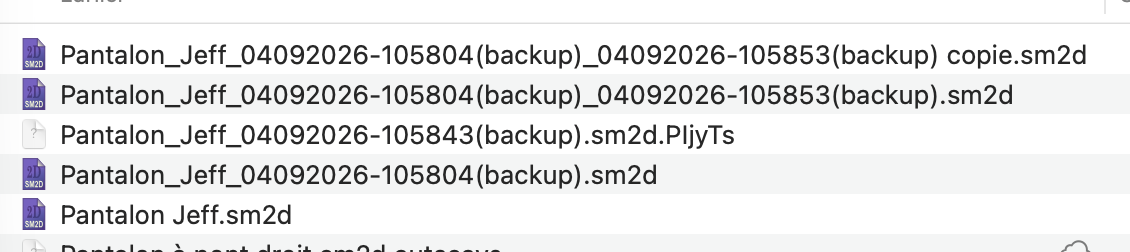
is there any possibility to avoid the backups files to create ? I lost files because of them.
I have a LOT of different versions of the same file it’s not useful at all and now I have a new file created .sm2D.YICijQ. And none of them is the one I’ve finished, they’re all empty and I’ve lost hours of work. The file arkanthia2.sm2D just vanished for no reasons and the correct file .sm2D.YICijQ also. Is there any way to go back to the old way with just one file ? And I know I’ve save my work there is no way I didn’t. How can I go the the old way ?
You shouldn’t lose files because of the backups. The backups are saved in your backup folder. The pattern files are saved in what ever folder you saved them in. Don’t set your back folder to your pattern folder, and Don’t save / save-as your patterns to the backup folder. The backups are only temporary.
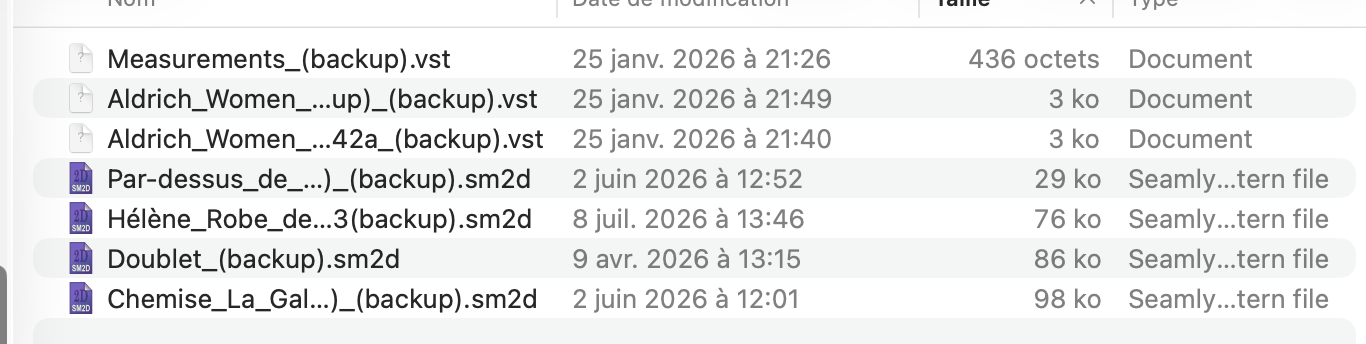
But all the backups are saved in the same folder as the other templates, same for the measurements and I have a lot of same files that are broken and a lot of them don’t want to open correctly. And sometimes they just disappear from my folder once I’ve tried to open them. I’ve absolutely lost my own measurements this way I have to take them again. It’s unbearable to work with all this backups. Can you please change the way it works to avoid all of this ? I don’t know how but before the backups it worked well.
I want to open a pattern and the software cannot find the measurements for I don’t know what reason. So I click “retrieve the measurements” three times and find my measurements three times. and the software close itself. And now my measurement file is gone from my file.
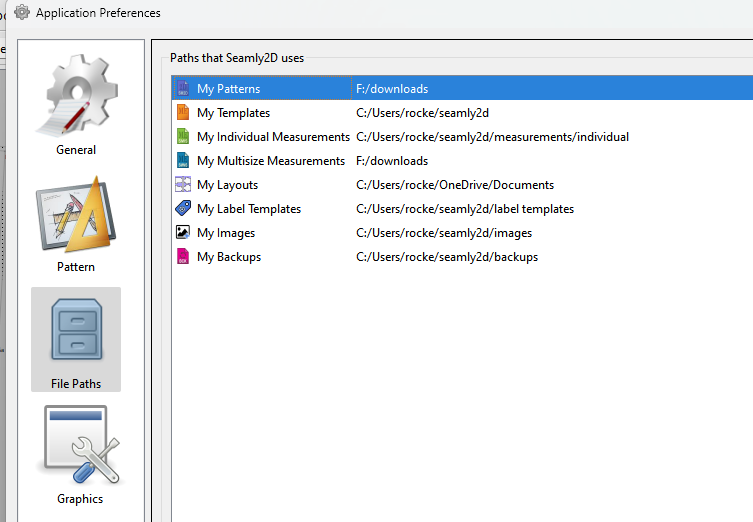
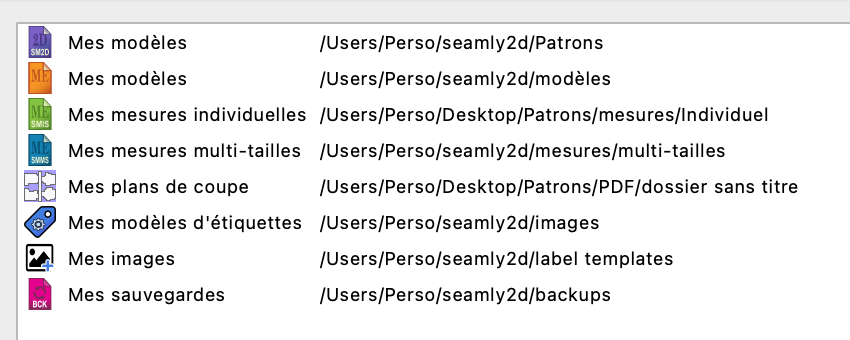
Here are my path prefs and I have just a few of them. Today I tried to open the file I worked on yesterday and ir bugged and the file is gone. I also import from my external hard drive my own measurements yesterday named just “Castiane” and this one is also gone. It left only all those files. One time I got a message error telling something like “too much symbols for a file name”.
This is insane can I have something to disable the backups ? Maybe it’s just an issue with my computer but it’s unbearable to lose as much files. Can I have a former release without this implementation to wait you fix it ?
Would disabling Autosave work? The only time I had a similar problem, I was abusing the History dialog & renaming several points anchoring curves. (Thankfully, I did have an incidentally disconnected backup, but I ended up redoing the pattern anyway.) I felt like Autosave was saving the break & deleting the last clean copy.
Are you trying to open a backup or the orginal file NOT in the backup folder?
You should only be working on patterns and measurements that are NOT in the backup folder.
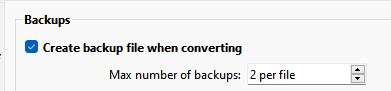
Here’s how the backups work. First you set in the Prefs how many backup copies you want to keep:
The minimum is always 1 backup copy.
When a patterm or measurement file is opened it makes a backup copy in the backup folder. The backup is date stamped and marked (backup). For example the last pattern I opened was op_testpattern2.sm2d
Since I have the max number of copies set to 2 it keeps 2 backup copies:
If I open the patterm again the “oldest” backup named “op_testpattern2_06092026-031007(backup).sm2d” will be deleted and a new backup will be created with a new timestamp.
Since this pattern uses no measurement file no backup of a measuement file was made.
Think of the backup folder as a temp directory. You should not be working from it, and able to delete the contents at any time.
So the thing to remember is… don’t open and continue to work on patterns or measurements from the backup folder without renaming and saving in a folder OTHER than the backup folder… or you will hit the max backup number and the oldest will be deleted.
You can download any release - Github keeps a copy of all the releases. Thing is you will not want releases made for a period before the autobackup was implemented as there was a bug that was causing files to be wiped clean. Of course most users don’t bother to make backups. Now there is no excuse as there is always at least 1 backup.
Autosave only makes an .autosave copy at whatever interval is set while working on a pattetn.
It’s deleted when you successfully close the app. If the app crashes the autosave file remains, and the next time Seamly2d is opened it will alert you of any autosave files. It never deletes the orginal file.
The Backups are separate and are only made before a pattern is opened. An improvement would be to also make a backup everytime the pattern was saved as well. That way there can be a history of pattern changes - assuming the max is set to more than 1.
The thing is, it delete my original file (pattern and measurements) and I’m left only with the backups to work with. The backups are registered in the original file and not in the backup file registered in preferences
I cannot go under two backup files and set it to 0