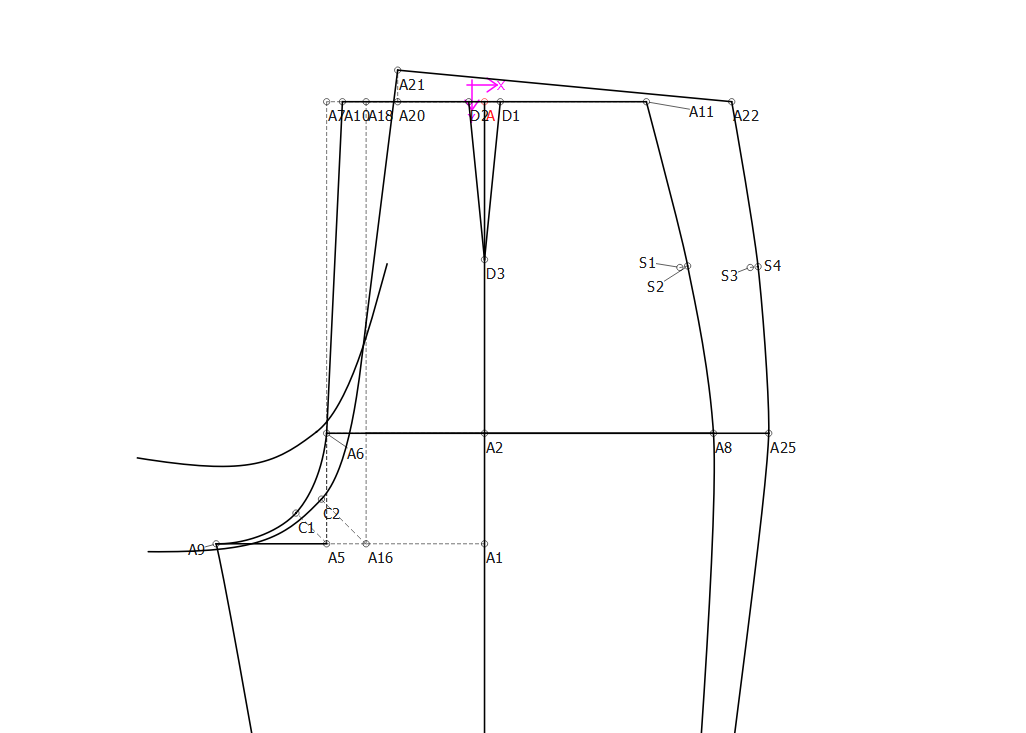
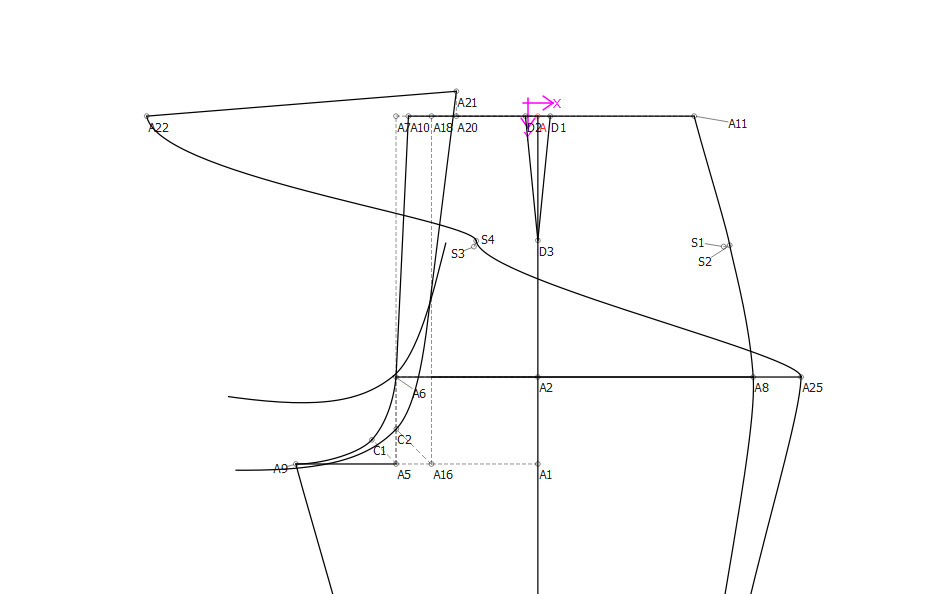
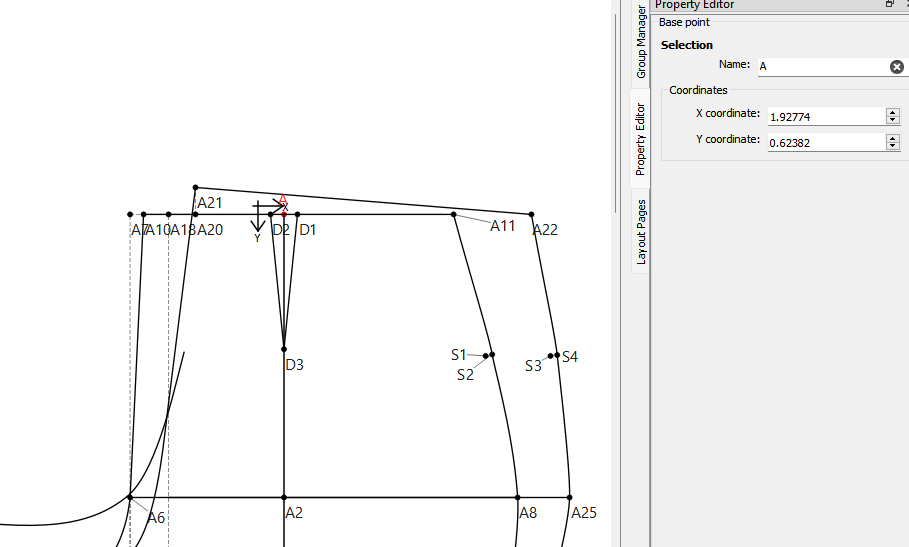
I’m just getting into using my blocks for people of different measurements now and I’ve come into a bit of an issue with a trouser block for someone a few sizes up from myself.
Oh, dear! yes. I’ve had this happen, too. It has to do with the length of the line that you want to intersect and the order that you selected the lines points.
The only sure-thing that I can suggest is that you go into the History, find where you created A22 and insert an arc before A22 at the distance, that crosses over the area of the line and after the new arc, place an Intersect Arc point from the line.
Once you have your new point in place, you can edit the other objects to connect to the new point.
Once you are sure that everything is connected, you may delete point A22 and correct any formulas to the new point.
This will be a good exercise for you in your learning journey on how to use the History.
Some tips:
ALWAYS hit the save button before you start and after each addition or change.
ALWAYS minimize the History while you’re using it so that you can move down the list as you add things.
ALWAYS set the pointer to the last line when you’re done and before you close the History.
I’ve written quite a few very detailed posts on using the History - I’m sure you’ll find one.
I used to save a copy of my pattern and practise on the copy, just in case.
If you send your pattern file, I’ll happily do it for you if you have problems.
Try to anticipate what an intersect tool will do if something moves when changing sizes. For ex: Making sure an arc length is long enough… which using a full circle solves this issue. In this case without the pattern I can’t really offer something more specific.
Just a note: Don’t know if you’ve had it happen yet, but you will run into it at some point. In cases where an intersect tool fails to find an interect, a warning will pop up, and the “origin” point (0,0) will be used to prevent the pattern from crashing. This will give a chance to fix the pattern without having to edit the xml, would could be really difficult. This can happen when you change sizes.
OK… I looked at the pattern and I know what the issue is. This is one of the other issues I started working on, but then got side tracked along with the Shoulder / Length to Line tool. If you recall @Grace, @Evans brought this issue up awhile back, where the intersect point kept flipping on him (as he moved the draft block), as there are 2 possible intersect points. Yet the tool only randomly selects one. I’m not going to go into how the tool currently operates as it’s really in the weeds, but where I left off on fixing the tool was if I add a point selection option - which point do we choose for converting existing patterns? The 1st or 2nd? Lets take this pattern as the example… with the original measurements it was taking the 2nd point which is what @Stephanie_C is expecting. If I make the tool choose the 1st point in an updated schema, it’s going to result in the issue @Stephanie_C has with the other size. If I make it take the 2nd point, then we have a vice versa issue. In either case though a user would have the choice to use the other point if they need to fix the converted pattern, which currently is not possible.
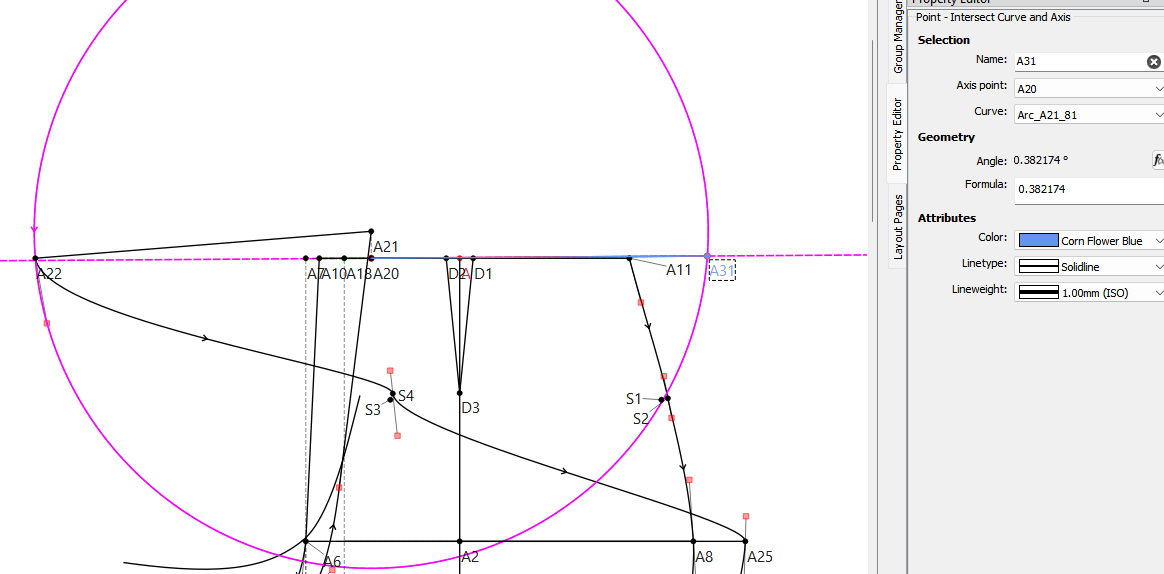
That being said… a better option at the moment (since the axis has direction) woud be to create an arc with the waist_cir / + 4 radius, then use use Point - Intersect Arc and Axis tool, with the axis angle of Line_A20_A11. I know it’s 2 tools, but it won’t have the current issue.
BTW… if you want to see what I mean by what the issue is with the tool, simply grab the base point A, and move it… the intersection will flip as you move it.
And @Grace if you recall we dicussed renaming the tools… Point - Intersect Arc and Line → Point - Length to Line, and the current Point - Length to Line back to the shoulder tool… I’d have to look at my notes, but something like Point - Shoulder length. It’s why fixing both tools revolves fixing both at the same time.
Oh, yes… I forgot that you can’t change the point names when you do one of the operations. I’m sorry! But I guess the practise is always good. And you did learn something new.
Yeah… again what’s really behind the issues (yes there’s more than 1) with the tool is beyond the scope here, but suffice to say the algorithm to select the intersect point is really odd, not to mention there’s an error in it which causes the random flipping when the block is moved. When I get the chance I’ll finish fixing it (and the Shoulder tool). If you care to read there’s a whole topic on it here:

 on how to use the History.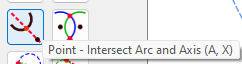
 And you did learn something new.