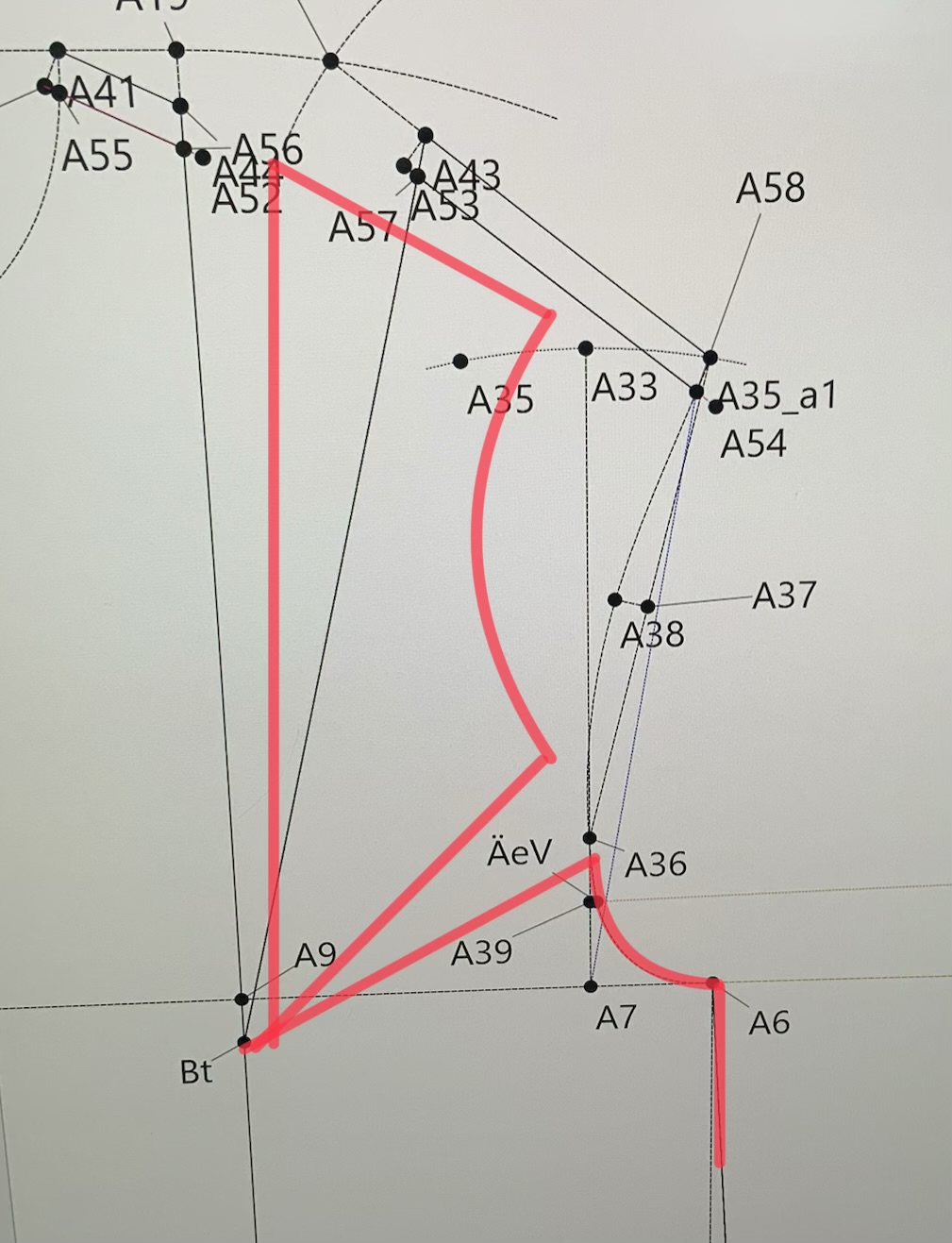
Hallo! Ich möchte bei meinem bestehenden Grundschnitt einen Teil des Brustabnähers ins Armloch verlegen. Ich hab im Armloch eine Punkt markiert, an dem der Abnäher liegen soll, brauche nun aber Hilfe, wie ich die Armlochkurve aufspalten kann
The easiest way is to mark the part of the bust dart that you wish to move to the armhole. Place lines from the bust apex to the new point and from the bust apex to the existing point. These lines will cover the area that needs to be closed and will serve as the angles that you wish to rotate the area between the 2 darts that will open up the dart at the armhole.
Then you take the Rotation tool, select the bust apex as the rotation point and select all of the points and curves from where you are moving from to where you want to move to, hit Enter and click on OK.
You will need to draw in any straight lines between the points but the curves will rotate if you select them.
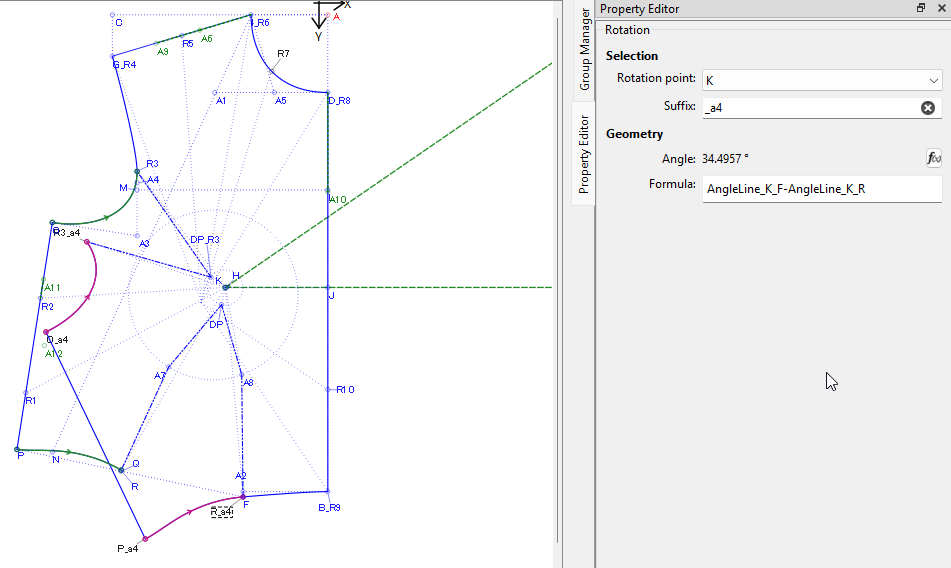
In the image below, I have closed the whole waist dart and opened up the armhole dart by rotating the points and curves and using the angle of line K to F minus the angle of line K to R as the rotation formula:
Falls du weißt wie man das ‘Drehen-Werzeug’ benutzt und es dir nur um das “Spalten der Kurve” geht:
Die Kurve kann nur komplett gedreht werden. “Spalten”, also (nur einen bestimmten Teil nutzen) kannst du erst später beim Erstellen der Schnittteile. (Piece Mode)
@Grace , danke für deine rasche Hilfe. Ich denke so in etwa hab ich das auch gemacht mit dem ersten Teil des Abnähers, den ich in die Taille verlegt habe.
@Dina Ich hab mich da an deinem Video orientiert, wo du beim losen Kleidergrundschnitt einen Teil des Abnähers in die Seitennaht verlegt hast. Aber irgendwie schaff ich es nicht den ins Armloch zu verlegen, bzw für ein anderes Modell würde ich gerne den Abnäher aufgefächert in den Halsausschnitt verlegen. Bis zu einem Piece Mode bin ich noch nicht vorgedrungen. Gibts da eine Anleitung dafür?
I also suggest to just play with some simple shapes to get familar with selecting point and curve nodes, and how to reverse curves when neccessary. Also it would be helpful to learn how to use the “Insert Node” tool to know how to add nodes to the path of a pattern piece. It can save you time if you miss a point or curve when tracing a complex piece.
Eine Möglichkeit Abnäher-Weite in das Armloch zu legen ist:
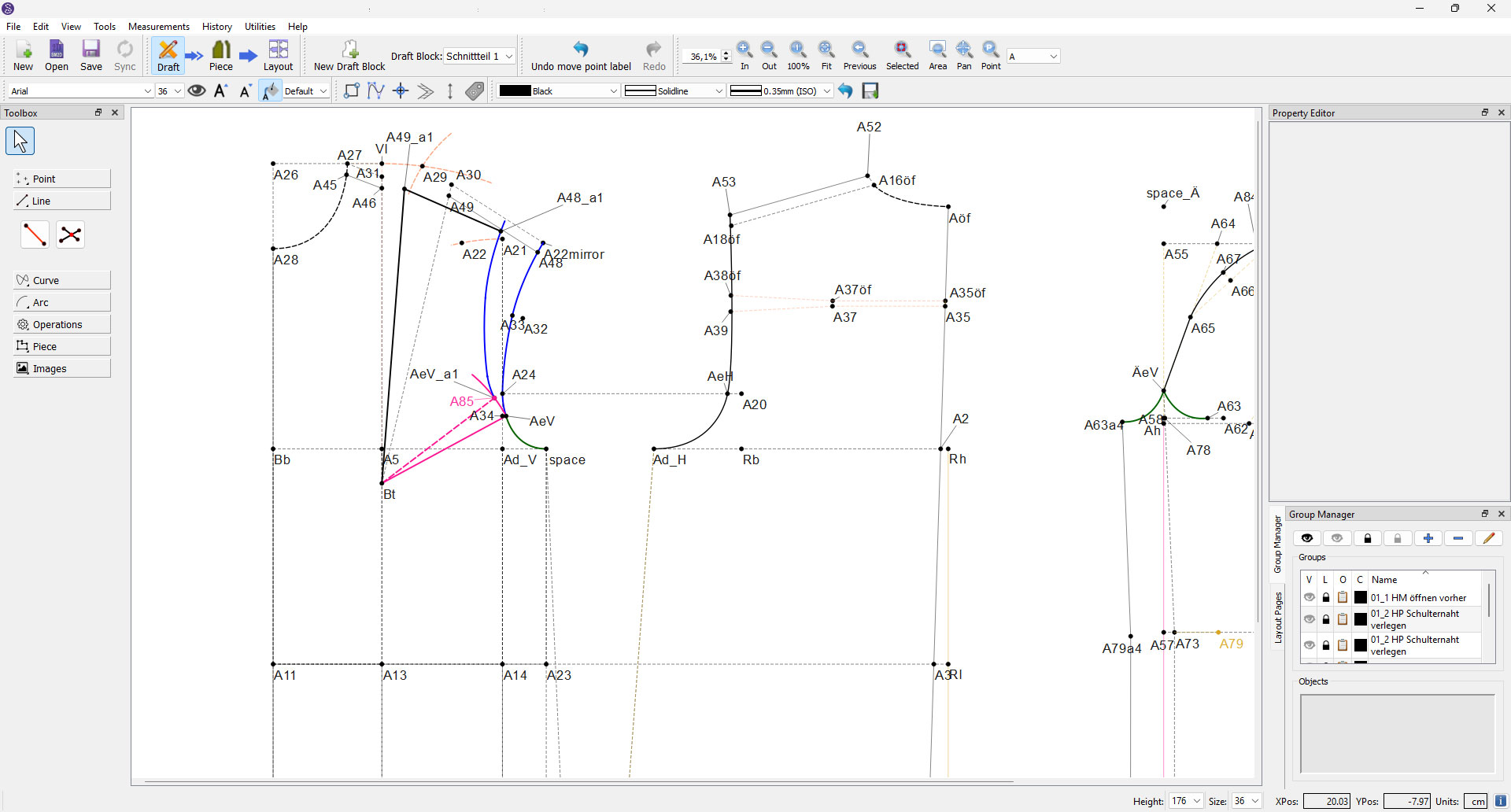
Teilungslinie von Bt zum ÄeV. Die Linienlänge kopieren.
Einen Kreisbogen mit dem “Arc- Radius und Länge” Werkzeug schlagen.
Mittelpunkt ist Bt
Radius ist die kopierte Linienlänge
Länge ca.5cm
Mit dem “Point on Arc” Werkzeug den gewünschten Wert für die Sperrung des Armlochs einzeichnen. (z.B.2cm)
In diesem Fall wird auf dem Kreisbogen vom Startpunkt vorwärts gemessen.
Linie von Bt zum neuen Punkt einzeichnen.
Wie Grace auch, zeichne ich die vordere Armlochkurve in 2 Teilen. Das ist übersichtlicher aber nicht zwingend notwendig.
Mit dem “Drehen” Werkzeug den oberen Teil des Armlochs drehen um den Winkel “Linie2 minus Linie1”. Drehpunkt ist Bt
(In diesem Beispiel: AngleLine_Bt_A85-AngleLine_Bt_AeV)
Der Punkt AeV muss unbedingt mitgedreht werden.
In dem Video “Schnittteile auskopieren und drucken” zeige ich wie man in den Piece Mode kommt. Ich habe dir einen Timecode kopiert, damit du gleich an die relevante Stelle im Video kommst:
Beim “Auskopieren” entscheiden wir, welche Teile der Konstruktion im Druck sichtbar sein sollen.