Hello everyone,
I am new to Seamly and I am trying to create a basic pattern.
So at first, I was creating my points and curves using true multi-size measurements rather than cm.
And that worked pretty well.
Then, I tried to create a draft block and so I selected points and curves to “select” the pattern.
When I press create pattern block - this error appears:
“Seamly2D: identifier error. Program ended. ExceptionBadId: unable to find object ID, id = 7”.
Hello and welcome to the Seamly forum, @annaSewing
I’m a little confused as to whether you are creating draft blocks (in Seamly these are different “drawing boards” on which to draft different parts of the pattern) or are you creating pattern pieces (which are parts of the pattern that you wish to print for sewing). I’m assuming that it is pattern pieces.
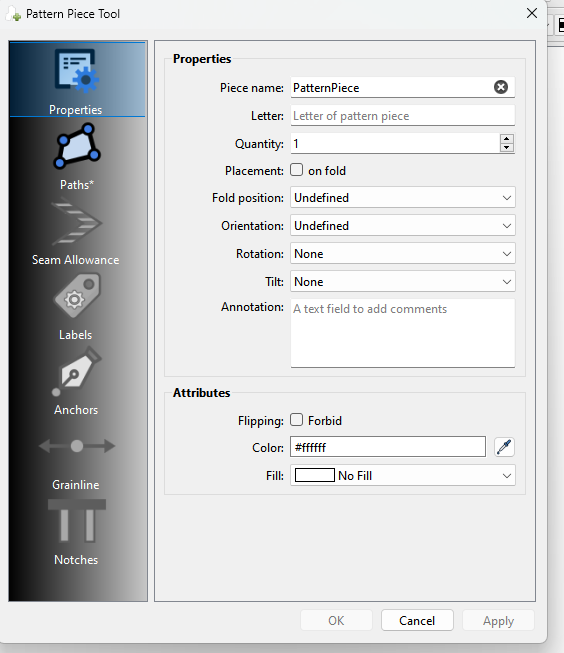
When creating pattern pieces, you need to select the outline of the pattern piece in a clockwise direction. The arrows on the curve also need to be pointing in a clockwise direction, if not, you must hold the shift key while selecting them to reverse their direction. You don’t select any point twice. If you select a point on a curve after selecting the curve, it will end the curve. If you wish to continue the curve, then you need to select the curve again.
If you miss on any of these steps, the OK button will be greyed out and you won’t be able to complete the pattern piece until you’ve corrected it.
So this doesn’t account for the error.
All that I can suggest is that you send your pattern and measurements files so that someone can have a look to see what went wrong.
This is indeed about creating the pattern pieces. I select the points, then the curves (when I click on a curve, I also select the end point) in a clockwise direction. Once the piece is selected, the outline turns red and I click on create a new pattern block - that’s when the error occurs - closing my application.
I am attaching the multi-size measurement table (in French and cm) as well as the pattern - hoping that you can understand what the problem is that seems to persist even when I recreate the piece.