I just wanted to make a small announcement. Thank you so much to all of you who have been answering me diligently in the forum up to this point.
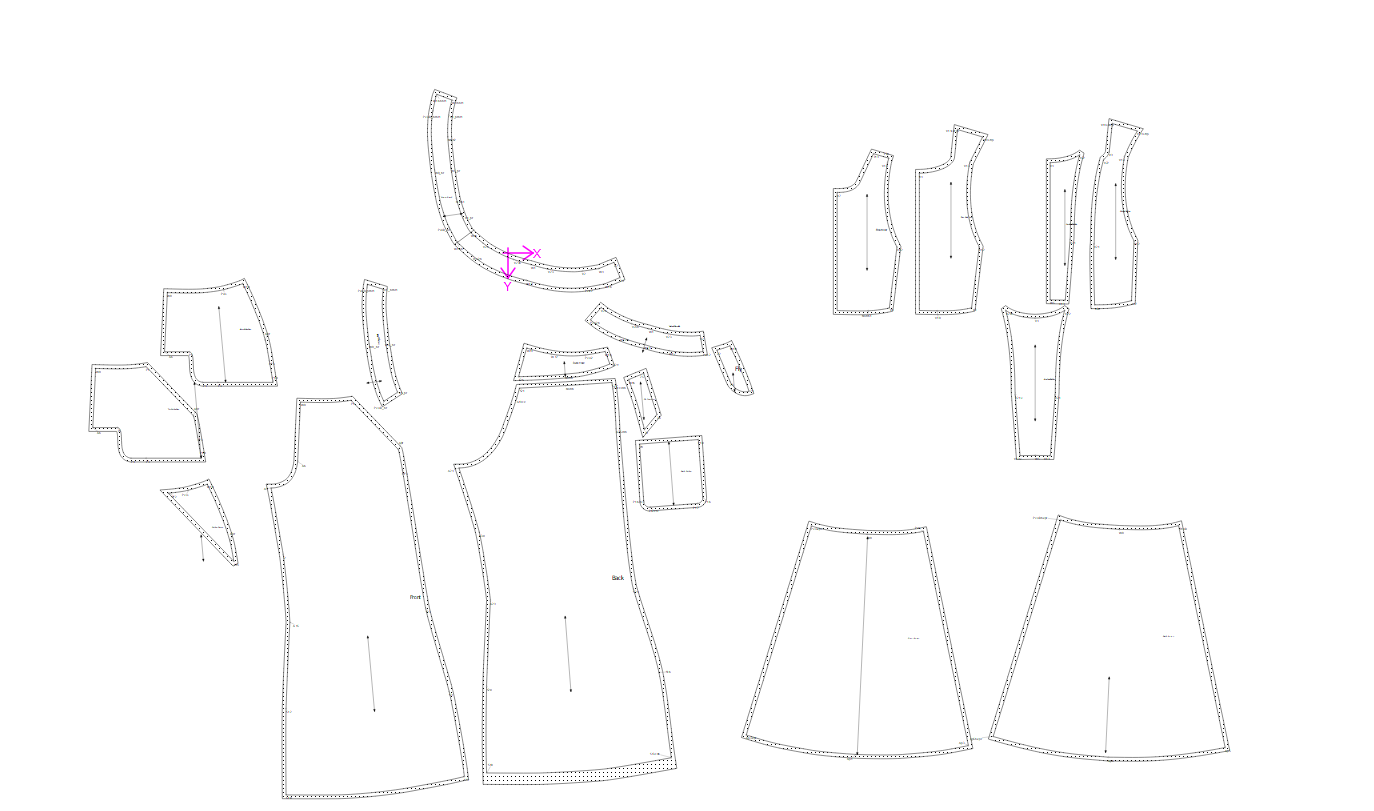
I’ve been dilly dallying across a few projects, but I finally finished a full pattern up to the point of having them all in piece mode. I still have to change some seam allowances, add my notches, etc… but they’re all there in piece mode with the correct grainline (That took quite a while).
It is meant to be like a dungaree style garment with flared trousers, with an apron attached, hence why it looks like three different garments… Onto the layout, fixing the labels, and getting it printed. But I’m so happy with this progress and felt it would be nice to share.
I was wondering if anyone could share their general workflow for getting all their pieces prepped for printing? I believe @Grace uses inkscape , I made a layout and put it into inkscape just to see how it works, I would be interested in adding my labels there maybe.
I find the labels and grainlines to be a bit tedious work… but I only just started out with them so maybe I need to learn more. The labels just come out weird sizes and it feels unintuitive to set their size by length.
Again, I’m so grateful to all of you who have helped me!
Agreed. I wasn’t around when they were 1st implemented so I’m not sure why they are the way they are. The grainlines are not as bad as the labels. First I don’t understand why it’s just 2 "labels’ and not a text tool, and the resizing is all a bit wonky. The thing I’d like to fix with both is being able to select anchor points in piece mode, without having to implicitly create them in draft mode.
I have to work today and tomorrow, so time is a bit tight…
I have a very simply label loaded into my prefs with pattern piece name, size (only if you use a multisize) & number of pieces to be cut & whether fabric, lining and/or interlining. The default size is about 5x2cm - quite small. This way, I have the information on the piece to do a better label in Inkscape.
Each pattern piece has its own group in Inkscape & each size has its own layer.
Once all of the pattern pieces have had their labels replaced and the grainlines adjusted, then I just drag them around until they fit into as small an area as possible for printing. I set the pages according to the size of the paper and the number of pages I’m going to print on & run with it.