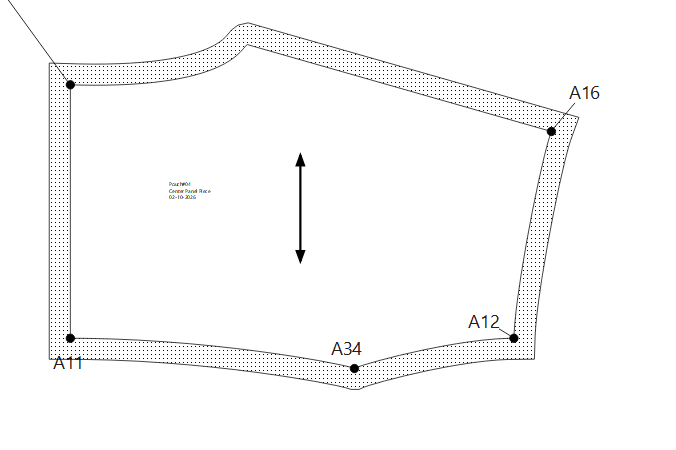
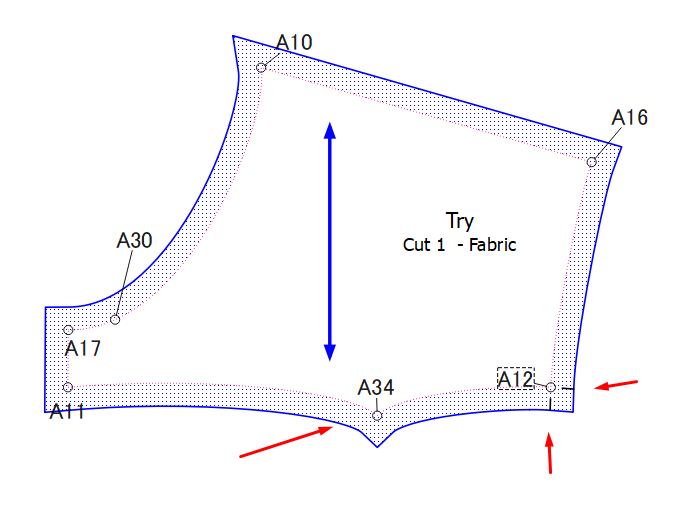
I’m having trouble with the seam allowance of my pattern! Its a curve on the back yoke, but when it gets rendered in Piece Mode, the seam allowance line gets squared while the original seam line retains the right shape. I wish I could post an image to make everything more understandable.
I bumped your user level up so you can attach pics. Also if you want you can post your pattern any measurements and one of us can take a look.
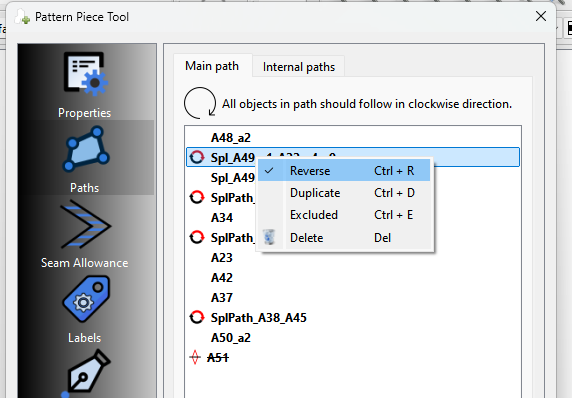
That being said… off hand I suspect your curve needs to be reversed. All points have to go in clockwise direction If the curve is drawn CCW it has to be reversed so it’s points are going CW.
You can reverse a curve by editing the main path using the context menu:
Sorry to interject here and perhaps add some confusion…but I think that the seam allowance is actually correctly generated. Points in patterns on seam lines often have squared off seam allowances - the blazer side panels at the armscye are a perfect example. Or even the crotch fork can be squared off. It can be more stable when sewing, etc. Just trim off what isn’t needed afterward. Pointy seam allowances are structurally weaker and often add extra length.
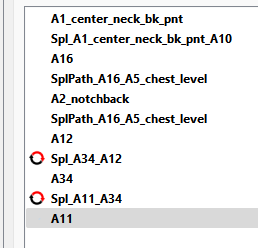
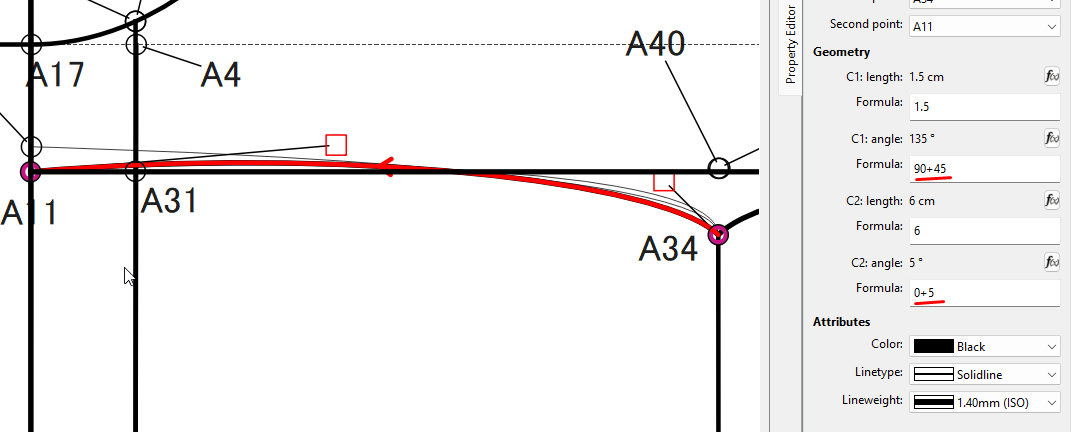
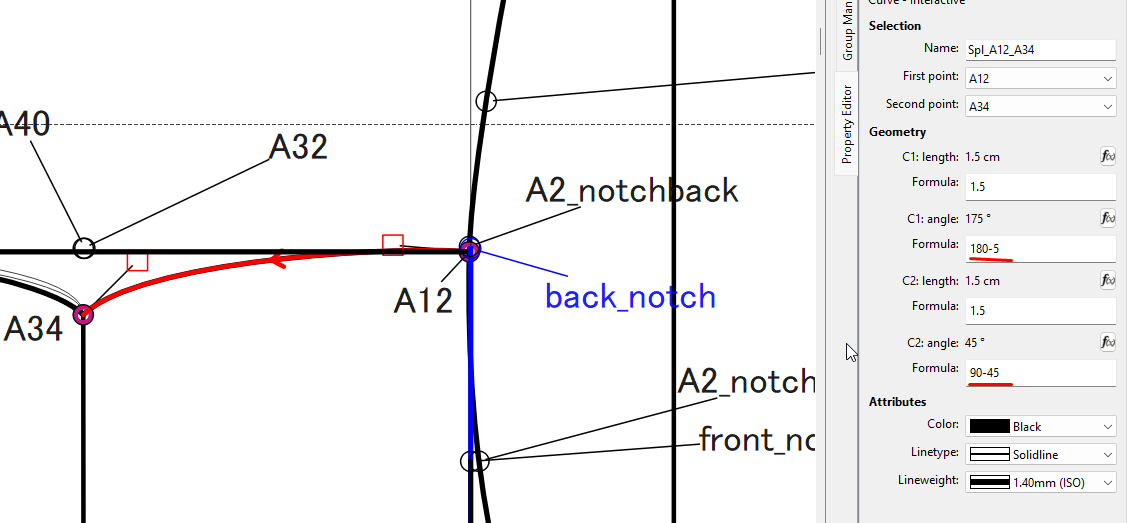
Ok… there’s a lot of issues. For one there’s a bunch of extra curves and I had to look at the main path to figure out which curves were being used. Secondly the one curve was ending in the path at A2_notchback, and not A12. A path has to be contiguous, and it;s always besttoinclude a curves start and end point… like A34
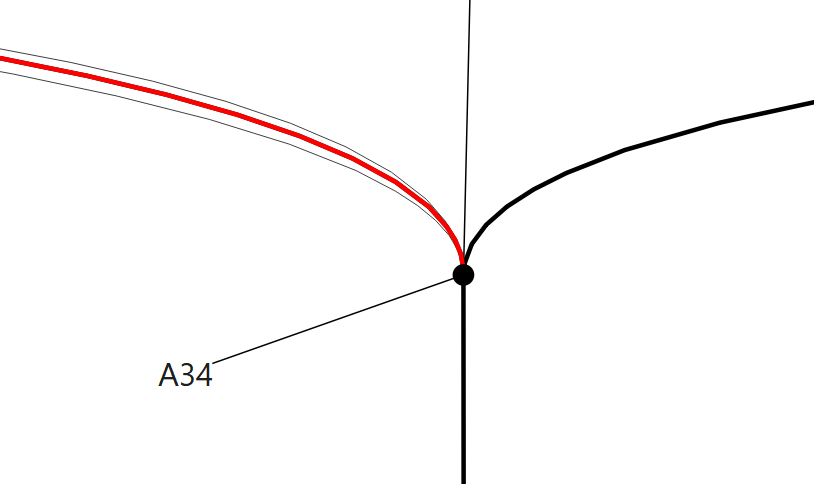
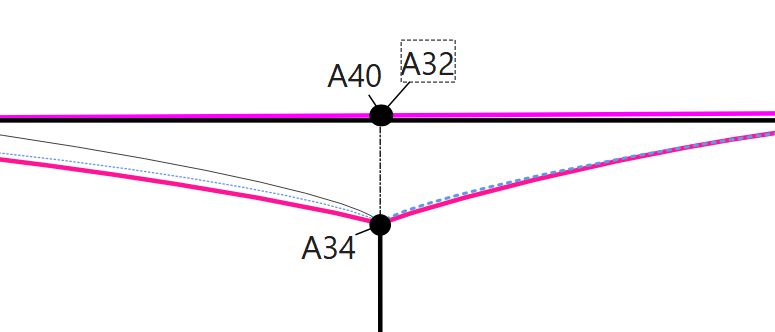
Due to the shape resulting from the CP length and angles, it’s creating an acute angle at point A34… it needs to be obtuse, or it’s going to square off the corner.
Here’s after I altered the CP’s and dropped Point A34 to 2cm instead of 1.3cm
That’s what I first did with the piece, I just didn’t make A12 a Notch. I only showed the inclusion of A2_notchback in the path to show how a path needs to be contiguous.
I just couldn’t get the curves right without it looking flat… that’s why I moved it down.
 icon.
icon.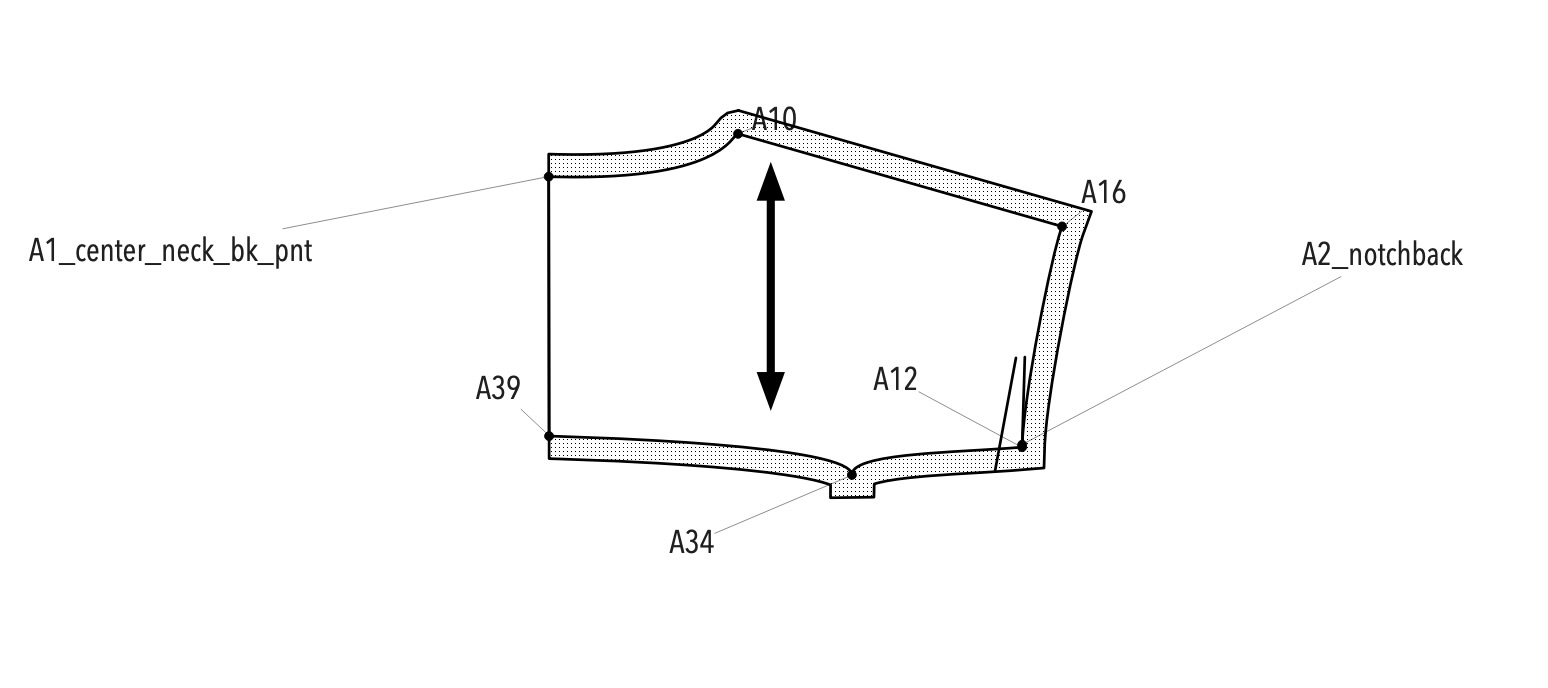


 I’m new to Seamly and still figuring things out
  , but I’ll be working through the steps you guys mentioned!