recently we are migrating all workflow to seamly, i completed to digitize all mesuarements form a dress froarm, and I ran into problem, how can they be combined? Our dres foam does not have an exactly grading by size, and the only option has ben seamly offered is create grading with steps and this alter some measurements respect to real base has create and use before.
I hope i ben a explain well or the most clear possible.
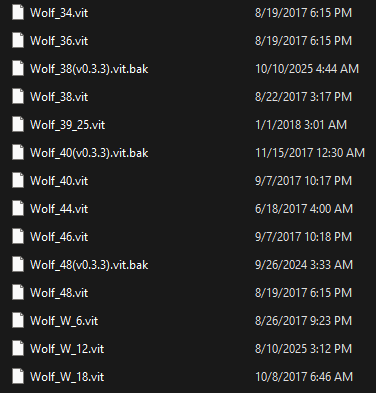
The multisize measurment files are meant to create a range of sizes based on a set of uniform increments up and down from the base size. So there is no way to combine the sizes with varying increments into 1 multisize file. At most the only thing you could do is create a multisize file between any 2 given forms, so you might as well just use the different individual size from each dress form. I did this when I had my costume shop… I had a measurement file for each “Wolf” dress form we had.
I gather that you are an existing pattern making or clothing manufactoring business and that you have a dress form that you have measured and now, you want to create a multisize measurement chart of these measurements so that you can make resizable patterrns.
Every pattern making business normally has their own in-house measurement chart for each size that they produce clothing for and that only has the measurement areas that they use during their pattern making.
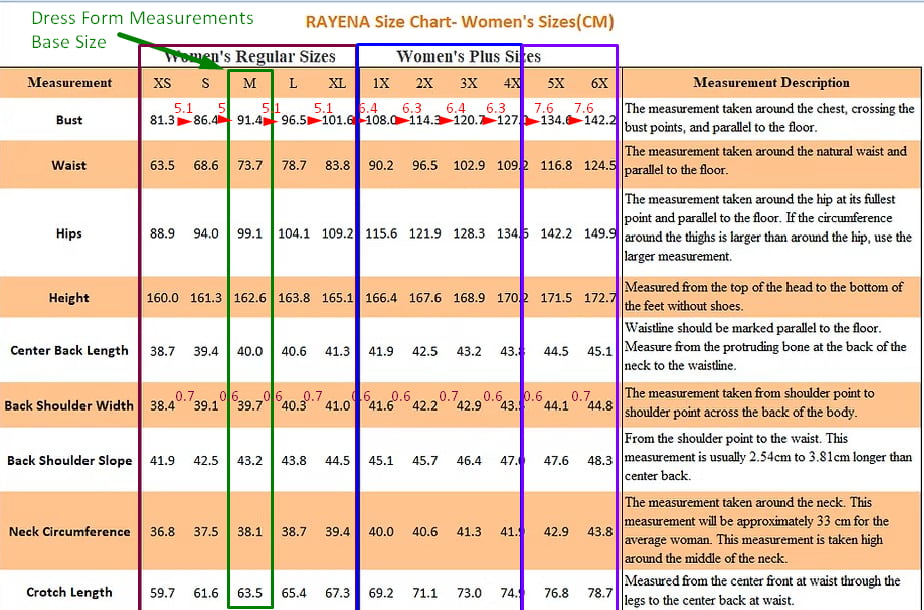
Next, you need to determine the increments between each size, for each of the measurement areas, in your measurements chart and find the size that fits your dress form:
In this example, you will need to make 3 multisize measurement charts because you can only have 1 increment and as the sizes change, the increments may get larger for different sections of the size range..
Once you have this in hand, you may follow this tutorial in the wiki to create your first multisize measurements chart. You will be able to save this measurement chart as the next sections name and just change the values.
Once you’ve created the multisize measurements charts, then you will be able to start drafting your patterns in Seamly2D by first loading a measurement chart into the new pattern file so that the measurements are available to reference in the formulas while working and you will be able to change the sizes to see how they will appear iin a different size.
When you’re finished drafting your pattern, you will be able to export each size individually by changing the size before you export it.
I hope that this is a good reply to your question and that it helps you.