I drafted a skirt pattern and I want to print skirts in 4 sizes together in the adjustment section, but I couldn’t set it up; I can only add one size.
2 Likes
Although the devs are working on integrating this capability, it is currently low-priority. The current method of achieving this is to export the various sizes as SVG & combine them in Illustrator or Inkscape.

1 Like
You may find it easier to use the SVG export as @Pneumarian suggested, but it may depend on wjat your end goal is. Do you want to print out 4 seperate patterns? Or produce a nest of the 4 patterns (as per what @Pneumarian may be thinking)?
If you want a nest - exporting each size as an SVG and combining them in an app such as Inkscape may be the best option.
If you want to create 4 seperate layouts to print here’s what you need to do. Go to piece mode. Select your first size from the drop down in the status bar. Then Click the Layout Mode button… which will open the Layout print settings dialog… make your setting and click OK… it will produce your 1st layout. This part you’ve probably already done. Now go back to Piece mode,select your next size. Go back to Layout mode… this time the Layout print settings will not open…it will still show your first layout. You need to click the New Layout button, and this will open the Layout print settings dialog again to create a new layout for your next size.
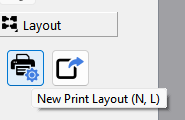
Repeat for how ever many sizes you want.
2 Likes