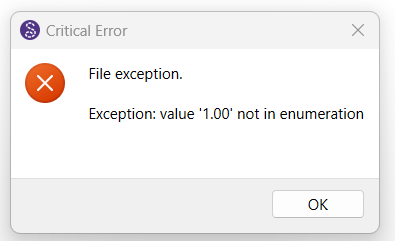
Hi… i cannot open the file i worked on.. it has been a number of files i worked on… so sad.. is there anyway i can resolve this problem. i never encounter this kind of problem before. it happen after i update to the latest version.
I’m under the impression that this bug was fixed in this week’s update (15/09/2025). Perhaps it’s going to be in the next update.
Make a copy of your pattern file and then you can open the copied file in a text editor and do search for =“1.00” and change it to =”1”. Save the file and open it in Seamly to see if you are still getting the error.
If you don’t want to do this, you may send your pattern and measurements files to me and I’ll do it for you.
I think it’s related to some default settings with switching to Qt6 in the latest build. The build this Sunday / Monday should have a fix, and a built in repair for files with the errant “1.00” lineweight.
thank you very much.. i changed the 1.00 to 1.. and can open the file. but some still set to 1.00 again after saving and i need to change it again to open.. after all i am happy to be able to open the file.. ..
 ..
..