Curve forced length warning message when in french

Hello

I was hoping I could get some help regarding the forced length feature.

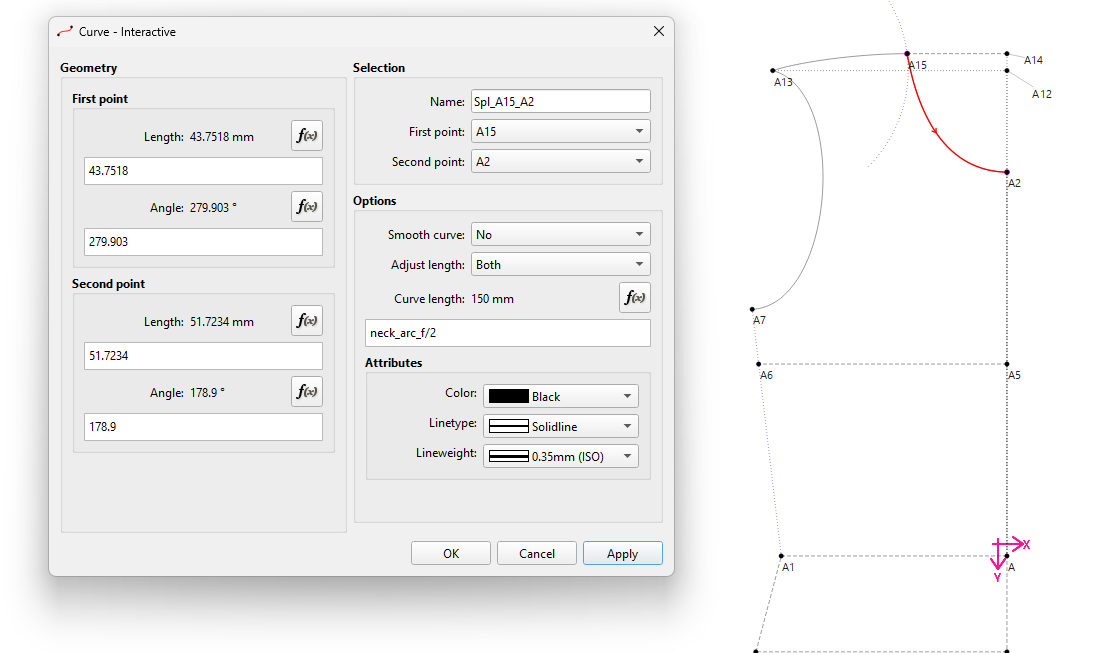
When i type a forced length with a formula in American english, I click “Apply” and there’s no problem ↓
But if I turn the sofware back into french and hit the equivalent of “Apply”, I get this message :
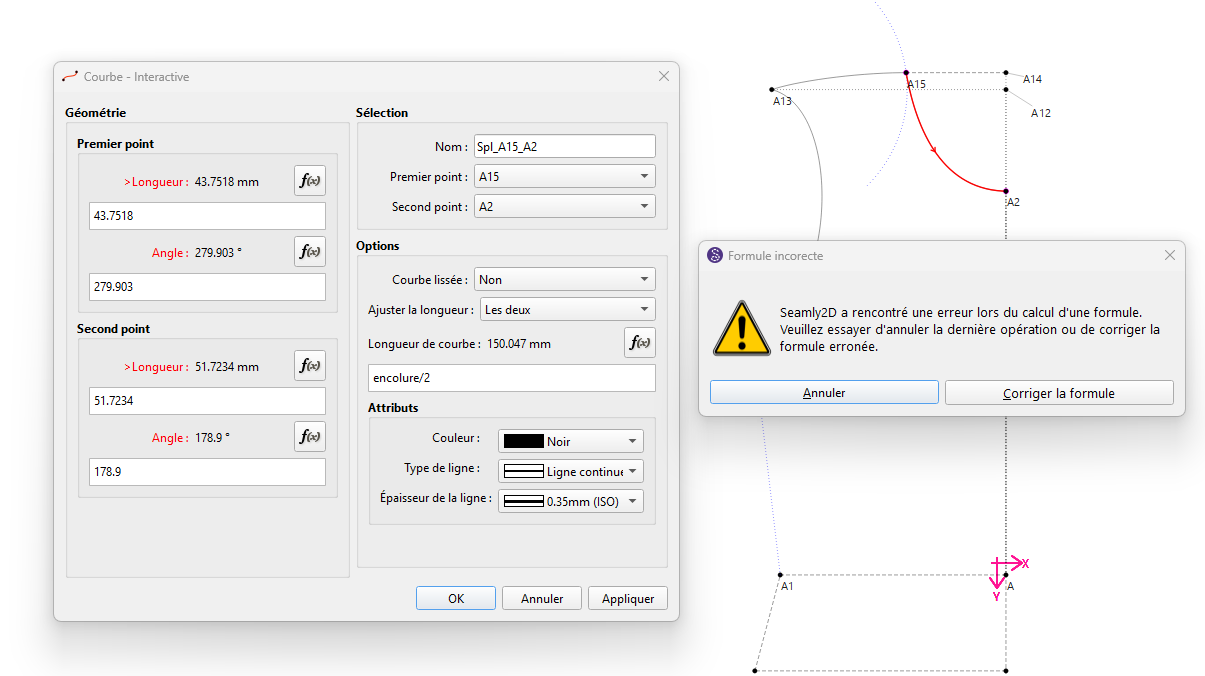
It seems related to the variable because if I type 300/2 it works…

It would be a pleasure if someone has an idea of why it does that ! :slight_smile: (Btw it seems like I can’t link the file since I’m a new user)

Hello and welcome to the forum, @Etienne

It sounds (to me) that it could be a translation problem, however, I’ve bumped you up a level so you may now load your files.

Hey I submitted a fix here fix: store curve forced length formula untranslated #issue-#1813 by palepal · Pull Request #1815 · FashionFreedom/Seamly2D · GitHub

It has to do with pattern files being saved/opened in different languages.

Thanls @seam. I’ll take a look when I get a chance.

PR merged. Will be in next week’s release of if you have a Github account you can download an artifact build here"