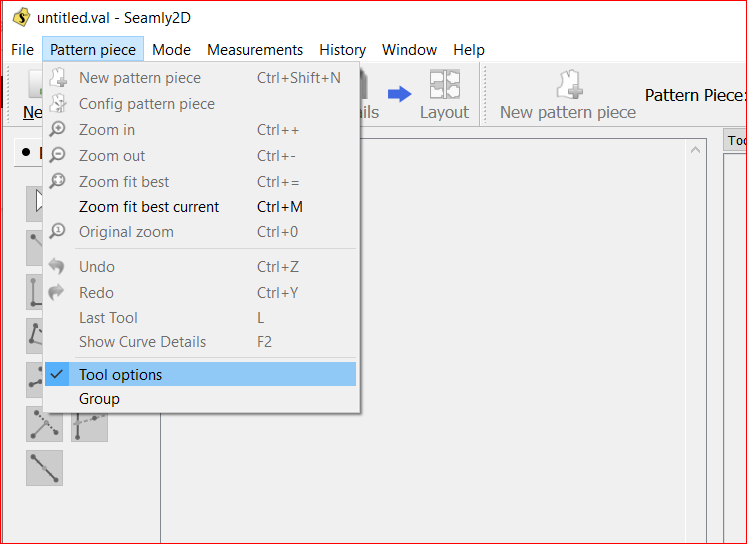
I seem to have disabled the right-side information window. Now, in order to change the formula for a line for example, I have to right-click and select “Options.” I’ve searched through all the settings but can’t seem to get it back.
Hi @skinnerjeans!
Welcome to the forum!
If you click on PatternPiece/Tool Options to get it back.
If the Tool Options windows is ‘floating’, click on it’s top bar twice to make it ‘dock’ to the right hand side.
I’m really enjoying this program. I have a small denim brand specializing in custom raw denim garments. This program has made my pattern making operation much more efficient.
@skinnerjeans Do you have a website, facebook page, or other way to let us see your work? We get so happy when we see how Seamly2D is used to make creative products!