I need help recovering a file that I was working on as I was learning how to use the software. Seamly crashed when I was uniting a pattern piece. Then when i tried to re-open the file it gives me an error.
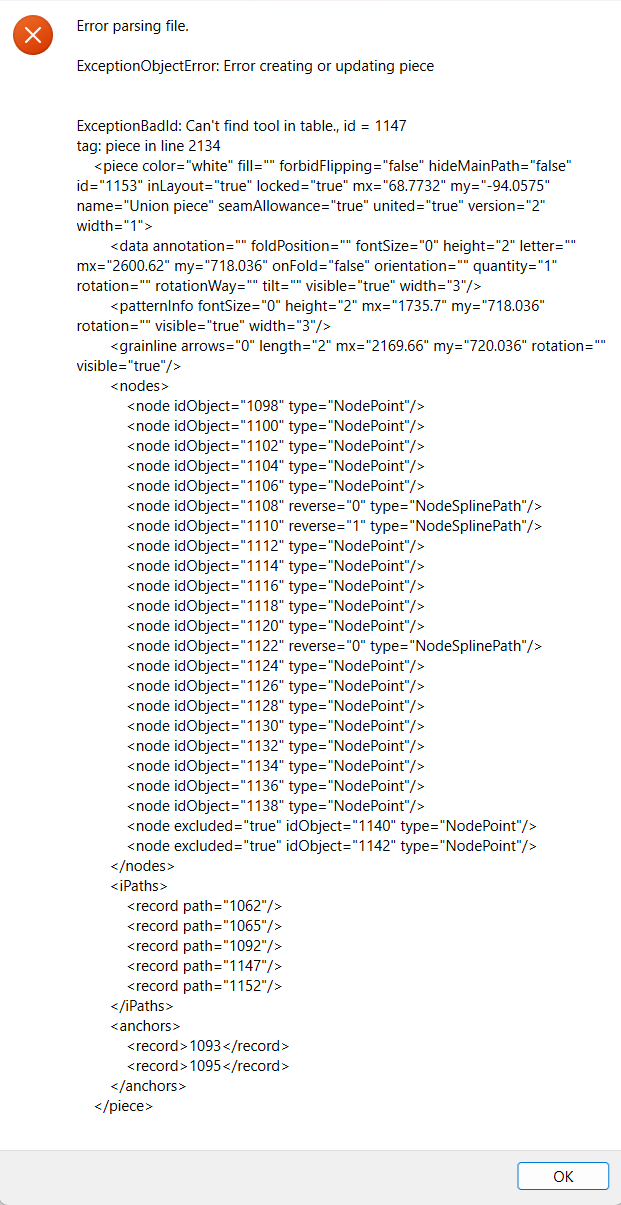
here is the error:
ExceptionObjectError: Error creating or updating piece
ExceptionBadId: Can’t find tool in table., id = 1147 tag: piece in line 2134
1093 1095
Here is my files
*umm i cant uplaod files cause im a new user. how long is the waiting period before i can upload?*
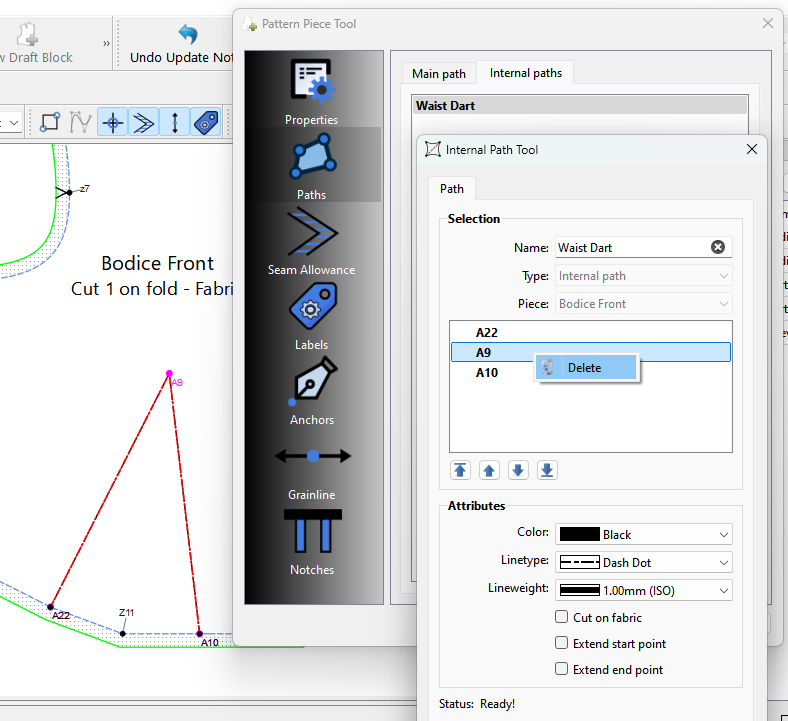
I’m going through your pattern, and I’m trying to recover as much of the pattern as possible without deleting a bunch of the pieces that are causing the issue. It’s being caused by internal paths within union pieces which has been an issue forever… your pattern just gave me some insight as to what’s going on. It has to do with which piece is selected first in a Union, and whether the second piece selected has internal paths. If it does… the patten crashes. So I may have to delete some of the internal paths.
I see, i dont have any issues with you deleting the internal paths, they were mainly used as a guideline bacuse i couldn’t add nodes to use as notches(or maybe i just dont know how yet ).
Only nodes that make up the main (outline) path can be notches. The first thing is you need to add your notch point nodes to the main path.. the easiest is to do it as you trace the piece, but you can always add nodes later. Once a node is in the path there are several way to make a node a notch. You can open the Pattern Piece Tool-> Paths->Main Path and using the right mouse button conext menu in the path list select a node point and make it a notch with a type, subtype, and a count of 1-3.
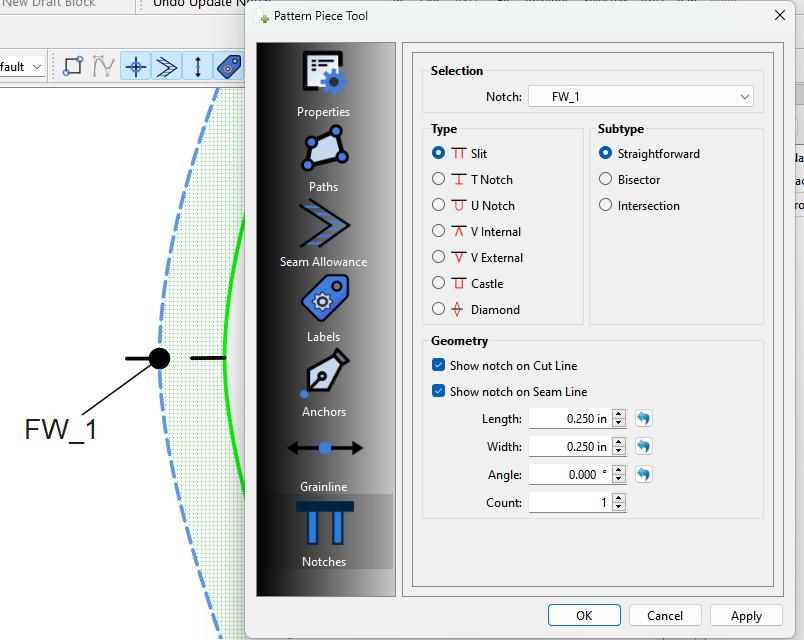
You can further refine the notches by using the Pattern Piece Tool-> Notches to set the length, width, angle, count and which which lines it appears on.
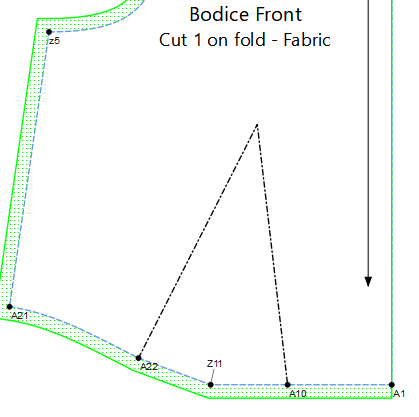
Internal paths are used to show a seperate path inside the main path, such as a dart, pocket placement, fold line, etc. They can not have seam allowance or notches… at this time.
I see, I’ll try that once the file is ready. I did try adding the nodes to the united piece but it wasnt showing up. Maybe iam doing it wrongly haha. My purpose for some of the notches is so that i know where to fold once i cut the fabric, because im using a projector to layout the pattern piece.
OK. After deleting the offending internal paths I got the pattern to open. Not sure what your intent is with the pieces, as I dot see a need for usingthe Union tool. That being there’s some issues with some pieces… mainly the one I renamed to Union Piece 1 the path is all wonky with points that are not on a curve, which is why the Seam Allowance is turned inside out. I tried fixing it but instead of fixing the piece I just left it to illustrate the issue.
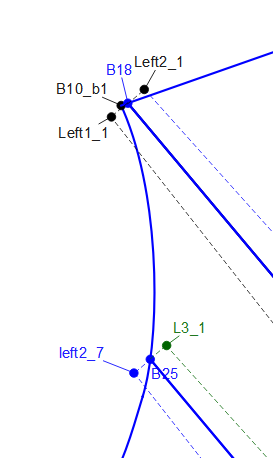
For starters it had the same arm hole spline on both sides instead of the right side curve & the left mirrored side curve. Also I’m not sure of the purpose of the left2_7, etc… I’m assuming you were using that for seam allowance? You don’t have to you as you can customize the seam allowance around a pice.
At any rate I added a new Patten Piece1 to show you don’t need a Union or all the other points. I also did different SA to show how you can set te before and after SA at each point node.
Thanks for the help! I am using union because at this point in time I am not sure if we are able to rotate the pieces independently so that I can align the “seam allowance” in the pieces tab. My pattern has extra fabric that is meant to be folded/tuckin to give it the extra texture, and it is tapered, so my solution was to draft the extra fabric into the design so that I can union it in the pieces tab. Thats what the r2ef,l2ef etc.. and all its corresponding entities are for.
The silhouette of the block should be what you see in the front block piece and the pattern cutout/layout is to be done in a single block piece. I know this is a bit confusing but if you are familiar with the book, pattern magic by Tomoko Nakamichi, it should resemble something similar with one of the pieces she wrote down (specifically bamboo shoot “takenoko”) .
I have tried manually drafting it and have reached upon the final revision but the process of converting manual drafting into seamly is not as straight forward because we cannot freely do an estimation of a point
If it is still confusing or curious then ill be glad to share the final product once im done with it!
I would recommend then to not create a union with internal paths in the pieces as they are an issue at the momment. Adding the internal paths to a union piece after should not be a problem.
That being said you can achieve the same effect in Draft mode with the Move and Rotate tools as with the Union tool. It just takes a little effort, but doesn’t have the issues with the internal paths.
 ).
).