Looking for any advice on pattern export settings in Seamly to export a dxf that can then be imported into Lectra Modaris. I have successfully done this in the past, however, when i export now all I get are the grainlines in Lectra.
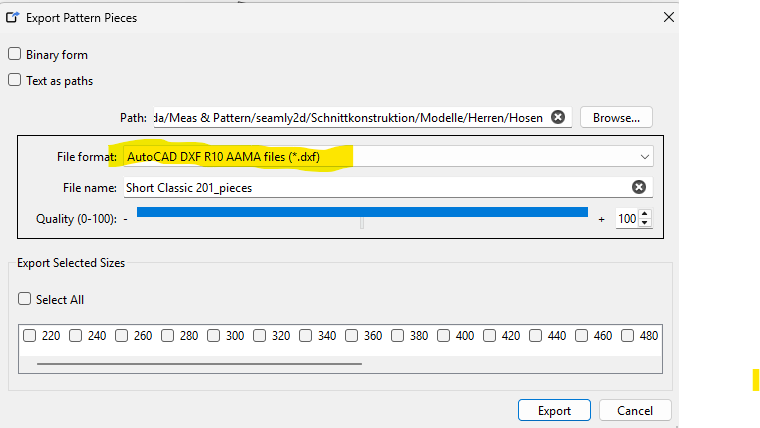
I have in the past exported pattern as 2013 dxfs, then imported into Lectra Modaris as import AAMA format. Not certain if there are things I need to do to the pattern to ensure they can be imported into Lectra.
Currenty I’m working on a new layout feature that correctly produces a DXF-ASTM file that is CLO3D compatible.
I’d love to do the same for Lectra. If you would share (via private message or email) several Lectra-compatible DXF files we can provide this feature for you. Your files would not be shared.
Hallo,
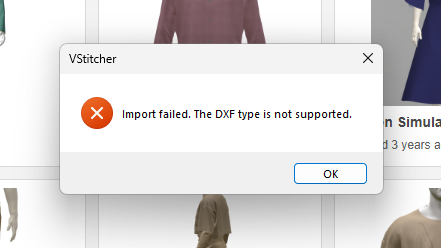
I am working with Vstitcher, which is essentially the same program as CLO3D. Currently, the only readable file format is 10AAMA. Unfortunately, notches and grainlines are not imported. It would be great if you could also check whether the files will work with VStitcher.
Is there also an option that imported files are links? If so, the pattern will adjust directly in 3D programs. I know the patterns made in GRAFIS can be linked.
Gr.
Can you clarify which is the correct interpretation:
the only Seamly2D export format that reliably imports into VStitcher is 10AAMA ?
the only export format from any software that reliably imports into VStitcher is 10AAMA?
the only Seamly2D export format that reliably imports into any software is 10AAMA?
other interpretation…please provide details
Also…
5) what you mean when you say that “mported files are links?”
6) If patterns made in GRAFIS can be linked, what are they linked to? Not sure how this works.
Sorry to have so many questions. I’m kicking off the new ASTM D13.66 “Sewn Patterns Automation Standards” ePattern (DXF-ASTM) development meeting in Dallas on June 1, and I’d like to know precisely what you need.
BTW, DXF-ASTM replaced DXT-AAMA as the standard, but DXF-ASTM was so poorly defined that it isn’t very useful. I’m going to try to correct this situation. And incorporate 3D-software requirements as well.
Your input (and example files) are very important. DM me to share files if you prefer.
That’s really odd, as DXF R10 is quite old… in fact 1988 old. I would expect some of the newer formats to be compatible.
Either there is something wrong in the implementation of newer formats of / in the libDXF library (more likely) or Vsticher doesn’t understand the newer formats (less likely).
For what it’s worth I cloned a new version of libDXFrw so when I’m so inclined I can look at updating the library in Seamly. I think though we have to look and make sure all the pattern piece objects are being placed in the proper DXF layers… which I’m assuming is imprtant to being able to import a dxf properly.