I’m a hobby tailor from Germany and have been using Seamly2D to draft a Japanese-style cross-back apron (bib with contoured bodice, crossed straps attached to side wings, skirt panels with a slit, facings, notches and individual seam/hem allowances). The draft is based on the Hofenbitzer bodice block.
To get a close fit around the bust, I used a lot of contouring – several darts were closed and rotated around the bust point, so the pattern contains many rotation operations (point names go up to _a30) and quite a lot of dependent objects. The program had become somewhat sluggish over time, but it was still quite usable.
In the middle of the work I updated from version 2026.5.11.215 to 2026.10.12.200 (Windows, AMD Ryzen 7 5825U) and saved my files in the new format. Since then, response times have gone up dramatically – almost every action now takes close to a minute, which makes the patterns practically unusable. Unfortunately I no longer have copies of the files in the old format.
Things I have already looked at: hiding curve control points, checking that piece paths run clockwise, and reducing label sizes – so far without a noticeable improvement.
My questions:
Is there a known performance issue in the new version, especially with many rotations or many seam allowance/notch calculations?
Is there anything I can do to speed up the existing files, or a way to clean them up?
Would someone be willing to take a look at my pattern file (.sm2d) and the measurement file to see whether it can be rescued? I’d be happy to upload them here or send them privately.
Thank you very much in advance for any help – and thanks to the whole team for this great software!
I seem to recall a similar problem a year or 2 ago, but I just can’t put my finger on it right now.
I’ve downloaded your pattern file so that I can have a look at it, but I’ll need your measurements file to make sense of it. So if you’ll upload it either here or to me privately, I’ll try my best
I found it… it was 2 points switched around in the pattern piece.
It may not be the same problem with your pattern, though.
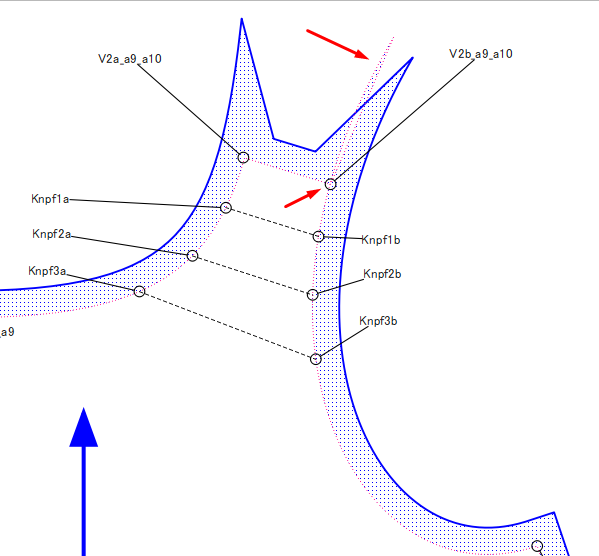
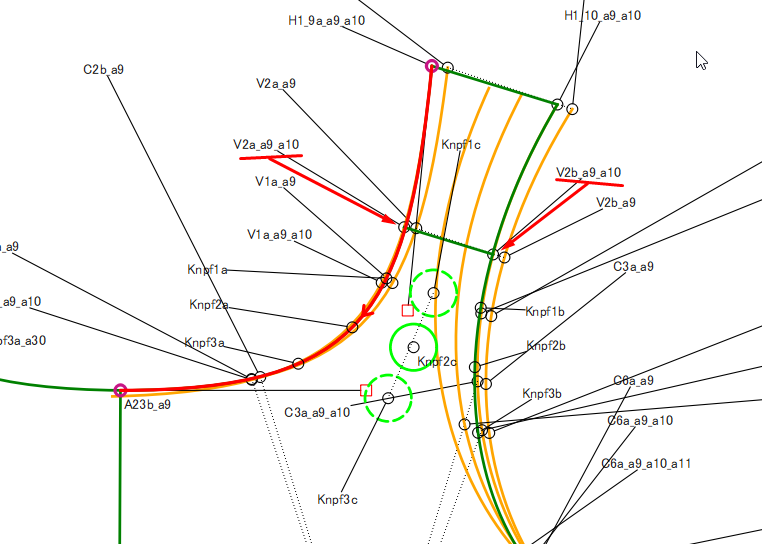
Points V2a_a9_a10 & V2b_a9_a10 aren’t attached to the curves for the neck and the armhole. There are multiple curves and arcs on top of each other, so the incorrect ones have been chosen for those points OR you need to make 2 new points on the curves used. You can use the History to put them in just after the operation that created those 2.
I suggest that you have a “Steps” group where you can hide all of the intermittent steps so that they don’t confuse when you’re creating the pattern piece.
It looks like the pattern pieces were the problem, together with the rather complicated curve construction of the bodice. In the meantime I’ve deleted all the pieces – which took an awfully long time – but now Seamly2D is running at normal speed again.
I’ll clean up the draft first before creating the pattern pieces again, and this time I’ll keep a close eye on the node order.
Thank you so much for your great support at such short notice – have a nice evening!
It isn’t the node order, but rather that the nodes don’t connect firmly to the curve used in the pattern piece. So the curve goes past the nodes causing those spikes and Seamly spends a lot of time trying to find the connections.
I’ve repaired those shoulders but there is still something slowing it down. I’m just looking for it now.
Ok, I don’t see anything else and since I’ve deleted the original nodes and replaced them with new ones, it seems to be working a lot faster
It’s probably some sort of recursion loop when painting the Seam Allowance if there is something wrong in the main path.
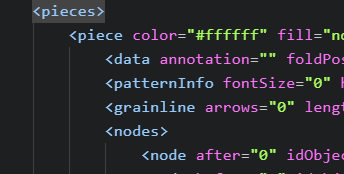
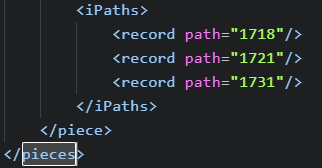
That said… when you say " I’ve deleted all the pieces – which took an awfully long time " you can just edit the xml text file and delete the <pieces> for a draft block.