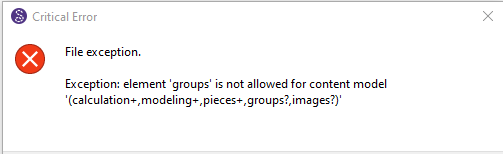
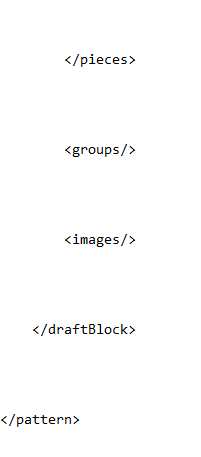
I’m having this issue I’ve seen brought up a couple times, however it seems slightly different. I am getting the “exception: element ‘groups’” error but this pattern was started somewhat recently, so I don’t think it’s the version. Also, I tried editing it via text, but my group and images seem to be in the correct order.
2 Likes
Hi @Julibean
If you post the pattern and any associated measurement file I’ll take a look and fix it.
2 Likes
Stays_Test_2_March26.sm2d (96.8 KB)
Basic_Block_Size18.smis (3.9 KB)
1 Like
Hi @Julibean
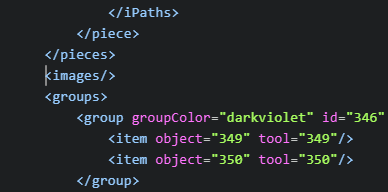
Here’s your pattern fixed… it was indeed reversed <groups> and <imgaes/> tags:
Stays_Test_2_March26_fixed.sm2d (100.4 KB)
With an updated release this should not be a problem with any new patterns or patterns that have been fixed. However a pattern saved with the bad Seamly2D release can still cause an issue with a newer release as the tags have to be in the correct order. Only way to fix the mixed up tags is to edit the file in a text editor by cutting and pasting any errant <images/> tags after the <groups> tag.
2 Likes
Thank you so much, I greatly appreciate your help and haste. My file is working perfectly again!
3 Likes