I’ve spent all day today learning to use Seamly and drafted a bodice front and back. I seem to have accidentally sent a line outside the edge of the view and it crashed the program. When I try to load my pattern again I get this error:
It won’t open and the previous file that it is based off of won’t open. I’m pretty worried that it’s not worth it to spend hours and hours building out a pattern in here if it’s so easy to lose all my work (yes, of course I’ve been saving and that doesn’t seem to have helped!)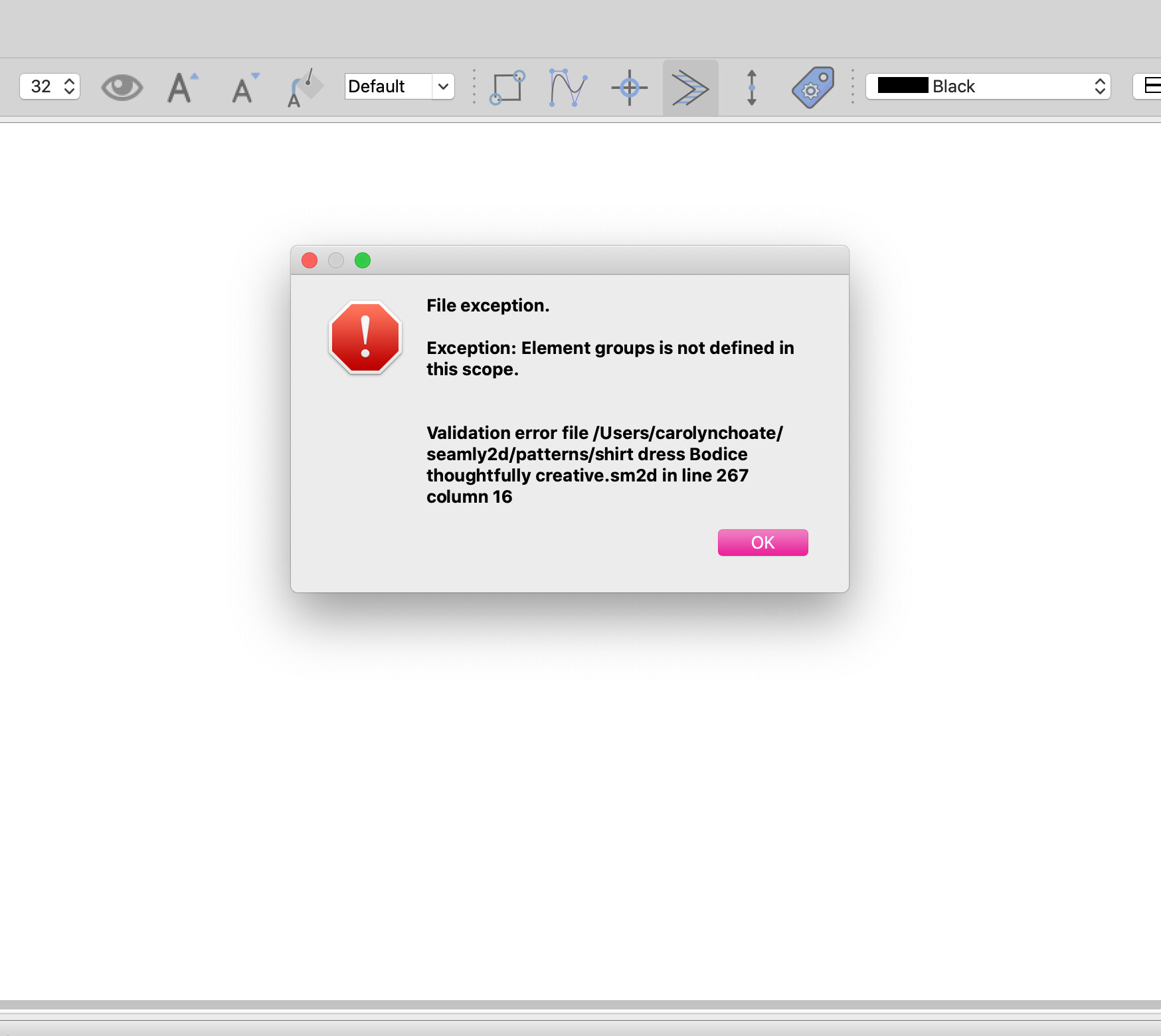
2 Likes
Hello and welcome to the Seamly forum, @cm006j
Can you send me the pattern file and the measurements file so that I can have a look at what went wrong, please?
It’s already midnight here, so I’ll have a look in the morning.
1 Like
Thank you for taking a look! I see that you’re a top expert here on the forum. I had to walk away for a little bit so definitely take your time and if you don’t see anything I appreciate your time and effort  Bodice thoughtfully creative.sm2d (31.8 KB)
bodiceblockwovenmeasurements.smis (1.3 KB)
Bodice thoughtfully creative.sm2d (31.8 KB)
bodiceblockwovenmeasurements.smis (1.3 KB)
1 Like
No… it’s was the < groups > < images > being written in the incorrect order with one week’s release. You need to update to the current release where the issue has been fixed.
Here’s your pattern fixed… it may open ok in your current Seamly release, but will fail again if you add any new drafft blocks and then add a group.
Bodice thoughtfully creative_Fixed.sm2d (32.1 KB)
BTW… For future reference - Seamly will create an autosave file so depending on how often you have the autosave set for, a backup will be made. Wouldn’t have helped in this case as the backup would have had the same error, but something to keep in mind that it would be rare to loose all of one’s work.

I got it grace… it was the groups / images issue that’s been fixed in a newer Seamly release.
3 Likes
I suspected as much. Thank you for fixing it, @Douglas
Not really, I’m just so happy and grateful to have this software so I try to help everyone on the forum. It’s become my home away from home. 
If you go to the Menu > Help > About Seamly there’s a Check for Updates button at the bottom left. Click it and it will download the latest version of Seamly for you. Once it’s downloaded, it will open up and you can close Seamly & install it.
This will prevent this error happening again.
2 Likes
HI Grace… I got the same error . I tried to look for the update as you suggested but i couldn’t find it in Menu-Help-About. This also happened when i started using the Groups tool. Thank you
1 Like
You can download the latest update from the link at the top of this page and then install it. I still suggest that you send me your pattern and measurement files so that I can do the repair manually.
1 Like
I alredy fixed the pattern.
1 Like
HI Grace, unfortunately I downloaded the latest version already but i still get the same file exception error. Hence, I cant send you the file. I think I will redo and refrain from using the groups tool for now.
2 Likes
Hi Douglas. Were you pertaining to my problem? Maybe a bit of confusion because I “replied in a thread posted by another user in the same situation”.
1 Like
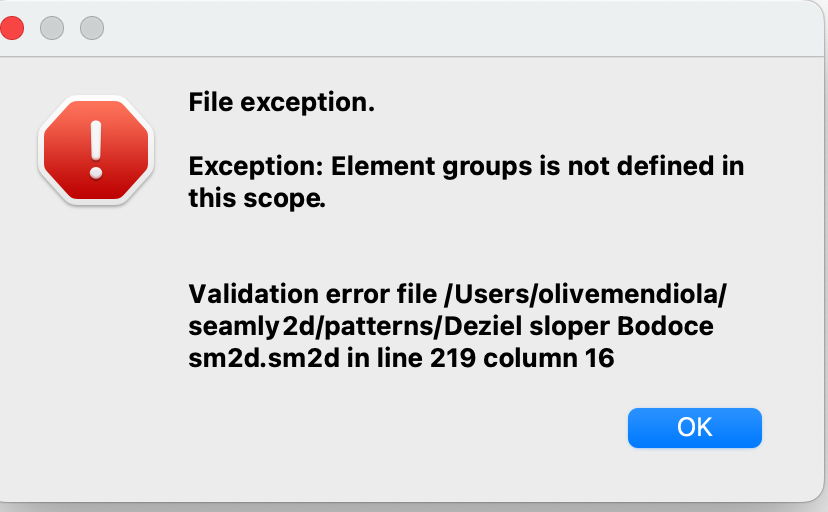
My bad… I missed your post and thought Grace was replying in regards to the OP. 
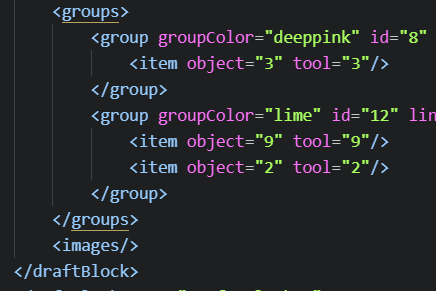
That being said if you post your pattern file we can fix it for you. The newer release won’t have an issue with groups in a new pattern, but your broken one needs to be fixed to open. If you’re handy with a text editor you can just edit the xml pattern file. Your broken file will have the order of the < groups > and < images > tags reversed. You just need to switch the order of any groups tags. The groups needs to be before the images. Like:
3 Likes
Thanks Douglas! I am. Not handy with text editing, and since I can’t open the file, I can’t send it over. But no worries… I restarted the pattern already… And thanks for the info that the groups tool is fixed!
2 Likes
You don’t need to be able to open the file to send it over, just send the pattern file and the measurements file so that the person doing the repair can check it.
If you want to, you can send the files in a personal message.
2 Likes
So sorry Grace, I fumbled and couldn’t send the file because I deleted it.
2 Likes
Just a note… on Windows, file should be in the trash can - unless you emptied the trash as weel.
2 Likes
Hi! i’m new here and i want to say thank’s for that screen shot! i’m don’t know anythings in this kind of code but a was abel to fix my files (sorry my english is not good) but thank you very muche
2 Likes
Welcome @marc_ryuko,
Glad to help. I also suggest to update the apps to prevent the < groups > tag error from happening with future patterns.
2 Likes