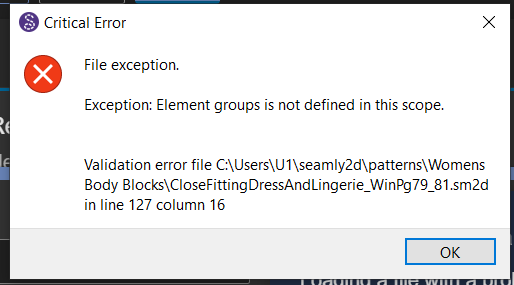
I am receiving this error message when trying to open the software.
I’ve seen in other posts that its something to do with the XML, I don’t know if its because when I last saved it I still had my variables that were giving errors.
The crash happened when you created a group. For some reason, in older versions of Seamly, the images tag is before the groups tag in the .xml file, so all that I had to do is to drag the images tag to after the groups tag.
To avoid this from happening again, I suggest that you take a few minutes to install the latest update. You can do this by either following the link at the top of this page to download it, or to go to the About Seamly in the Help menu and clicking on the Check for Updates button.
It’s from when Evans added the (baclgound) images to the xml file, and we didn’t realize that the < groups > and subsequently < images > were not being implicitly written to a new draft block. So it was posssible for the < images > tag to be written first. It’s out of order with the schema, and it throws the error. There was never an issue when there was just the < groups>. I fixed the issue by making sure an empty < groups/> and then < images/> is written when a new block was created.