I am not satisfied with any of these solutions as they are not technically sound enough for my liking. I would therefore love to hear your brilliant ideas!
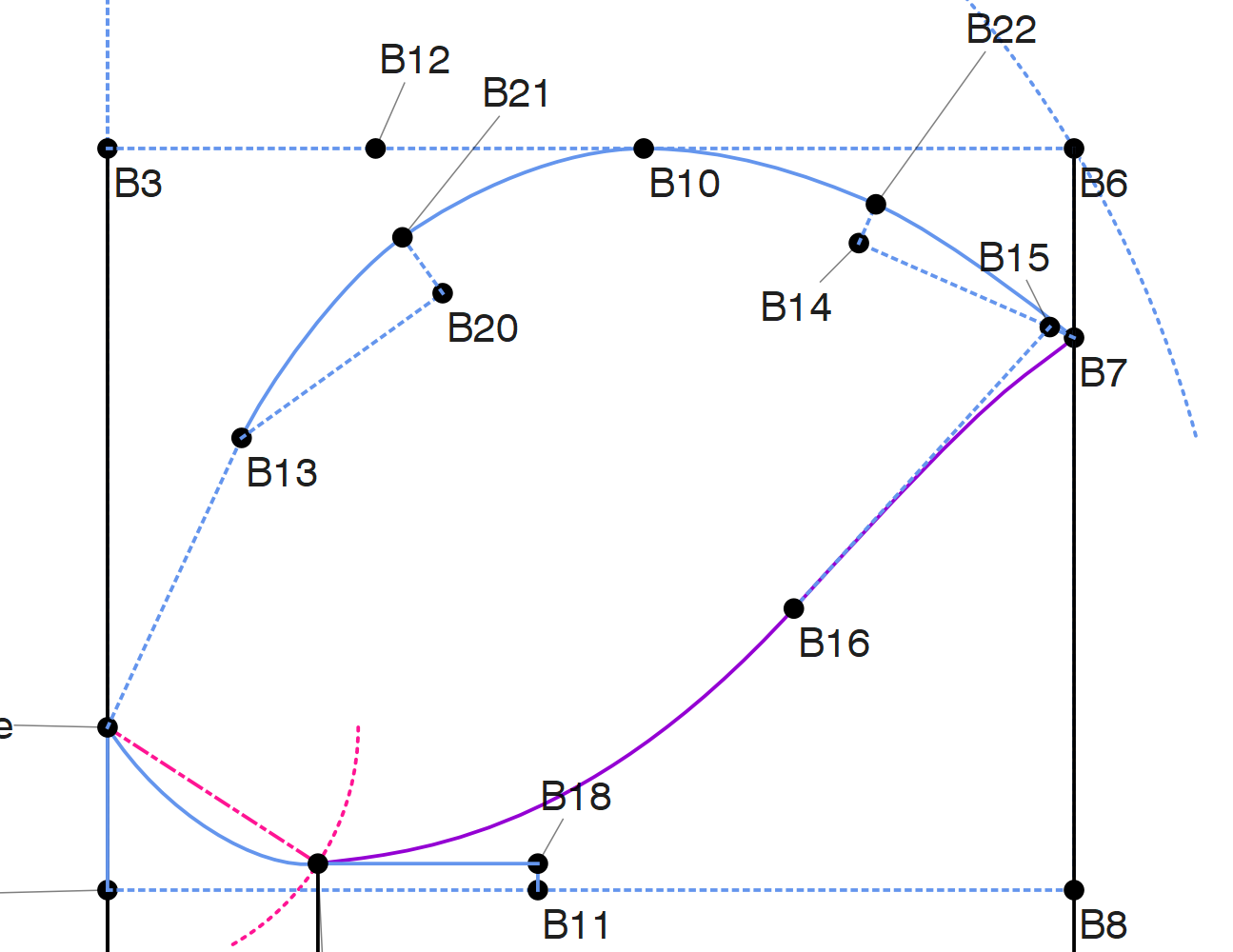
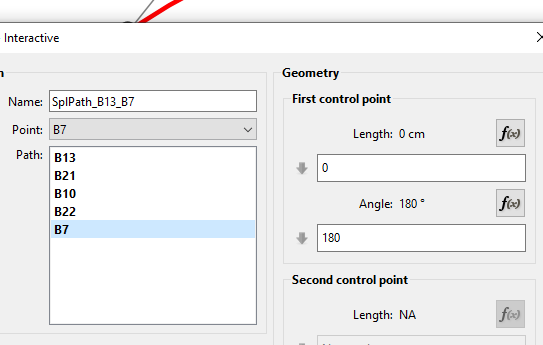
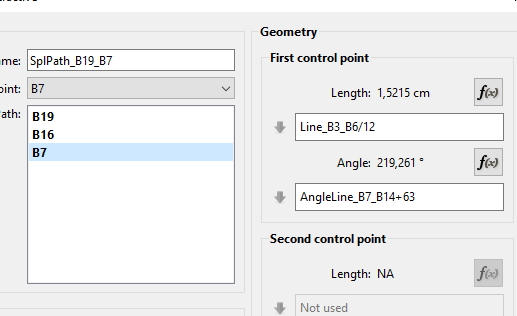
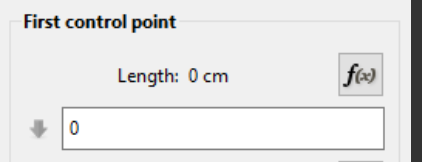
I’m not clear on why the control point at B7 can’t do anything? If you don’t give the control point at B7 at least a little bit to do, you are likely to have problems with your pattern pieces rendering oddly on the Piece mode.
But someone with more sleeve practice than I have should be around later today.
You should give it some length. Control points with zero length are asking for trouble… especially like @Pneumarian said when creating pattern pieces and the SA. Technically you should formulize the curve lengths with any measurements used so the curves resize correctly. But that’s another topic.
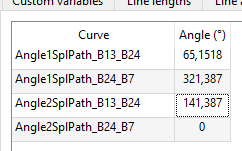
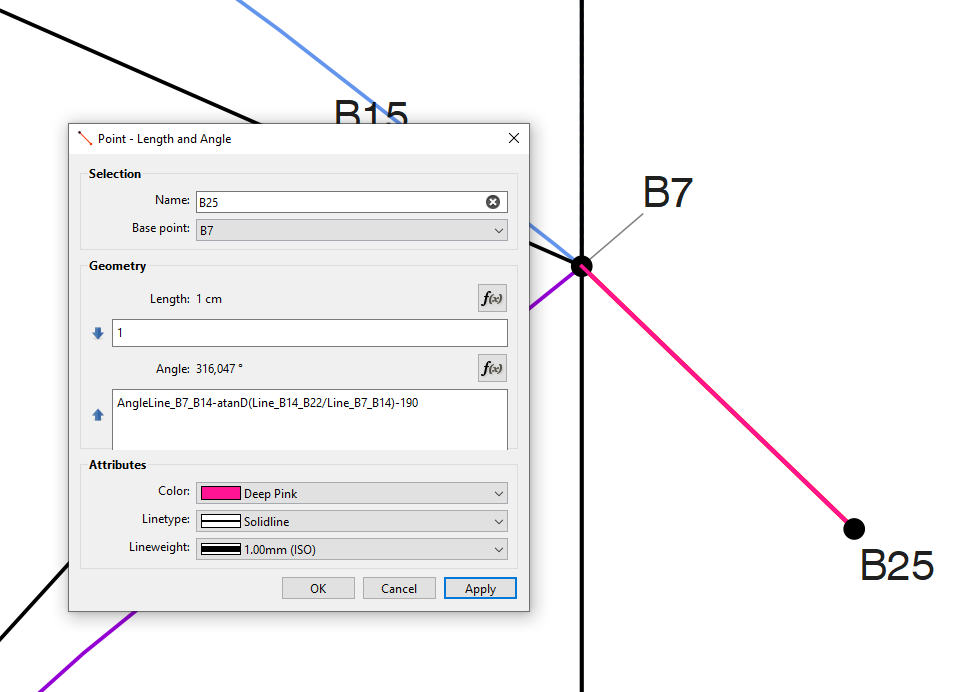
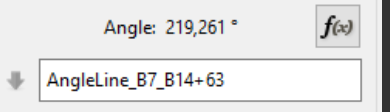
Bad idea to hardcode a random value (other that something like 45, 90 or 180)… this will likely not resize well. If you make the CP length and angle correct… where the angle between B22 and B7 is going to be roughly 45 degs… your formula for the other angle would be something like 180 + (180 - Angle2SplPath_B13_B7) to mirror it on the horz axis.
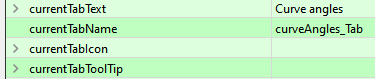
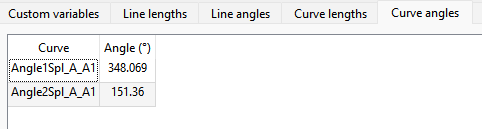
As I look at the variables table I’m wondering if we ever discussed this before… but would it not make more sense to change the Table Header “Curve angles” to “Control point angles”? After all THAT’S what the angle is for.
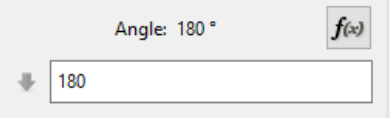
And, yes, I agree with you heere, too. Perhaps if this 180° was more accurate, then the other curve would fall in nicely.
Because the angle is set randomly and the length is 0 doesn’t mean that this is correct. The one curve may look correct but it can’t be used in other places.
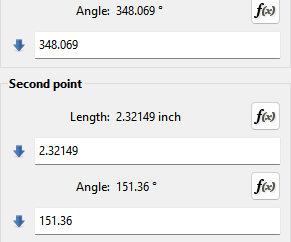
I did my tulip sleeve directly on my normal sleeve. If you place a point on the spline where you want the sleeve to break, then it will give you the angle values for either side of that point. You’ll be able to use the one plus or minus 90° for the tulip petal.
I think y’all might have a point there. As an emotional observation, I don’t care for how long that makes the tab. But the only clearer title I could think of was “Curve control point angles” – Which is definitely worse.
Yes… especially when translated… how about in Spanish - “Ángulos de los puntos de control de la curva”
Maybe “Curve CP Angles”? In other words is CP an acceptable abbeviation for Control Points to Seamly users?
To be consistent we could use “Curve CP Lengths”. In which case it’s shorter than “Control Point Lengths”… so between the 2 changes we would actually save 1 char space.
The only place where this could be an issue is with translations as abbreviations don’t always translate well.
I think abbreviations are something the program could use more of to make sentences shorter. As you said, they should be consistent, so abbreviations don’t appear in just one place and cause confusion.
In finnish language point of view i think it would be good to just abbreviation “kontrolli piste (control point)”->“KP” and add the angle or length as full word. As you have suggested.
I feel that this change needs manual correcting in finnis translations, and im ready to make those when needed.
Especially in this case as we’re talking about the header text items in the Variables Table. Personally I think using “Curve” is redundant. I could always add a hover tooltip for the header items that displays a full text?
Which is just as consise and consistent with the English “CP Angle” or “CP Length.”
Absolutely. Those were just what Google translate spit out. That’s why I said translating abbreviations can be an issue… where for ex: Google doesn’t know that the context of CP is "kontrolli piste’, so it defaults to CP instead of KP.
Since I know you can now use Weblate, I can just leave any Finnish translations… pun intended… “unfinnished”.
We’ve only been discussing changing “Curve Angles” to “CP Angles” (my preference) or “Curve CP Angles”. And if we use “CP Angles” for consistency and space saving use “CP Lengths” instead of the current “Control Point Lengths”.
I’m not going to change the dialog until we have some sort of consensus.
Looks good! I don’t quite like using abbreviations like that, but it keeps it looking nice in a geekier wing of the software, so overall a definite win. I would enjoy seeing it implemented. Especially with, I think you mentioned, tooltip/context hints spelling it out.
Yes, i’ll do it when it’s implemented. I am checking PR’s for new changes in Finnish translation files, and make corrections in Weblate when i see that change.
The Tooltips are easy to add. It’s one of the attributes in the forms editor:
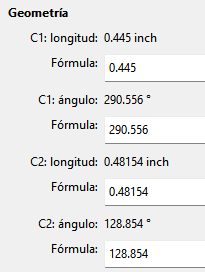
I also figured as long as we’re at it… for consistency - I would also change the CP labels for curves in the Properties Editor to CP1: and CP2:… rather than the legacy C1: and C2:.
“Angle de courbe CP” is definitely completely wrong.
The french for “Control point” is “Point de contrôle”, it could be abbreviated “PC” but I think it’s far less common in French than in English.
In a software I think we expect to see the word “spline”, even in french. The full “correct” title would be “Angle du point de contrôle de la spline”, but it’s long…
I don’t think that “Angle du PC de la spline” would be understandable.
Another shorter translation would be “Angles des poignées” ie “Handle angles”.
I like that - as “Handle” like you say is more descriptive. I just want to get rid of “Curve Angles” as it’s meaningless, and misleading.
Except do we use “CH Lenghts” and “CH Angles”? or use “Control Handle Lengths” and “Control Handle Angles”? or how about we KISS… just use “Handle Lengths” and “Handle Angles” (and C1: and C2: becomes H1: and H2: respectively) ?
Or here’s another radical idea for the Win - Win - Win… Combine the 2 TABs into one “Control Handles”… and the table displays the Handle variable names with the corresponding length AND Angle.



 That’s why I said translating abbreviations can be an issue… where for ex: Google doesn’t know that the context of CP is "kontrolli piste’, so it defaults to CP instead of KP.