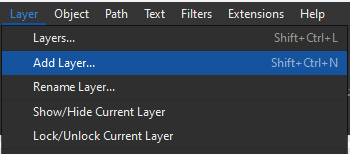
Just a suggestion… Why not have the Groups as they are AND a separate Layers? Then I think everyone will be happy.
Interesting idea, and I’d have to think about. Thing is, and pardon the pun, it would require another “layer” of what would basically be a lot of duplicate code. Plus I feel some new users are confused enough by the groups… seems having to add objects to groups AND layers would just add to the confusion. 
BTW… if it were up to me the “Groups” would be called “Layers” as that’s what the groups more or less function as.
Not quite. Up until now, we’ve been making groups of objects with a specific purpose which doesn’t fit into the definition of layers, hence the confusion.
Ich finde den Gedanken ziemlich gut. Ich arbeite sehr intensiv mit den Gruppen. Wünschenswert wäre es, wenn das Feld mit den einzelnen Gruppen (Layer) so aufgestellt wäre, dass man Untergruppen anlegen kann.
1.Gruppe ist das Gerüst - Untergruppen sind: Gerüst für Ärmel, Gerüst für Kleiderärmel, Gerüst für den Body
2. Gruppe ist das Grundmodel - Untergruppe: A-Linie, Abnäher in Seitennaht, Schulter usw.
3. Gruppe sind die ausgearbeiteten Modelle - Untergruppe: Kragen, Bänder und Bündchen
usw.
In der Regel arbeite ich an einem Model weiter und ändere dort mal den Ärmel, die Teilungsnähte, lasse den Kragen weg.
Die einzelnen Gruppe besetzte ich jeweils mit unterschiedlichen Farben. Mit der Zeit ist es eine sehr lange Liste. Übersichtlicher wäre es, wenn jede Farbe nur einmal zusehen ist und der Rest sich in Untergruppen wieder findet.
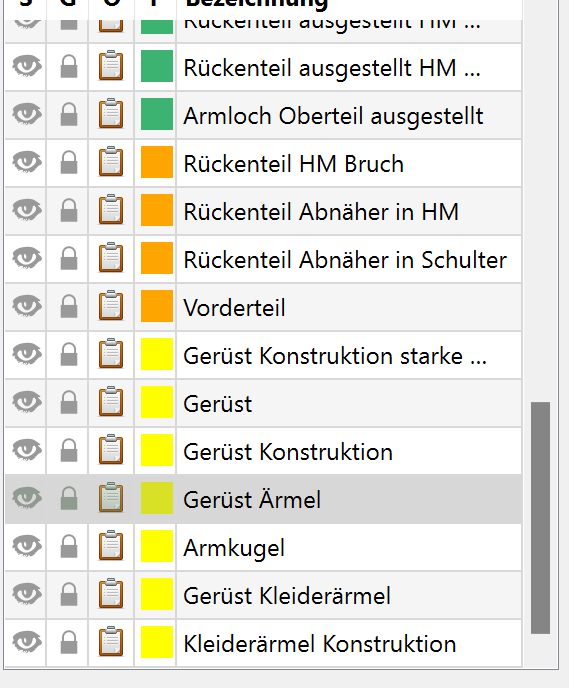
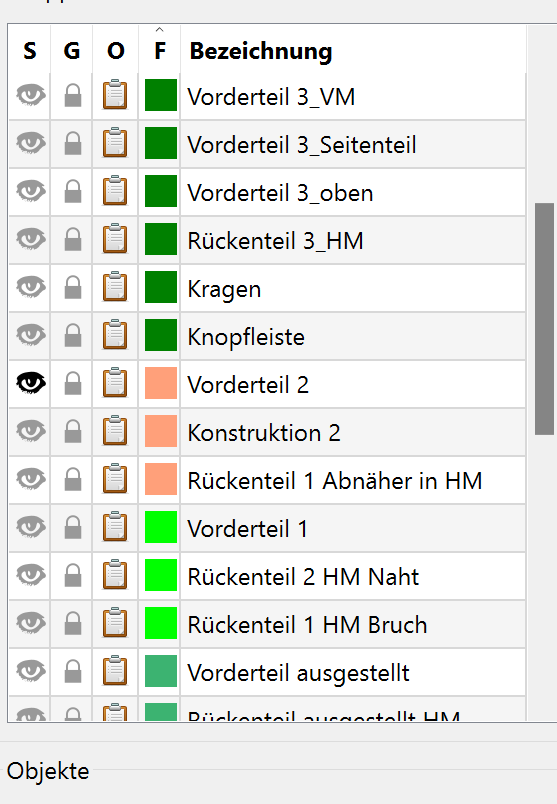
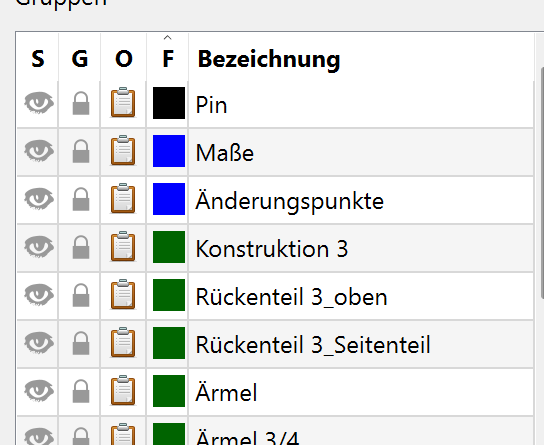



das stimmt - und kann auch gruppieren
It’s a bit beyond the scope of the topic.. but yes. That’s what I would have done. The structure would be where you can have subgroups which have a parent - where you can hide a single child or hide the parent which hides all the children. That would have been the proper way to handle what users are doing by putting objects in muliple groups. It would take some work to restructure for subgroups - especally making sure not to break old patterns.
The other thing a parent child relationship can set up is inheritence, where unless the child overrides a given parent attribute, it is inherited. For ex the palette for all the widgets you see on the Seamly screen Inherit

Ideally the groups would be displayed in a Tree vs a Table, where you could collapse the groups and subgroups just like a file folder tree.
Das wäre super - es würde ein sehr viel aufgeräumtes Bild geben und man findet schneller was gesucht wird
That’s how I am used to work in CAD:
Groups > are meant for easier selecting and manipulating more than one element
Layers > for controlling visibility and visual properties, locking, hiding, etc of the elements on that layer
Maybe in that way it could be possible not to break old files.
Totally aware of that, my PoC is based on the current code, I just apply the group style on it.
This can be solve by the group order, right? since there is no actual group styling right now, there should be no backward compatibility issue.
Even if we introduce layer later, folks can still select ByGroup, ByLayer, ByObject, with the order resolution.
I’m interest to know how the groups work in CAD case, is that more focus on moving the group around the canvas in CAD? Cause equally saying it in Seamly2D, this concept is actually more align with the draft block?
But yeah it’s the ideal case to separate groups/layers if people already rely on current group, but it means longer time to integrate it 
The way I proposed is meant to see if this can be quickly implemented and without backward/forward compatibility issue.
How does SVG handle layer/group? I think we can borrow some ideas from there?
Auch das wäre eine tolle Vereinfachung:
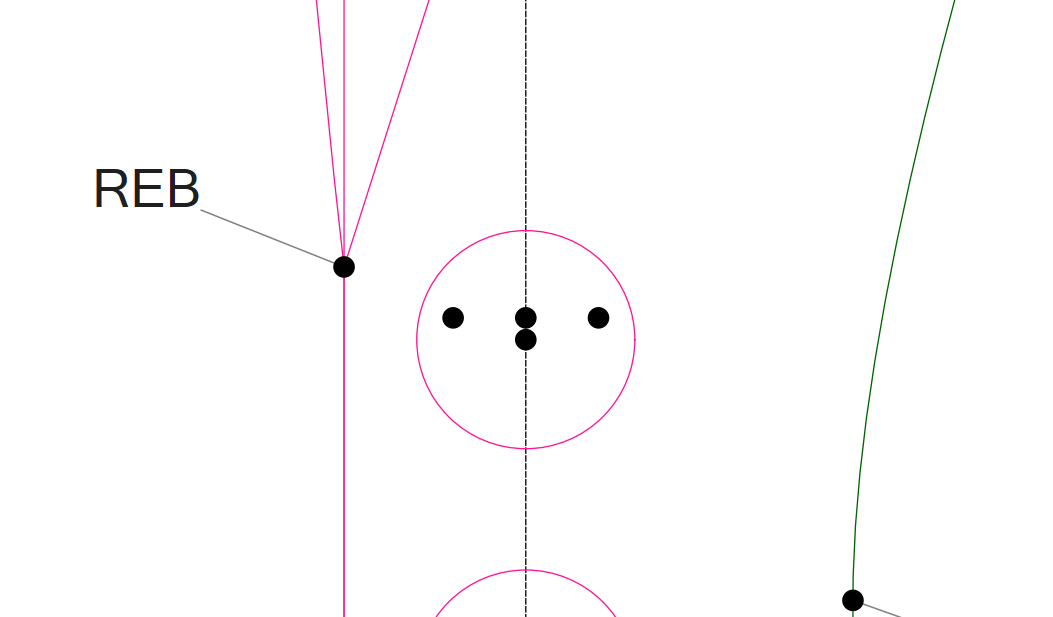
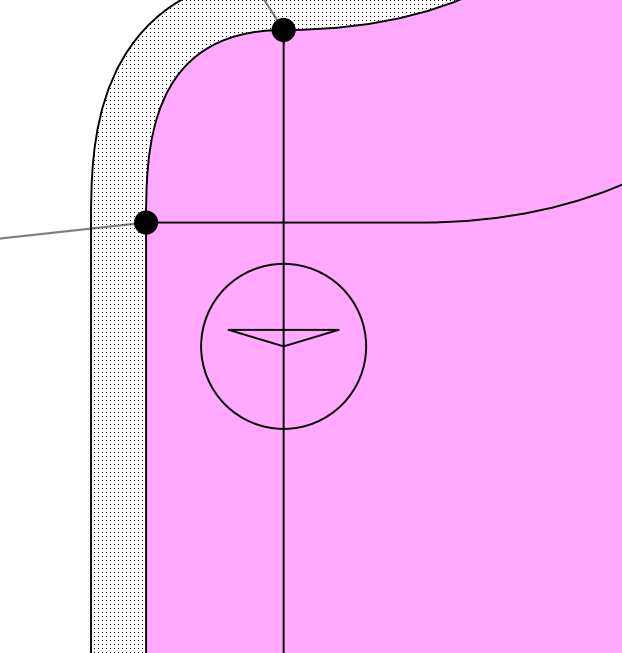
Ich habe hier eine Vorlage für Knopflöcher und den Knopf. Es wäre eine Bereicherung, wenn ich diese Punkte gruppieren könnte und dann sage diese Gruppe soll kopiert und 8 cm nach unten gesetzt werden ( Knopfabstand. Zur Zeit muss ich die drei Punkte plus den Kreis einzeln neu aufbauen.
Ich habe dieses Gerüst immer auf meinem Schnitt, damit ich erstens die Position des Knopfes und zweitens die Position des Knopfloches gleich übertragen kann.
Inkscape has both layers and groups. However, if I recall correctly, objects can only be grouped if they are on the same layer. Illustrator works basically the same way.
 One day, if we give @Douglas the gap needed, he will be able to finish working on the pattern markings so this will no longer be an issue
Ihr seid sowieso meine Helden - ist immer einfach zu sagen so könnte es aussehen, ohne eine Ahnung davon zu haben wie es umgesetzt werden kann 
Yes, @Douglas is my hero. He always puts up with my extravagant ideas and never complains.
Yes, the Groups feature essentially allows you to select one element in a group, after which the entire group is selected and can be manipulated further. Groups can contain sub-groups, but I’ve never seen a CAD program in which an element could belong to two groups. A common element would simply connect two groups into one. There are often additional tools for suspending or isolating groups so that you can work inside them.
CAD programs also have blocks as well as groups. You can create multiple instances of a block and if you then edit one block, all instances will update accordingly. I don’t see much use for something similar in Semly2D. Besides buttonholes, there aren’t many repeating elements.
Layers are mainly used to organise different categories of work. This prevents drawings from becoming overly complex. This is similar to how groups are used in Seamly2D. When working and presenting, you only use certain layers; the others are switched off. For presentation purposes, such as exporting or printing, you can assign different graphical characteristics and overrides to them. This part is usually very complex. I also don’t know of any CAD program in which an element could belong to two layers. It would create too many logical issues.
It can be solved by simply using the 1st group an object is in… which basically means the ByColor works for users that choose to only put objects in 1 group. For those that put objects in more than 1 group the ByColor becomes a crapshoot. Basically put… in the first case those users gain the functionality the ByGroup color… the later case pretty much would act like it does now.
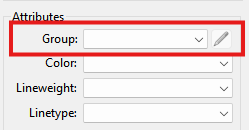
I should note that along with adding the ByGroup options to the pen attributes… the update to the tool dialogs I had made in an early Seamly fork also included a “Group” attribute where you could assign a new tool to a group as it’s created - where the real issue I have is I don’t want to waste a lot of dialog space & have to recode using a QListWidget to display a list of checkable groups. 
Although if I used a QTableWidget instead, a user could check off which groups to place the objects in, with another mutally exclusive column to select WHICH group to use for ByGroup - 1st group being the default.
OK, dann sollte alles bleiben so wie es ist. Zum sauberen arbeiten ist es meiner Meinung nach unmöglich, dass gewisse Elemente mehreren Gruppen zugeordnet werden können.
Besides buttonholes, there aren’t many repeating elements.
Das ist nur bedingt richtig. Beim Arbeiten mit Falten, Biesen, Schlingen usw. würde das die Arbeit erleichtern.
Damit ich es einfach verstehe: Am PC ist es doch auch möglich 2 gleiche Dateien in unterschiedlichen Ordnern abzulegen. Kann mir jemand erklären was für “logische Konflikte” es dabei geben kann. Zur Zeit funktioniert es ja.
I used the term ‘logical issues’ ad hoc, so I suppose I should explain what I meant.
For instance, if an element belongs to two groups and inherits different attributes, such as visibility or colour, from each group, conflicts may arise over which group the attributes come from. This is exactly what Douglas is describing in a post above.
Dann meinst du also, dass der Anwender Probleme hat diese zu finden, es jedoch keine Auswirkungen auf das Arbeiten hat, richtig?