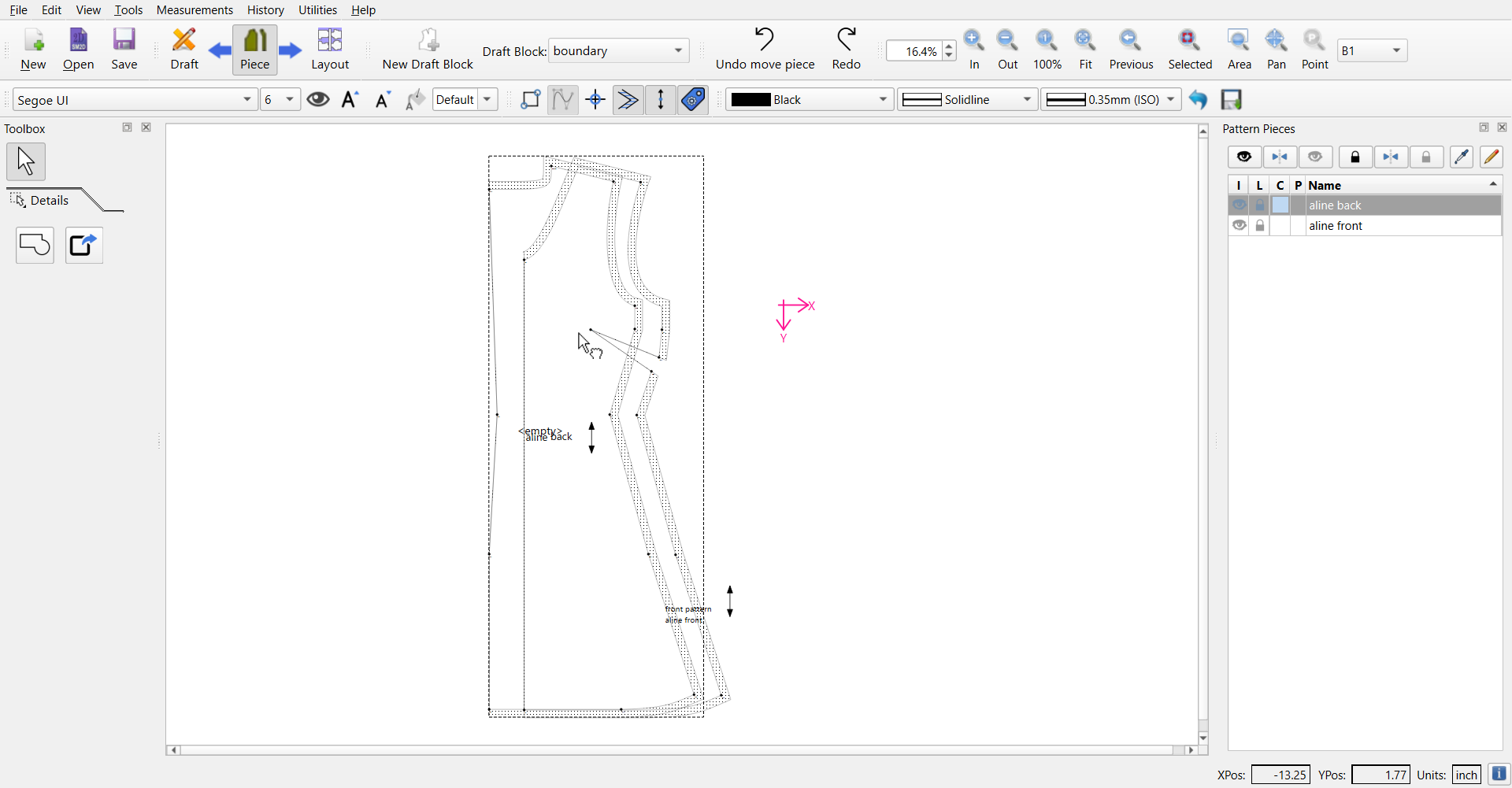
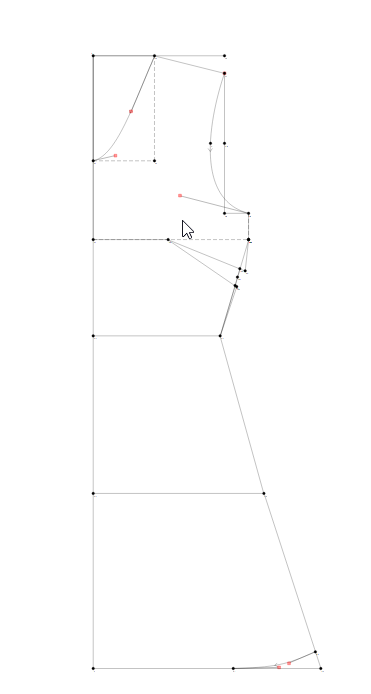
I’m trying to create a bust dart for a dress . I used the true darts tool but its not giving me the right results. the armhole area is supposed is supposed to be higher in the front piece where the dart is, as opposed to the back piece. but mine’s the same. im definitely doing something wrong here
please help
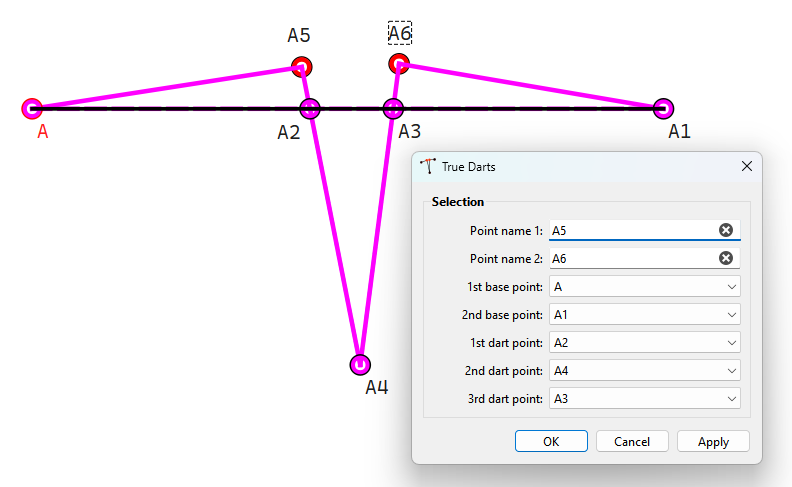
Using A and A1 as the base line points, and A2, A4 and A3 as the dart points… the tool produces two new points A5 and A6. When the dart is closed the seamline from A to A5 to A6 to A1 is now a straight line.
thanks for your reply
i know how to add darts and use the tool to true the darts but when its applied to the bust darts, it doesnt increase that height of the side seam in the bust area for the front piece
please has anyone used bust darts in seamly, please help!!!
First you need to understand the nature of flat pattern drafting… You’re taking a flat square of fabric and shaping it to fit a 3D object. by snipping out some parts and adding darts to other areas.
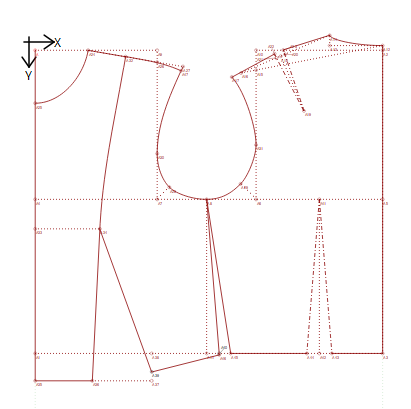
This is an example of a flat pattern. The neck and armholes are snipped out and there are darts to form the inner shaping. In this case, the darts at the waist are the front waist dart, the back waist dart and the side seams form another dart.
To open up a side dart (in this pattern), you need to close up the front dart by the amount that you want to open up at the side.
In your pattern, you have put all of the dart space into the side seam darts leaving no space to rotate the dart without completely misshaping the waist line, causing it not to fit correctly.
If you are working with a stretch fabric, and want the front armhole to be shorter than the back armhole, then you can draw in a dart at the centre of the armhole the width of the amount that you want to reduce the armhole by, direct the dart to the bust point and use the Rotation tool to rotate the side dart line and all of the objects between it and the armhole dart leg to close up the new dart at the armhole and create a new dart at the side seam.
That’s all that I can think of and I hope that it helps.
Right. Because that’s not what the True Dart tool does.
I agree with @Grace… you have to learn the basic principles of manipulating slopers. It’s not something we can’t really spend time here teaching.
That said - To add a dart … or more specifically to move a dart, you have to rotate an existing dart in the sloper (basic block). Generally a basic block is drafted with the dart at the waist. Depending on the style you can move some or all of the waist dart to the side seam, the shoulder seam, armhole, etc… but it’s all done by rotating the piece about the dart point. In that regard we currently do not have a dart tool that automates that process, and it has to be done by hand using the Rotate tool.