Hi all,
Quick question about dart manipulation in Seamly2D.
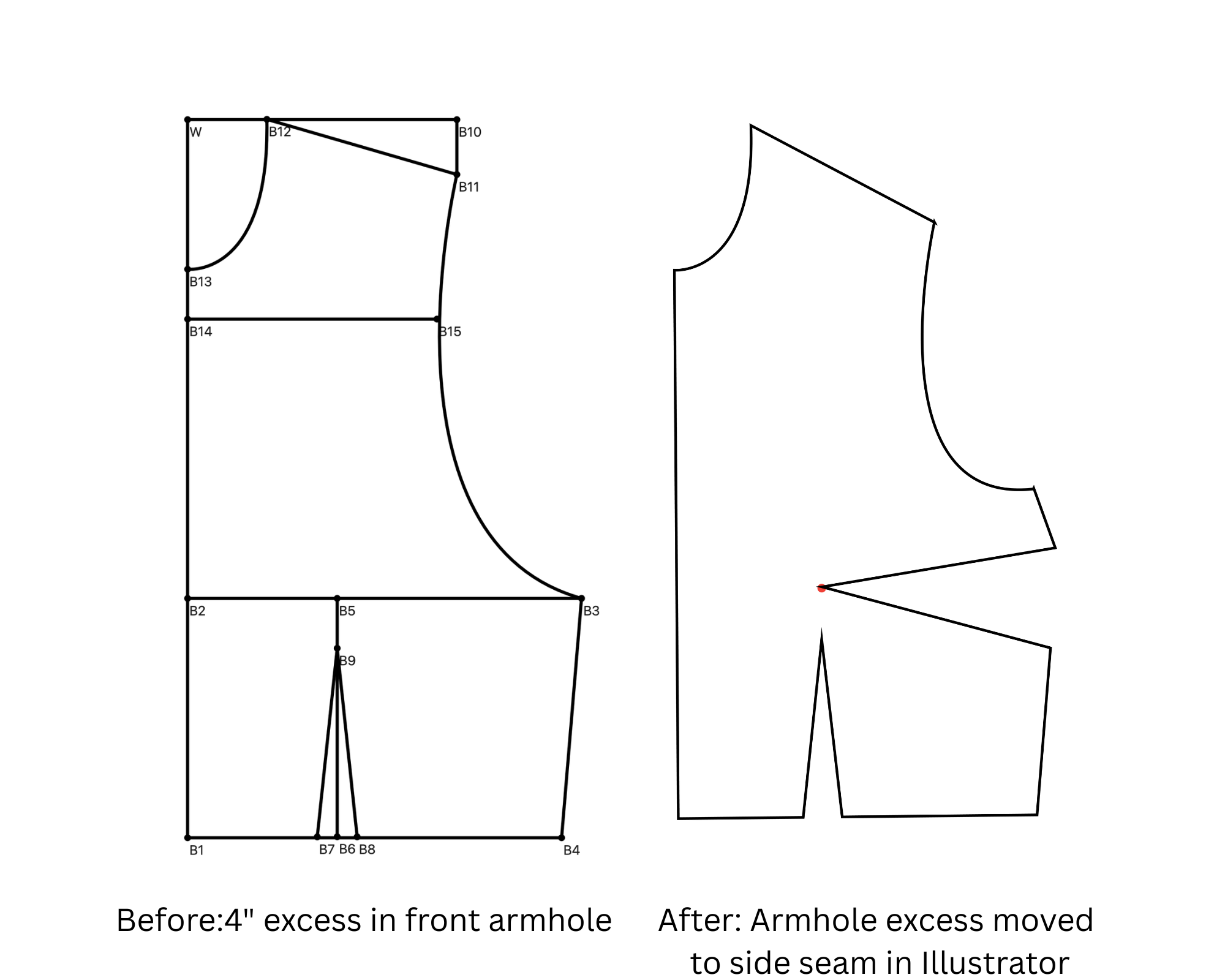
Situation: My front bodice armhole is 2” too long after some adjustments.
Solution I used in Illustrator:
∙ Created a dart at the armhole (2” intake)
∙ Pivoted it to the side seam
∙ Armhole shortened, side seam now has the dart
∙ Problem solved
Can I do this in Seamly2D?
I know how to rotate existing darts, but can I:
Create a brand new dart where there isn’t one currently?
Pivot it to a different location (where there also isn’t a dart)?
Basically: make a dart appear at point A, pivot it so it disappears from point A and appears at point B instead.
Is there a tool/feature for this? Or a workaround?
I’d love to keep everything parametric in Seamly instead of jumping to Illustrator for adjustments.
Yes and Yes. By using the Move and Rotate tools you can select points and curves and move and / or rotate them to a different position. I sure at some point @Grace will be around, and she can probably better point you to some examples.
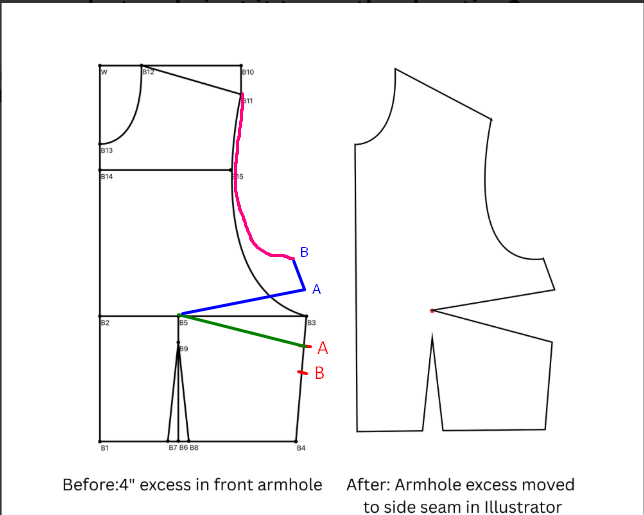
The easiest way to achieve this is to place 2 points on the side seam. Point A is the half the distance below the bust line of the width of the dart. Point B is the same distance.
Draw a line from the bust point to point A and then mirror point A & B on the horizontal bust line using the Mirror by Axis tool.
Redraw the armhole curve.
This way, you’ll be able to make the dart wider or narrower by adjusting the distance between the bust line and point A. If you use the formula for this line in Point B, then this will also adjust accordingly and if you use formulas in the armhole curve, this will also adjust smoothly.