Hi there,
is there a way to change the variable ‘CurrentSeamAllowance’?
I could only find changing the default in app preferences but that doesn’t update the pieces that are already drafted in case I change my mind.
Thanks!
Yes…and no.
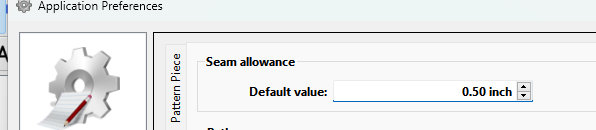
You are correct that you can set a default SA in the prefs:
Which then set’s the default width or ‘CurrentSeamAllowance’ for a new pattern piece. Think of it as the default default SA.
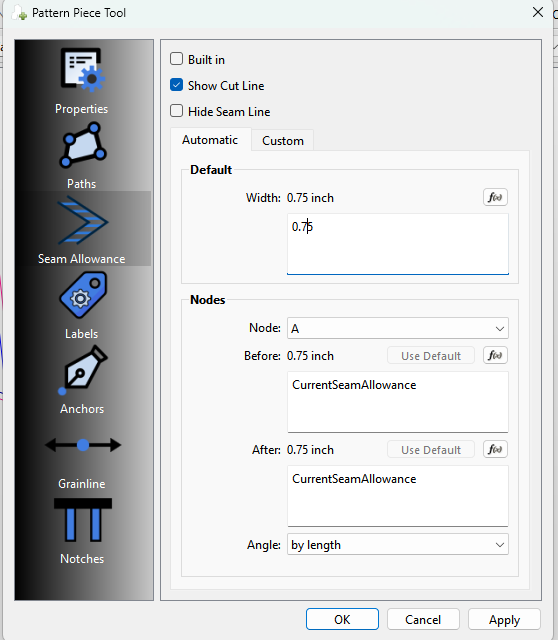
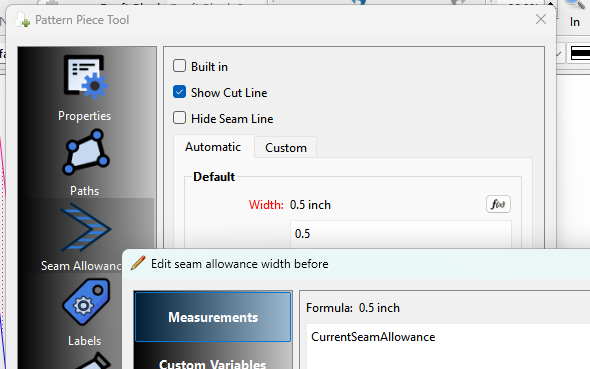
You can edit the default (CurrentSeamAllowance), but it applies only for that piece. In other words the ‘CurrentSeamAllowance’ is local to the piece, and not a global variable. Here I changed the 0.5 to 0.75 and you can see how it updated the Before & After SA’s.
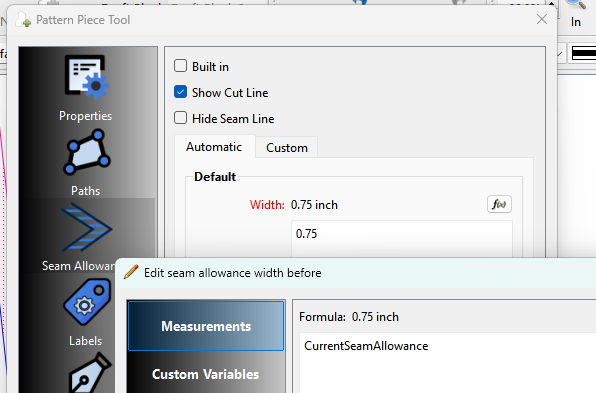
and shows in the fx editor as 0.75:
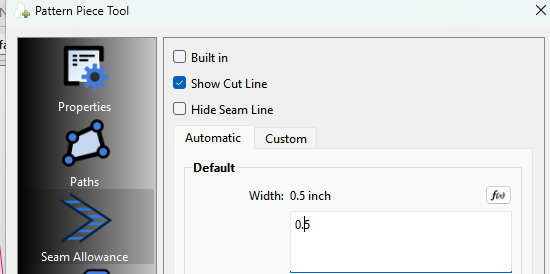
while another piece is still at 0.5:
For what’s it’s worth… I should probably change the (legacy) name of ‘CurrentSeamAllowance’ to ‘DefaultSeamAllowance’ to be consistent with Default Width and the Use Default buttons.
Ohhhhh okay for some reason I never saw that big box above the nodes that says default  I’ve been looking at it for weeks.
That’s good news anyways cause I was thinking if I ever wanted to change it I would have to change it for each individual node  Much easier to just change one by one of needs be
Thanks
That’s why I threw out there that I think I should change the variable name as there’s not an immediate connection from Default width and Use Default to CurrentSeamAllowance.
Yes perhaps that is a good idea
Personally, every time I create a pattern, I immediately add a “SeamAllowance” variable in the variable table.
I set the “default seam allowance” of every pattern piece to “SeamAllowance”.
That way I can change the SA value in the variable table and it’ll change the SA of every piece. 
I have a similar MO. Possibly it’s because I don’t have the wisdom from experience yet, but I try to draft my patterns so that they’ll work on dolls as well as big humans, so in order to minimize the hassle, I’ve taken to putting @seam in the measurements files.
Of course, that opens a whole new range of problems, particularly when using a measurement file from before I started doing that. & I wish that I could set the Preferences to use @seam if available, else use a default number, but I’m afraid that would just open a whole new can of worms for Seamly users!

To explain to @everyone reading this thread how this works in detail, combining @Pneumarian & @Evan’s approach:
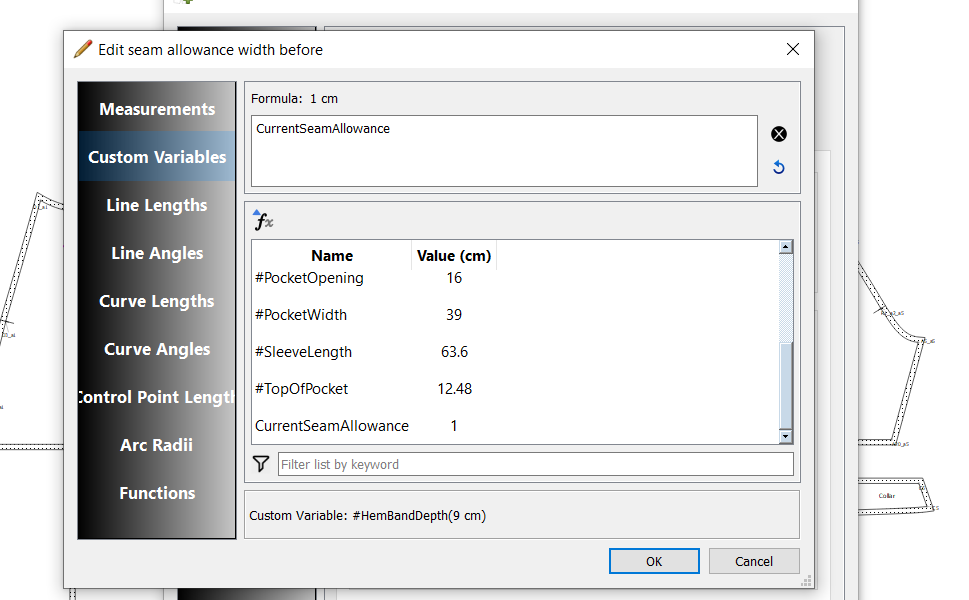
In Custom Variables you can have multiple seam allowances if needed:
Then use #SA, #HemSA, etc. in CurrentSeamAllowance
To autoscale your seam allowances if you work with dolls or small dress mannequins