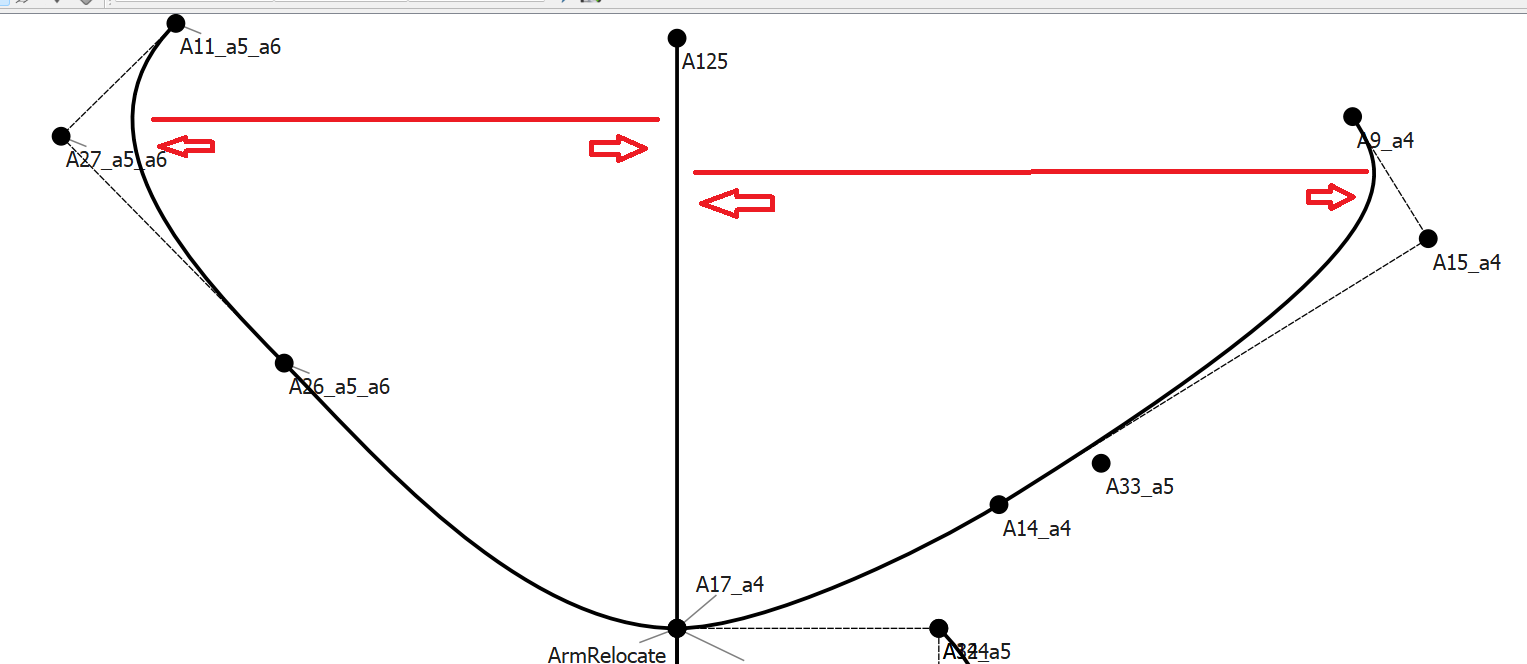
I’m currently drafting up a sleeve using my front and back armscye, part of the drafting process requires me to true up the armscye and then locate the farthest point of the front and back armscye curves from the line drawn by the shoulder seam along the X axis.
I can eyeball it, but i’ve manged to get the rest of my pattern done via formulas, so i’d love this part to be the same.
I’m not sure if there is a tool i’m unaware of, or a combination of tools and equations that will work this out, any suggestions are welcome.
Im new, so unsure how i can post the screenshot of the draft
I normally create a point at 45° at the underarm (of different lengths for back or front), which I touch on when creating the armhole curve. This creates a point that is at the deepest part of the curve (which doesn’t really correspond to your deepest part of the curve):
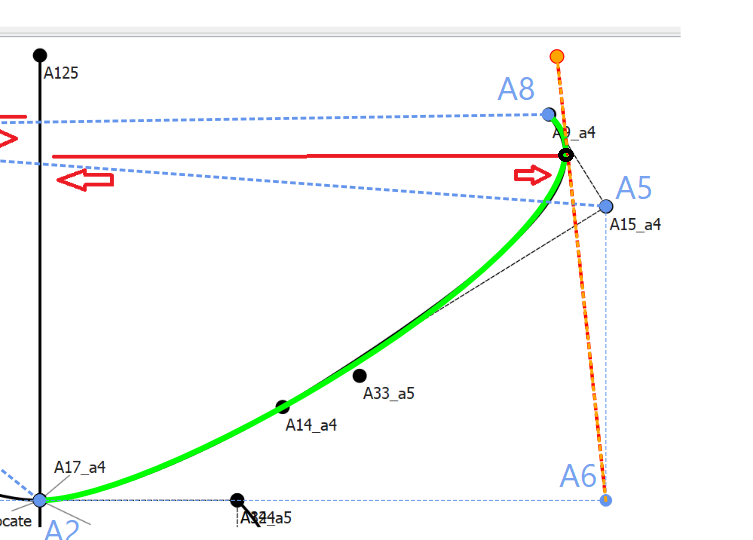
Hmmm… that’s a tough one. Easy to do on paper, but I don’t think there’s any current tools to accomplish this. What we need is a Point - Intersect Curve and Tangent tool. Currently there is only an intersect arc and tangent tool. Here’s what would work if we had such a a tool:
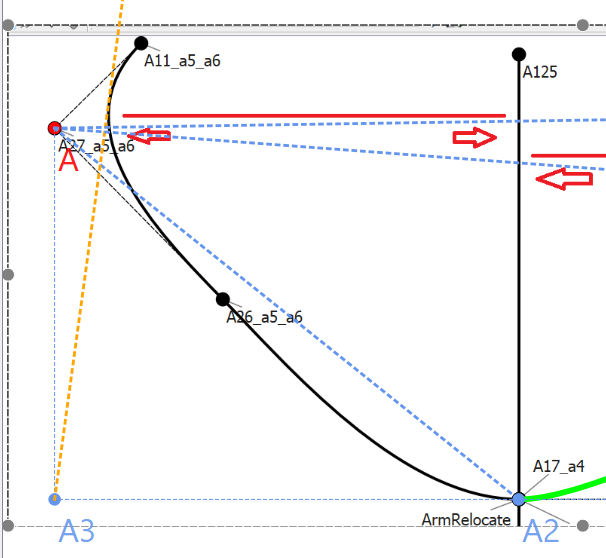
With A2, A5, and A8 representing your existing points I found point A6, and created the curve… the dotted orange line would represent the tangent that would intersect the curve at the right most point. From there one could draw an intersect with the Line_A125_A17_a4 to get the length.
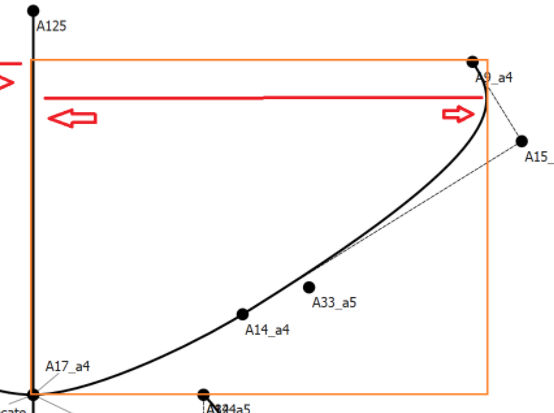
There’s actually an easier way to find that length… the width of the bounding box of the curve graphic object, I just don’t how to put that into a tool without some further thought.
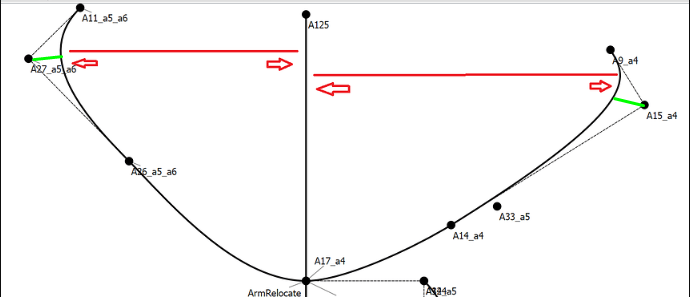
Thanks for your responses Grace and Douglas. I did attempt something similar to your suggestion Grace and used the midpoint between the curve end and the corner (a9_a4 to A15_a4), and then use the intersect line & Axis tool, but it only worked on one of the curves, i think the lack of symetry between the front and back curve designs prevent it from working for both.
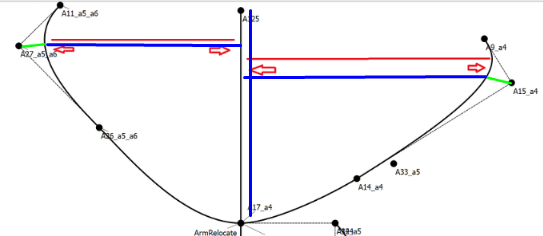
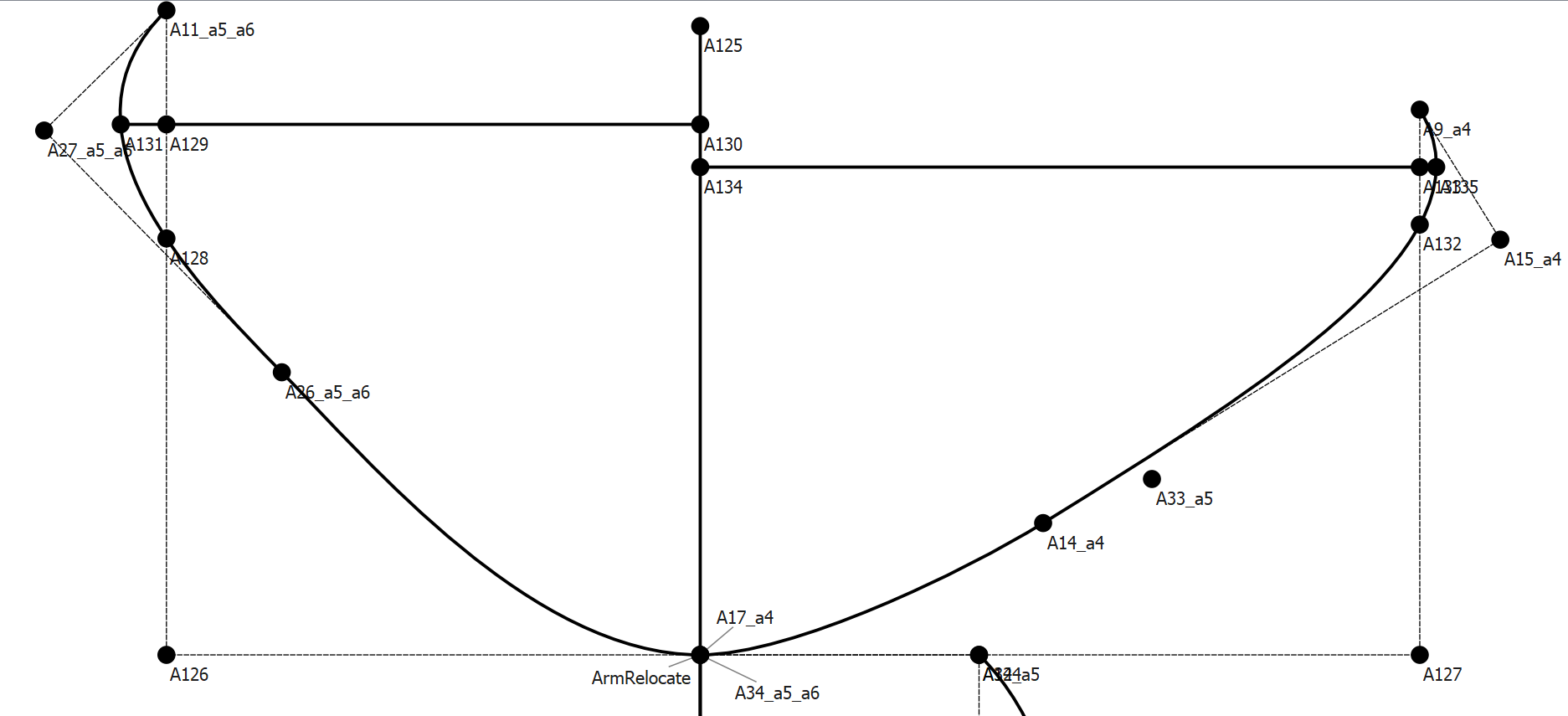
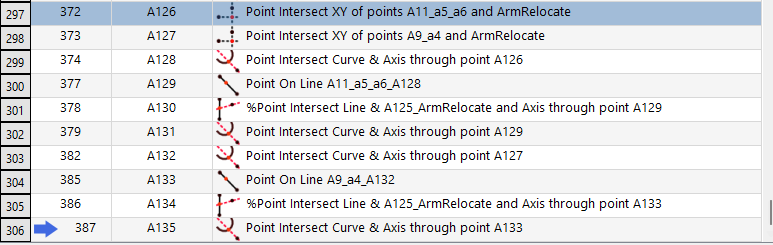
Given the lack of the Point - Intersect Curve and Tangent tool i think i’ll need to settle with a ‘close enough’ instead of 100% accurate measurment. However combining both ideas did get me thinking and i came up with this:
It’s not perfect, but does seem to roughly work for both curves, i guess its going to be less than a MM difference on either side, so hopefully nothing noticable.
That looks pretty much accurate enough. I don’t think that small amount will make any difference to the made up garment. Very well done!! I always try to make the existing tools in Seamly to work for me and there’s always some solution that will work… with a few ideas and a little thought.
And there is an existing Github feature request issue … albeit called Point : tangent spline & line. Technically there could be 2 tools… and Intersect Curve and Tangent, and Intersect Spline and Tangent. The curve intersect realtively easy to solve as there is only 1 solution vs multiple possible solutions as I pointed out in the other topic.
That being said I think your solution is close enough. Especially given the fact that some tools have an accuracy of 1 mm… such as the Point On Curve, where the point can’t get any closer to the start or end point than 1mm. Even given a much smaller value… 0.0393781in = 1mm: