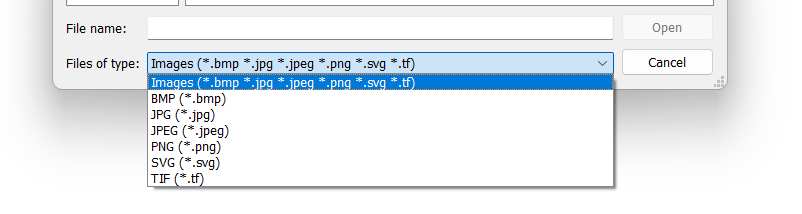
Would it be possible to add the extension jpeg for importing as well as the already jpg. Jpeg files are greyed out in the image folder. I know they are the same as jpg but on the Mac they use jpeg in photos. It would save time in having to rename the extension.
3 Me gusta
Oh, dear! I didn’t think about that. It’s been so long since I saw the Jpeg extension  I’m sure @Evans will be by, see your message and add the extension.
Thank you for letting us know.
2 Me gusta
Thanks Grace why apple are still using jpeg I have no idea it old school.
1 me gusta
I don’t know that it’s so much ‘old school’, just that I’m working on Windows, so .jpg is just the norm. I used to see a lot of .jpeg (about 20 years ago) on Windows and I really haven’t given it any thought 
1 me gusta
Of course !  I’ll make the correction right now and if it’s validated quickly it should be in monday’s update
2 Me gusta
Thank you Onetchou. Before Monteray, apple used jpg.
1 me gusta
Done 
2 Me gusta
Hmmm… just thought there’s also *.gif. 
Are you going to make this a seperate PR or adding it to the pending image PR #1160?
If it’s sepearate I’ll merge it right away. 
1 me gusta
What I hate is a lot of images are now in webp format. 
4 Me gusta
Thank you Onetchou it works perfectly
3 Me gusta
Oops, I missed this message 
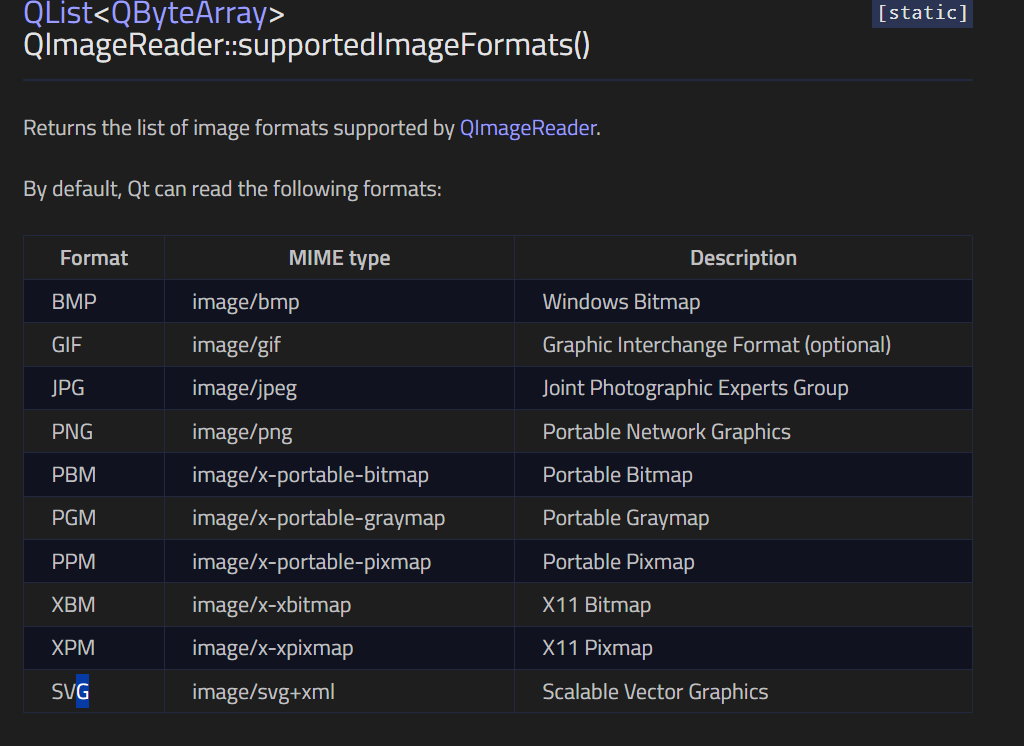
I should probably check in the Qt documentation all the image formats I can read with the current implementation of the feature and just add the common one I forgot to the list.
2 Me gusta
Check the Export dialog… I added all the rest of the formats Qt handles awhile back.
As I think of it… Qt might not handle GIF’s due to copyright issues. It does handle BMP’s and TIF though.
4 Me gusta
Thank you very much, @Evans & @Douglas. The image is saving beautifully and is there after saving the document, closing it and reopening it.
I think that the problem with the Tif files fix didn’t make it into this week’s update because it’s still listed as .tf. Hopefully next week
1 me gusta
Thxs 
I didn’t have time to implement it yet
1 me gusta
I’ve just added new image formats and fixed the typo with the “.tif”.
Btw @Saphire I’m sorry, if you’ve updated Seamly this week, you may have noticed that the .jpeg you asked for had disappeared, I’ve removed it by mistake when I implemented the saving of the background images, but it’ll be back in the next release

2 Me gusta
Onetchou Thank you, now I know what happened. I realised last night it wasn’t there when I tried to import a new image.
4 Me gusta