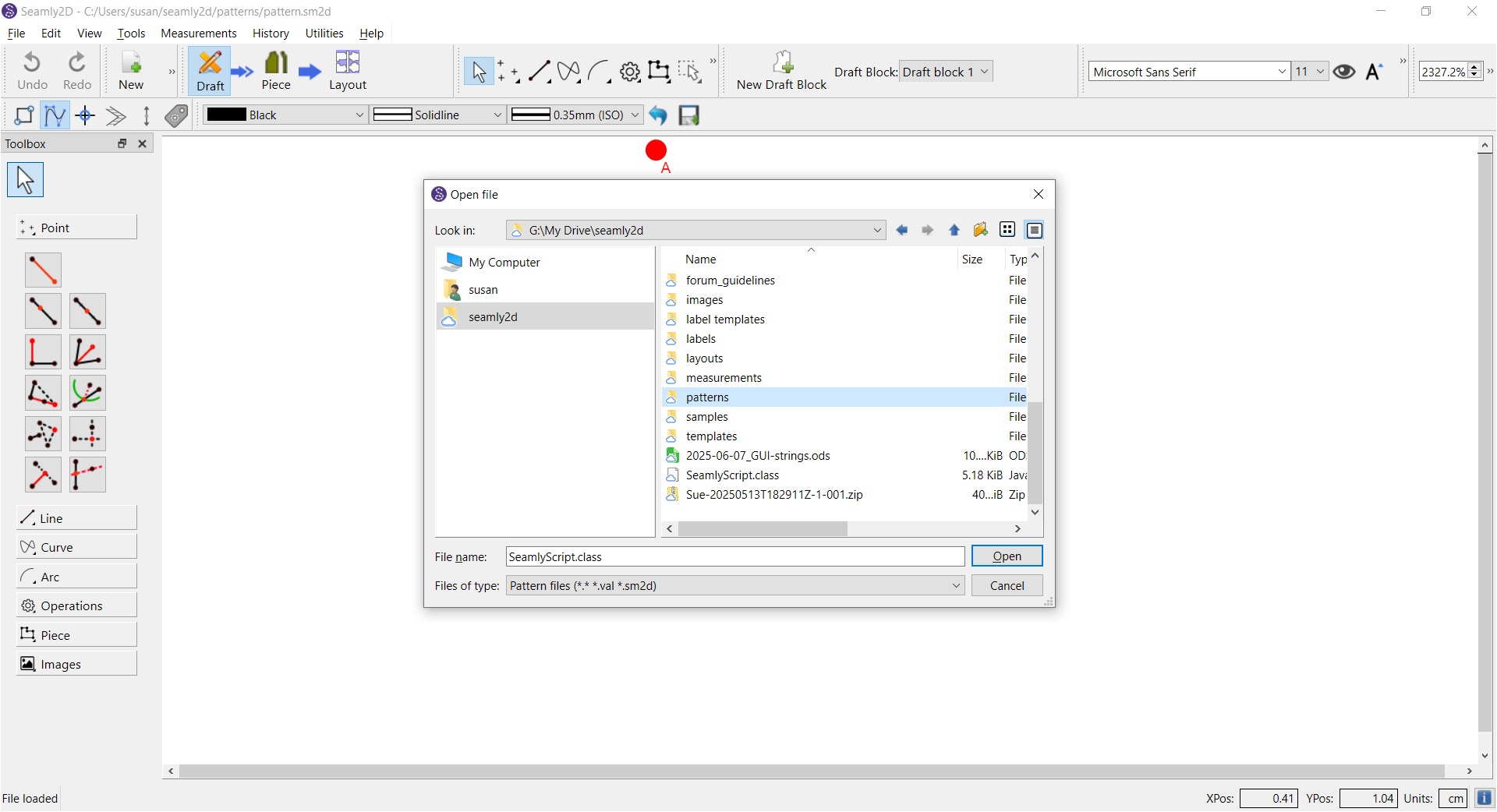
I had problems with Seamly2D locking up today when I tried to open any pattern file. My pattern files are on GDrive as G:\My Drive\seamly2d. There have been internet problems with DNS recently, so this could be causing some issues with syncing, etc.
Here’s how I was able to finally access the files without Seamly2D locking up:
- I opened Seamly2D and immediatedly created a New file (doesn’t require accessing the file explorer), then saved it to my local C: drive. All good.
- I clicked File/Open and Seamly2D did not lock up! The file explorer appeared. All good.
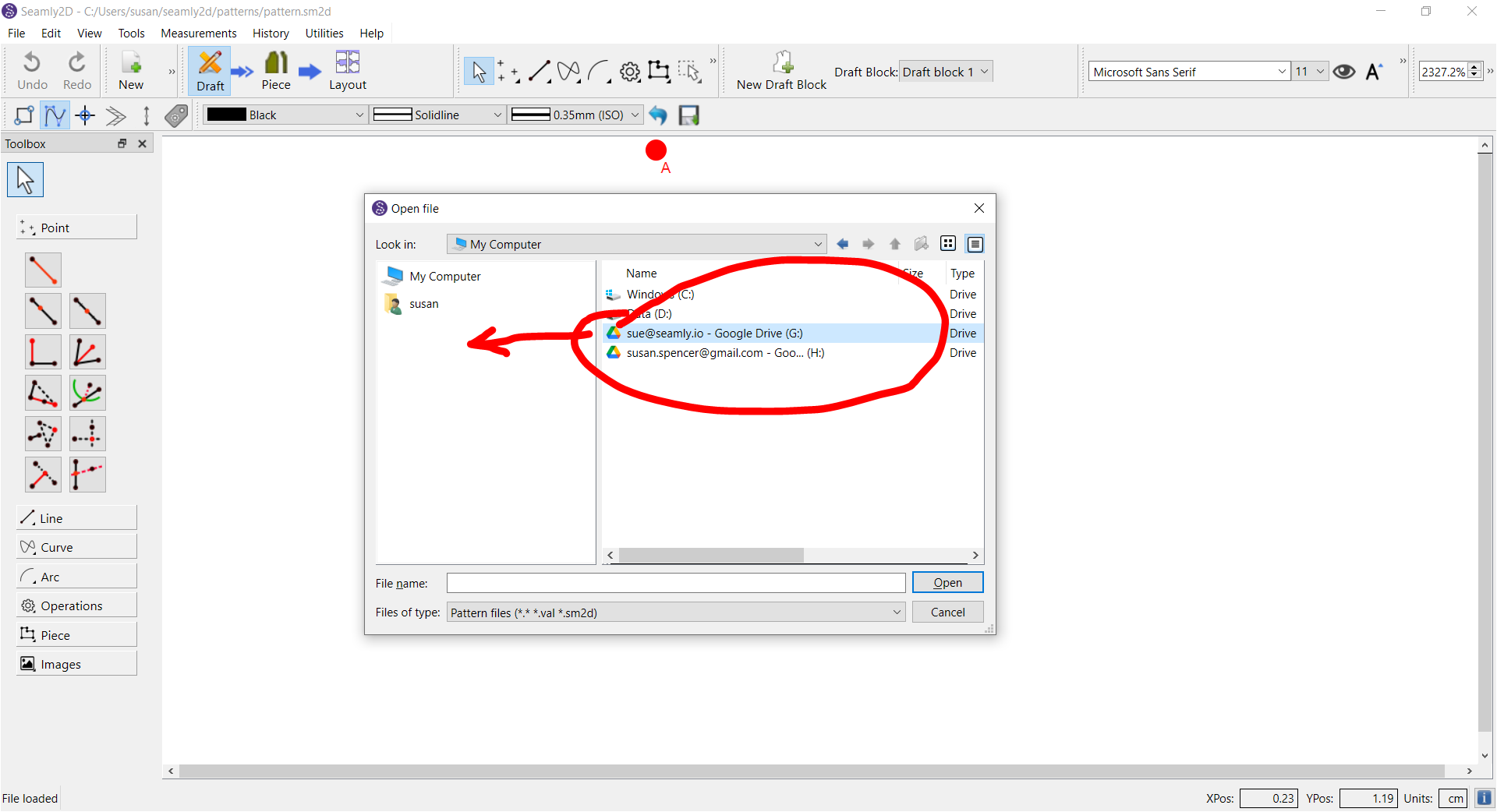
- In the file explorer, I dragged the G: drive icon into the left column to create a quick link.
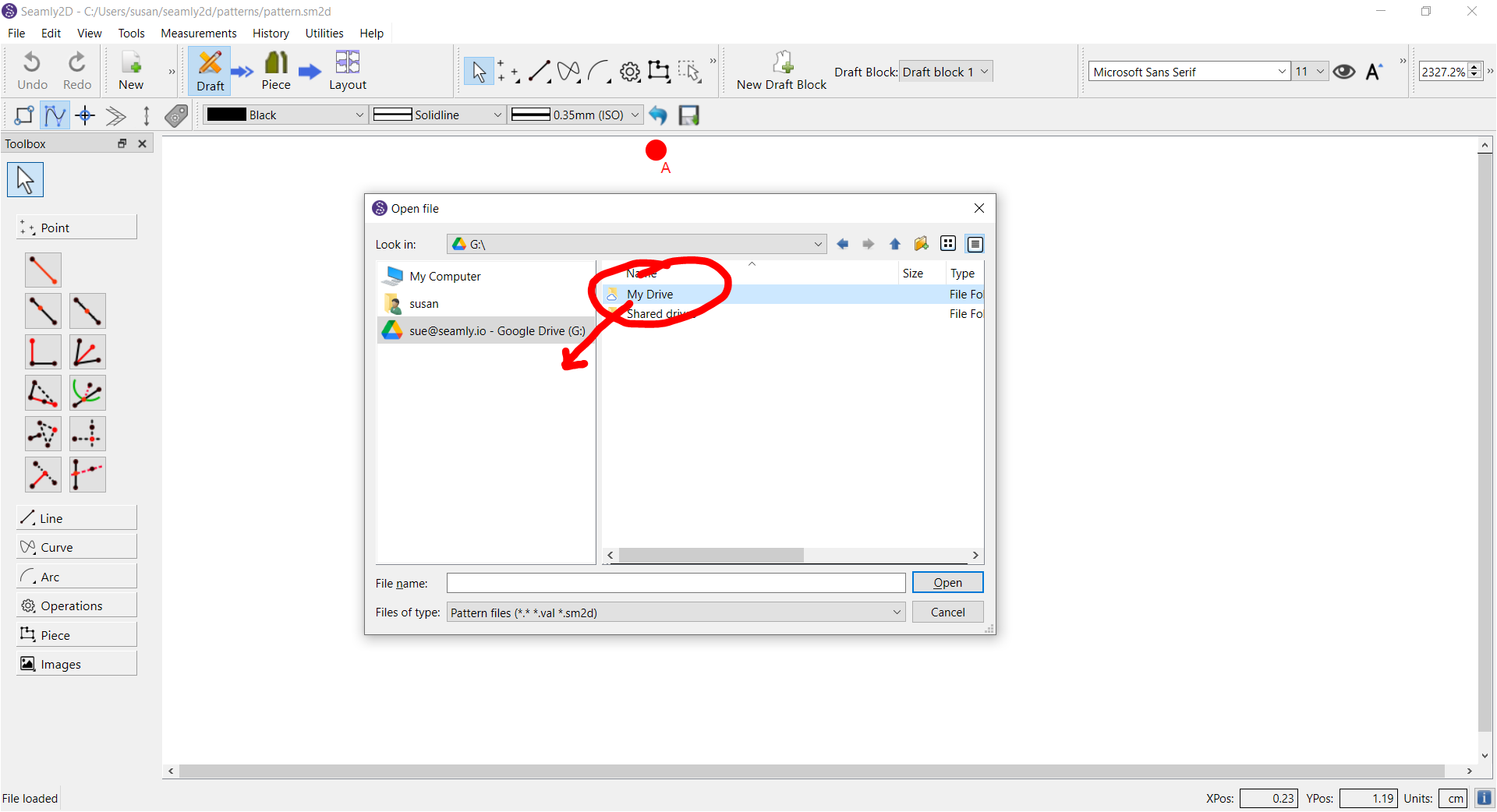
- I clicked on the G: link to display its folders, then dragged the My Drive folder to quick links.
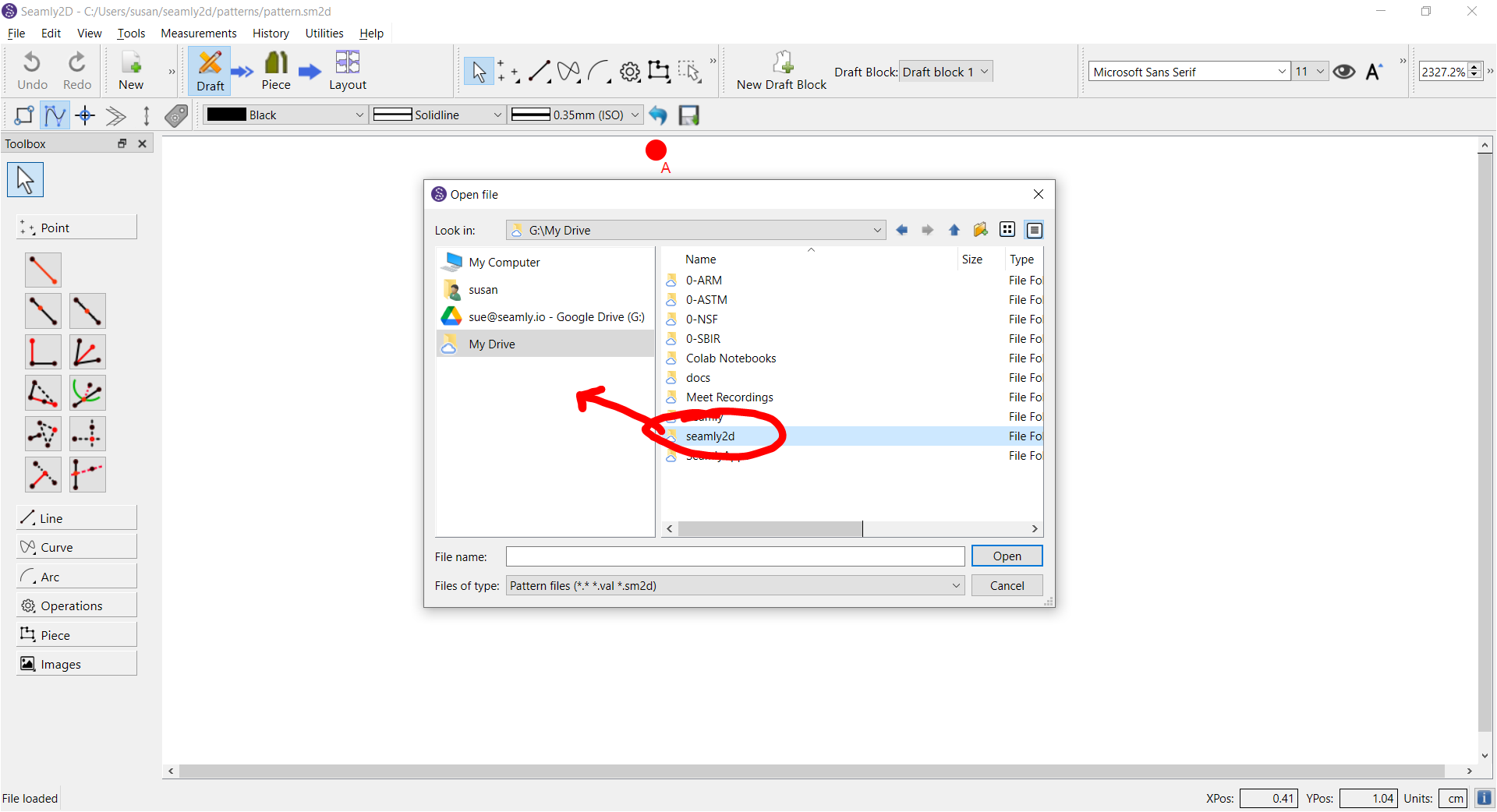
- I clicked on the My Drive link to display its folders, then dragged the seamly2d folder to quick links.
- I right clicked on the G: and My Drive links to remove them.
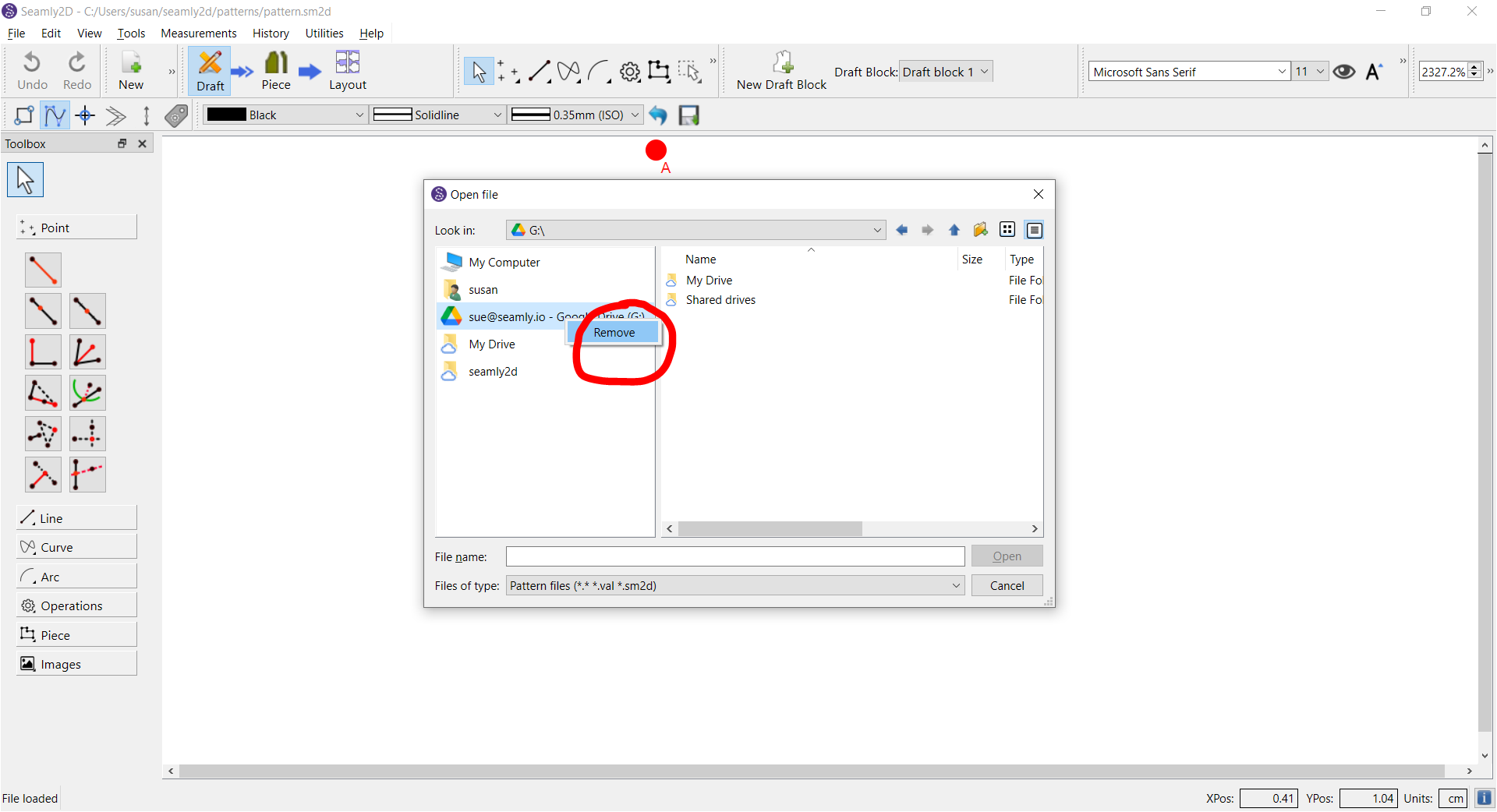
Now I can open pattern files from my Gdrive with no problem.