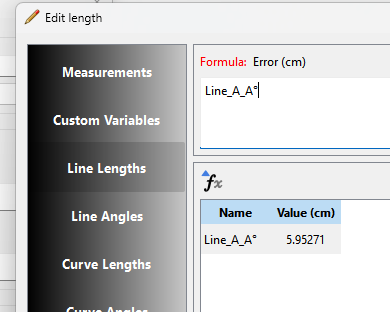
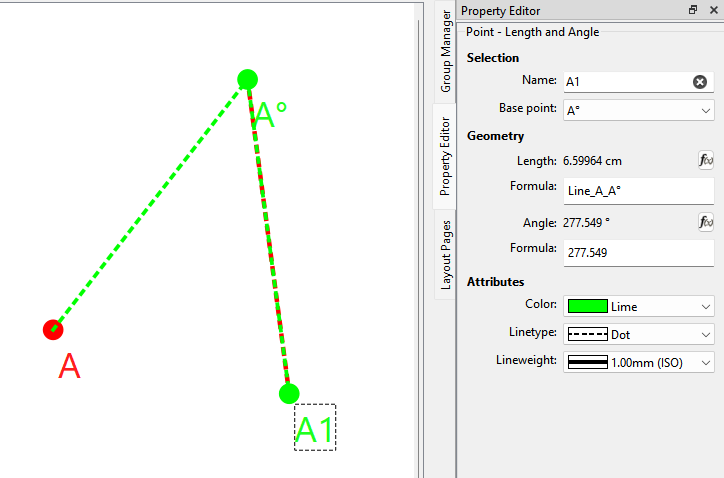
I can name a point A° (that’s a degree symbol) but after that I can’t use the pointname in a calculation.
If the degree symbol makes the pointname invalid I would like to be made aware during entering.
V2025.2.12.15.213 Win
I can name a point A° (that’s a degree symbol) but after that I can’t use the pointname in a calculation.
If the degree symbol makes the pointname invalid I would like to be made aware during entering.
V2025.2.12.15.213 Win
Confirmed in Seamly2D 2025.12.1.213 Linux AppImage & local build.

Yes, in an ideal world, then point names won’t accept those characters, however, anything that is used in the formula’s… °, +, -, *, /, @, #, ^, &, !.. I can’t think of them all… can’t be used in the point names because they are used by the formula’s, either as custom measurements, custom variables, maths, degrees, etc. - these are reserved by the software.
Confirmed:
Even though it’s an odd char to use / type, the degree symbol should be valid for formulas as it’s not an operator and not reserved by the app such as the # and @ chars as @Grace pointed out. I’ll have to check the regex string to see why the math parser is rejecting the char.