Hi,
I’m having an issue opening a measurement file in SeamlyMe and I’m hoping you can help.
Error message:
column 0, line 1
Details:
• The file size shows as 0 KB
• SeamlyMe cannot open it at all
• I’m working on Windos10
• This is a measurement file (.smms)
I didnt change anything just suddenly stop working on Seamly2D, when reopened he file was empty.
Im new to this is there a way to recover the file?
I try updating Seamly2D but nothing changed.
Is there anyway to recover the file?
2 „Gefällt mir“
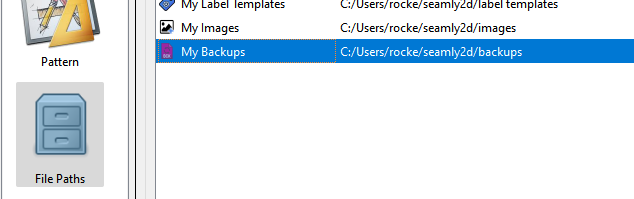
Sorry about this issue… The answer is possibly. If you’re using Windows 11 and the Seamly files are on the OneDrive you may be able to restore fro, the cloud. Also you can check in the file folder you have set in “My Backups”
There may be a backup copy there. If not I’m afraid you’ll have to recreate the ME file.
That said I suggest before you do anything is update to the current release as it has fixed a bug causing issues with ME files. Also I highly suggest that you make periodic backups to some other external hard drive, the cloud, or other device - like a USB drive.
3 „Gefällt mir“