I’m experiencing issues with loading measurements files (.smis) into a pattern file.
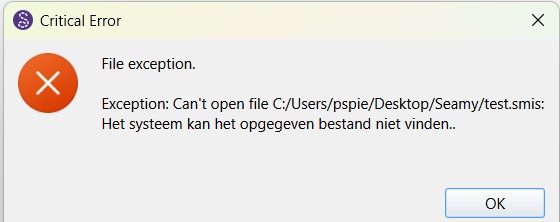
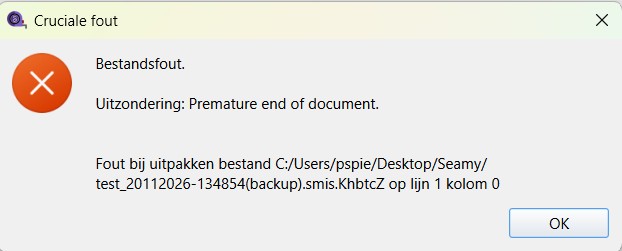
When loading a measurements file (individual) I’m gettin an error stating the file cannot be found + the original file seems to get corrupted. The name of the measurements file is also altered to:
translation: File error. Exception: Premature end of document. An error occurred while unpacking the file.
I’m using the latest software update (version 2026.11.16.133 windows) and also experiencing the same problem on my Mac (also using the latest update). I already tried to uninstall and reinstall Seamly 2D, but the problem remains.
Since the original testfile is corrupted I created a new one using the latest version of Seamlyme, and also included an older file (for which I luckily had a backup file). The problem occured at both new and old files
Addendum: the problem only occurs when loading the measurements file into a pattern file, not when opening the file using SeamlyMe directly.
The problem arose when I attempted to create a new pattern based on an existing measurements file. Not sure if it’s helpful, but here’s an (empty) pattern file that I just created.
That said… make sure you are NOT using a pattern or measurement file in the backup folder. The backups are purged on a rotating first in basis depending on how many backups you have the prefs set at. If you work on a back up it’s going to get deleted at some point. If you need to restore a backup rename it in a different folder. You should also be making backups separate from the “temporary” backups to some other external drive… or dare I say “cloud”.
Thanks for looking into it. I’m not sure I understand your point, since I’m not working from a backup folder, but from the folder I always work from, which has worked perfectly for the past years. This folder already synchronizes with a cloud server. To check on potential problems with this setup I also tested using a local folder on my computer (a folder on my desktop), with the same outcome. Moreover, the problem also arose when using my other computer, which runs on macOS instead of windows.
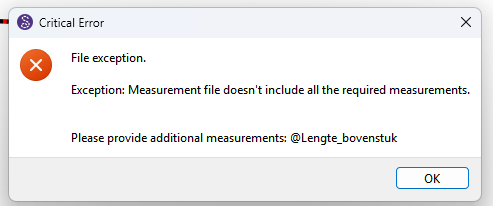
What’s also strange to me is the error you get in relation to the test02.smis file, since I did not include the measurement ‘@lengte_bovenstuk’ in this file. And the pattern file ‘testpattern.sm2d’ doesn’t include any measurements either, because it was newly created and I hadn’t drawn any elements in it yet. So why does the program thinks it needs the measurement @lengte bovenstuk?