Hi all!
I am using the Seamly2D-x86_64.AppImage
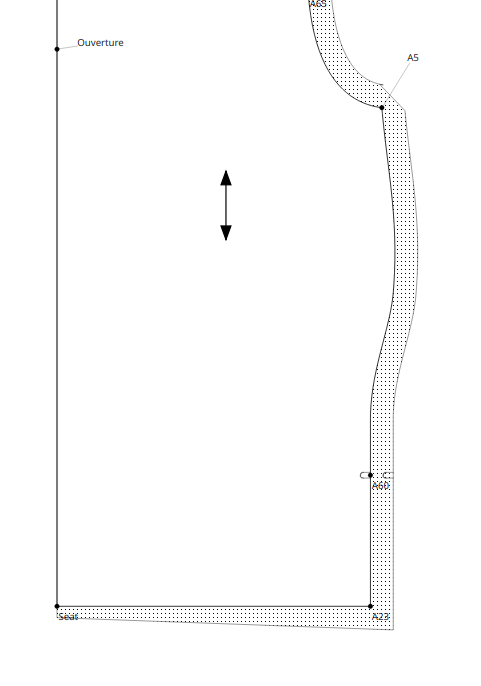
A5 to A23 is a spline with a 2cm sewing margin
Seat to A23 is a straight line with a 1 cm sewing margin
I don’t understand why it starts the A23 to Seat line with a 2cm sewing marging despite entering the 1cm margin in the properties / seam allowance / Nodes
Tunique été mai.sm2d (31,1 Ko)
I am certainly doing something wrong…

2 Likes
We need the pattern file to open the pattern.
1 Like
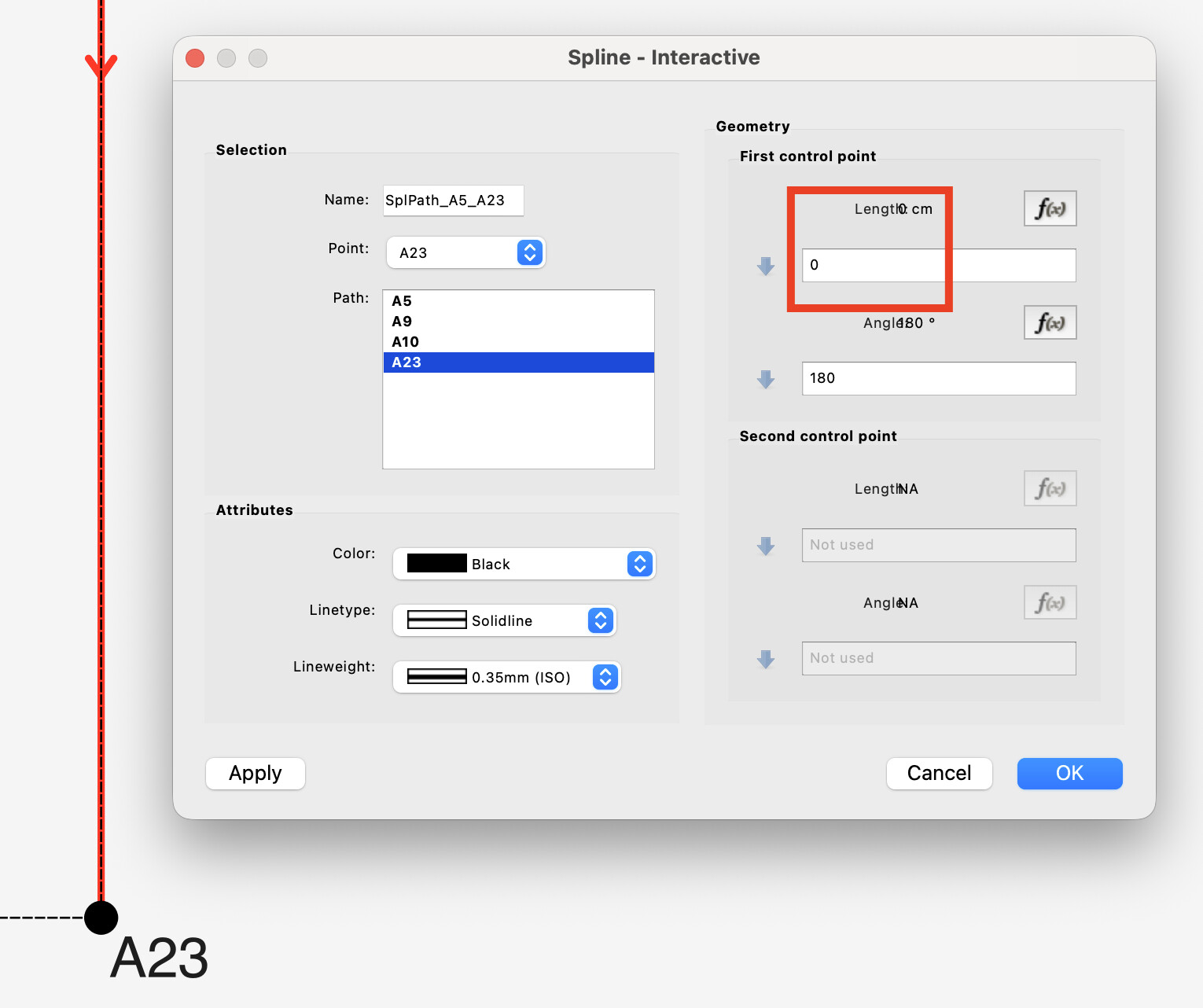
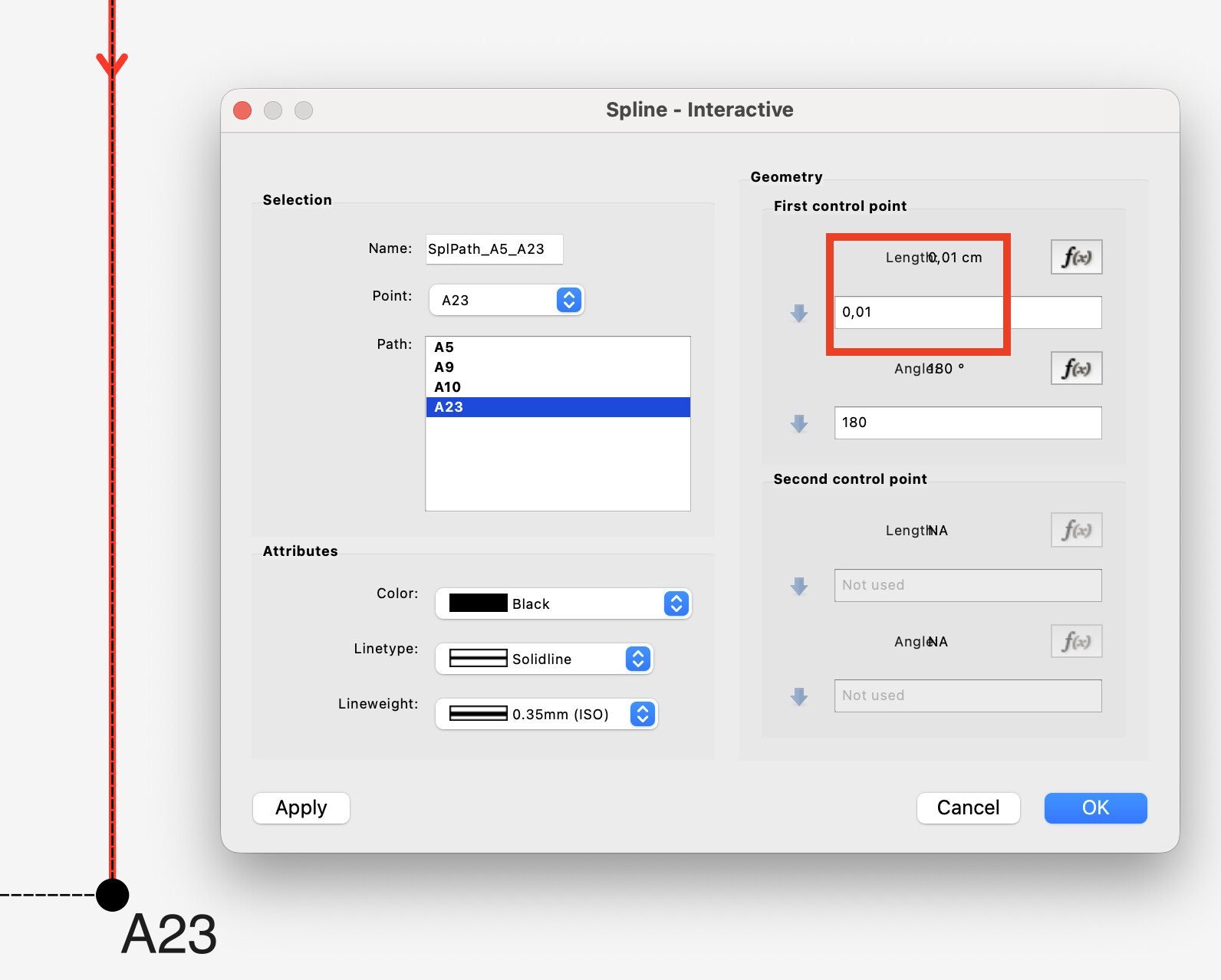
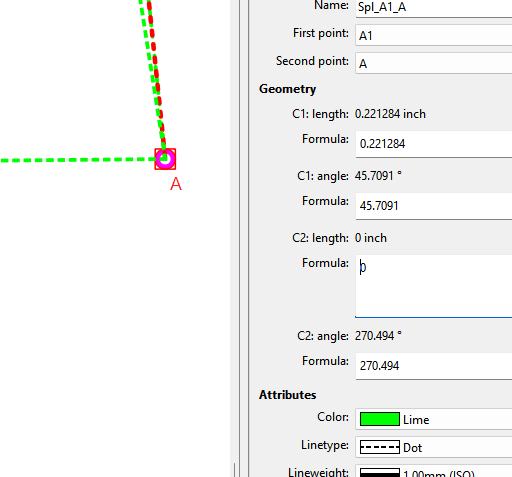
I did some investigation of your pattern. It seems like you have zero (0cm) length in A23 control point of the spline. If you change that to some other lenght than zero, like 0,01cm it seems to solve the seam allowance problem.
Before:
After:
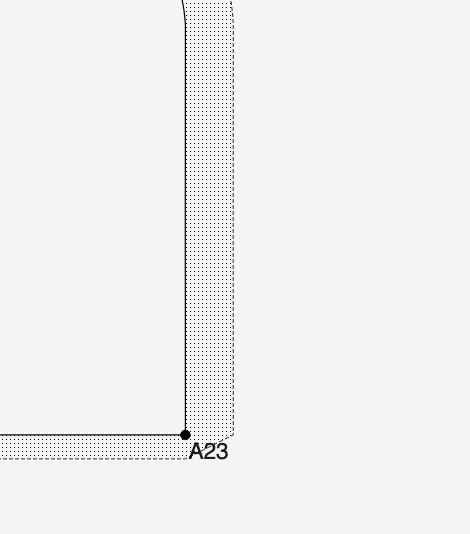
Result of change:
3 Likes
Tks for the fix. It works
3 Likes
That’s what I recently said in another topic… having control point lengths of 0 length can cause issues in the pattern pieces. Except that’s not the problem… the angle is wrong. The angle shoud be 90 so the CP points up towards the seam path. not away.
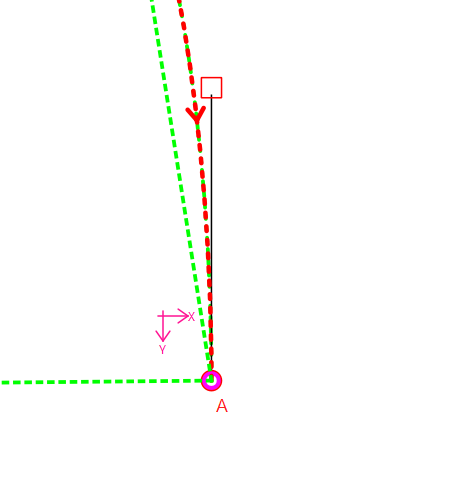
To illustrate: He’s a curve with the CP2’s angle at 90:
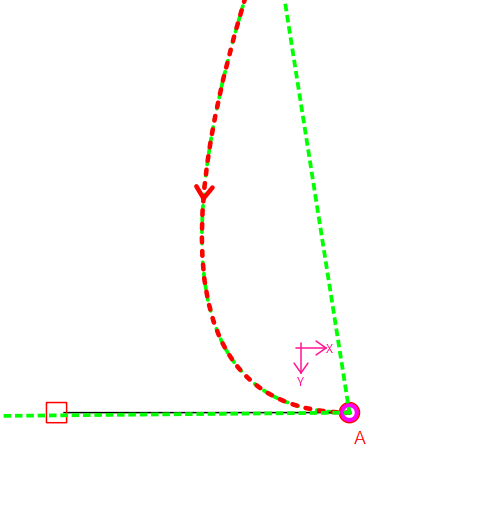
He’s the same curve with the angle at 180:
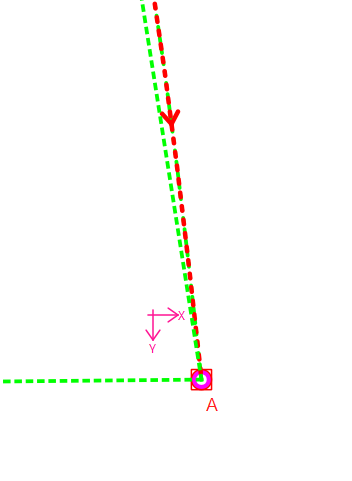
If I change the length to 0… it fixes the curve… but not the CP angle. 
The routine that creates the SA corners uses the CP and the Corner point to create a QLine that gets extended to find the intersection with the intended cut line… if the angle of the CP is 180… the angle of that extension line is 0, and never intersects the intended 1cm cut line… so it uses the previous cut line edge of 2cm which it can find.
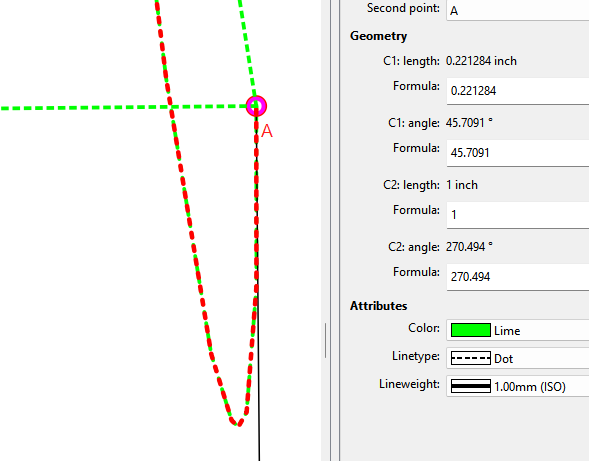
And just to illustrate further because I have seen this issue too… if the angle is say 270 it creates a loop, also causing issues in the SA. Again if the length is 0, you can’t see the loop, but it’s there.
3 Likes
I totaly missed that angle. This make so much more sense!
2 Likes
That’s the thing… when the length is 0, it’s just hiding the real issue of a bad angle, because it’s just a point.
This is usually the first thing I check when a user has problems with the SA’s. The other thing I check is the order of the Nodes… sometimes switching the starting node fixes a SA issue for which I have no idea why.
2 Likes