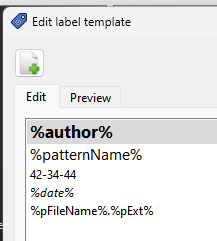
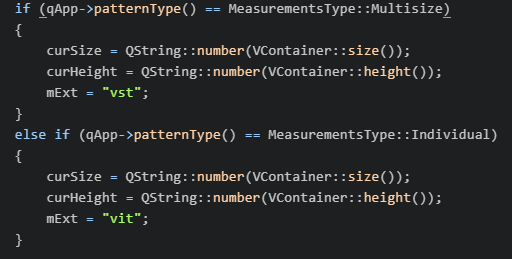
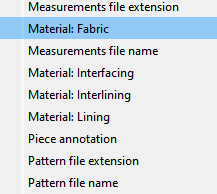
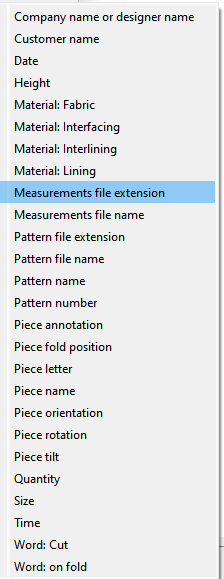
I will refer you to the Qt docs for QFileInfo which handles files names. followed by the actual code used in Seamly.
-------------------------------------------------------------------------------
QFileInfo::fileName() const
Returns the name of the file system entry this QFileInfo refers to, excluding the path.
Example:
fi("/tmp/archive.tar.gz");
name = fi.fileName(); // name = "archive.tar.gz"
QFileInfo::baseName() const
Returns the base name of the file without the path.
The base name consists of all characters in the file up to (but not including) the first ‘.’ character.
Example:
fi("/tmp/archive.tar.gz");
base = fi.baseName(); // base = "archive"
QFileInfo::completeBaseName() const
Returns the complete base name of the file without the path.
The complete base name consists of all characters in the file up to (but not including) the last ‘.’ character.
Example:
fi("/tmp/archive.tar.gz");
base = fi.completeBaseName(); // base = "archive.tar"
QFileInfo::suffix() const
Returns the suffix (extension) of the file.
The suffix consists of all characters in the file after (but not including) the last ‘.’.
Example:
fi("/tmp/archive.tar.gz");
ext = fi.suffix(); // ext = "gz"
QFileInfo::completeSuffix() const
Returns the complete suffix (extension) of the file.
The complete suffix consists of all characters in the file after (but not including) the first ‘.’.
Example:
fi("/tmp/archive.tar.gz");
ext = fi.completeSuffix(); // ext = "tar.gz"
-------------------------------------------------------------------------------
Code used in Seamly text maanger:
placeholders.insert(pl_pExt, QFileInfo(qApp->getFilePath()).suffix());
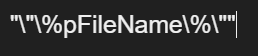
placeholders.insert(pl_pFileName, QFileInfo(qApp->getFilePath()).baseName());
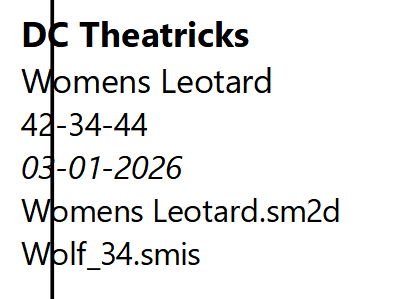
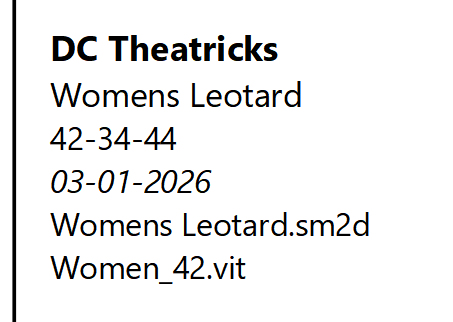
As you may notice it uses ONLY the basename() and the suffix()… that is anything left of the 1st ‘.’, and right of the last ‘.’ respectively.
In other words a filename of “myfile.some_more_chars.ext” in the text manager will only return “myfile” for the pFileName. and “ext” for the pExt. You will never see “some_more_chars” included in the label text.
That being said… In order to not loose part of the filename, I should probably switch the code to use the complete suffix, as generally you would not include dots in a basename, but rather with multiple extensions like .tar.gz
With that being said… IMO there should be no case for using multiple dots in a Seamly pattern or measurement file name. It’s just asking for trouble. Stick to “lower_case” dot “ext” or “file-name” dot “ext”. And yes I know you can, but I recomend no upper case and no spaces in a file name.
In Unix-like systems, filenames are case-sensitive , meaning FILE.TXT and file.txt are considered two distinct files. The standard convention is to use all lowercase letters for file and directory names to ensure consistency, prevent issues with case-insensitive systems (like Windows), and make them easier to type in the command line.
Spaces are generally acceptable in modern operating systems like Windows and macOS (Unix-based), but they can cause issues, particularly with older software, programming scripts, and command-line interfaces. For maximum compatibility, it is often considered a best practice to avoid using them.
 &
& 

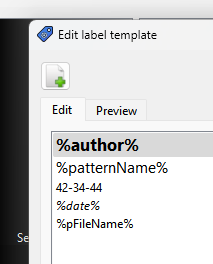
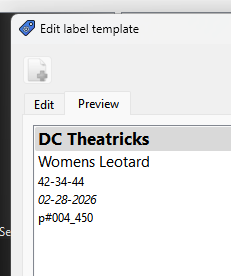
 Anybody else think we should show the file extension?




 … Thanks, noted!