I am using a MacBook Air (13-inch, Early 2015) with macOS Monterey 12.7.6.
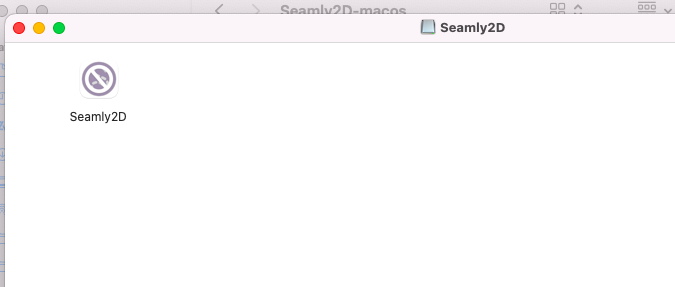
My current Seamly2D version is 2026.7.20.215, and it works correctly. The built-in update checker offered me the latest update, but after downloading it, the Seamly2D icon appeared crossed out and macOS would not allow me to open it.
I understand that the current Seamly2D release supports macOS Ventura 13 and newer. My Mac cannot officially update beyond Monterey.
Is there a Universal or Monterey-compatible build that includes the latest Seamly2D updates? If not, would it be possible to provide a legacy build for Monterey users?
It may also help if the update checker displays a message explaining that a newer version is available but is not compatible with the user’s macOS. The message could also confirm that the user already has the latest compatible version. This would be clearer than offering an update that cannot be installed or showing no update at all.
I have this same issue. Saw that it was compatible with Monterey so downloaded it only to find out it does not work with my version of Monterey. Is there any way to download the last compatible version?
Sorry for the inconvience. As we are trying to remain current with the Qt framework, Qt 6.11 dropped support for Monterey. As classes and functions become deprecated with newer versions of Qt it’s difficult to maintain a single codebase over mutltiple Qt versions.
That said - Yes. You can download any version of the app directly ftom Gthib. I think this is the last version before we switched to Qy 6.11.1.
If I’m mistaken and this doesn’t work let e know and I’ll try and help you find the last working vetrsion.