Hi, I am noticing that my seamlyMe file is large 7,090 KB when it is usually 7. This happened before, and I recovered a previous version. Now I am noticing that the file is large again. I am wondering if I am doing something to cause this. This time, I can still open the file, but I do notice that my Seamly 2D file is slow when changing to a different size. Are you able to look at the file to determine if something is happening? The file is too large to load here. I DL the updated software today. Thank you, Sandra
2 Likes
My measurement files are also getting bigger with use, but never as drastic as yours. The reason are empty lines that are creeping in with time. From time to time I open them in notepad++ and delete all empty lines. After it, the size goes back to normal.
edit>line operations>delete all empty lines
2 Likes
I noticed the same thing, we might have to take a look at it @Douglas …
2 Likes
Thank you! I was able to get this to work with your help. I work with multi-size files, and my pattern file has a lot of formulas. I need to pay attention to when the pattern file starts to be slower when I change to another size. That should signal to me that I need to clean the file as you suggested.
2 Likes
I would like to get some info… like your system info… Help->About->System:
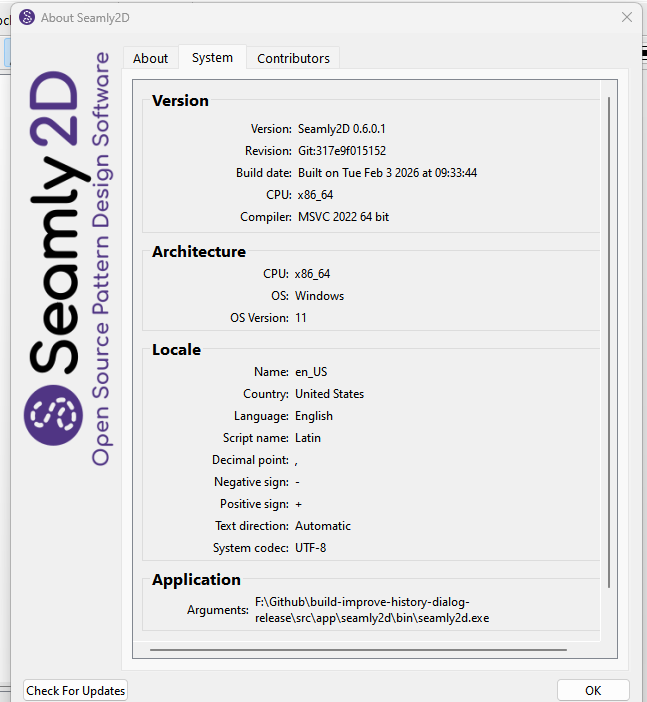
Are you using OneDrive to save patterns & Me files to?
What is yor general workflow? Like is this happening from just opening a single pattern and never editing the Me files? Is it happening after saving Me files? Do you even have multiple patterns open using the same Me file?
In other words I’m trying figure out when and where this is happening. Typically if you’re just opening a pattern with an attached Me file, nothing is ever written to the Me file so it should not change, and defintely should not be getting blank lines written to it.
2 Likes
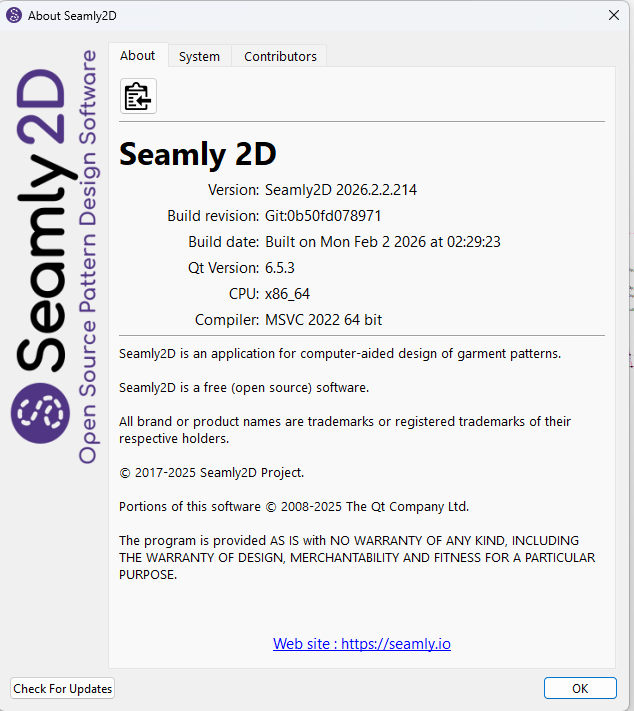
I was using the previous version (see my log from Jan 13th), and just DL this one when I discovered the file size issue.
No, I save to my C drive. What is different for my current project, is that I have been using Gemini to help write formulas in the pattern file - finding it way easier.
The measurement file has 4 sizes. Once I create the measurement file, I rarely go back and make changes. I have 1 pattern file that calls on this measurement file. I am not aware of anything different in my measurement file than what I have used in the past for other projects. I can share if you would like to see it. There must have been blank lines because I followed the instructions it magically reduced the size, and my pattern file is much happier (changes sizes in a split second).
I was noticing that when I changed the multi-size for my pattern, the beeping that I hear as it makes the change slowly took longer and longer over time (I was working on this project regularly through January) - maybe a few seconds, compared to a split second when the file was cleaned up.
My pattern file is more sophisticated than what I have had in the past. I have created 2 variables to modify the pattern for different fabric stretch , and have incorporated formulas to change some results based on size and stretch . I thought this may have been why the pattern was taking longer to change to a different size, but now I think it has something to do with the measurement file because it responds fast after removing the blank lines?
I have now completed my sloper pattern. I am about to move onto making a new measurement file with custom measurements from these 2 files, and use it for the custom costume design.
Now that I am more aware of this, I can monitor the file size to see if I can pin point when the measurement file size increases. Please let me know how I can be of help.
Thank you,
Sandra
2 Likes
Gemini?
What I don’t understand is that for some reason something is writing (blank lines) to the SeamlyMe measurement file when this should not happen. Seamly2D does not write to the Me files so changing / opening an ME file or changing size should not be affecting the ME file at all.
2 Likes
Hello, @SandraB , can you explain this process to me, please?
1 Like
I also think this is something “new”, because in old measurement files this was not happening. But I cannot point when this started to happen. I have Me files from 2024 and they are ok, and I have files from 2026 and I just cleaned them from empty files.
All the other configuration is the same, like OS, hardware, Onedrive etc.
mmm, maybe I should try to find old versions of Semly and test it.
2 Likes
It’s not whether it’s an old or new ME file… something is causing whatever ME file that is loaded into a Seamly2D pattern to get written with blank lines, and corrupting the file.
OK… I did some testing and for some reason everytime you load a pattern file with a loaded ME file, it prepends a CR at the beginning of everyline in the ME file. The more you load the pattern, the more lines are prepended. WTH?
At least I know what and where to look for. 
4 Likes
Gemini is google’s AI.
1 Like
Here is an example. I was using a commercial pattern as a starting point to create my sloper, so I wanted to get as close to the commercial pattern as possible. I used Gemini to help me write the formulas. The commercial pattern is designed for 50% stretch, and my main fabric is 75% and my lining is 125% 4 way stretch. After trying different stretch % factors, I found .97 x the commercial pattern to be be what I wanted - at least for now in initial testing. For most of the main width/ lengths in the pattern, I do not need to apply a calculation by size, just apply the variable calculation if needed. On some curves I need to adjust by size and stretch variable.
Example:
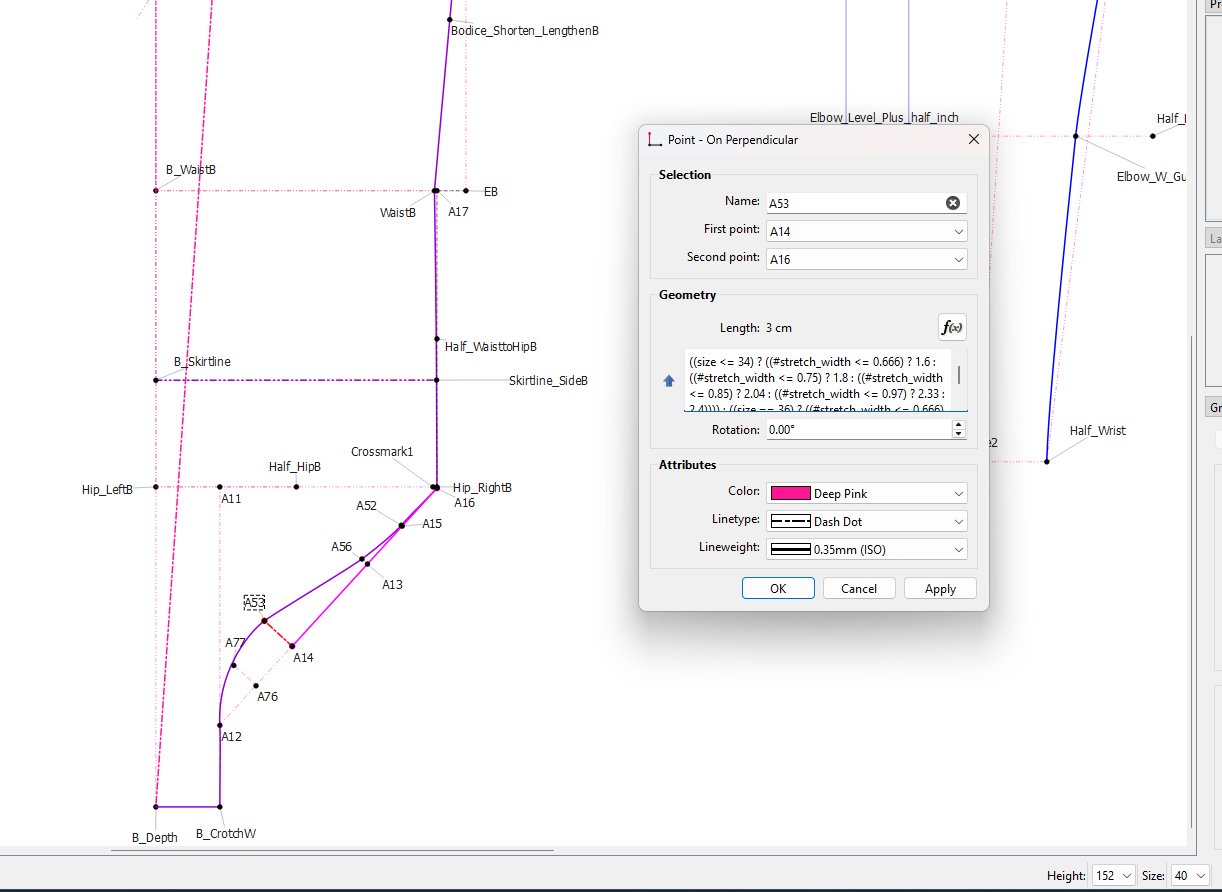
((size <= 34) ? ((#stretch_width <= 0.666) ? 1.6 : ((#stretch_width <= 0.75) ? 1.8 : ((#stretch_width <= 0.85) ? 2.04 : ((#stretch_width <= 0.97) ? 2.33 : 2.4)))) : ((size == 36) ? ((#stretch_width <= 0.666) ? 2 : ((#stretch_width <= 0.75) ? 2.25 : ((#stretch_width <= 0.85) ? 2.55 : ((#stretch_width <= 0.97) ? 2.91 : 3)))) : ((size == 38) ? ((#stretch_width <= 0.666) ? 2 : ((#stretch_width <= 0.75) ? 2.25 : ((#stretch_width <= 0.85) ? 2.55 : ((#stretch_width <= 0.97) ? 2.91 : 3)))) : ((#stretch_width <= 0.666) ? 2 : ((#stretch_width <= 0.75) ? 2.25 : ((#stretch_width <= 0.85) ? 2.55 : ((#stretch_width <= 0.97) ? 2.91 : 3)))))))
2 Likes
Thank you, @SandraB
So how did Gemini help you to come up with that formula?
1 Like
Hi Grace!
I am just not that great writing formulas in Seamly. I understand excel, but when it comes to the logic here for if/ then it takes me too long. I have been using Gemini to write my procedures, help with analysis, website updates etc. So, I thought one day, I’d give this a shot and was pleasantly surprised.
After developing a routine, my requests to Gemini were often (talking or typing), here are the measurements for each size (in the ME file which I also have in a spreadsheet), and here are the desired results for each size (which I took from a paper pattern) for my pattern point (e.g. A53). Please give me the formula for each size and stretch factor. “She” gives me the formula, I apply it, I test it. Sometimes I have to check carefully. She may decide to change something else if I am not clear in my instructions (e.g. I only wanted her to update size 34 and 36, not 38 and 40). If I am working with her a lot on the same day, she’ll remember better. If I continue from another day, I have to remind her with repeated instructions. Overall, it has become a great process for me. For the stretch factors, she suggested the result, and I confirmed it through testing, which was also very helpful.
In the beginning “we” had to figure out the type of programming logic. Once she knew which one we were away to the races. I just asked Gemini about this now and she says, “But as we dug deeper into the Formula Editor, we discovered that while the software is written in C++, the language you used to talk to the pattern is actually a muParser engine. The “muParser” is a math-based language designed to handle formulas quickly. It uses Ternary Logic, which is why our formulas look like a series of questions and answers using the ? and : symbols.”
I also discovered that Gemini is knowledgeable about Seamly and the measurements H01 etc. So now when I’m analyzing the pattern results against the custom measurements, she helped me identify questionable custom measurements (provided by remote customer).
I think I could improve the formula process by asking Gemini to “remember” the measurement list.
Sandra
2 Likes
AI is like that. You can type in Google the exact same thing 10 times, and each time it will spit out a different example. I’ve also found that Qt code examples Google spits out don’t always work.
I happen to follow Dave Plummer - a former Microsoft engineer (who amongst other things wrote the orginal Task Manager) - on Youtube. A couple months ago he did an AI challenge where he tried to see if he could get GPT Codex to write the source for a NotePad like app. He called the episode “Microsoft “Improved” Notepad. I Un-Improved It.” After sometime he actually got it to write code that would compile and run. Well he does a show on fridays with a friend of his called Dave’s Attic - where Dave answers questions from comments from his other channel Dave’s Garage. Last friday a viewer asked if he could have AI write code for Task Manager… he answered probably - if you gave it tons of very specific input.. to the point where it would take you longer to write the specs for the AI than to write the actual app. The Notepad worked as there’s is open source code out there ot train on, there is no source code out there for task manager to train on.
3 Likes
Yes, Seamly does use muParser.
This is the muParser version of the “if, then, else” used in Excel ( =if(123<0, 25, 5) ) - in muParse the same would be 123<0? 25: 5, which is IMO a lot cleaner than Excel.
However, my reason for asking is that I had this very strange picture of you letting Gemini to access your pattern on your computer and to somehow read your mind to put such a lengthy formula into a variable 
Thank you very much for putting me out of my missery.
FYI: You could probably put that formula into a variable, below the other variables, so that you can use it with various other measurements easily by entering the measuremnt * the variable (H01 * #LengthEase).
2 Likes
Ah! If I remember aright, Google owns GitHub, so, since Seamly’s source is hosted there that does seem natural  I never thought of that before.

1 Like
muParser uses a C++ style… which yes is pretty easy to understand:
condition ? do this : else do this
where the do this or else do this can be a nested condition.
Sometimes it makes for cleaner code than an if / else block. In fact here’s a snippet from the History dialog:
QString separator = qApp->Settings()->getOsSeparator()
                    ? QString(localeDecimalPoint(QLocale()))
                    : QString(localeDecimalPoint(QLocale::c()));
An if block would look like this:
QString separator;
if (qApp->Settings()->getOsSeparator() == true)
{
    separator = QString(localeDecimalPoint(QLocale()));
}
else
{
    separator = QString(localeDecimalPoint(QLocale::c()));
}
2 Likes
These AI features scan the internet in seconds until it finds something, not only Github. There are a number of sites with Seamly measurements on them, even mine.
1 Like
It’s Microsoft that owns GitHub, which is why they have their filthy Copilot “A.I.” fingers all over it.
2 Likes